Azure Data Factory
An Azure service for ingesting, preparing, and transforming data at scale.
This browser is no longer supported.
Upgrade to Microsoft Edge to take advantage of the latest features, security updates, and technical support.
' cx='32' cy='32' r='32' /%3E%3Ctext x='50%25' y='55%25' dominant-baseline='middle' text-anchor='middle' fill='%23FFF' %3EKN%3C/text%3E%3C/svg%3E)
I have a source, derived column , Sink transformation in my data flow.
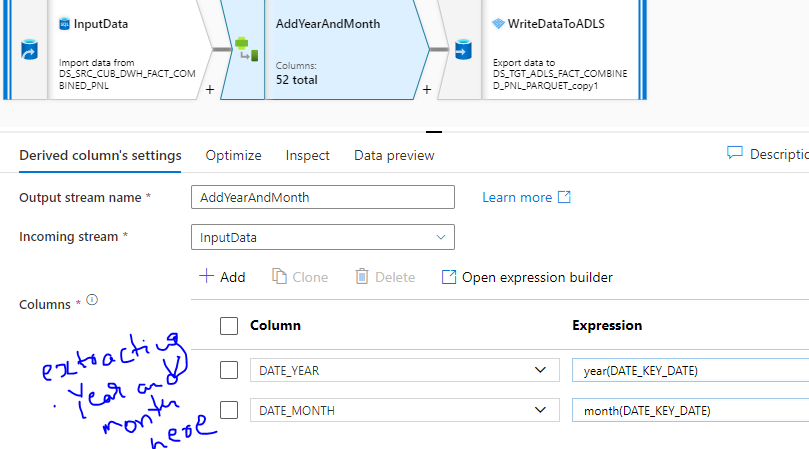
Derived Column transformation , I am getting some Year and Month from Source.
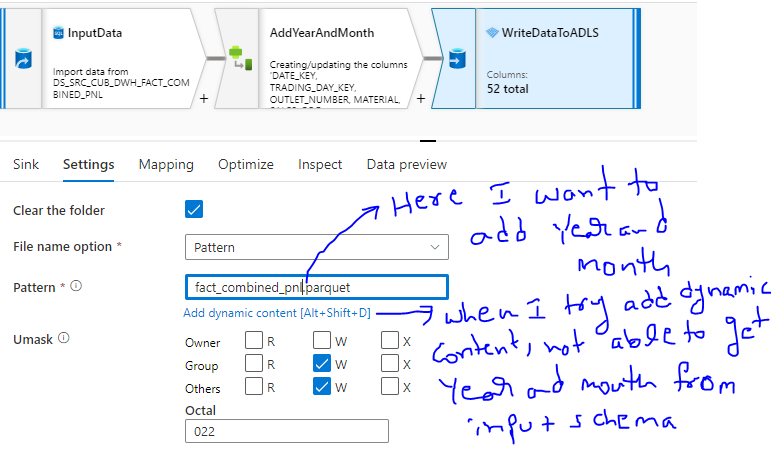
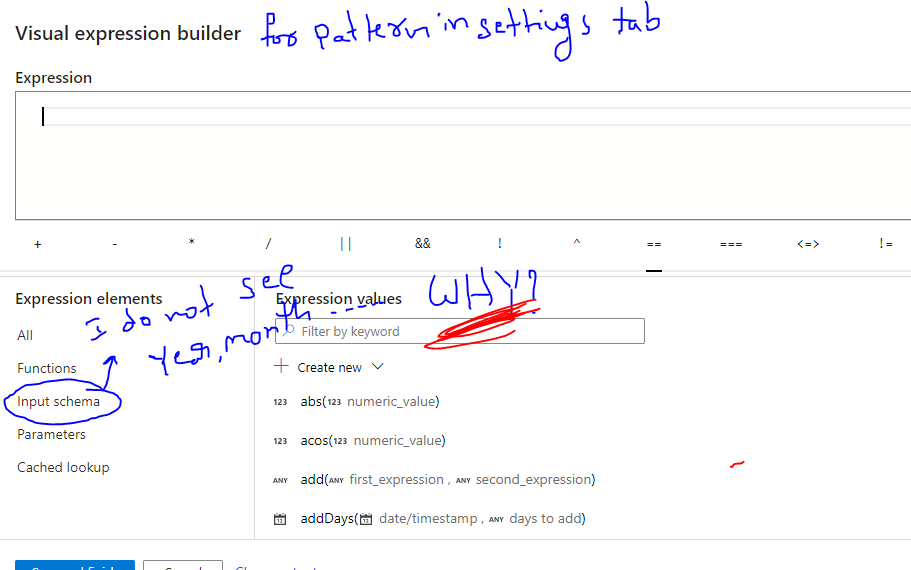
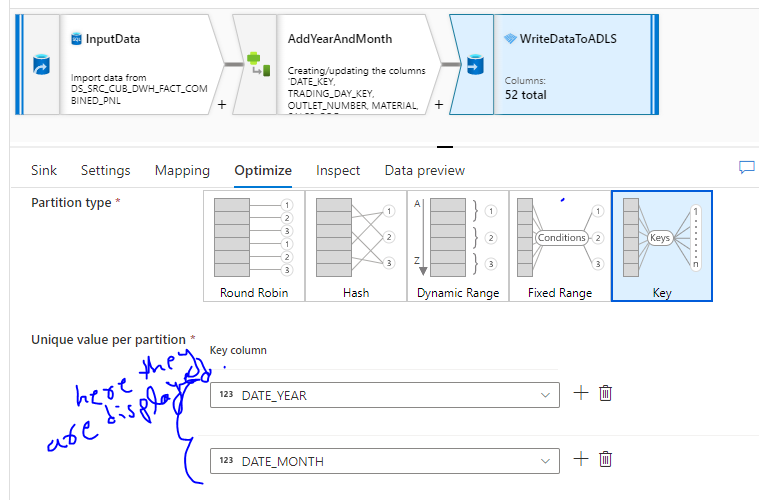
But I cannot see these(Year and month) column names in Sink settings tab when using file name option as pattern. But these column names are available in Optimize Tab of Sink.
I want file names as fact_combined_pnl_$Year_$Month in the $Year/$Month folder. Please check following screenshots
Attaching Derived Column Settings, Sink Settings and Expression Builder, Sink Optimize
Please suggest
@AnnuKumari-MSFT Can you help me on this? Thanks in advance

Thank you for posting query in Microsoft Q&A Platform.
As per my understanding, you want to write expression for filename. But not able to use column names inside expression. Please correct me If I am wrong.
While writing expressions for file names we cannot use column names there. We can use parameters there. So we should have our desired values in to parameters and use them in to file names.
Please check below screen shots which gives better idea.
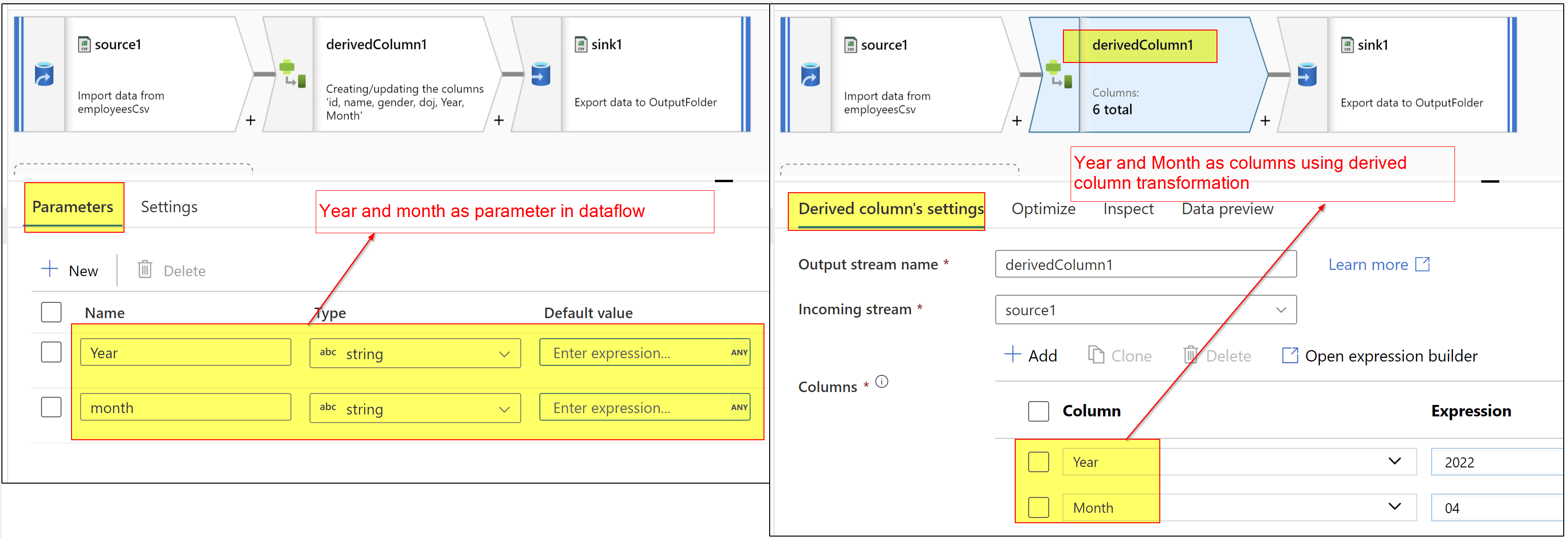
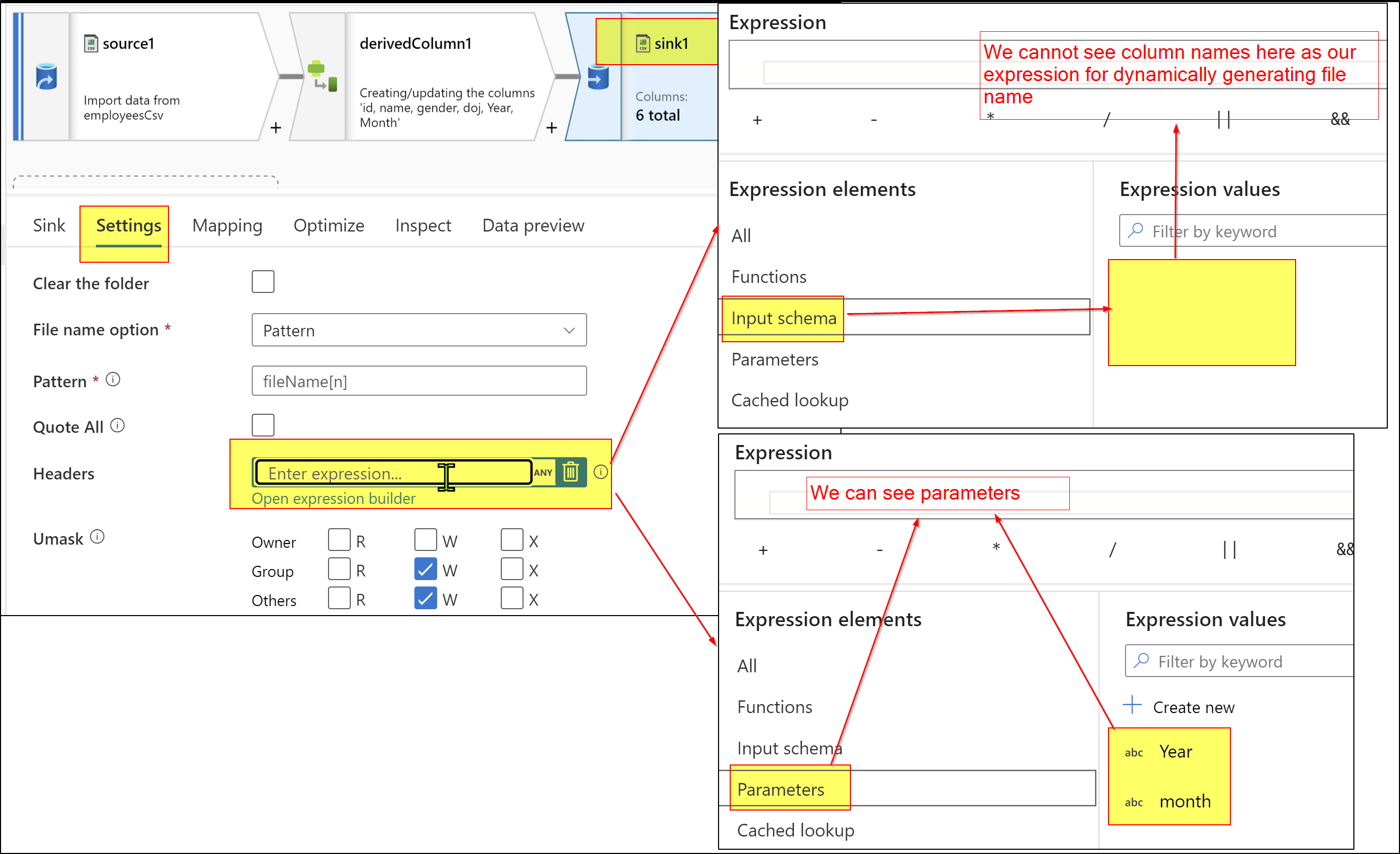
Hence, please consider having your year and month values in to dataflow parameters.
Also, you may consider using cache lookups. Please check this video to understand cache lookups and cache sinks and see if that helps. Thank you.
Hope this helps. Please let us know if any further queries.
----------------
Please consider hitting Accept Answer button. Accepted answers help community as well.
But if I do this way I am getting my output with default parameter values which was given in data flows. Also I am not getting these parameter values in dropdown of column in Derived column. @ShaikMaheer-MSFT please advise
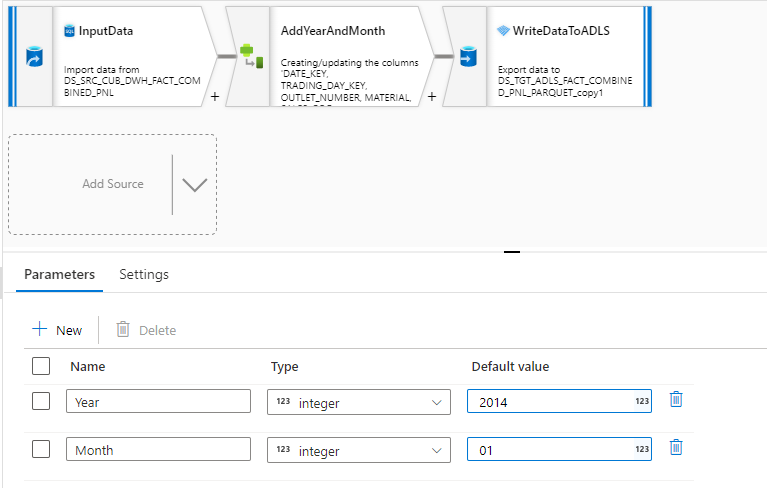

I am getting output as this . Year and month is default values
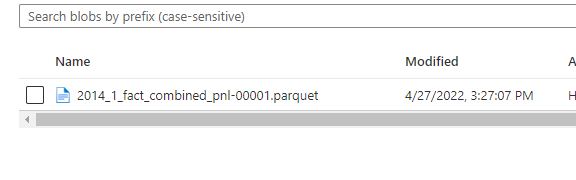
Parameters and column names are different. Hence you wont see them in derived column transformation dropdowns. In derived column transformation you can manually write down new column values. Hope this helps.
-------------
Please consider hitting Accept Answer button. Accepted answers help community as well.
Hi @Krishnamohan Nadimpalli , As above answer helps. Could you please consider marking it as Accepted Answer? Accepted answers helps community as well. Please let us know if any further queries.