Developer technologies | .NET | Xamarin
A Microsoft framework for building cross-platform mobile apps using .NET and C# with native performance and user interfaces.
This browser is no longer supported.
Upgrade to Microsoft Edge to take advantage of the latest features, security updates, and technical support.
' cx='32' cy='32' r='32' /%3E%3Ctext x='50%25' y='55%25' dominant-baseline='middle' text-anchor='middle' fill='%23FFF' %3EJL%3C/text%3E%3C/svg%3E)
Hi. I'm Xamarin Forms Newbies. So far, I can navigate from one to another page. Here it is,
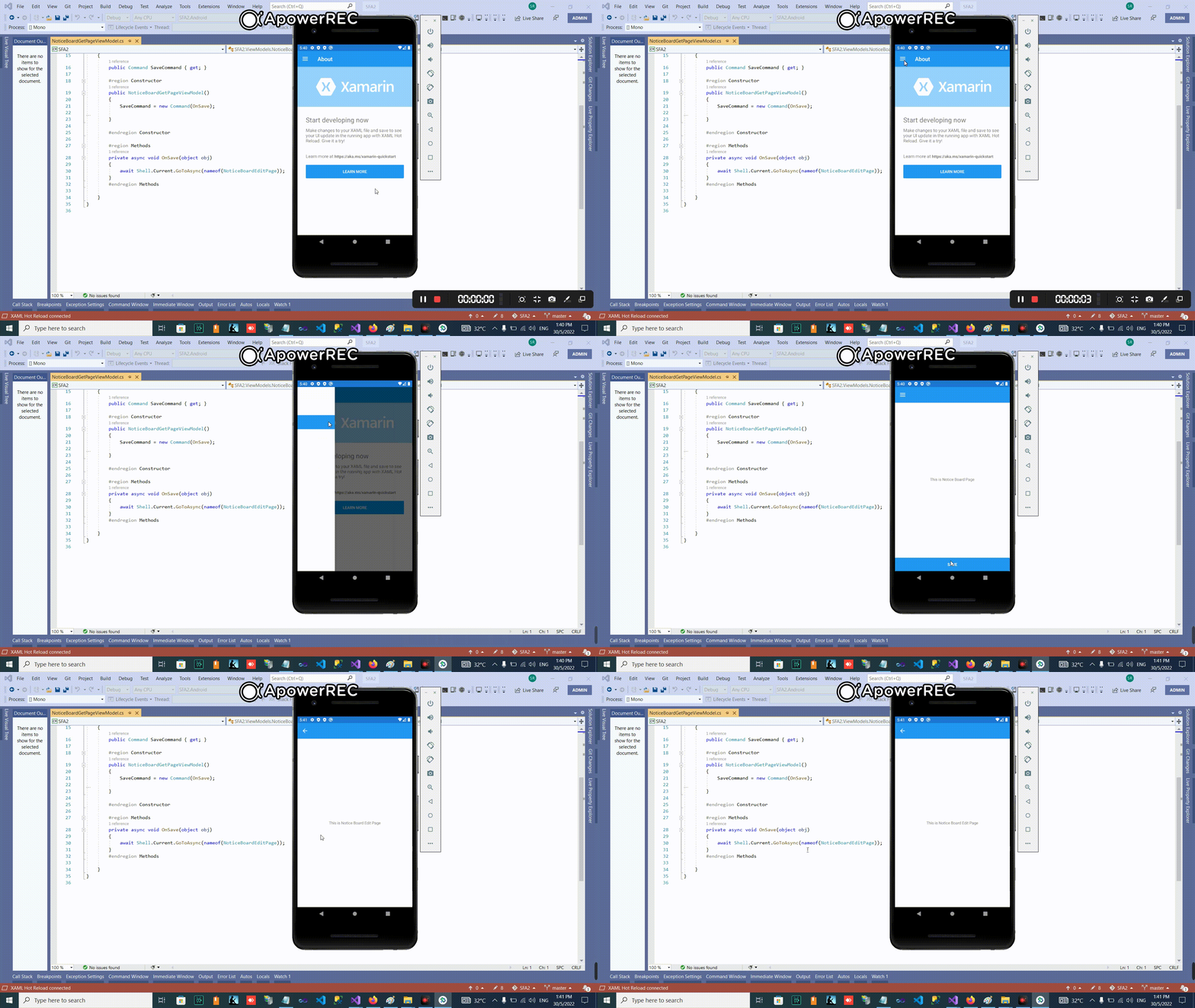
NoticeBoardGetPage.xaml navigate to NoticeBoardEditPage.xaml using below code,
 private async void OnSave(object obj)
        {
            await Shell.Current.GoToAsync(nameof(NoticeBoardEditPage));
        }
Next step,
I modify NoticeBoardEditPage.xaml to make it this page must receive parameter from NoticeBoardGetPage.xaml. Something like this,
 public partial class NoticeBoardEditPage : ContentPage
    {
        private string _Id;
        public NoticeBoardEditPage(string Id)
        {
            InitializeComponent();
            _Id = Id;

            BindingContext = new NoticeBoardEditPageViewModel(_Id);
        }
    }
NoticeBoardEditPageViewModel.cs
  public class NoticeBoardEditPageViewModel
    {
        public NoticeBoardEditPageViewModel(string Id)
        { }


    }
Let say in NoticeBoardGetPage, I want send parameter named Id. Something like this,
 private async void OnSave(object obj)
        {
            string Id = "42";

            //await Shell.Current.GoToAsync(nameof(NoticeBoardEditPage));
        }
How to modify,
await Shell.Current.GoToAsync(nameof(NoticeBoardEditPage));
Please help
' cx='32' cy='32' r='32' /%3E%3Ctext x='50%25' y='55%25' dominant-baseline='middle' text-anchor='middle' fill='%23FFF' %3EA%3C/text%3E%3C/svg%3E)
Hello,
If you want to transfer ID to ViewModel of navigated page. You can use Process navigation data using a single method to achieve it.
Firstly, please add Id when you navigated page.
   private async void OnSave(object obj)
            {
                string Id = "42";
                await Shell.Current.GoToAsync($"{nameof(NoticeBoardEditPage)}?Id={Id}");
            }
Then, please remove _Id in your NoticeBoardEditPageViewModel constructor like this code BindingContext = new NoticeBoardEditPageViewModel();
In the end. Navigation data can be received by implementing the IQueryAttributable interface on the NoticeBoardEditPageViewModel.
   public class NoticeBoardEditPageViewModel : IQueryAttributable
       {

           public NoticeBoardEditPageViewModel()
           {

           }

           public void ApplyQueryAttributes(IDictionary<string, string> query)
           {

   //get the Id here.
               string id = HttpUtility.UrlDecode(query["Id"]);
                int ID= int.Parse(id);
           }
       }
Best Regards,
Leon Lu
If the answer is the right solution, please click "Accept Answer" and kindly upvote it. If you have extra questions about this answer, please click "Comment".
Note: Please follow the steps in our documentation to enable e-mail notifications if you want to receive the related email notification for this thread.
Hi @Anonymous ,
Your technical guide is half cook. Once in
    public class NoticeBoardEditPageViewModel : IQueryAttributable
        {

            public NoticeBoardEditPageViewModel()
            {

            }
            public void ApplyQueryAttributes(IDictionary<string, string> query)
            {

    //get the Id here.
                string id = HttpUtility.UrlDecode(query["Id"]);
                 int ID= int.Parse(id);
            }
        }
How I can read this parameter Id in another method ? Let say I have LoadNoticeBoardDataWebAPI
 async void LoadNoticeBoardDataWebAPI(string Id)
        {


}
Please help with complete guide
Where to put LoadNoticeBoardDataWebAPI method? If you put LoadNoticeBoardDataWebAPI in the NoticeBoardEditPageViewModel.cs, just call this method in the ApplyQueryAttributes.
public void ApplyQueryAttributes(IDictionary<string, string> query)
        {


            string id = HttpUtility.UrlDecode(query["Id"]);

            LoadNoticeBoardDataWebAPI(id);
        }
If you put the LoadNoticeBoardDataWebAPI method in the NoticeBoardEditPage, you need use QueryProperty attribute to get the value of Id like following code.
[QueryProperty(nameof(Id), "Id")]
    public partial class NoticeBoardEditPage: ContentPage
    {
        public string Id
        {
            set
            {
                LoadNoticeBoardDataWebAPI(value);
            }

        }
        async void LoadNoticeBoardDataWebAPI(string Id)
        {

            Id = _id;
        }
  }
Hi @Anonymous
It is stunning