Azure Blob Storage
An Azure service that stores unstructured data in the cloud as blobs.
This browser is no longer supported.
Upgrade to Microsoft Edge to take advantage of the latest features, security updates, and technical support.

Hi,
I have a working function that triggers every time a message arrives in my IoTHUB.
I am also successfully sending a blob to a storage container I created. That blob is a block blob.
I would like to combine the two and and use that blob value inside my function.
I read this but I am really confused as to how I should go about doing this inside the portal since I am not using the trigger that is described in the tutorial. What should I include in the function.json inside the portal and is that the only change I have to do? What should I use for the path and connection attributes?
Here's my function.json file:
{
"bindings": [
{
"type": "eventHubTrigger",
"name": "events",
"direction": "in",
"eventHubName": "samples-workitems",
"cardinality": "many",
"connection": "thermos_events_IOTHUB",
"consumerGroup": "$Default"
}
]
}
thanks

Hello @Haris Papageorge ,
you want to send incoming Azure IoT Hub device messages to a blob in Azure Storage.
there are several ways to do this without an Azure Function:
Still, working with an Azure Function is helpful if you want to execute custom logic.
Notice, use a custom consumer group like 'fa' to prevent two services from reading the same IoT Hub messages (that will lead to errors):
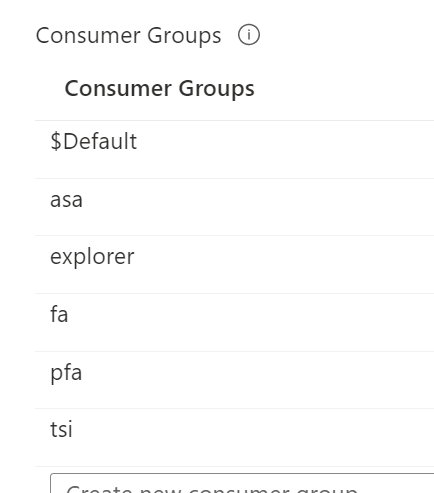
You can add custom consumer groups in the IoT Hub using the 'Built-in endpoints' menu option.
In the Function, triggered by an incoming IoT Hub message, just add a Blob storage output:
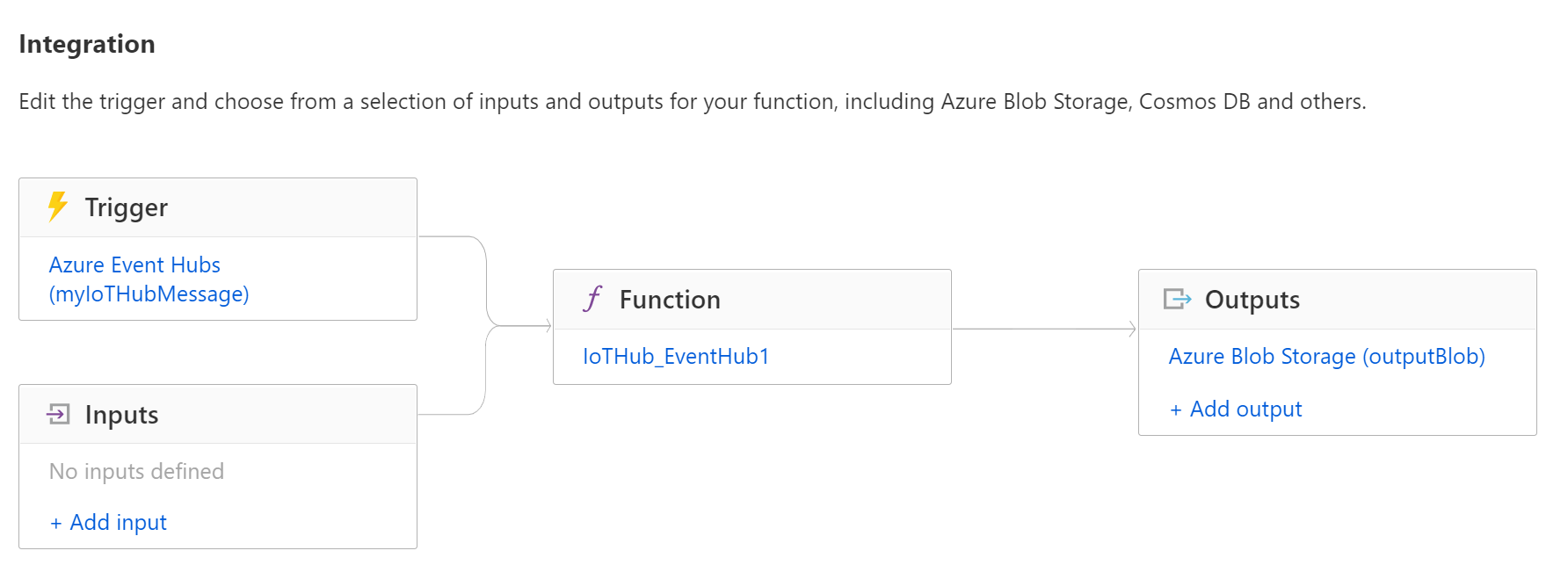
This should look like this:
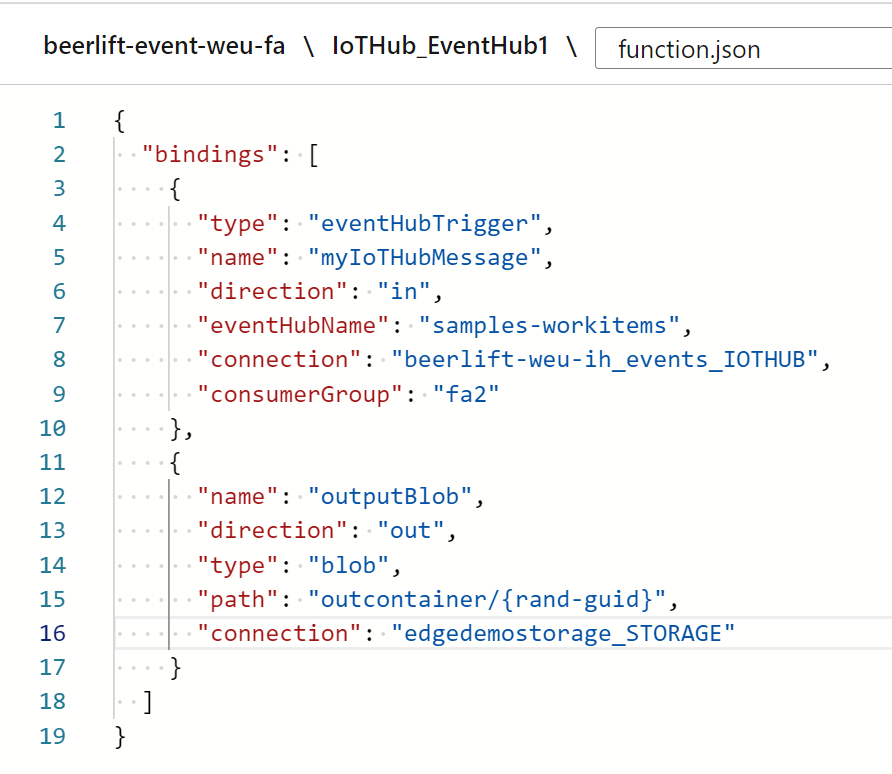
Check out this output example too.
Hello @Sander van de Velde | MVP
I want to just read a block blob that I have updated from outside of Azure (not send incoming Azure IoT Hub device messages to a blob in Azure Storage)
inside my function that runs every time a message has arrived in my hub.
This will sort of work as sending data to a device connected to an IoTHUB.
Sorry for being unclear.
thanks
Hello @Haris Papageorge ,
so it's like a 'join' of external data together with the IoT Hub message.
Do you check out the input binding for blob storage too?
Otherwise, you could completely program reading a blob from a storage container yourself.
I did check that but like I said in my original post:
I read this but I am really confused as to how I should go about doing this inside the portal since I am not using the trigger that is described in the tutorial. What should I include in >the function.json inside the portal and is that the only change I have to do? What should I use for the path and connection attributes?
I want to do all this inside this particular function as it handles sending the devicebound message to the device.
thanks
Hello @Haris Papageorge ,
I finally found some time to dig into this question.
You want to have an Azure Function, triggered by an IoT Hub message and join the message data with data coming from a file set in a blob storage container.
This is possible by adding an input binding for Azure Storage.
I have created this sample C# project in GitHub which shows how to combine this. This is an Azure Function project, best opened in Visual Studio:
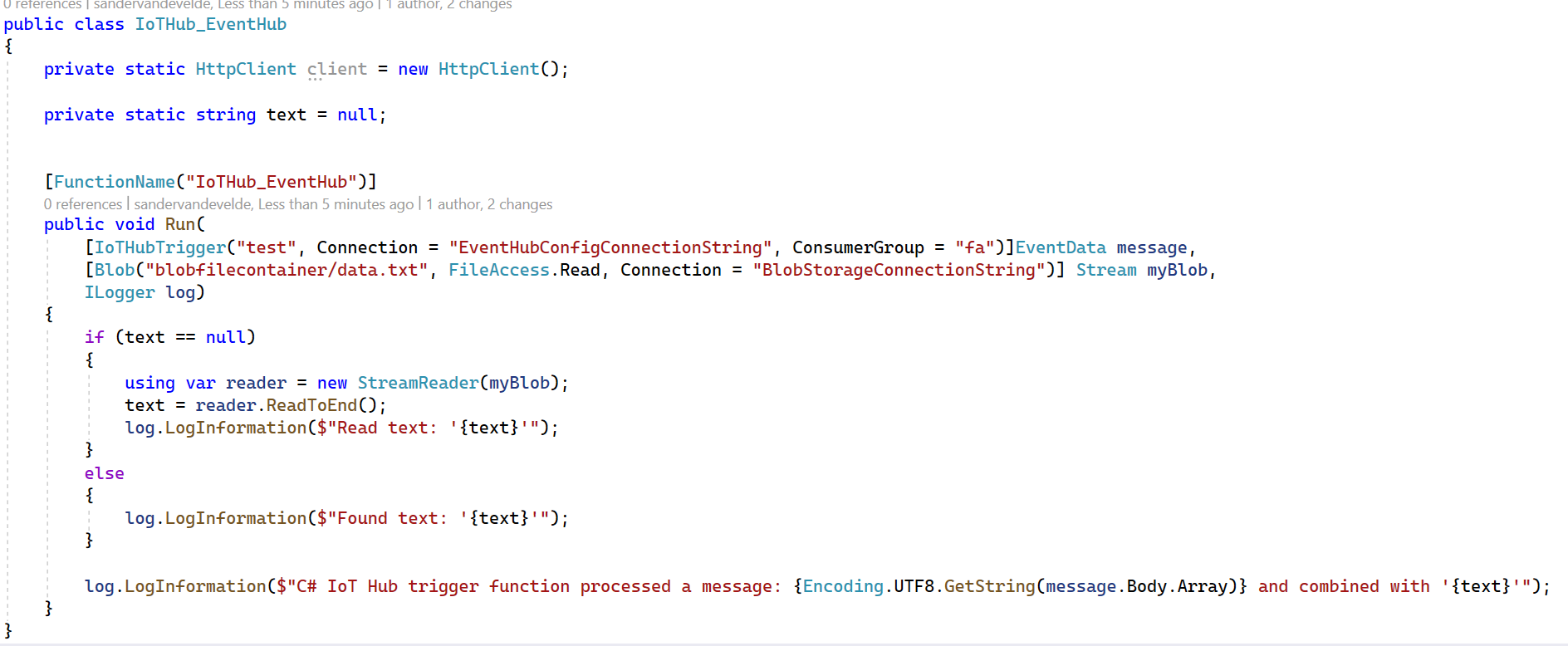
As you can see, a file named 'data.txt' is read from a container named 'blobfilecontainer'. I use a static value to prevent reading the file every time an IoT Hub message arrives.
If you want to debug this project locally, you need to provide a file named local.settings.json:
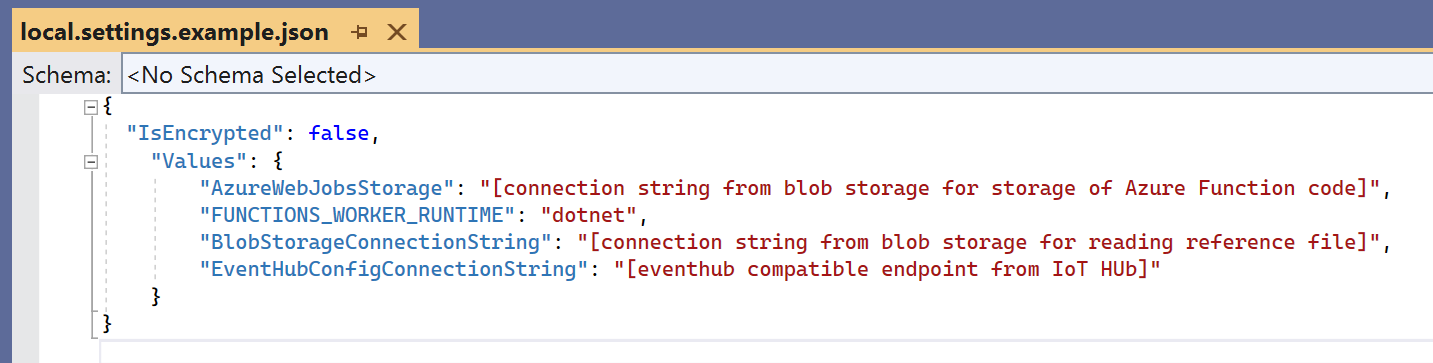
I added this example file, just rename it.
The 'BlobStorageConnectionString' and 'EventHubConfigConnectionString' must be added to the application settings (not in the connection strings section) of the configuration of the actual Azure Function.
I tested this with the Raspberry Pi Azure IoT Online Simulator. This is the console output:
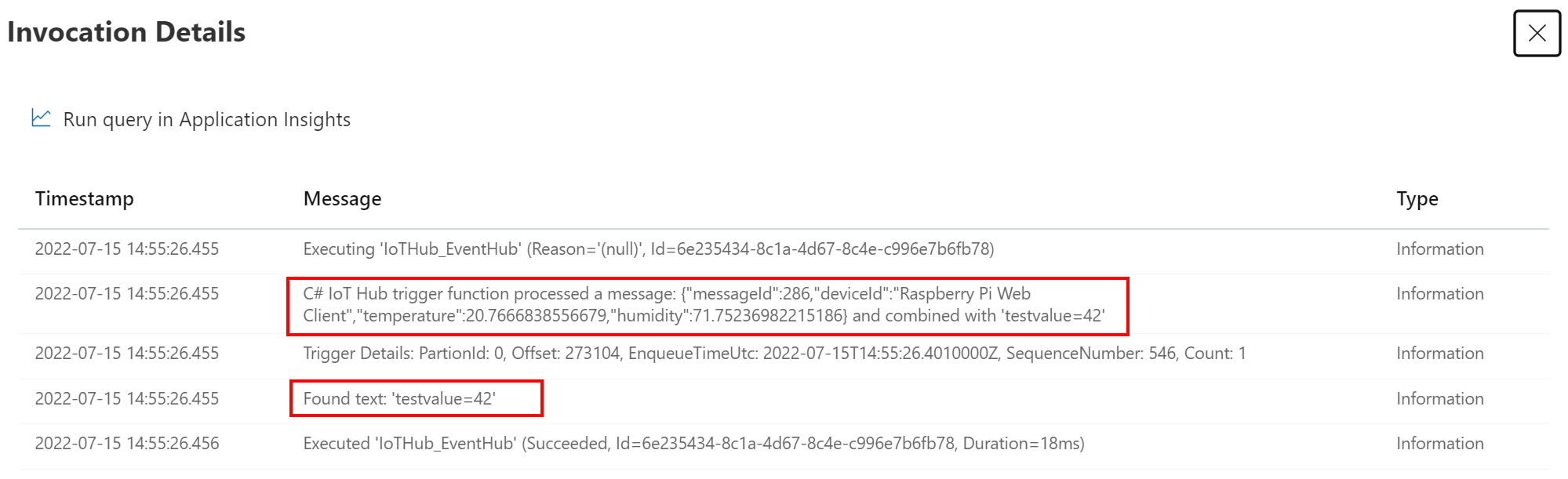
Perhaps a similar function can be established using the portal editor but I recommend working with this Azure Function template for more control. Debugging is possible on your development device and you can check-in the code (version control).