

' cx='32' cy='32' r='32' /%3E%3Ctext x='50%25' y='55%25' dominant-baseline='middle' text-anchor='middle' fill='%23FFF' %3ECM%3C/text%3E%3C/svg%3E)
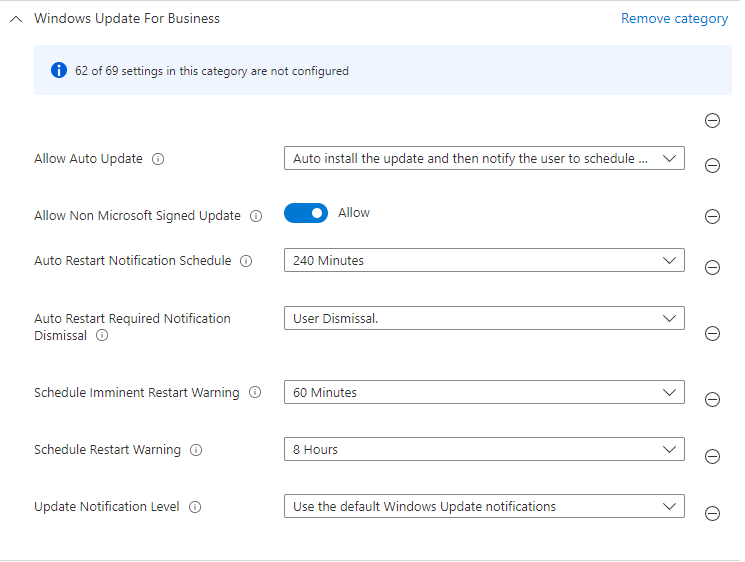
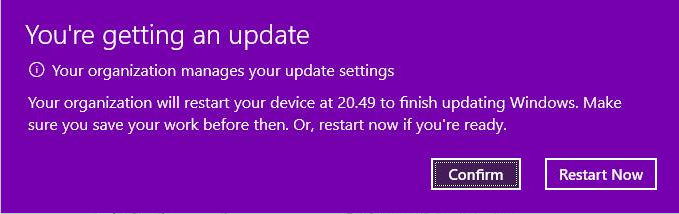
@Pavel yannara Mirochnitchenko , From your description, I know we have configure "Auto Restart Notification Schedule" to 240 minutes. But the auto-restart required notification still comes after 15 minutes. if there's any misunderstanding, feel free to let us know.
Based on my research, I find the setting is added in Windows 10, version 1703. Please check if our affected devices are with or higher than this version.
https://learn.microsoft.com/en-us/windows/deployment/update/waas-restart#control-restart-notifications
For the AutoRestartNotificationSchedule, it only applies to the following windows. Please check if the deices are in the support list:
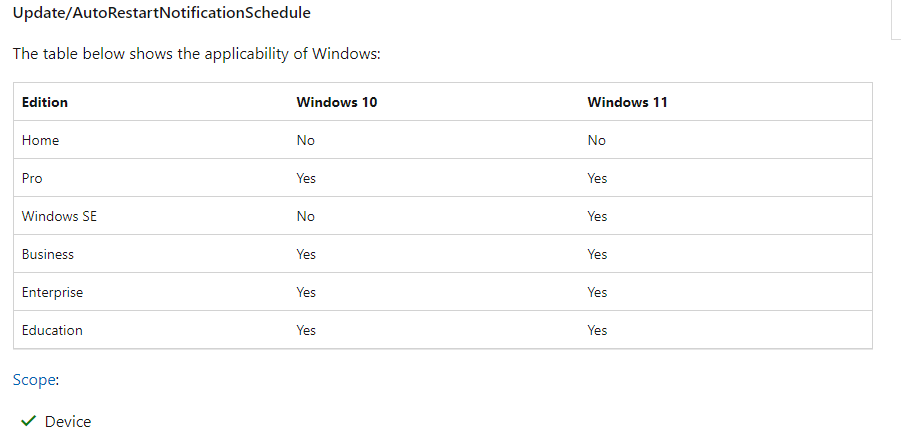
Meanwhile, for this setting, it only apply to Device scope, please ensure the policy is applied to device group instead of user group.
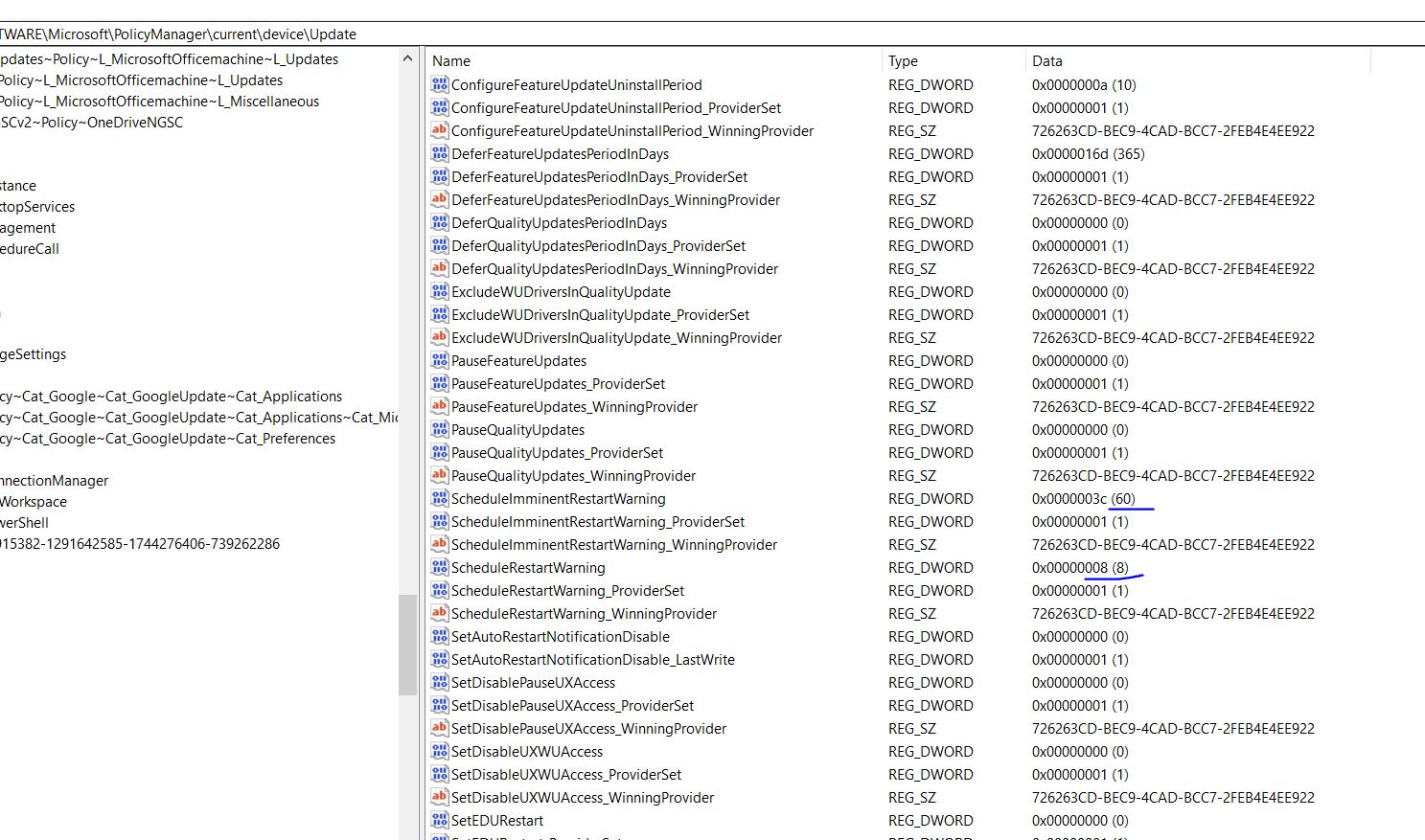
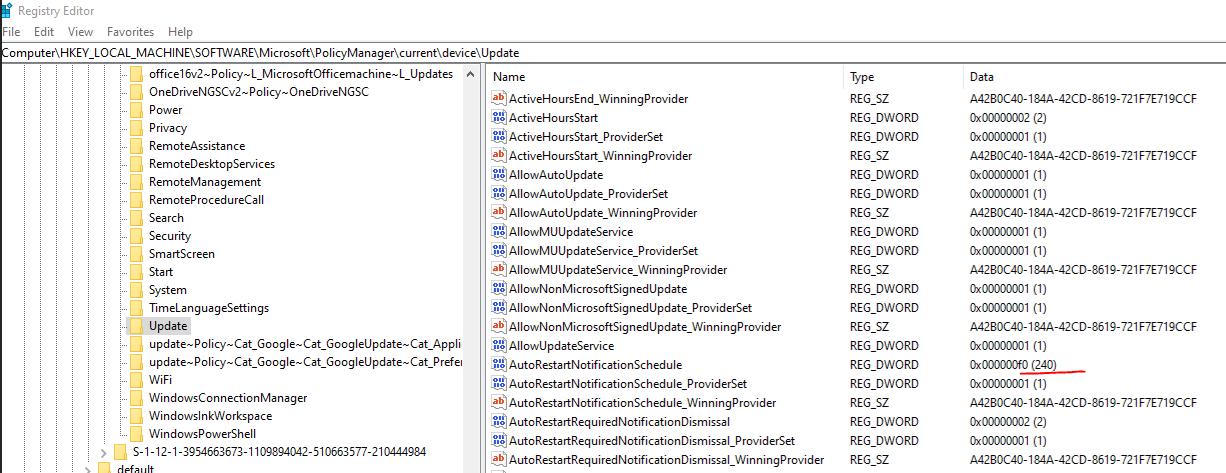
However, if all of the above are met, we can go to the device side to check if the registry key is changed on device side:
HKEY_LOCAL_MACHINE\SOFTWARE\Microsoft\PolicyManager\current\device\Update
AutoRestartNotificationSchedule value 240
Please check the above information and if there's nay update, feel free to let us know.
Edit with the right registry location.
If the answer is helpful, please click "Accept Answer" and kindly upvote it. If you have extra questions about this answer, please click "Comment".
Note: Please follow the steps in our documentation to enable e-mail notifications if you want to receive the related email notification for this thread.