Microsoft 365 and Office | SharePoint Server | For business
A family of Microsoft on-premises document management and storage systems.

This browser is no longer supported.
Upgrade to Microsoft Edge to take advantage of the latest features, security updates, and technical support.
' cx='32' cy='32' r='32' /%3E%3Ctext x='50%25' y='55%25' dominant-baseline='middle' text-anchor='middle' fill='%23FFF' %3ELA%3C/text%3E%3C/svg%3E)
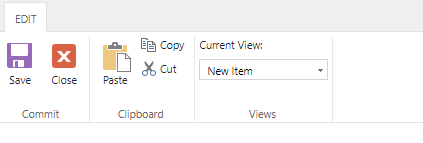
There are a variety of lists in a sharepoint website however I would like to hide or disable the Save button, seen in the picture, for just one of the lists. How can I do this?
' cx='32' cy='32' r='32' /%3E%3Ctext x='50%25' y='55%25' dominant-baseline='middle' text-anchor='middle' fill='%23FFF' %3EXX%3C/text%3E%3C/svg%3E)
Hi @Lopez, Ahiezer ,
I want to confirm with you that you want to hide the save button which is the default edit form page in the classic list?
There are steps:
1.Edit page -> Add a Script Editor web part.
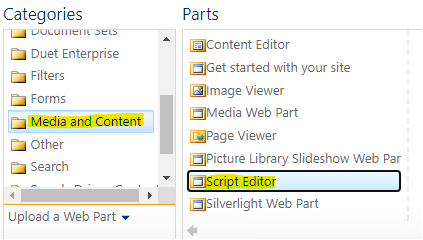
2.Edit web part -> EDIT SNIPPET.
3.Add follow codes :
<style>a[id="Ribbon.ListForm.Edit.Commit.Publish-Large"]{display:none;}</style>
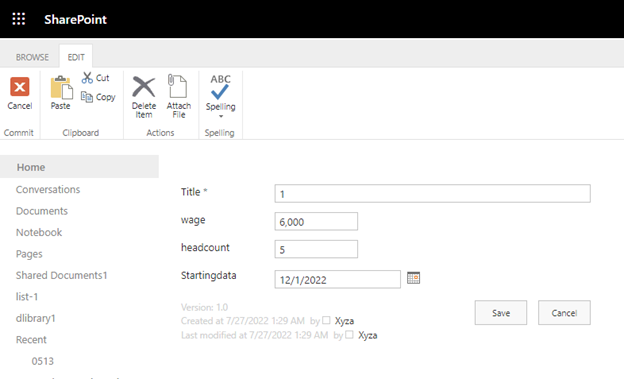
The running result is shown in the following figure:
If the answer is helpful, please click "Accept Answer" and kindly upvote it. If you have extra questions about this answer, please click "Comment".
Note: Please follow the steps in our documentation to enable e-mail notifications if you want to receive the related email notification for this thread.
Yes I want to hide the default save button. I put a button on the form that will submit the data and close the form, so it should cover that. I have two questions regarding this, will this work only for that one list or for the entire website? Also, just to confirm, this change would not only be seen on my computer but also all other users?
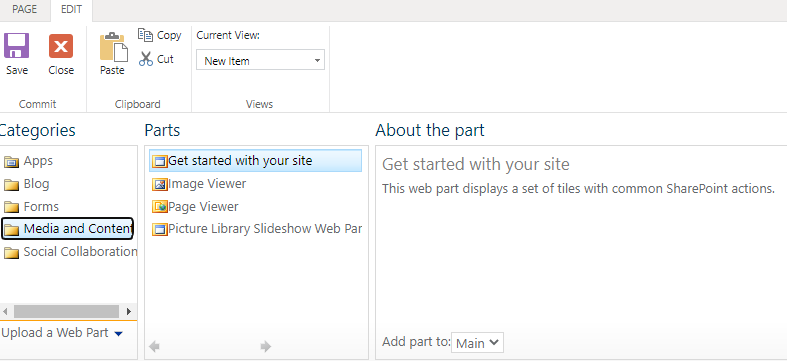
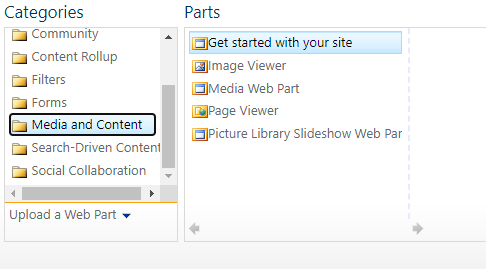
Also, Script Editor doesnt show up.
Hi @Lopez, Ahiezer ,
Please confirm whether these two features are actived.(site setting->site collection features)

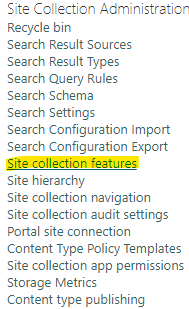
This will work only for one list, and this change would not only be seen on your computer, but also be seen by others.
Ok so I have now activated the two features but for some reason Script Editor still doesn't show up.

Hi @Lopez, Ahiezer ,
Please try to use the following powershell code:
#Config Parameters
$AdminSiteURL="https://xxx-admin.sharepoint.com"
$SiteURL="https://xxx.sharepoint.com"

#Get Credentials to connect
$Cred = Get-Credential

#Connect to SharePoint Online Tenant Admin
Connect-SPOService -URL $AdminSiteURL -Credential $Cred

#sharepoint online enable custom scripts powershell - Disable DenyAddAndCustomizePages Flag
Set-SPOSite $SiteURL -DenyAddAndCustomizePages $False
The Script Editor web part will appear.
Hi @Lopez, Ahiezer ,
Is there anything else I can help with regarding this issue?
You can comment us at any time and we will continue to follow up.
I don't know how to run this power shell script.
Hi @Lopez, Ahiezer ,
Here are steps:
Best regards,
Haoyan Xue
Is there any update on this thread? Comment here if you still need any help.
Best regards,
Haoyan Xue

Would you please provide us with an update on the status of your issue?
Hi@Lopez, Ahiezer ,
I’m checking how the things are going on about this issue. If there is any problem with this issue, feel free to let me know.