Developer technologies | C#
An object-oriented and type-safe programming language that has its roots in the C family of languages and includes support for component-oriented programming.
This browser is no longer supported.
Upgrade to Microsoft Edge to take advantage of the latest features, security updates, and technical support.

Dear All,
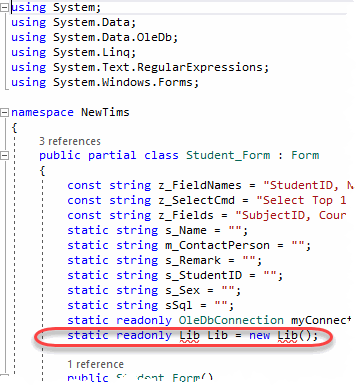
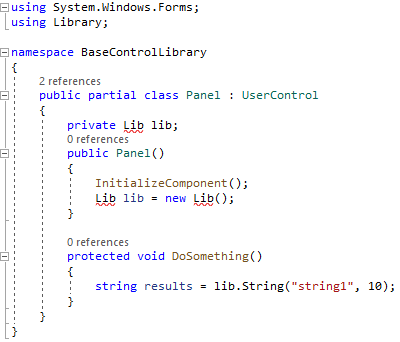
I am trying to call the code in "Library.cs" from a control in "BaseControlLibrary.cproj". I plan to add more controls to BaseControlLibrary.cproj. The complete code of the project is uploaded to https://github.com/benyltam/NewTims on GitHub.com. The errors are as follows. Could I know how to fix them?
' cx='32' cy='32' r='32' /%3E%3Ctext x='50%25' y='55%25' dominant-baseline='middle' text-anchor='middle' fill='%23FFF' %3EBS%3C/text%3E%3C/svg%3E)
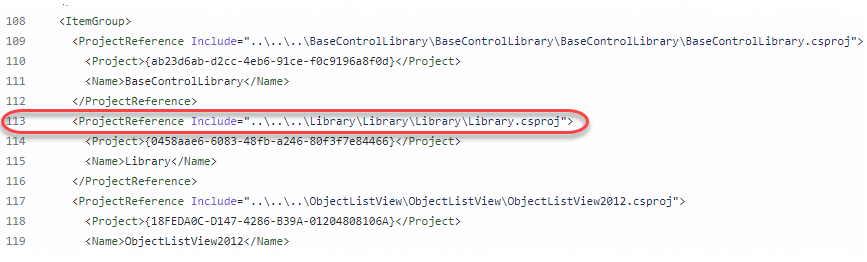
your GitHub project does not include the referenced library project:
<ProjectReference Include="..\..\..\Library\Library\Library\Library.csproj">
which is several folder above the repo root
Does the "GitHub" project mean the NewTims project? If yes, I can find your statement already in "NewTims.csproj". (I'm sorry that I forgot to put the "Library.csproj" into the code.)

There's a Library.exe in bin folders. The Library project should be a class library and produce a DLL not an EXE.

Perhaps viewing code here might help. traverse the link, press . and see how things are arranged. If you have VS2022 you can clone/run, otherwise simple inspect namespaces and using statements.
Thanks for your reply. I'll study your sample codes. However, now I find that the menu has changed from "Create Git Repository..." to "Push to Git service...". What should I do if I want to create a "Revised Edition of the NewTims" repository?
Before
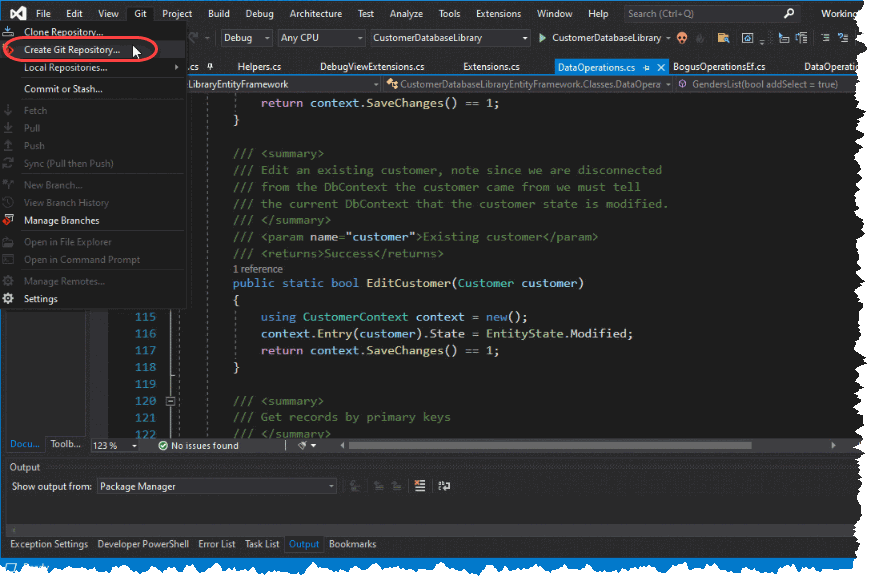
Now
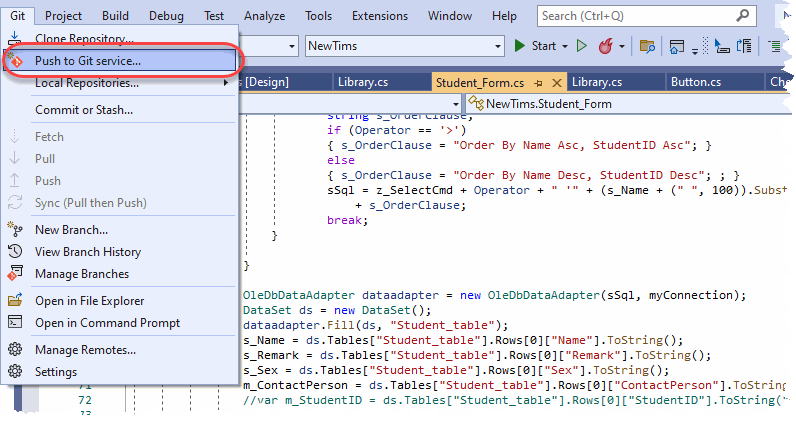
My advise is to use Commit or Stash
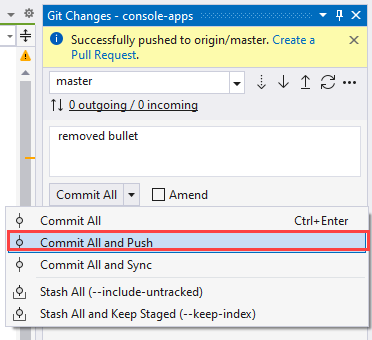
Come on man! We went over this in your other threads.
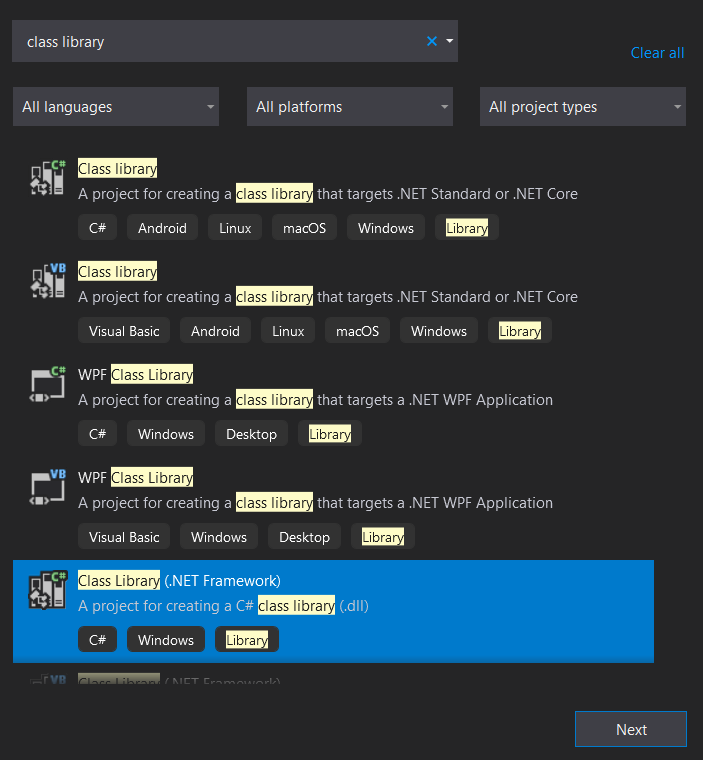
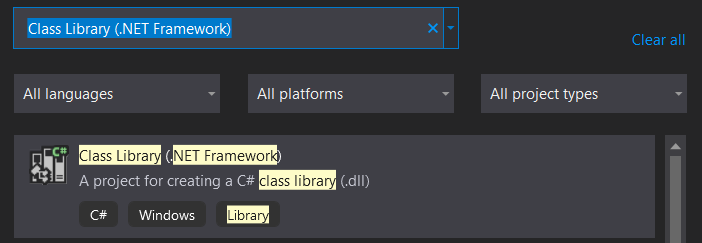
Just create a "Class Library (.NET Framework)" project.
Given the state of the bin folders, you might need to remove/update references. Then clean the solution to remove EXEs and DLLs that are no longer referenced.
There are two solution files in your repo as well. I'm guessing you've created separate solution too???
You really should learn how to use Visual Studio and projects and solutions in Visual Studio.
Hi @AgaveJoe
I follow your instructions and copy all codes from Library.cs to the new project. After building the project, finally I find a "Library.dll" in the folder "C:\Users\Ben Tam\source\repos\C#\Library\Library\Library\obj\Debug". Is this the target file?
If I follow your instruction. Which folder should the revised edition of the project go to?
The only way to resolved this is by placing the entire solution in GitHub repository.
Hi @AgaveJoe
I remove the Library.csproj. Then put the DLL file along with the NewTims project. Please see the following screen capture. I find that I am not able to set any reference to the DLL file.
Location of the DLL file
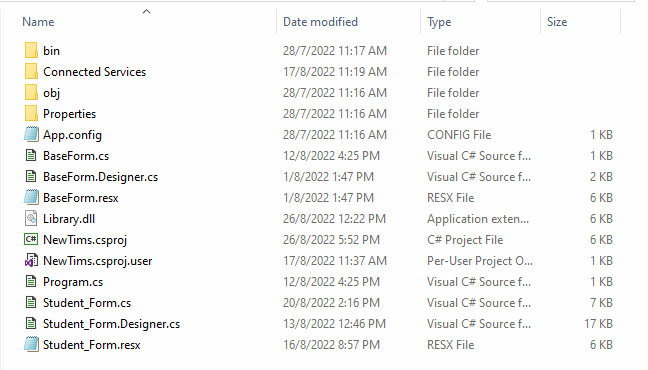
Does the DLL need to register? Where should it be put?
Does the DLL need to register? Where should it be put?
I'm scratching my head... Why? Why did you place the Library.dll in the project root? It's almost like you are guessing how projects and solutions are organized in Visual Studio rather than making an effort to learn the fundamentals.
Anyway, the DLLs belong in the bin folder. The Visual Studio project reference does this step for you when the project is built. However, this assumes you have one solution that contains the three projects. At this point I have no idea what you're doing... Seriously, creating a class library and making a project reference should not take 2 weeks to figure out.
The other scary issue is the actual Library.cs file which makes little logical sense.
On my computer, I see the following screen
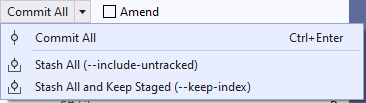
rather than your screen capture
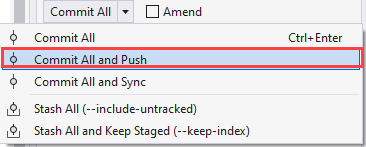
Since I am a GitHub beginner and did something, I accept it. Could you explain in your screen capture what these options mean? Be reminded that you have not told me which folder does this revised edition go?
A couple of things
Build results
2>C:\OED\DotnetLand\VS2022\TimsSolution\BaseControlLibrary\CheckBox.cs(30,21,30,27): warning CS0108: 'CheckBox.Resize()' hides inherited member 'Control.Resize'. Use the new keyword if hiding was intended.
2>C:\OED\DotnetLand\VS2022\TimsSolution\BaseControlLibrary\CheckBox.cs(16,20,16,30): warning CS0169: The field 'CheckBox.DefaultTop' is never used
2>C:\OED\DotnetLand\VS2022\TimsSolution\BaseControlLibrary\CheckBox.cs(18,20,18,33): warning CS0169: The field 'CheckBox.DefaultHeight' is never used
2>C:\OED\DotnetLand\VS2022\TimsSolution\BaseControlLibrary\CheckBox.cs(17,20,17,31): warning CS0169: The field 'CheckBox.DefaultLeft' is never used
2>C:\OED\DotnetLand\VS2022\TimsSolution\BaseControlLibrary\CheckBox.cs(19,20,19,32): warning CS0169: The field 'CheckBox.DefaultWidth' is never used
2>  BaseControlLibrary -> C:\OED\DotnetLand\VS2022\TimsSolution\BaseControlLibrary\bin\Debug\BaseControlLibrary.dll
========== Rebuild All: 2 succeeded, 0 failed, 0 skipped ==========
Revised button code
using System.Drawing;
using System.Windows.Forms;
using Library;


namespace BaseControlLibrary
{
    [ToolboxBitmap(@"Button.bmp")]
    public partial class Button : UserControl
    {
        static int DefaultTop;
        static int DefaultLeft;
        static int DefaultHeight;
        static int DefaultWidth;
        private readonly Lib _library = new Lib();

        public Button()
        {
            InitializeComponent();
            DefaultTop = Top;
            DefaultLeft = Left;
            DefaultHeight = Height;
            DefaultWidth = Width;

            //_library.ResizeCtrl(/* TODO */);
        }


    }
}
What I mean is rename one of the Library classes or use using aliases
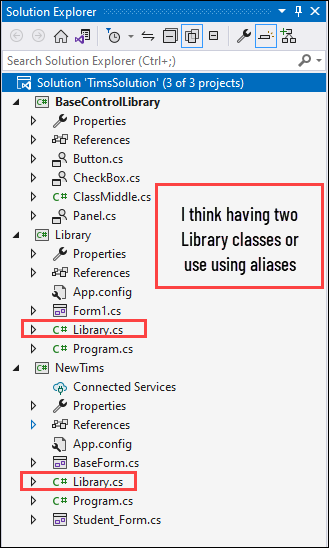
static
I follow your instructions and do the following.
However, the errors do not disappear. Please help!
Button UserControl
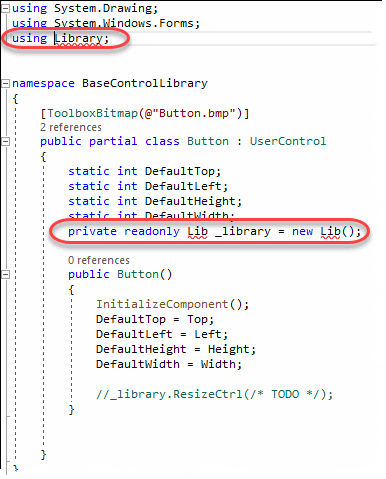
Library_.cs
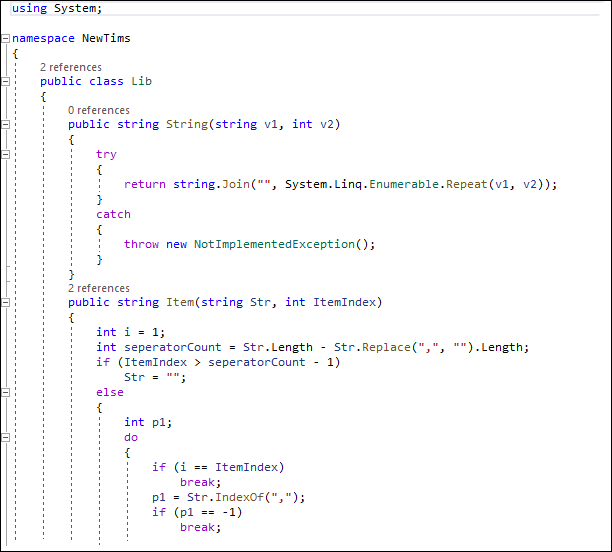
I follow your instructions and do the following.
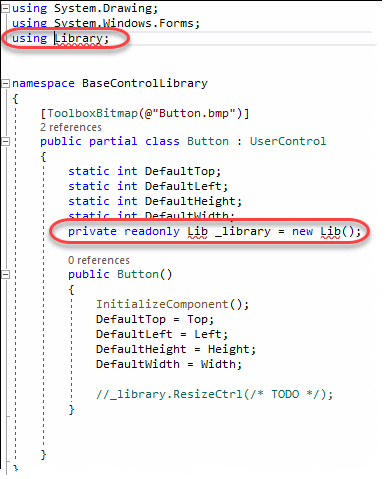
I try to put the DLL file into the bin folder.
There are two default folders in the bin folders depending on the project type; Debug and Release. The DLL must go into Debug folder while the project is is configured for Debug and Release when the solution is configured for a Release build. Once deployed there will be one bin folder.
However, do not copy the DLL yourself! Create a project reference to the Library project as I recommended several times!!!! From my perspective you're performing random tasks with no idea what you're doing and you're making no effort to learn.
These forum expect foundational experience which you clearly do not have at this point. You might consider an instructor lead course so you can get one on one support with the instructor.
My last effort to help you - I created a public GitHub project based on your posts. There is one solution named NewTims with three projects.
https://github.com/mjgebhard/NewTims
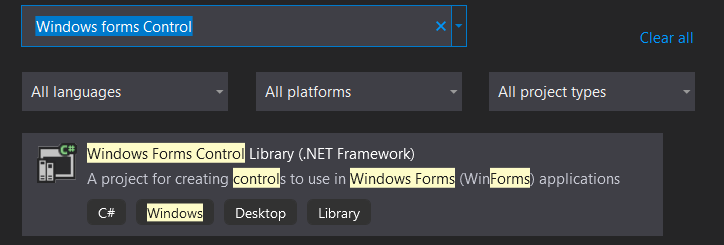
BaseControlLibrary - Windows Forms Control Library (.NET Framework)
Library - Class Library (.NET Framework)
NewTims - Windows Forms App (.NET Framework)
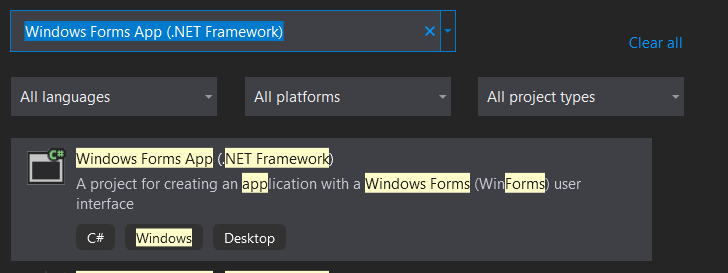
The three projects are all within a single folder named NewTims.
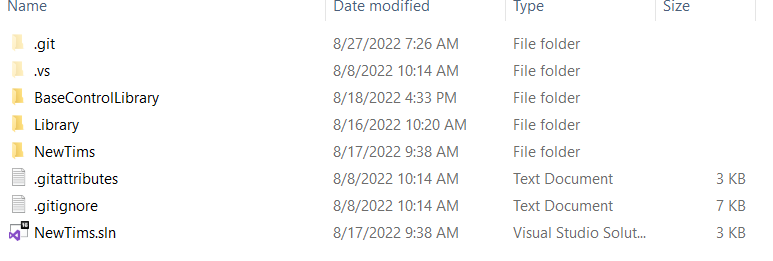
Use this GitHub project to compare what you are doing.
Hi @AgaveJoe
Please forgive my ignorance! I apologize for making you angry! You gave me a link https://github.com/mjgebhard/NewTims. I would like to know how to download to my Visual Studio for testing?

@BenTam , do you mean that you want to download visual studio?
Hi @Jack J Jun
No, Jack. I just made an apology to the one that I reply.