Putting custom links to your Azure Portal Dashboard
How cool is it if you want to keep your custom links in Azure Portal Dashboard? Here are few simple steps,
Open https://portal.azure.com and then click on "Edit Dashboard"

Then you see "Tile Gallery" at the right side of the browser window at the left side. Select "Markdown" and drop it in your preferred location at the dashboard.
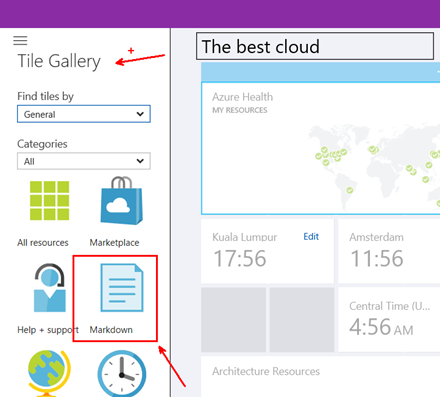
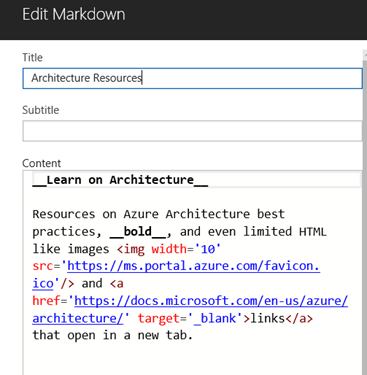
Then you may change the source HTML source as you wish,
Namoskar!!!