Maintain periods for your organization
You can use the Ledger calendar page in General ledger > Calendars > Ledger calendars to view the details of the fiscal calendar, fiscal years, and periods used by your organization. You can also change the status of the periods and select which users can post accounting transactions to periods.
For example, at the start of a new period, you might want a group of users to finish posting financial transactions in the previous period, while other groups work only in the new period.
When you create a new fiscal year, the system creates the following periods:
- An opening period with the type of Opening.
- Several periods (or period) with the type of Operating.
- A closing period with the type of Closing.
There is no period status control on the Fiscal Calendar page, because when you are sharing a calendar across multiple legal entities, all legal entities might not be ready to be closed at the same time. Therefore, you control the period status on a per-legal entity basis on the Ledger calendar page.
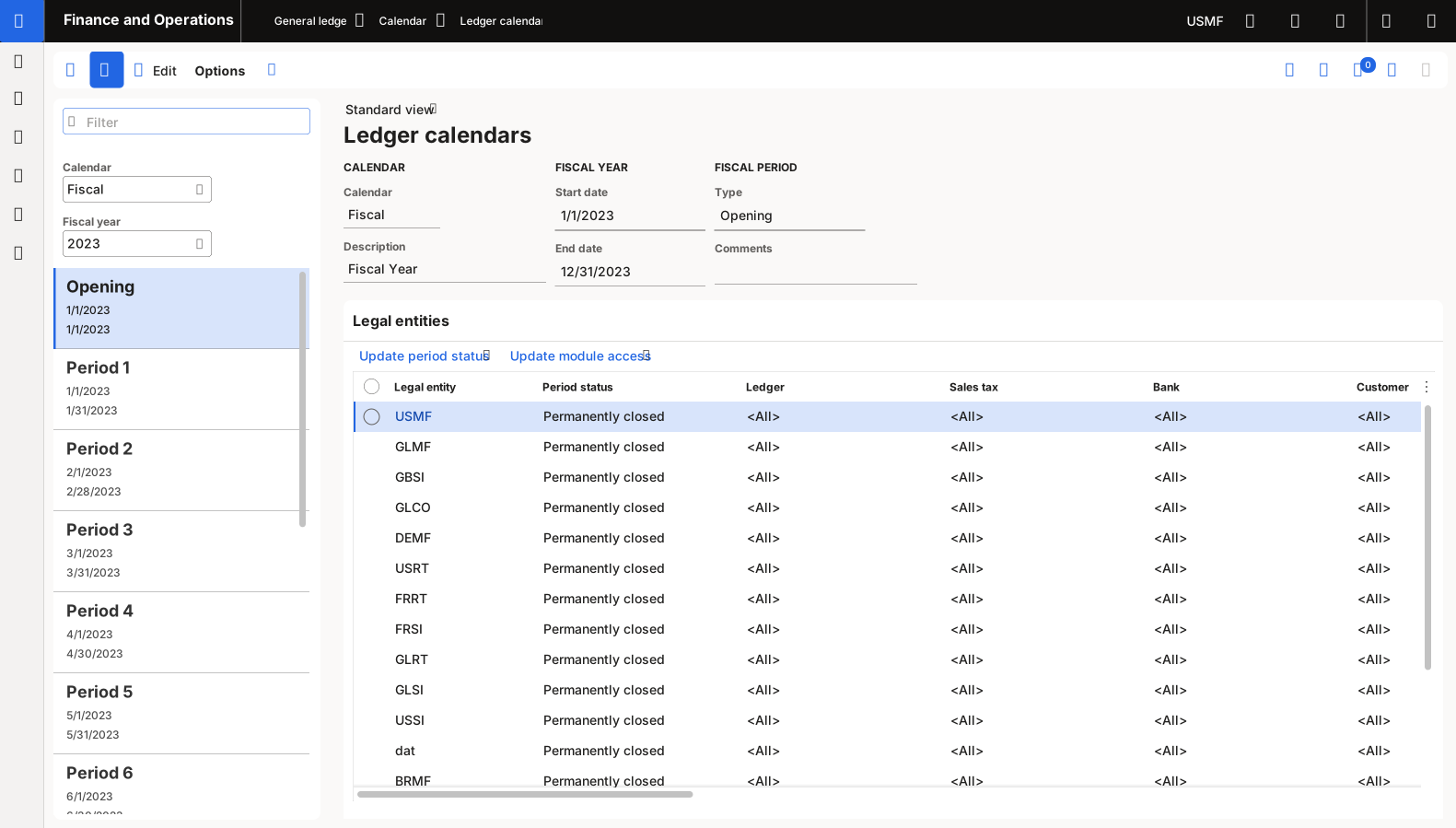
The period types are defined as follows:
- Opening – The period can be used to record opening balances from the previous period.
- Operating – The period can be used to record accounting transactions.
- Closing – The period can be used to record general ledger transactions for closing a fiscal period.
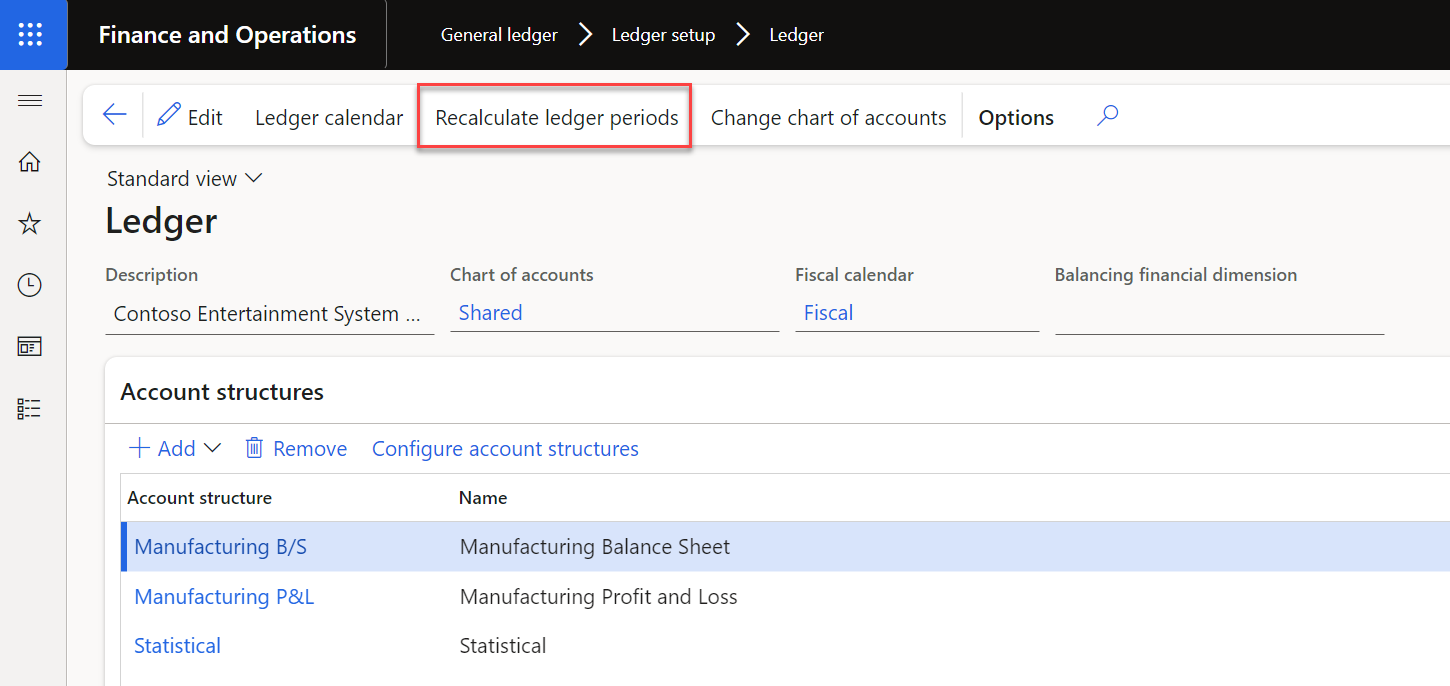
You can create multiple closing periods to track internal and external audit adjustments, for example in separate periods. After you change periods in a calendar, you must run the Recalculate ledger periods process in General ledger > Ledger setup > Ledger in every legal entity that the calendar is assigned to. This process is required to update the period that is assigned to each posted transaction in General ledger. Otherwise, transaction balances on a trial balance or on financial statements might be included in the wrong periods. Run the process in Batch mode, at a time when non-critical processes are occurring in your system.
To learn more, see Fiscal calendars, fiscal years, and periods.