Revalue general ledger account balances
When you use general ledger accounts to register balance sheet items in foreign currencies, you need to revalue the account balances regularly. Currency exchange rates change over time, and revaluation helps ensure your financial statements accurately reflect the true value of your assets and liabilities. G/L account revaluation creates adjustment entries that reflect these currency fluctuations, making your reporting more accurate with less manual effort.
Set up G/L account revaluations
Before you can run revaluations, you must configure each general ledger account.
To set up currency posting for G/L accounts:
Open the Chart of Accounts page.
Select the G/L account you want to set up.
On the Revaluation FastTab, configure the following fields:
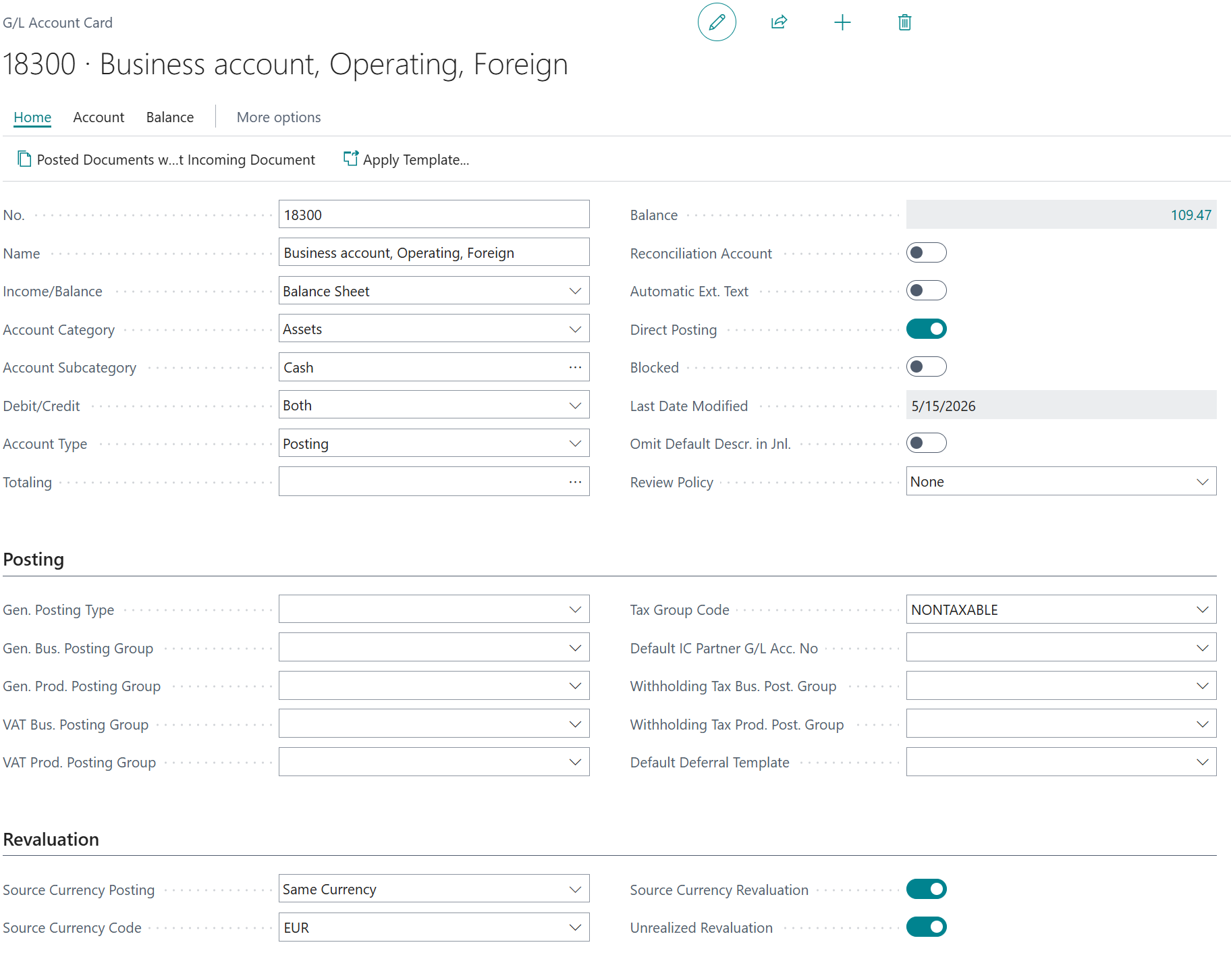
Set Source Currency Posting to define which currencies can post to this account. Options include:
- Blank – All currencies
- Multiple currencies – Only currencies that are defined on the Source Currencies page can be posted to the account
- Same currency – Requires all foreign-currency entries posted to the account to use the same source currency
- Local currency – Only allows local currency postings
Note
By default, you can post any currency transaction for all new accounts, with the Source Currency Posting field set to the blank option.
Select Source Currency Code to validate the currencies that you want to allow to post. If you use the Multiple currencies option for Source Currency Posting, select Related > Account > Source Currencies on the G/L Account Card.
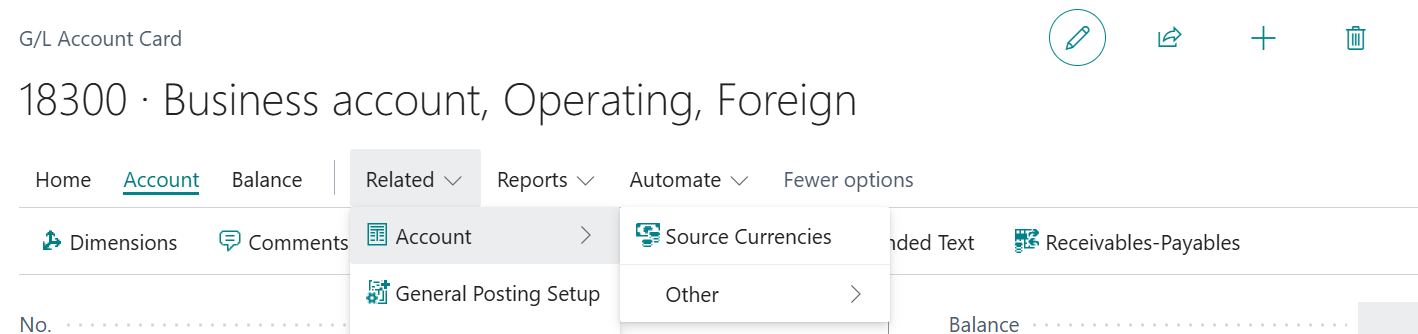
By minimizing currency mixing on an account, you reduce errors and make revaluation more reliable.
Set Source Currency Revaluation to Yes if you want to revaluate balances in currency for the G/L account.
Note
If an account isn't included in revaluation, you can still post currency transactions for that account. If you decide to revaluate the account, change the Source Currency Revaluation field setting.
Set the Unrealized Revaluation field to Yes if you want the system to use the unrealized gains/losses account of the currency card to post revaluation entries. Otherwise, the system posts the adjustment as realized gains and losses.
Note
Business Central validates source currency balances and posting consistency during posting. Administrators can turn off source currency consistency validation on the General Ledger Setup page while they investigate customized posting behavior, and then turn it on again. This setting is mainly relevant for implementations that use customizations, partner extensions, or integrations that extend standard posting.
Run a revaluation
Once you've set up your G/L accounts, you can run the revaluation batch job to adjust account balances for currency exchange rate changes.
To run a G/L revaluation:
Open the Chart of Accounts page.
Select the G/L Currency Revaluation action.
The batch job opens. Fill in the following fields:
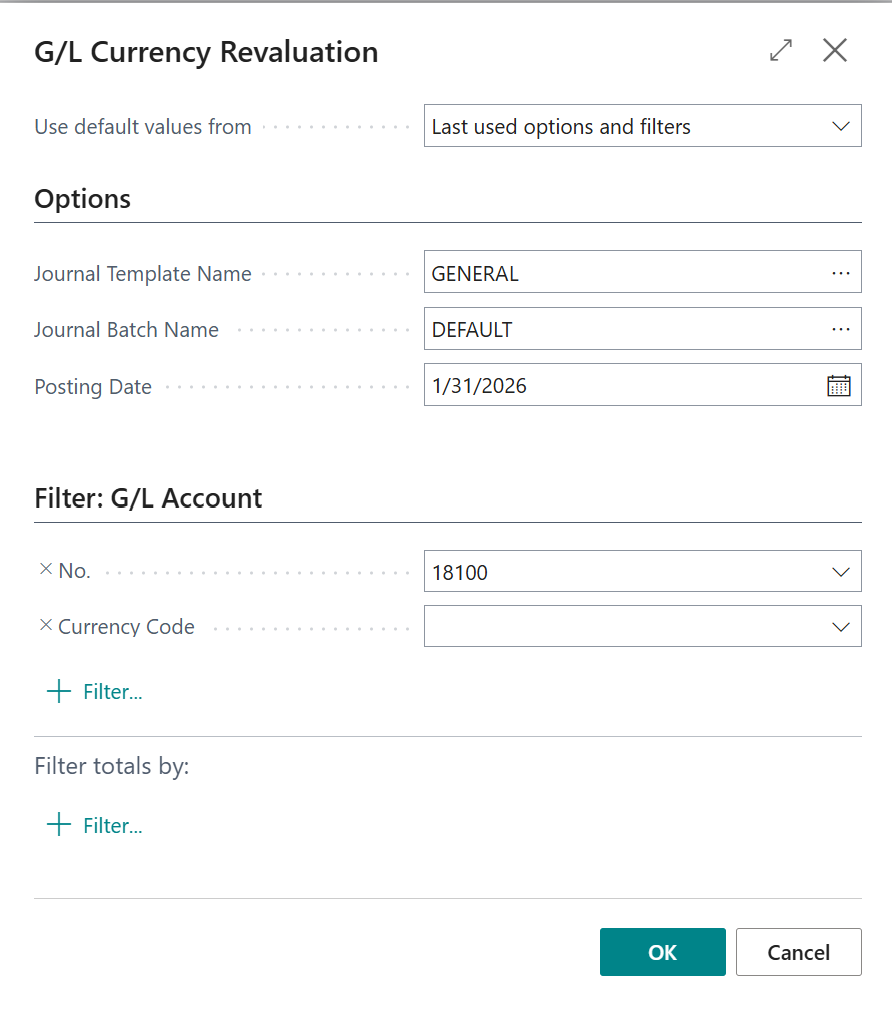
- Journal Template Name – The journal template that contains the journal batch for adjustment entries.
- Journal Batch Name – The journal batch that contains the adjustment entries.
- Posting Date – The date of revaluation and posting.
Choose filters if you want to run a revaluation with a specific account or currency.
Select OK to run the revaluation.
The batch job creates adjustment entries in the journal you specified. The batch job works on balances, not transactions, and creates one adjustment entry per combination of G/L account, source currency, and dimension. Each entry revalues the local currency (LCY) balance for the account based on current exchange rates, while the original source currency balance is preserved.
Review the revaluation entries in the journal and post.
When you post these entries, your G/L account balances are updated to reflect the currency changes.
Note
Revaluation doesn't let you apply or unapply individual entries as you can with customer and vendor ledger entries. Adjustments occur per account, source currency, and dimension combination. If the batch job creates fewer entries than you expect, this behavior is usually correct.
Important
If you're using an additional reporting currency (ACY), the revaluation entries show both LCY and ACY amounts. The ACY amount on the revaluation entries corresponds to the LCY amount. It doesn't update the ACY balance on the G/L account. If you adjust ACY rates after posting revaluation entries, you might need to run the currency exchange rate adjustment again to update all G/L entries.
To check results, you can open the Chart of Accounts page and add fields for Source Currency Balance and Source Currency Balance at Date using personalization.
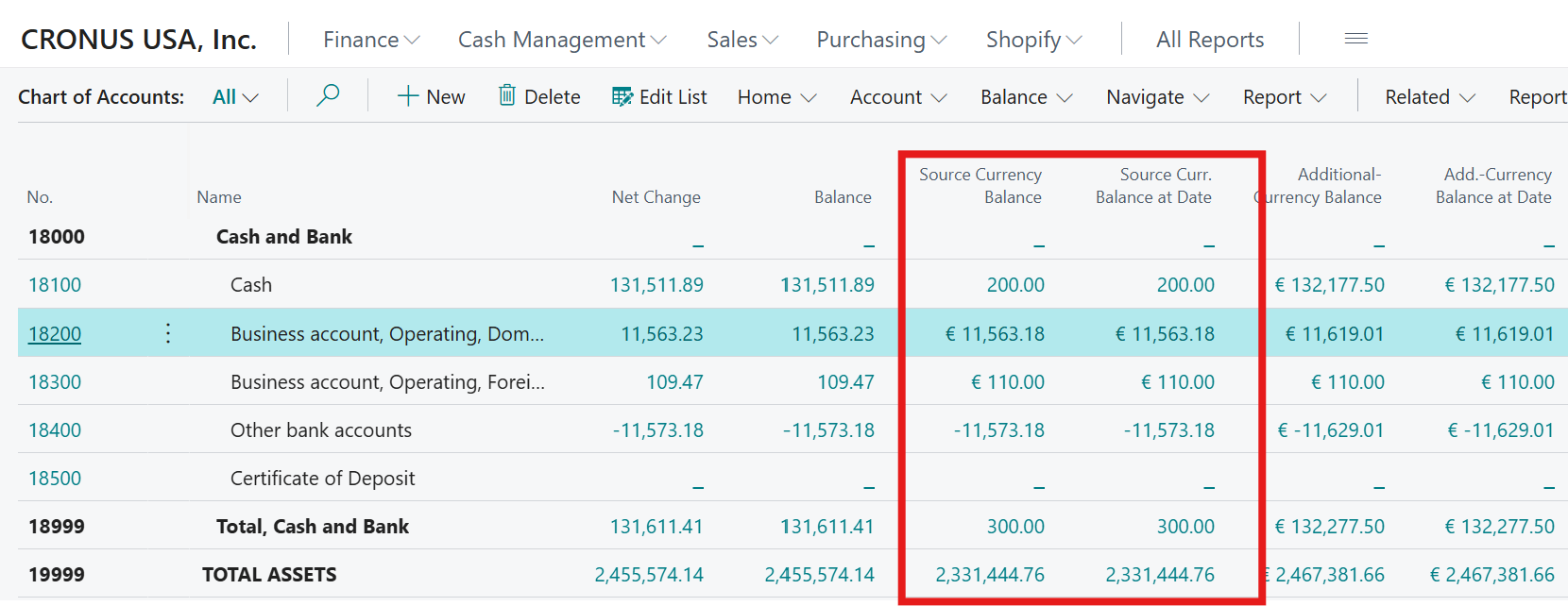
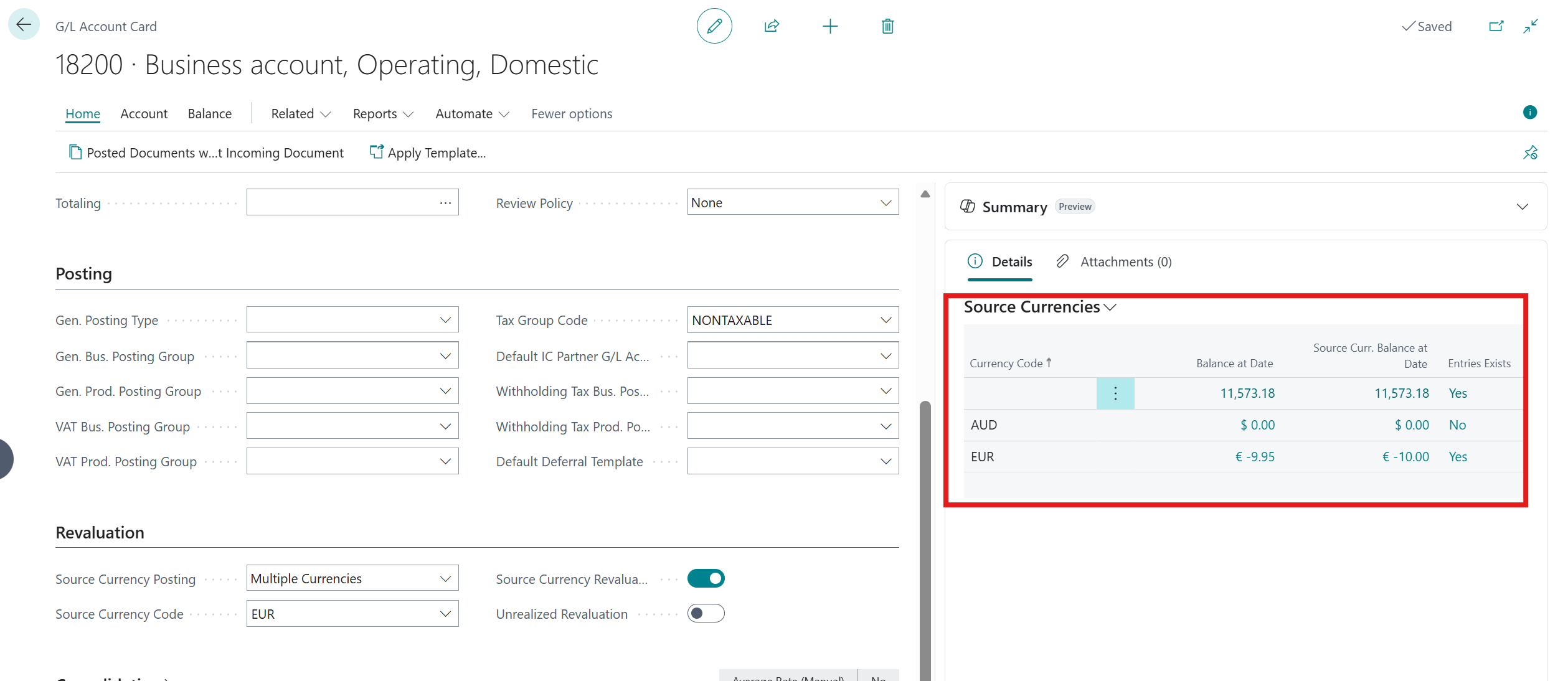
The G/L Account Card also has a section with source currencies information.
G/L revaluation vs. customer and vendor exchange rate adjustments
G/L revaluation differs from adjusting exchange rates for customer and vendor accounts. Understanding these differences helps you choose the right method for your business.
Use G/L revaluation when:
- You track multiple assets in one G/L account using the same currency.
- You need to adjust account balances on a per-currency basis.
- You want simpler tracking with one entry per account, currency, and dimension combination.
Use vendor or customer accounts when:
- You need to track individual assets or transactions separately.
- You want an adjustment entry for each separate transaction.
- You require detailed tracking of specific asset values or customer/vendor balances.
Important
G/L account revaluation might not meet all requirements for certain assets like financial instruments, securities, or leased assets. It may not work well if you need to track specific or large volumes of transactions on a single account. Consult with your auditor or accountant to determine whether G/L revaluation is appropriate for your business needs and how to use it correctly.
Best practices for revaluation
- Revalue G/L accounts regularly, especially if you conduct significant business in foreign currencies.
- Run revaluations before preparing financial statements to ensure accuracy.
- Review the adjustment entries created by the batch job before posting to verify they're correct.
- Document your revaluation settings and procedures so your team applies them consistently.
- Consider using separate accounts for different assets if you need detailed transaction-level tracking instead of balance-level revaluation.
For more information, see Revalue general ledger account balances.