Resize a capacity pool or a volume
When a volume or capacity pool fills up, you can change the size of a capacity pool or a volume as necessary.
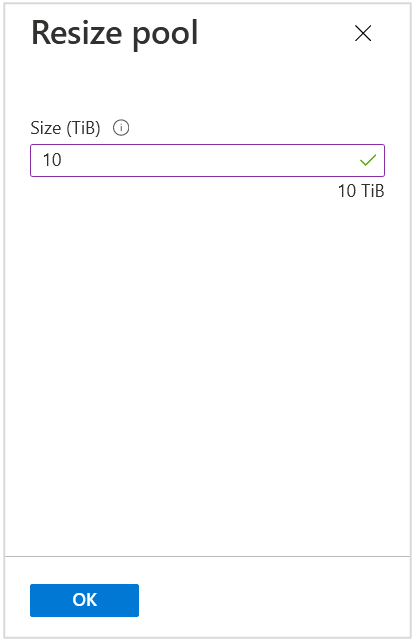
Resize the capacity pool by using the Azure portal
Resize operations on Azure NetApp Files volumes don't result in data loss.
Volume quotas are indexed against maxfiles limits. Once a volume has surpassed a maxfiles limit, you can't reduce the volume size below the quota that corresponds to that maxfiles limit.
Capacity pools with Basic network features have a minimum size of 4 TiB. For capacity pools with Standard network features, the minimum size is 1 TiB.
You can change the capacity pool size in 1-TiB increments or decrements.
The capacity pool size can't be smaller than the sum of the capacity of the volumes hosted in the pool.
Resizing the capacity pool changes the purchased Azure NetApp Files capacity.
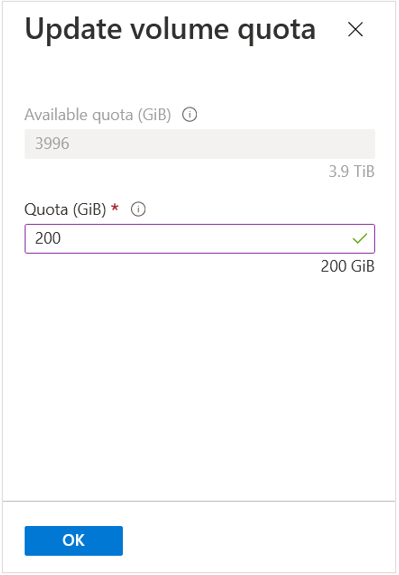
Resize the volume by using the Azure portal
You can change the size of the volume as necessary. A volume's capacity consumption counts against its pool's provisioned capacity.
However, the capacity pool should have the requested new capacity by volume under its available quota pool.
Resize the capacity pool or a volume by using Azure CLI
You can use the following commands of Azure command-line tools to resize a capacity pool or a volume:
az netappfiles poolaz netappfiles volume(use the--usage-thresholdparameter)
Resize the capacity pool or a volume by using REST API
You can build automation to handle capacity pool and volume size changes.
- See REST API for Azure NetApp Files and REST API using PowerShell for Azure NetApp Files.
- The REST API specification and example code for Azure NetApp Files are available through the resource-manager GitHub directory.