Dynamically change the service level of a volume
You can change the service level of an existing volume by moving the volume to another capacity pool in the same NetApp account that uses the service level you want for the volume.
This in-place service-level change for the volume doesn't require data migration and doesn't affect access to the volume.
Considerations
- This functionality is supported within the same NetApp account. You can't move the volume to a capacity pool in a different NetApp account.
- After the volume is moved to another capacity pool, you no longer have access to the previous volume activity logs and volume metrics. The volume starts with new activity logs and metrics under the new capacity pool.
- If you move a volume to a higher service level (for example, Standard to Premium or Ultra), you must wait at least 24 hours before moving that volume again to a lower service level.
- If the target capacity pool is of manual QoS type, the volume throughput isn't changed with the move.
- Regardless of source QoS type, when the target pool is auto QoS type, throughput is changed with the move to match the service level of the target pool.
- If you use cool access, review the related cool access considerations.
Move a volume to another capacity pool
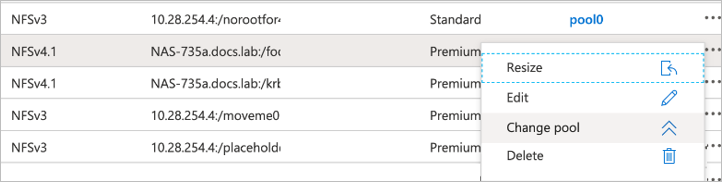
To move a volume from one capacity pool to another, select the volume from Volumes and change the pool.