Note
Access to this page requires authorization. You can try signing in or changing directories.
Access to this page requires authorization. You can try changing directories.
Important
Cloud PC monitoring is in public preview. Preview features are tagged with (preview) in the admin user interface and might have restricted or limited functionality. These features are subject to change before general availability (GA) and are fully supported by Microsoft. Preview features are considered unfinished, might not be suitable for production workloads, and should be used with caution.
Unlike the Connection health and Users and devices pages, the Configuration monitoring page focuses less on connection reliability and performance issues and more on understanding the end-to-end configurations associated with connections. Each connection — even to the same device — might differ in configuration from previous connections because of variables such as user endpoint, network, user geography, and similar factors.
Windows 365 consists of multiple configurable objects across three categories:
| Category | Examples |
|---|---|
| Endpoint (what the user touches) | OS type, OS version, client type, network details |
| Service (Windows 365 settings) | Provisioning policy, Cloud PC image, BCDR configuration |
| Cloud PC host (the VM) | OS, remote agents and settings, related configuration information |
Each connection creates a potentially unique configuration "signature" because a user might connect from different endpoint devices using a different OS, OS version, or network.
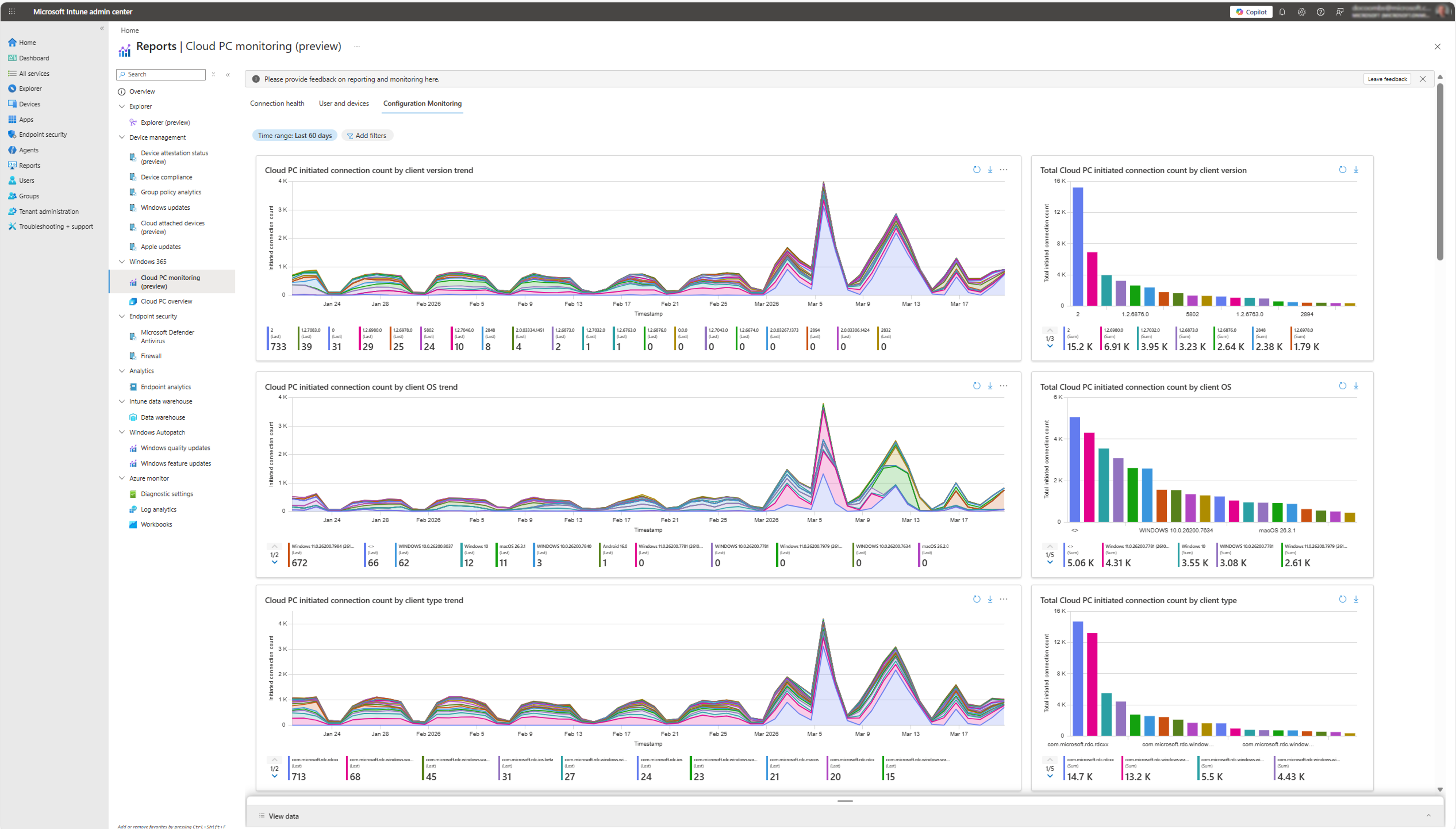
A single user can have many connections in a given time period, and each of those connections might have a unique configuration. For this reason, the total count of initiated connection configurations is often a multiple of the number of users or devices in the environment.
Use filters and time ranges to target the specific cohorts you want to understand. This page is useful for:
- Identifying prevalent configurations across your tenant — for example, which client types are most common or which OS versions are in use.
- Finding common traits among connections that are experiencing issues — for example, all problematic connections share a specific image version or network type.
- Auditing configuration consistency across your environment.