Scenario
A Windows 7 Pro product key is available with the original package.
Windows 7 Pro was upgraded to Windows 10 Pro using the same product key, which was believed to have been migrated during the upgrade.
Windows 10 Pro has been functioning well on a Macbook Pro (Intel).
Objective
The goal is to use Windows 11 Pro with VMWare Fusion on a Macbook Pro M1, checking if the Windows 10 product key is valid for Windows 11 Pro, considering that Windows 10 downloads are no longer officially available.
If not feasible, the aim is to run Windows 10 Pro with VMWare Fusion on the new Macbook Pro M1 using the existing product key.
Issues Encountered
While attempting to install Windows 10 Pro in VMWare Fusion on the new Macbook M1:
The Windows 10 Pro product key was retrieved from the Windows Registry.
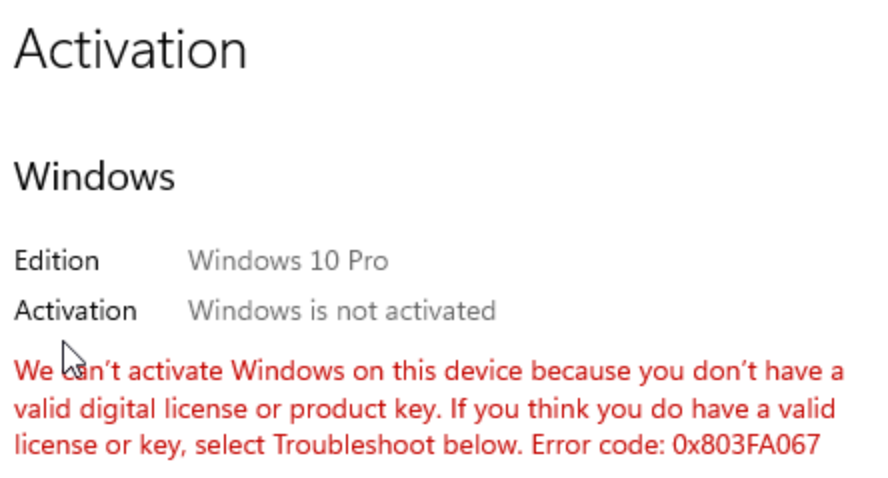
Installing Windows 11 Pro resulted in activation failure for the product key.
Installing Windows 10 Pro (downloaded from a community source) also failed to activate the product key.
The Windows 7 Pro product key from the original package is not working either.
Attempts to use UTM for installation also resulted in activation failure.
Various troubleshooting methods have not resolved the activation issue.
Please refer to the attached screenshot for the error message encountered.
' cx='32' cy='32' r='32' /%3E%3Ctext x='50%25' y='55%25' dominant-baseline='middle' text-anchor='middle' fill='%23FFF' %3EJR%3C/text%3E%3C/svg%3E)

