This issue corelates to: https://learn.microsoft.com/en-us/answers/questions/4339205/windows-11-update-error-0x80073712?forum=windows-all&referrer=answers (by Anonymous, probably a deleted user).
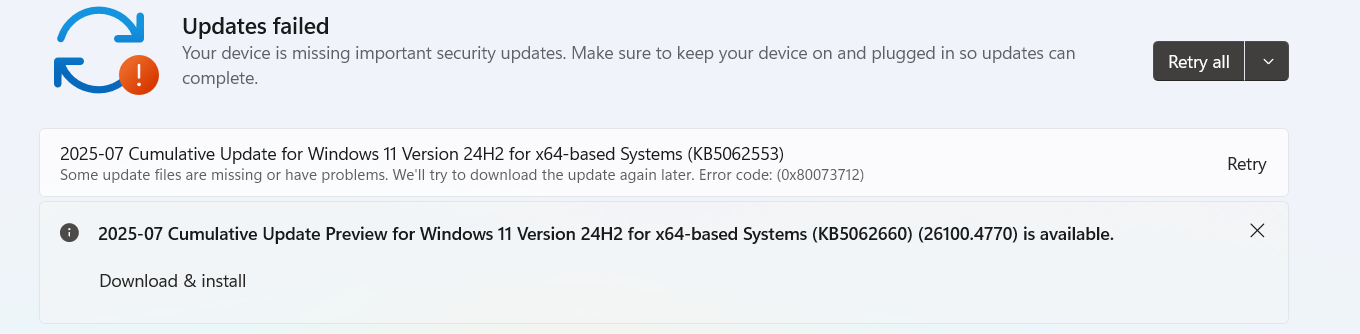
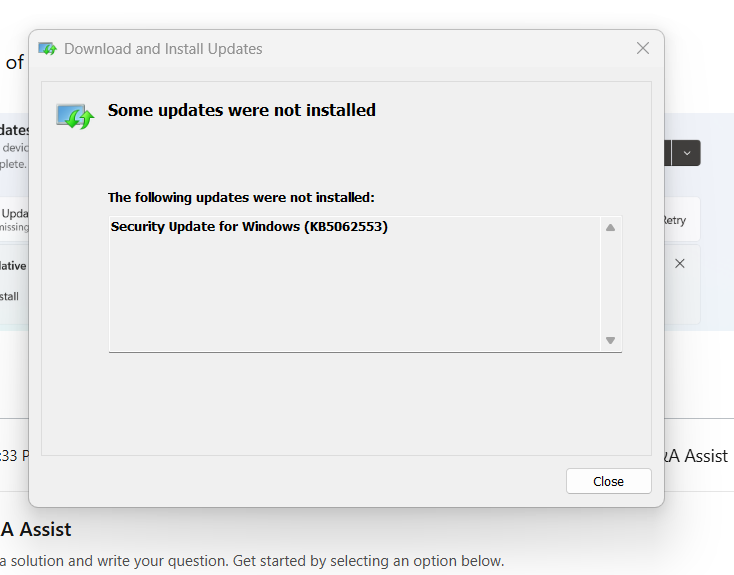
So, 2025-07 Cumulative Update for Windows 11 Version 24H2 for x64-based Systems (KB5062553) cannot be installed (I do not know why), because of 0x80073712!!!!
I tried the following these solutions from the old issue:
net stop bits
net stop wuauserv
net stop cryptsvc
ren %systemroot%\softwaredistribution softwaredistribution.bak
ren %systemroot%\system32\catroot2 catroot2.bak
net start bits
net start wuauserv
net start cryptsvc
- and sfc /scannow in which it repaired the corrupt files. But none of them helped fix it.The other one I tried is installing the standalone update instead, in which I downloaded first before installing it. It did not work either.
Here are photos of the issue:
Whatever happened to Windows Update on MY Windows 11, I need help to fix this (but I do not want to reset my PC/laptop, reinstall Windows 11 or anything that affects either the PC/laptop or Windows). I just need to regain access to install updates again. Thank you.
' cx='32' cy='32' r='32' /%3E%3Ctext x='50%25' y='55%25' dominant-baseline='middle' text-anchor='middle' fill='%23FFF' %3EGG%3C/text%3E%3C/svg%3E)


' cx='32' cy='32' r='32' /%3E%3Ctext x='50%25' y='55%25' dominant-baseline='middle' text-anchor='middle' fill='%23FFF' %3EKM%3C/text%3E%3C/svg%3E)