Hi Abdulhamid Mahmoud,
Thank you for sharing your concern to us.
Regarding your concern, if you did not download Visual Studio before, you might need to install from scratch. However, if you have downloaded Visual Studio before, you can follow these steps:
- Open Visual Studio Installer > Available
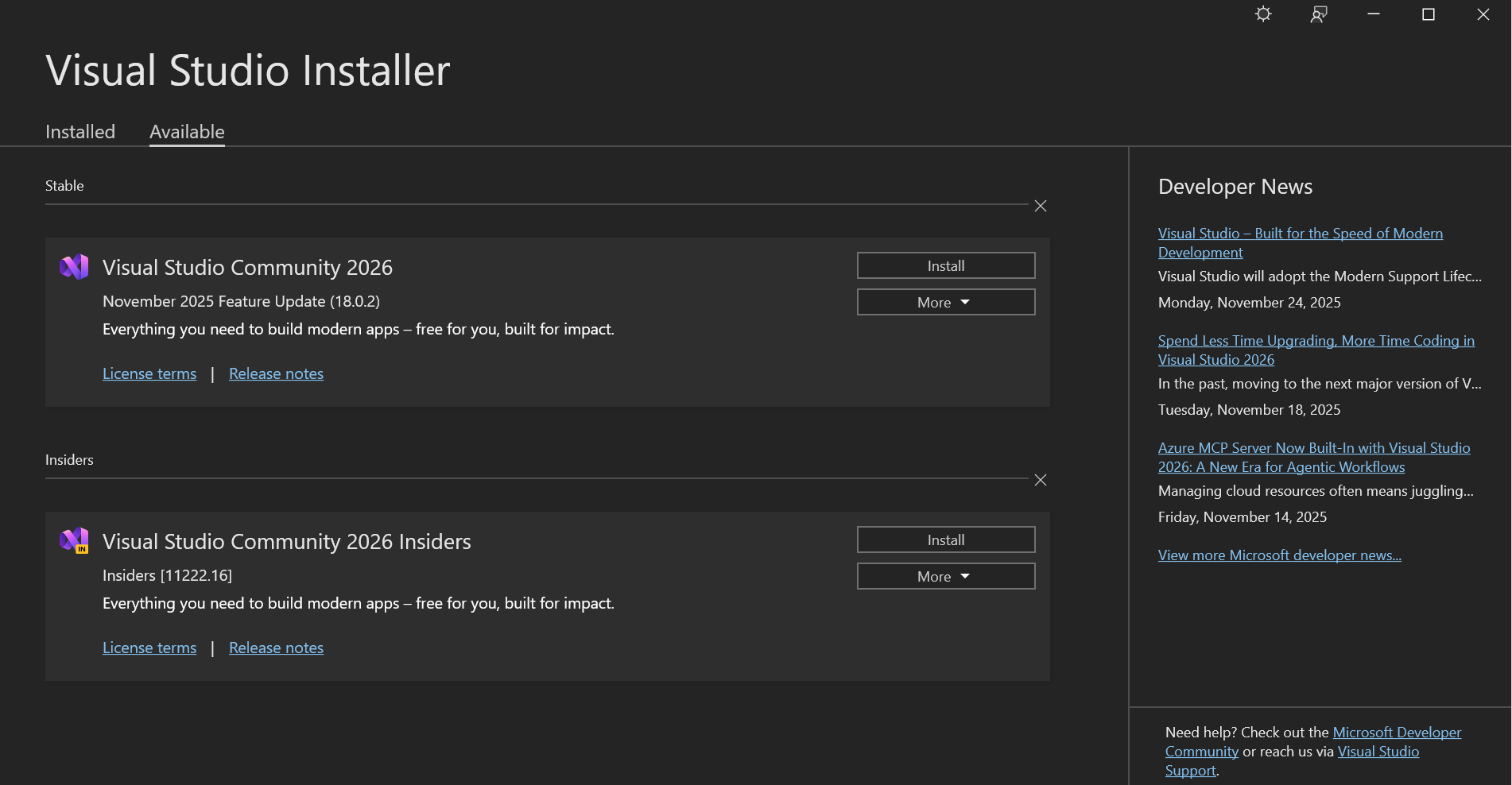
- Choose the Visual Studio 2026 edition you wanted and click on Install, you will see something like this:
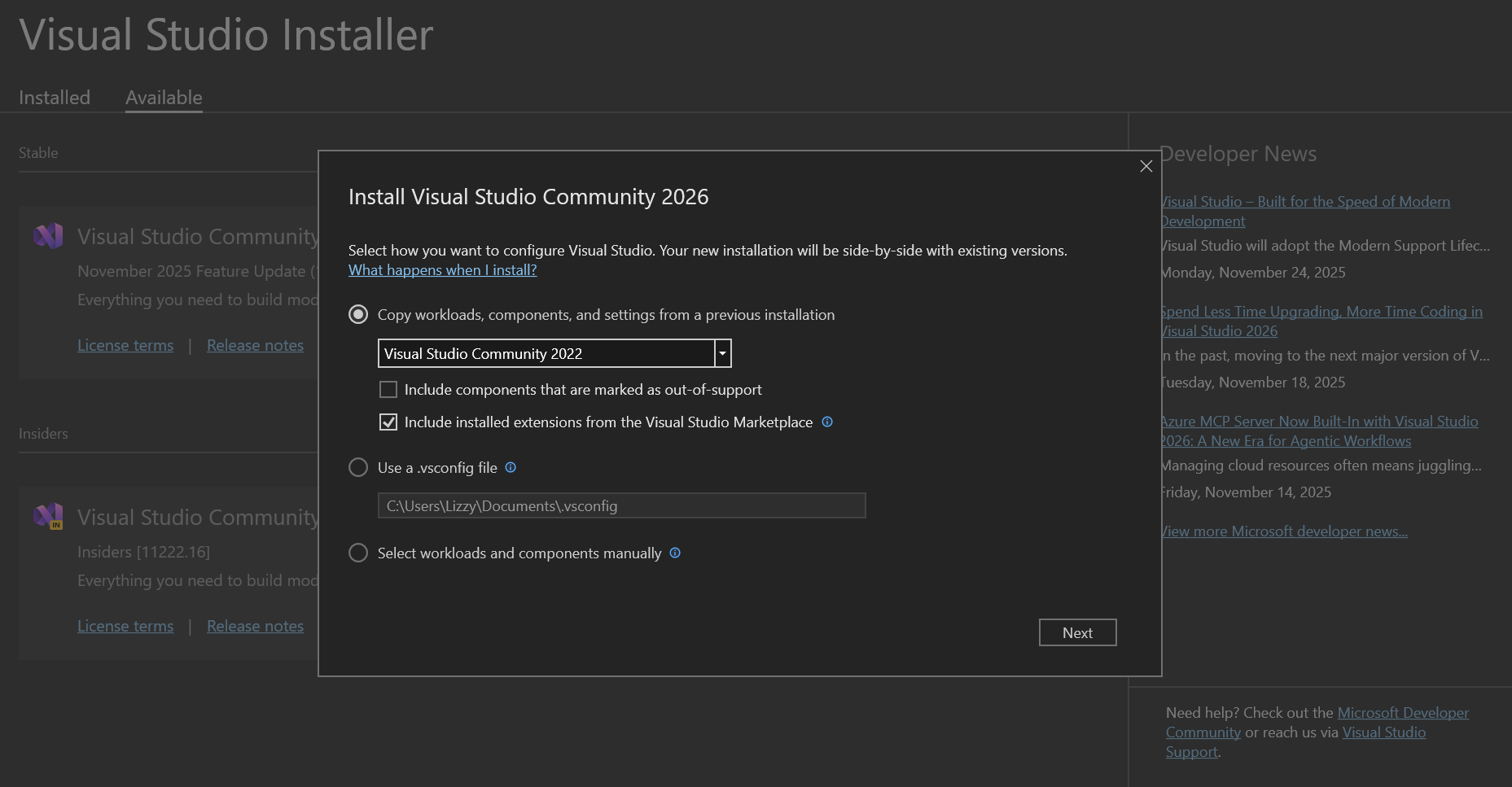
you can select the option above to keep the workloads you installed in the previous version.
- I used the latest Visual Studio Installer, but if you have the old version, the system will prompt you this:
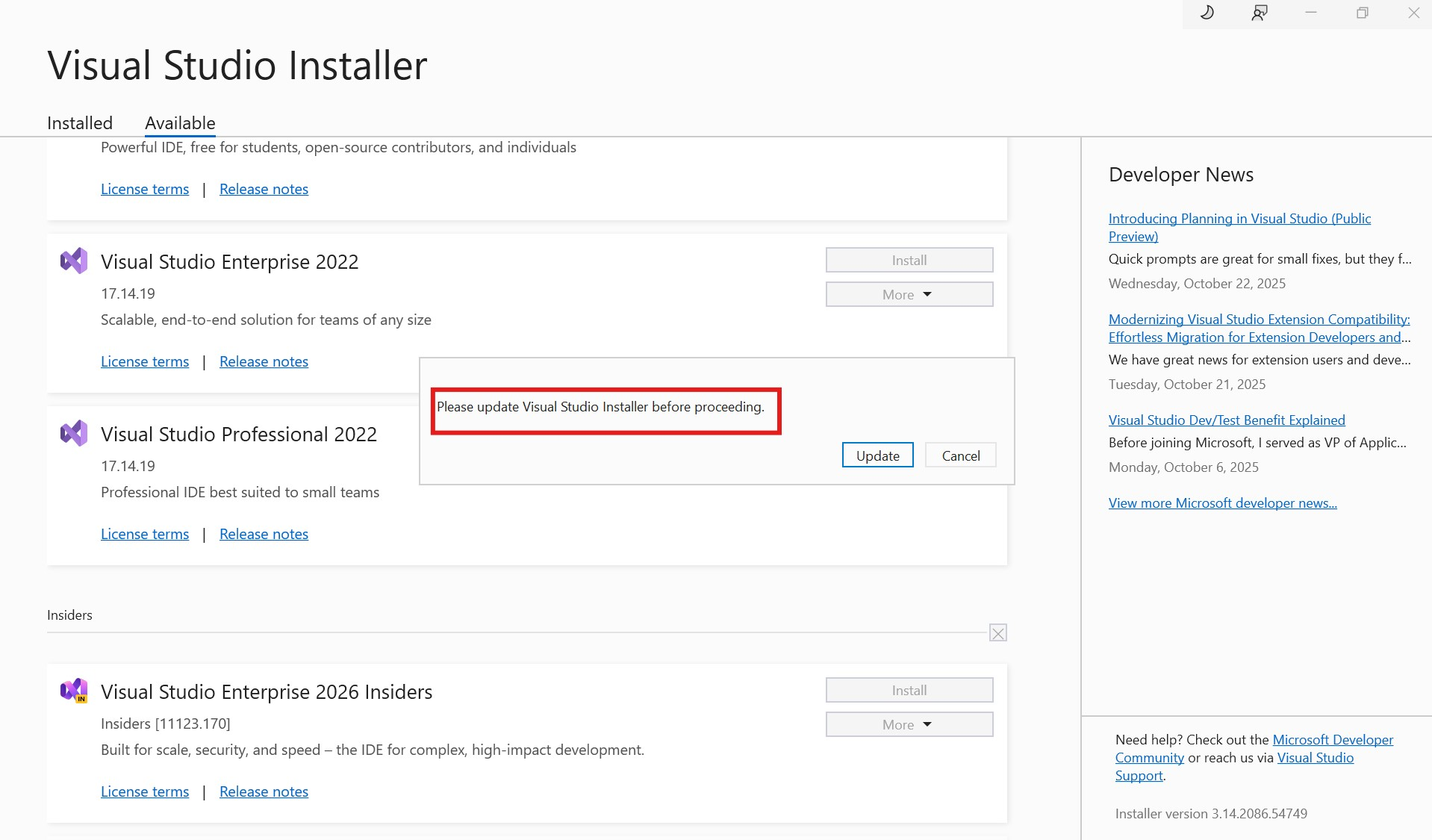
- After finish updating the Installer, Visual Studio 2026 will continue to download and install.
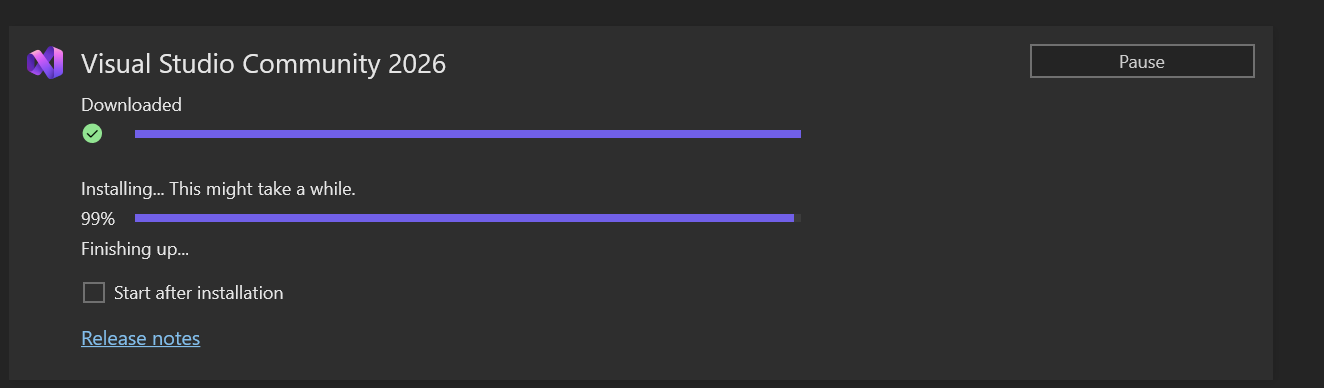 I hope everything will be smooth! If you have any concern during the process, feel free to reach out. I'll be happy to help.
Have a nice day!
' cx='32' cy='32' r='32' /%3E%3Ctext x='50%25' y='55%25' dominant-baseline='middle' text-anchor='middle' fill='%23FFF' %3EAM%3C/text%3E%3C/svg%3E)
' cx='32' cy='32' r='32' /%3E%3Ctext x='50%25' y='55%25' dominant-baseline='middle' text-anchor='middle' fill='%23FFF' %3EA%3C/text%3E%3C/svg%3E)
' cx='32' cy='32' r='32' /%3E%3Ctext x='50%25' y='55%25' dominant-baseline='middle' text-anchor='middle' fill='%23FFF' %3EBS%3C/text%3E%3C/svg%3E)
' cx='32' cy='32' r='32' /%3E%3Ctext x='50%25' y='55%25' dominant-baseline='middle' text-anchor='middle' fill='%23FFF' %3ELD%3C/text%3E%3C/svg%3E)