Hello,
This is a problem i have had for a few months now...
At first, my instagram app stopped working, giving me the following error
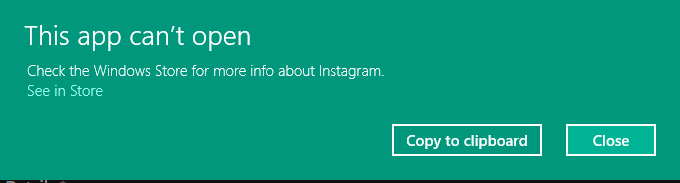
If I click on the "See in store", I get sent to the instagram store page
On there, where there should be a button like "Open" or "Download" or whatever, there is just a consistently blank button, which seems to be loading but never does
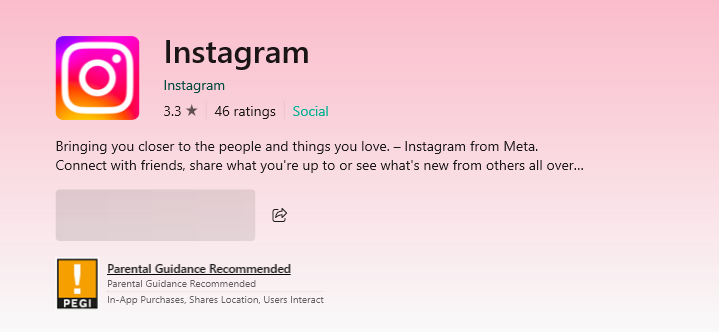
I tried to uninstall the app, but it went missing from the "Apps and features" settings tab
This was quite strange, but since I didnt need use the app that much, i just dismissed the problem and continued on with my life for the next few months, until today
I havent used any of the microsoft store apps since then, but today i tried to open the Minecraft launcher aaand - nothing...
It wasnt loading
I tried a few more times and still... nothing
After that, I wanted to uninstall it, and, just like Instagram, nowhere to be found??
I then went to the store page and was met with the same blank button...
There, i realised something really isnt right
I started by going to the "Apps and features" and realised even the store itself went missing, even though it was able to be opened
Same with the Xbox app
I then tried updating instagram from the "Library" tab in the store which prompts me with this
I then proceeded to research the 0x80070422 and spend the next 2 hours trying countless fixes i found on the internet, including a few from this website, but none worked...
What i tried using:
-Repairing corrupted files from CMD
-wsrestart
-Checking if all services were running correctly
-Disabling all non windows services
-Deleting MS store from powershell(didn't work)
-Updating windows
If anyone has any idea what could cause this, please let me know...
' cx='32' cy='32' r='32' /%3E%3Ctext x='50%25' y='55%25' dominant-baseline='middle' text-anchor='middle' fill='%23FFF' %3EDP%3C/text%3E%3C/svg%3E)
