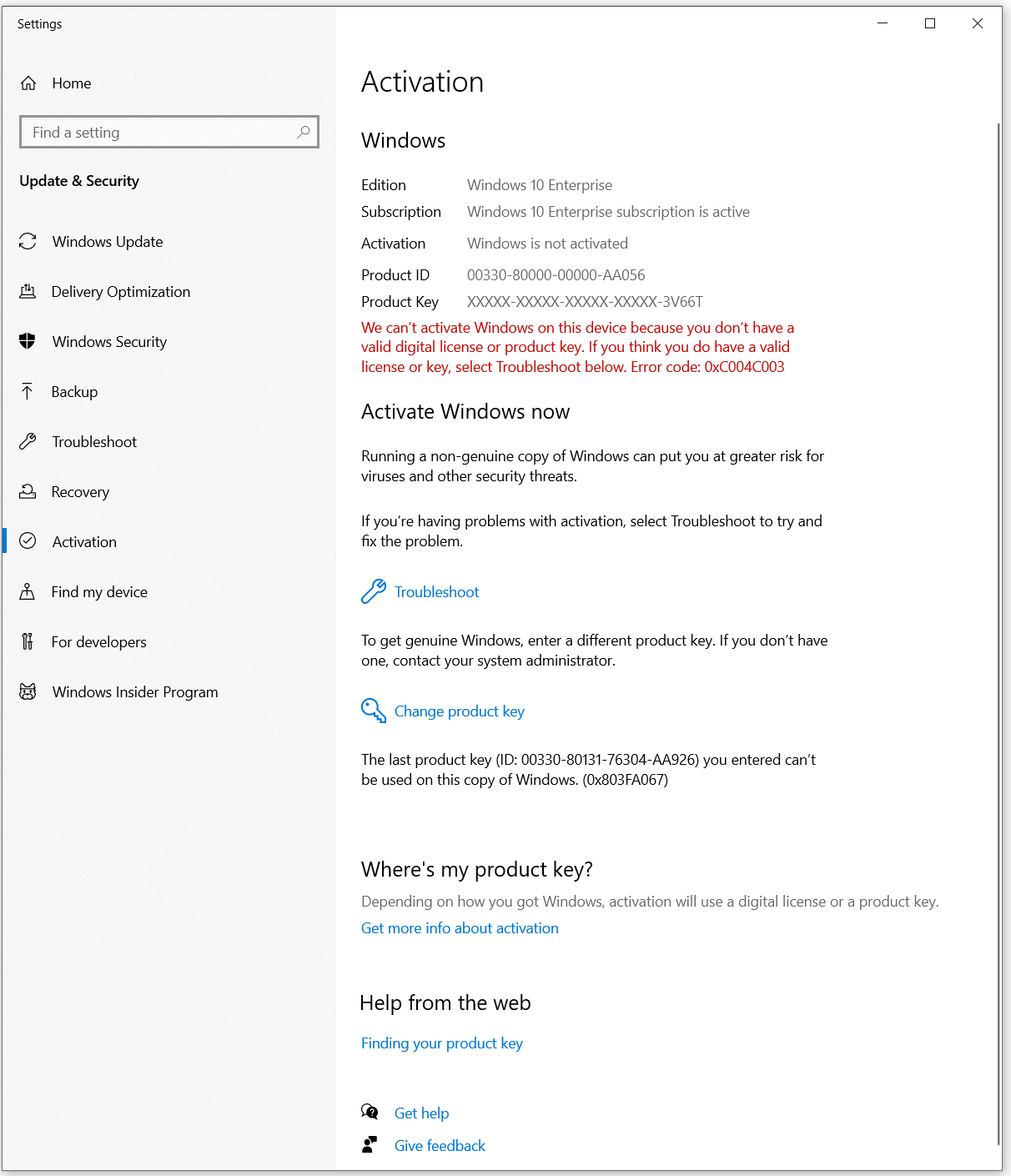
Windows 10 Activation for Enterprise

IJustWantSomeHelp 1 Reputation point
2020-10-15T15:21:10.333+00:00

We have a number of O365 E5 licenses. Almost all computers uplift from Pro to Enterprise when they Hybrid Azure AD join.
However, on one machine this doesn't happen. The Enterprise license doesn't activate. There is an error -
Windows 10 Enterprise subscription is not valid.

The user has an E5 license associated against his user.

Any ideas on how to trouble shoot/resolve this issue?

Windows for business | Windows Client for IT Pros | User experience | Other

3 answers

Sort by: Most helpful
  1. Joy Qiao 5,812 Reputation points Moderator
    2020-11-16T10:03:51.947+00:00

    Hi,

    I noticed you said you are not associate a work or school account to that PC. So try to check if the issue disappear after associate AAD account (with Windows 10 E3/E5 or A3/A5 license assigned) and login it.

    I noticed you said before: Please check if the user signs into this device using Active Directory account and MFA (multi-factor authentication) is enabled. All users are logging into AD, there is a mixture of MFA and no MFA

    However, from capture, the first computer is hybrid AAD joined. From official article Multi-factor authentication says,
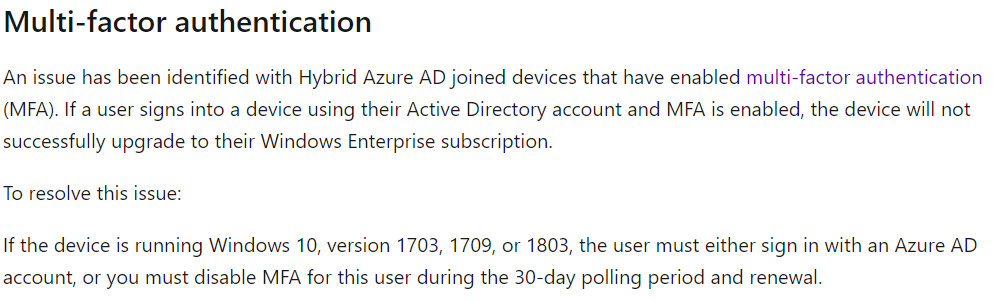
    40044-capture.png

    I would recommend to try resolved measure for Windows 10 1809.

    As you have created a ticket for this issue, I recommend to contact with ticket owner if they have any resource for escalate. As we belongs to different system, forum engineer will not familiar with their phone support process and resource.

    I will be appreciate if you could share your result if the issue was resolved in that ticket. It would be useful for other customers which encounter same issue with you.

    Bests,

    Was this answer helpful?

    0 comments No comments

  2. Joy Qiao 5,812 Reputation points Moderator
    2020-11-13T10:11:36.13+00:00

    Hi,

    Please run "whoami" and "DSRegCmd /status" as administrator on the issue occurred device.
    Then navigate to Settings > Accounts > Other people > Work or school user section.

    Check if whoami result same with log on account in Work or school and both them should AAD associate account. Check if DSRegCmd show as AAD joined.

    If all done and same with each other, please create a ticket with the link below for further log analysis assistance.

    http://portal.office.com/Adminportal/home

    Thank you.

    Bests,

    Was this answer helpful?


  3. Joy Qiao 5,812 Reputation points Moderator
    2020-10-19T08:16:11.987+00:00

    Hi,

    Thank you for your reply.

    So the device is Hybrid Azure AD joined, right?
    Try to run command line "dsregcmd /status" as administrator on that device to check the AzureAdJoined result.

    Please check if the user signs into this device using Active Directory account and MFA (multi-factor authentication) is enabled.

    Did you setup KMS or MAK on your environment?

    I noticed the slmgr command result on that machine show same with Microsoft official document description as below:

    33333-3.png

    Please go to Settings\Update&Security\Activation and create a capture, then upload it here.

    Bests,

    ============================================

    If the Answer is helpful, please click "Accept Answer" and upvote it.
    Note: Please follow the steps in our documentation to enable e-mail notifications if you want to receive the related email notification for this thread.

    Was this answer helpful?


Your answer

Answers can be marked as 'Accepted' by the question author and 'Recommended' by moderators, which helps users know the answer solved the author's problem.