Microsoft Teams | Microsoft Teams for business | Other
Additional features, settings, or issues not covered by specific Microsoft Teams categories

This browser is no longer supported.
Upgrade to Microsoft Edge to take advantage of the latest features, security updates, and technical support.

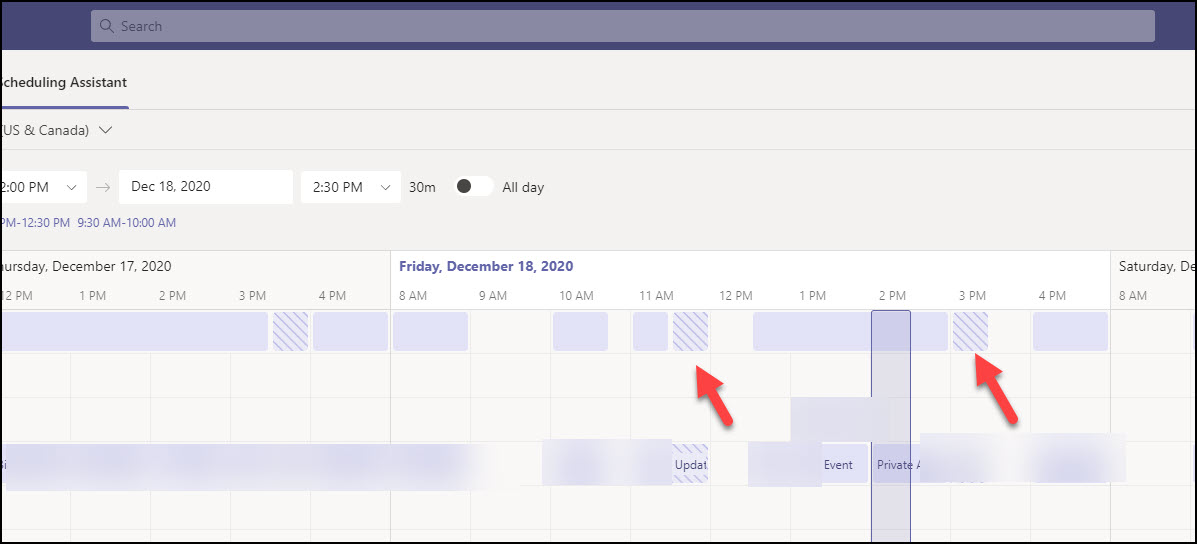
When using Teams to schedule a meeting after adding the attendees.The Scheduling Assistant tab does not shows the Free Busy info for the member-users who all are available at that point and it shows a just slash "\\" can you advise why details are not displayed here?
Can anyone please advise
Additional features, settings, or issues not covered by specific Microsoft Teams categories
We have identified the issue. In the outlook the user permissions has to be changed from "Free/Busy time" to "Full Details" after this setting is updated in the outlook client.
The Teams>Schedule assistant showing the users calendar with the details instead of showing "\\\"
' cx='32' cy='32' r='32' /%3E%3Ctext x='50%25' y='55%25' dominant-baseline='middle' text-anchor='middle' fill='%23FFF' %3EJM%3C/text%3E%3C/svg%3E)
Hi @SR VSP ,
Do you have the same issue in outlook client?
Can you see the busy/free information from another attendees?
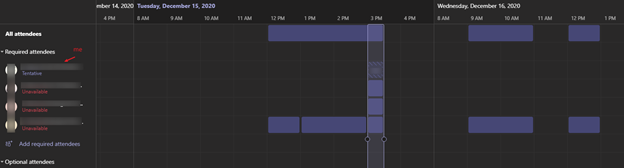
I did a test in our client, it seems the slash only shows to me. Other attendees can see the busy/free information normally in the Schedule Assistance. The picture shows for your reference:
In my experience, Teams has a limit on the number of attendees in a distribution list that it can display free/busy information for. If you try to add a distribution list that is too large, the free busy check will fail. Expanding the distribution list might allow schedule assistance to recover the free/busy information for the attendees. At the same time, it has a limit on the number of attendees in a meeting that it can show Free/Busy information for.
If the response is helpful, please click "Accept Answer" and upvote it.
Note: Please follow the steps in our documentation to enable e-mail notifications if you want to receive the related email notification for this thread.
Thanks for your response
No. Outlook client is working fine. I can see busy/free information of other attendees.
It is not related to Outlook client or DL OR SMB....
The issue is with Teams desktop client > Schedule assistant. Just view the calendar of your team members ( 2 or 3 ) and see how it is displaying before we schedule a meeting ?
Hi @SR VSP ,
What is your attendees’ status when your mouse hover over the slash? Available or Unavailable or Tentative status?
In my understanding, if you have items in your Outlook calendar they should carry over to Microsoft Teams calendar. If you have a meeting at 9:00 a.m. that was scheduled in your Outlook calendar, it should show you as busy at 9:00 a.m. in Teams.