Microsoft 365 and Office | OneDrive | For business | Windows
A Microsoft file hosting and synchronization service.

This browser is no longer supported.
Upgrade to Microsoft Edge to take advantage of the latest features, security updates, and technical support.
' cx='32' cy='32' r='32' /%3E%3Ctext x='50%25' y='55%25' dominant-baseline='middle' text-anchor='middle' fill='%23FFF' %3EA%3C/text%3E%3C/svg%3E)
Hi,
I have a customer today that have AzureAD joined machines, and using Dropbox.
They are now going to start using Intune with OneDrive.
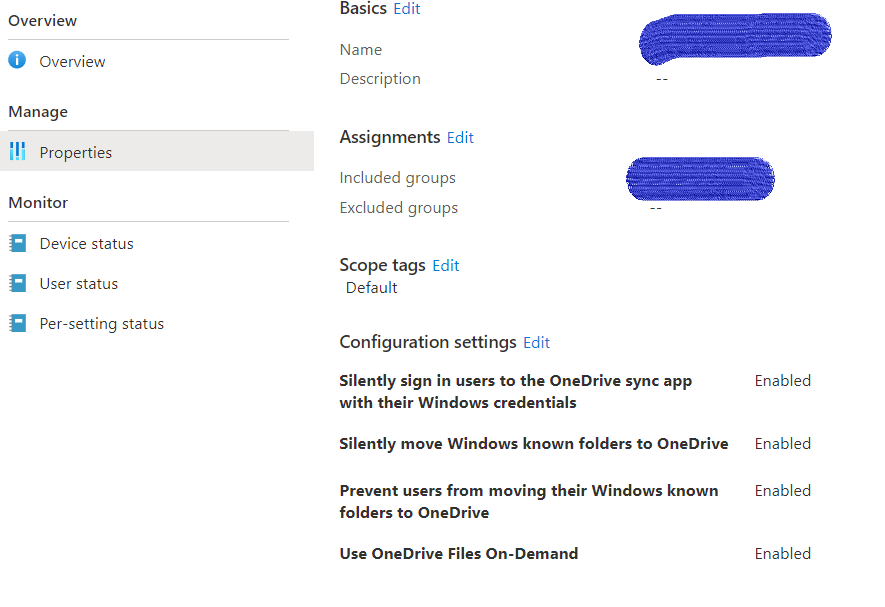
I have configured a test user and a test machine, but the OneDrive silent logon does not work. I have configured the same setting on many other tenants.
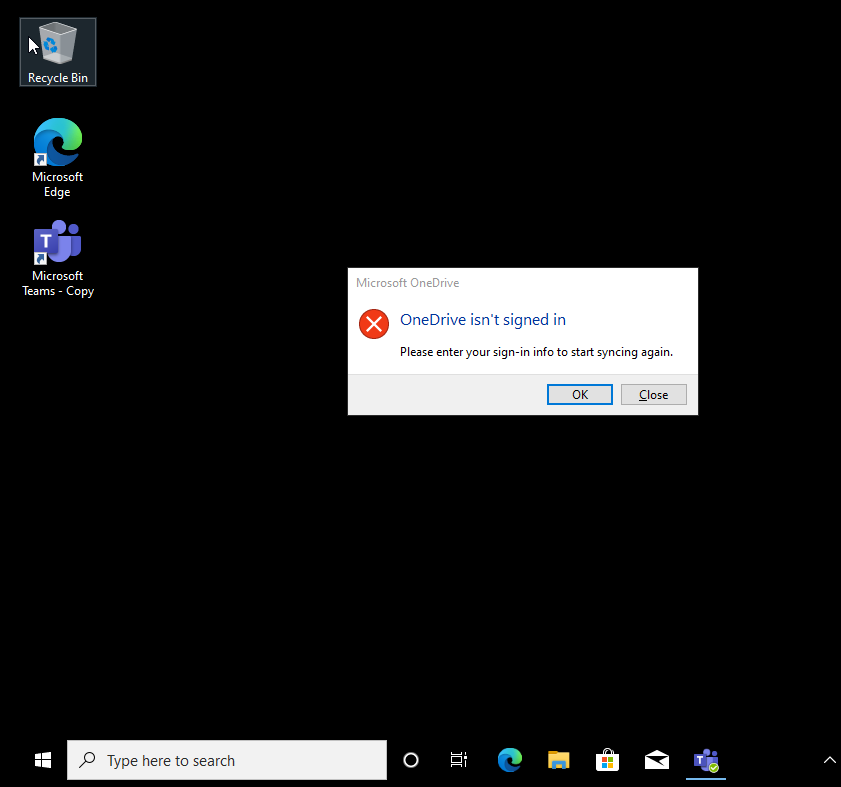
The strange thing is that the Onedrive logon popup box appear after second reboot, If I click OK it just sign in automatically and I dont see it again.
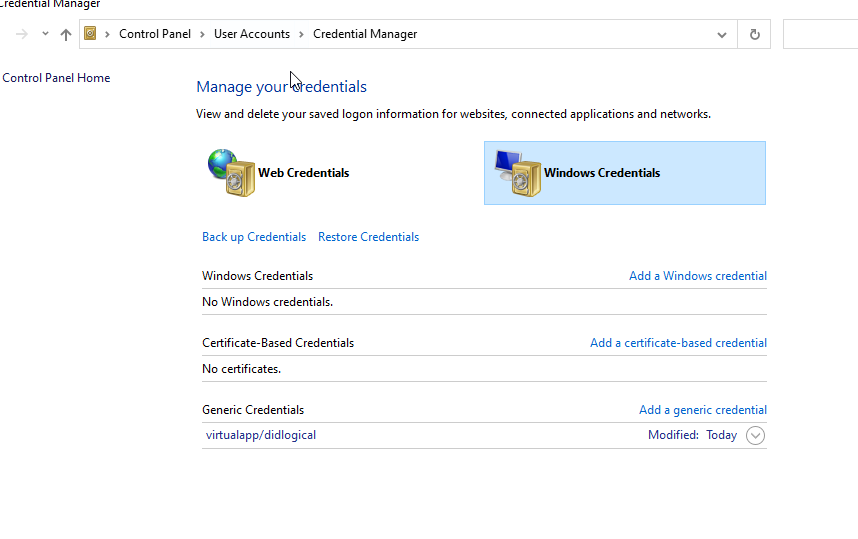
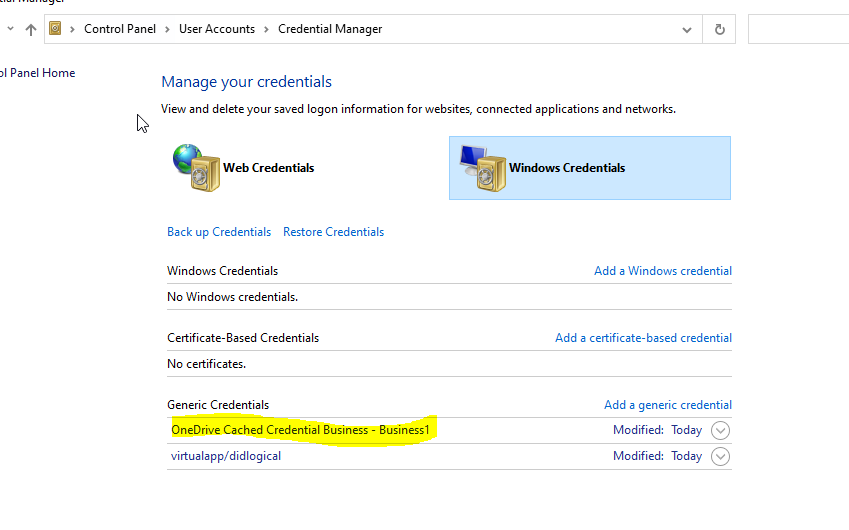
I can also see in the credential manager that the stored credentials are not stored before I click OK after the second reboot.
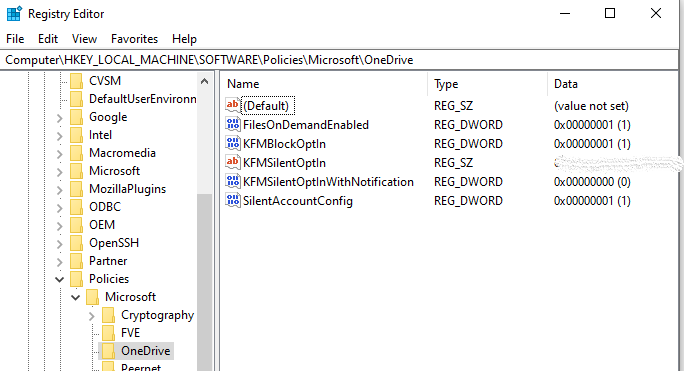
I can also see that the registry keys are set from the Intune profile I have configured.
Office is deployd from the XML.
Any suggetions ?
Thanks for reply
/R
Andy

A Microsoft file hosting and synchronization service.
Registering devices with Intune for management and policy enforcement
Other Intune-related topics, including unsupported scenarios and platform-specific behaviors
' cx='32' cy='32' r='32' /%3E%3Ctext x='50%25' y='55%25' dominant-baseline='middle' text-anchor='middle' fill='%23FFF' %3ECM%3C/text%3E%3C/svg%3E)
@Andreas , After discussing with Onedrive support, we find this is more related with Onedrive. I have added the tag "office-onedrive-client-itpro" for you to get professional support. Thanks!
Hi All,
Got a confirmation today from MS that this is a bug.
PG confirms this is a bug they have recently discovered and are currently working on addressing.
In the meantime, the current confirmed workaround is deploy the EnableADAL registry key with a value of 1.
Open CMD, run with Administrator, REG ADD HKCU\Software\Microsoft\OneDrive /v EnableADAL /t REG_DWORD /d 1 /f
/R
Andy
' cx='32' cy='32' r='32' /%3E%3Ctext x='50%25' y='55%25' dominant-baseline='middle' text-anchor='middle' fill='%23FFF' %3EM%3C/text%3E%3C/svg%3E)
I came here almost two years later looking for an answer to this.. Is this workaround still the only option? We have deployed OneDrive through Intune and assigned the OneDrive policies from there as well, and I can see them being applied on the device via both Settings app and via Registry (SilentAccountConfig = 1 etc), but the application doesn't sign in unless I do it manually. In our case, compliant devices and devices residing on a specific WAN-address are excluded from Conditional Access as well, so that shouldn't be a problem.
OneDrive version 23.107.0521.0001 64bit.
Appreciate some guidance in this matter.
Thanks!
Hi,
I have tried to remove "Prevent users from moving their Windows known folder silently" but same problem.
Onedrive is running if I check Task Manager.
To me it seems like this might be something "bigger", some issues with the tenant or something.
I have added the following DNS CNAME entries, and If I do a CNAME check from within Endpoint Manager its ok.... don`t know if CNAME attributes are related to the Onedrive stuff.
Comments

/R
Andy
' cx='32' cy='32' r='32' /%3E%3Ctext x='50%25' y='55%25' dominant-baseline='middle' text-anchor='middle' fill='%23FFF' %3ERJ%3C/text%3E%3C/svg%3E)
I see. I just noticed that you have ‘Prevent users from moving their Windows known folder silently’ enabled along with ‘Silently move known folders to onedrive’. This is contradictory and you should get ride of the first one. Just allow the silent move. If things still don’t work then check for the onedrive agent running on the device.
Hi,
There is no shared device.
I am deploying the onedrive policy to the user group. I have also tried a device group.
/R
Andy
Are the devices shared? Are you deploying to a user group or device group?