
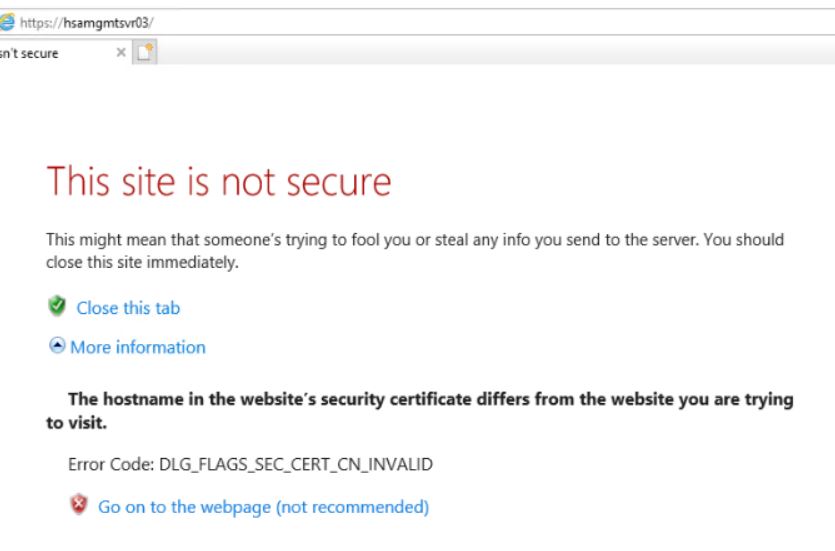
OK, if I switch to All Unassigned and access https://hostname, I get This site is not secure. I can access it by click Go to the webpage (not recommended). However, https://localhost and https://hostname.compnay.com don't work. Why?
This browser is no longer supported.
Upgrade to Microsoft Edge to take advantage of the latest features, security updates, and technical support.
' cx='32' cy='32' r='32' /%3E%3Ctext x='50%25' y='55%25' dominant-baseline='middle' text-anchor='middle' fill='%23FFF' %3ECN%3C/text%3E%3C/svg%3E)
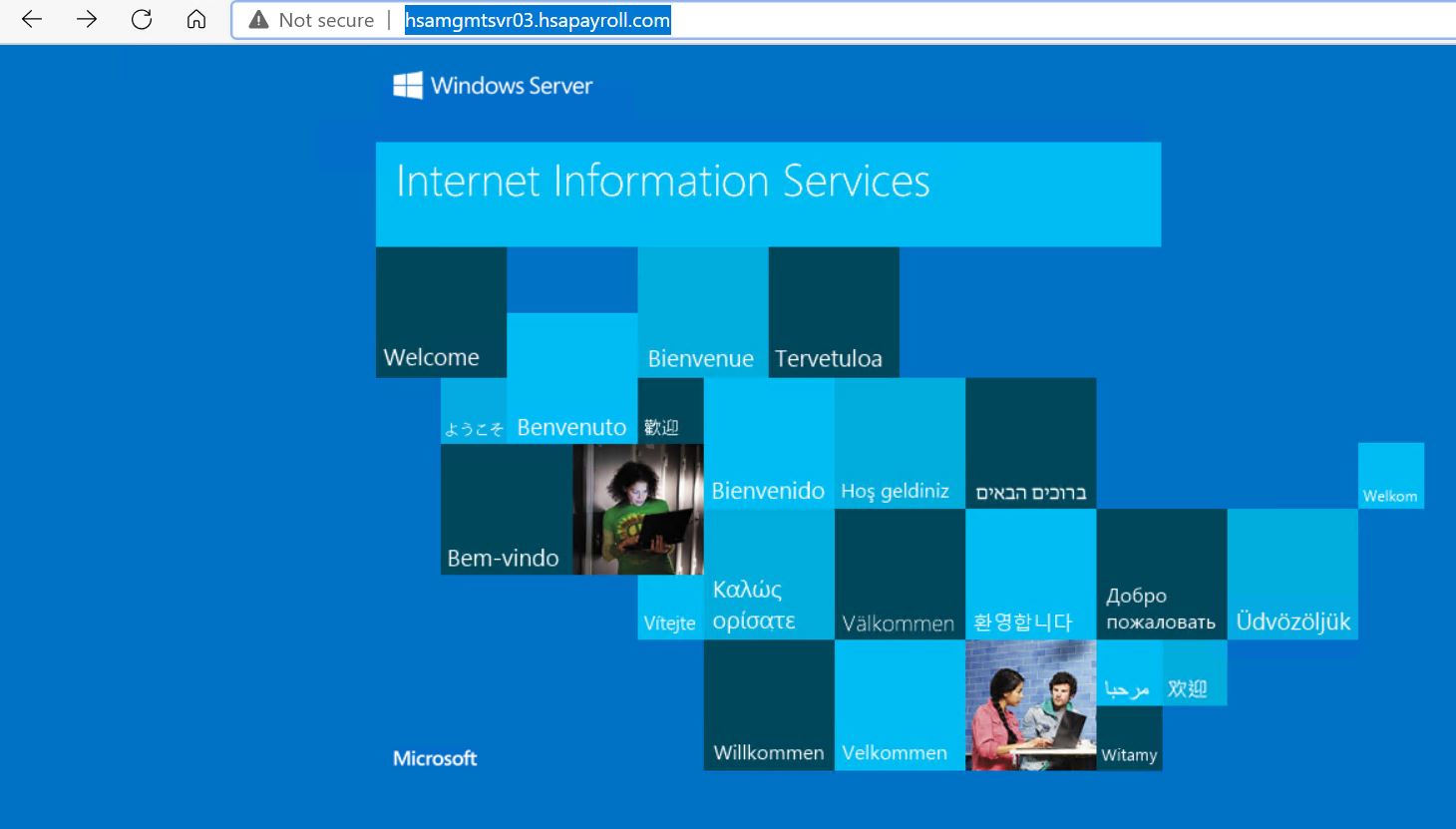
I can access http on a windows server 2019 locally or remotely.
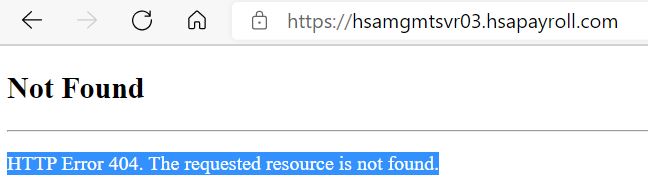
However, I can't access https with Error 404: The requested resource is not found
1.I can telnet port 443.
2. I have installed Certificate
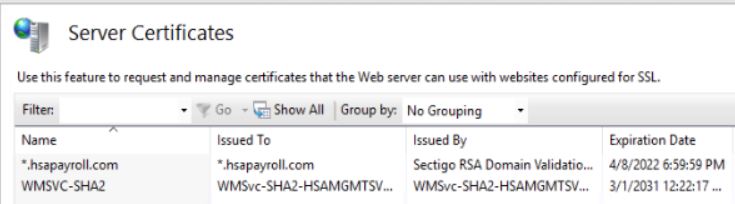
3. I have configured bindings
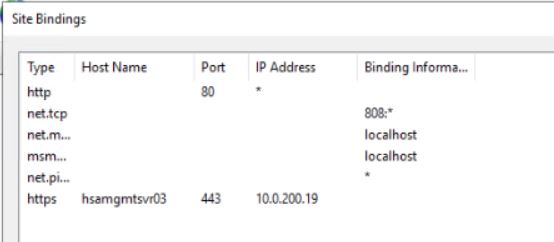
What could be the problem?
' cx='32' cy='32' r='32' /%3E%3Ctext x='50%25' y='55%25' dominant-baseline='middle' text-anchor='middle' fill='%23FFF' %3ET%3C/text%3E%3C/svg%3E)
Can you access the website on the https://localhost?
OK, if I switch to All Unassigned and access https://hostname, I get This site is not secure. I can access it by click Go to the webpage (not recommended). However, https://localhost and https://hostname.compnay.com don't work. Why?
Assuming the dns is configured properly, change the Host Name in the binding to be the full hostname hostname.compnay.com and try again.
No, I can't access https://localhost either. Any suggestions?
Try this binding to test your cert locally:
Type: https
IP Address: All Unassigned
Port: 443
SSL Cert: select your cert
Thank you very much. That works!
' cx='32' cy='32' r='32' /%3E%3Ctext x='50%25' y='55%25' dominant-baseline='middle' text-anchor='middle' fill='%23FFF' %3ELK%3C/text%3E%3C/svg%3E)
Hello @Chicagotech.net ,
Thanks for your sharing. Well done!