Developer technologies | Windows Forms
A set of .NET Framework managed libraries for developing graphical user interfaces.
This browser is no longer supported.
Upgrade to Microsoft Edge to take advantage of the latest features, security updates, and technical support.
' cx='32' cy='32' r='32' /%3E%3Ctext x='50%25' y='55%25' dominant-baseline='middle' text-anchor='middle' fill='%23FFF' %3ESD%3C/text%3E%3C/svg%3E)
I've been trying to find a Windows Forms Application (.NET Framework) template for ages and I just realized I don't have it on my visual studio. Can someone help with this?
(tags mean nothing i just had to have one to post this)
A set of .NET Framework managed libraries for developing graphical user interfaces.
A family of Microsoft suites of integrated development tools for building applications for Windows, the web, mobile devices and many other platforms. Miscellaneous topics that do not fit into specific categories.

Did you specify “C#” (or “Visual Basic”), “All platforms”, “All project type” in Create New Project dialog? Then you should see “Windows Forms App (.NET Framework)” in the list. What templates do you currently have?
' cx='32' cy='32' r='32' /%3E%3Ctext x='50%25' y='55%25' dominant-baseline='middle' text-anchor='middle' fill='%23FFF' %3EP8%3C/text%3E%3C/svg%3E)
Do a Repair if you don't see it
thanks so much for this, didnt even see that

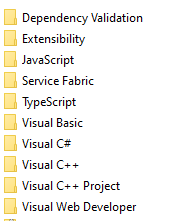
Templates are under C:\Users**username**\Documents\Visual Studio 2019\Templates\ProjectTemplates, see if they exists
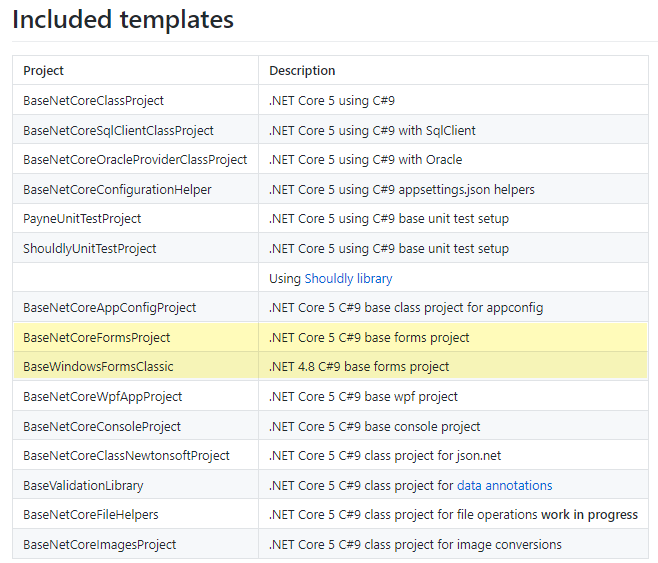
If you can't find the templates as per @Viorel recommendation and need a C# windows form template for .NET Framework 4.8 (or earlier) or windows forms C# .NET Core, C#9 see my template repository on GitHub.
To installed a template, from Visual Studio menu, project, select export project template, check project template then follow the prompts. Once done the template will be available.
To use, select create new project, in the search text box, enter the name of the project just installed. Once found select it and provide a name. The template is now available for any Visual Studio solution.
thank you for putting this much effort in i just found that the other answer was a bit simpler so i accepted it, thatnks for helping though!