Microsoft Security | Intune | Other
Other Intune-related topics, including unsupported scenarios and platform-specific behaviors

This browser is no longer supported.
Upgrade to Microsoft Edge to take advantage of the latest features, security updates, and technical support.
' cx='32' cy='32' r='32' /%3E%3Ctext x='50%25' y='55%25' dominant-baseline='middle' text-anchor='middle' fill='%23FFF' %3EB%3C/text%3E%3C/svg%3E)
Hi
I am create an ASR policy in Endpoint Protection and getting an error with these two settings

Other Intune-related topics, including unsupported scenarios and platform-specific behaviors

@berketjune2012 Thanks for posting in our Q&A. From your description, I know that the App and Browser Isolation policy is deployed failed. If there is anything misunderstanding, feel free to let us know.
To clarify this issue, we appreciate your help to collect some information:
If there is anything update, feel free to let us know.
If the response is helpful, please click "Accept Answer" and upvote it.
Note: Please follow the steps in our documentation to enable e-mail notifications if you want to receive the related email notification for this thread.
Hi @Lu Dai-MSFT
1) Yes it is Windows Enterprise
Here is the screen shot showing the config and error messages
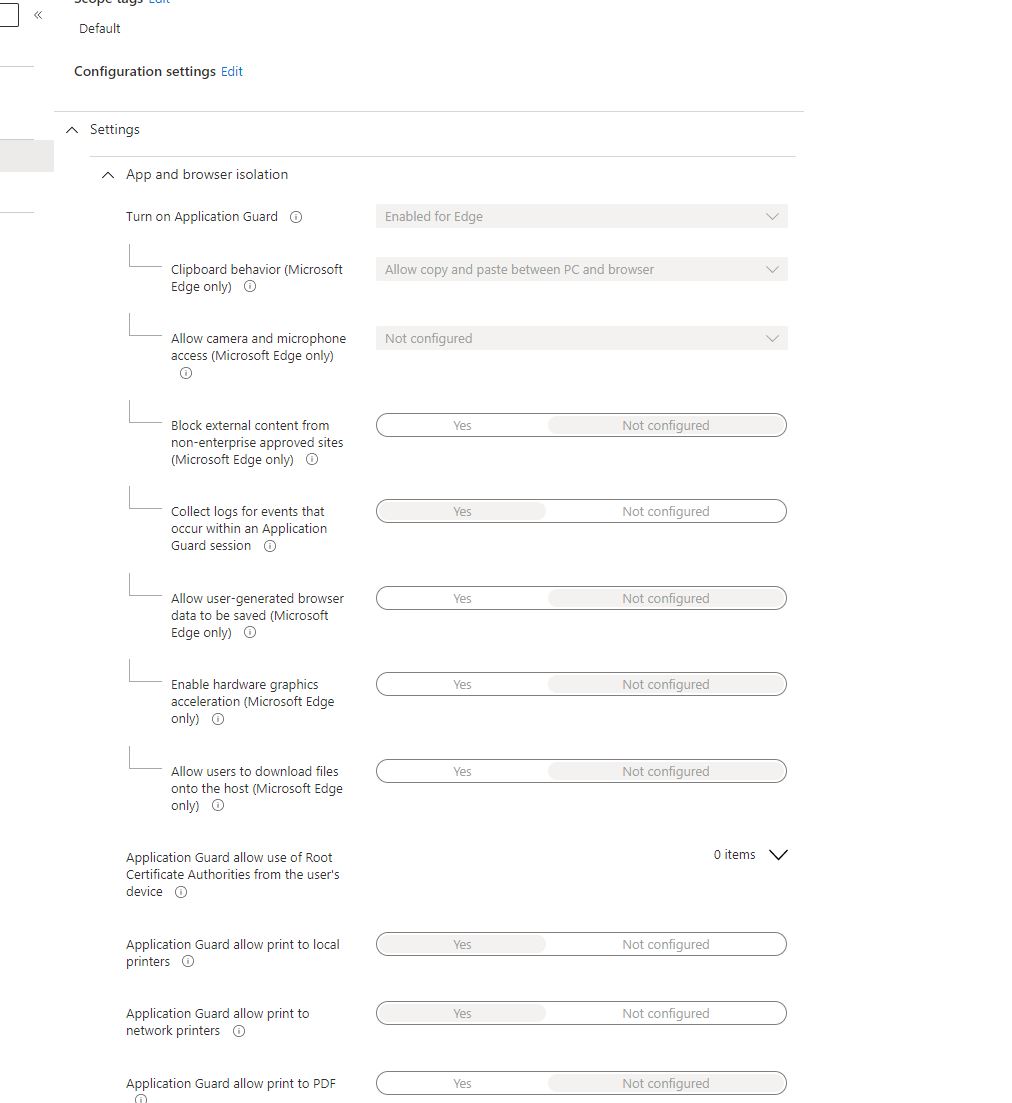


There is an error code not sure what it means and I can't find any explanation
@berketjune2012 Thanks for your update.
For the settings, it seems normal. For this error code, it is very general and not enough to analyze and find the root cause. With Q&A limitation, Q&A is not the best channel to check back ground information such as log analysis.
Given this situation, It is better to create an online support ticket to handle this issue more effectively. It is free. Here is the online support link:
https://learn.microsoft.com/en-us/mem/intune/fundamentals/get-support
Thanks for understanding and hope this issue will be solved as soon as possible.
' cx='32' cy='32' r='32' /%3E%3Ctext x='50%25' y='55%25' dominant-baseline='middle' text-anchor='middle' fill='%23FFF' %3ERJ%3C/text%3E%3C/svg%3E)
Is application guard turning on? Can’t make out from your screenshot. Also, have you checked Microsoft-Windows-DeviceManagement-Enterprise-Diagnostics-Provide/Admin event log? Look for AllowAppHVSI.