Azure Logic Apps
An Azure service that automates the access and use of data across clouds without writing code.
This browser is no longer supported.
Upgrade to Microsoft Edge to take advantage of the latest features, security updates, and technical support.
' cx='32' cy='32' r='32' /%3E%3Ctext x='50%25' y='55%25' dominant-baseline='middle' text-anchor='middle' fill='%23FFF' %3EMB%3C/text%3E%3C/svg%3E)
Hi, I have a working connection with a Dropbox account for one Resource Group and another Logic App. Now I created a new RG and a new LA and I tried to establish the connection there. However, this fails, see screenshot. I explicitly granted access. ![13828-bildschirmfoto-2020-07-27-um-140132.png][1] Any idea what is the matter there? And do know, there are no browser extensions fiddling with the authorization flow. Thanks! [1]: /api/attachments/13828-bildschirmfoto-2020-07-27-um-140132.png?platform=QnA
An Azure service that automates the access and use of data across clouds without writing code.
' cx='32' cy='32' r='32' /%3E%3Ctext x='50%25' y='55%25' dominant-baseline='middle' text-anchor='middle' fill='%23FFF' %3EQ%3C/text%3E%3C/svg%3E)
Hello anonymous user, Thanks for reaching out to us, we are looking into this. Could you please let us know the document/link/tutorial reference you have referred for this logic app connector.
Hello *anonymous user*, Could you please clarify the main difference between two Dropbox connectors in those logic Apps?
Have you set up the Dropbox connection the same way for two logic apps?
Have you referred to the Dropbox Known issues and limitations page?
Similar issue thread related to SO : https://stackoverflow.com/questions/62232990/azure-logic-apps-failed-with-error-the-browser-is-closed-please-sign-in-a
Hello *anonymous user*, We were able to repro the issue which was mentioned in your query.
Repro:
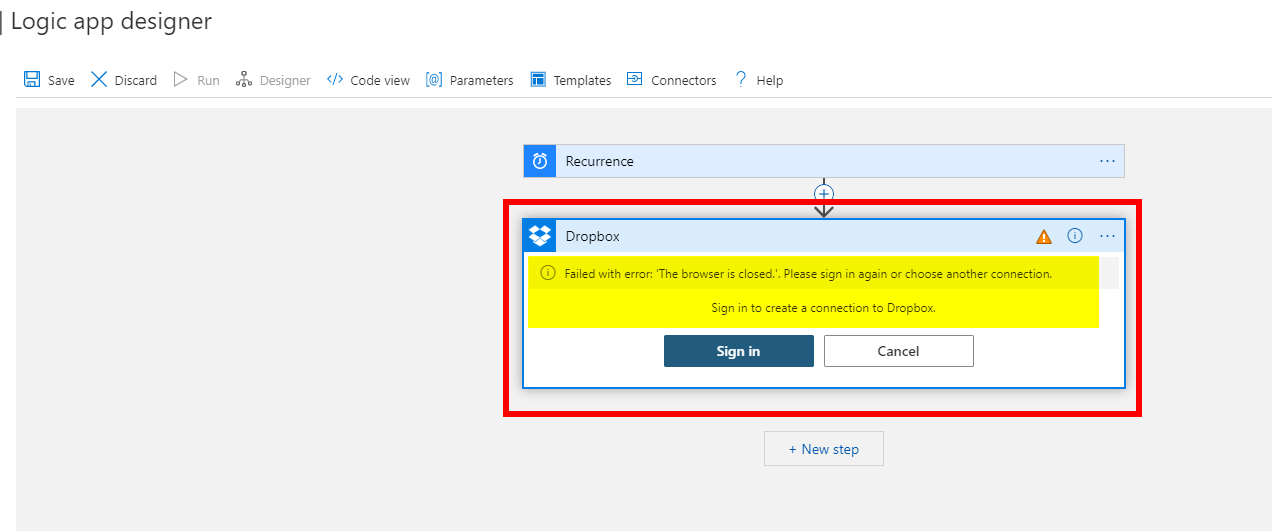
Reason for Failure:
I closed the Authentication Pop-Up window which showed-up, thereby it ended in the error.
Validation:
We have created 2 Resource Groups with Logic App in each RG. [Exactly as mentioned by your thread issue]. Same Browser, NO In-Private browsing!
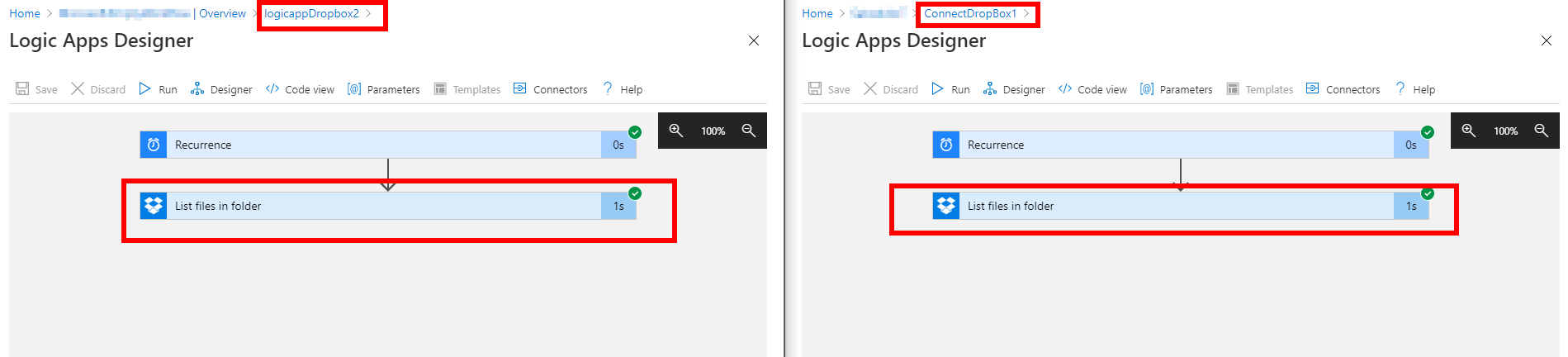
Troubleshooting steps:
Make sure you don't close the Dropbox Authentication Pop-up window.
OR
Make sure you re-verify your credentials once again with Dropbox Authenticator by creating a new connection.
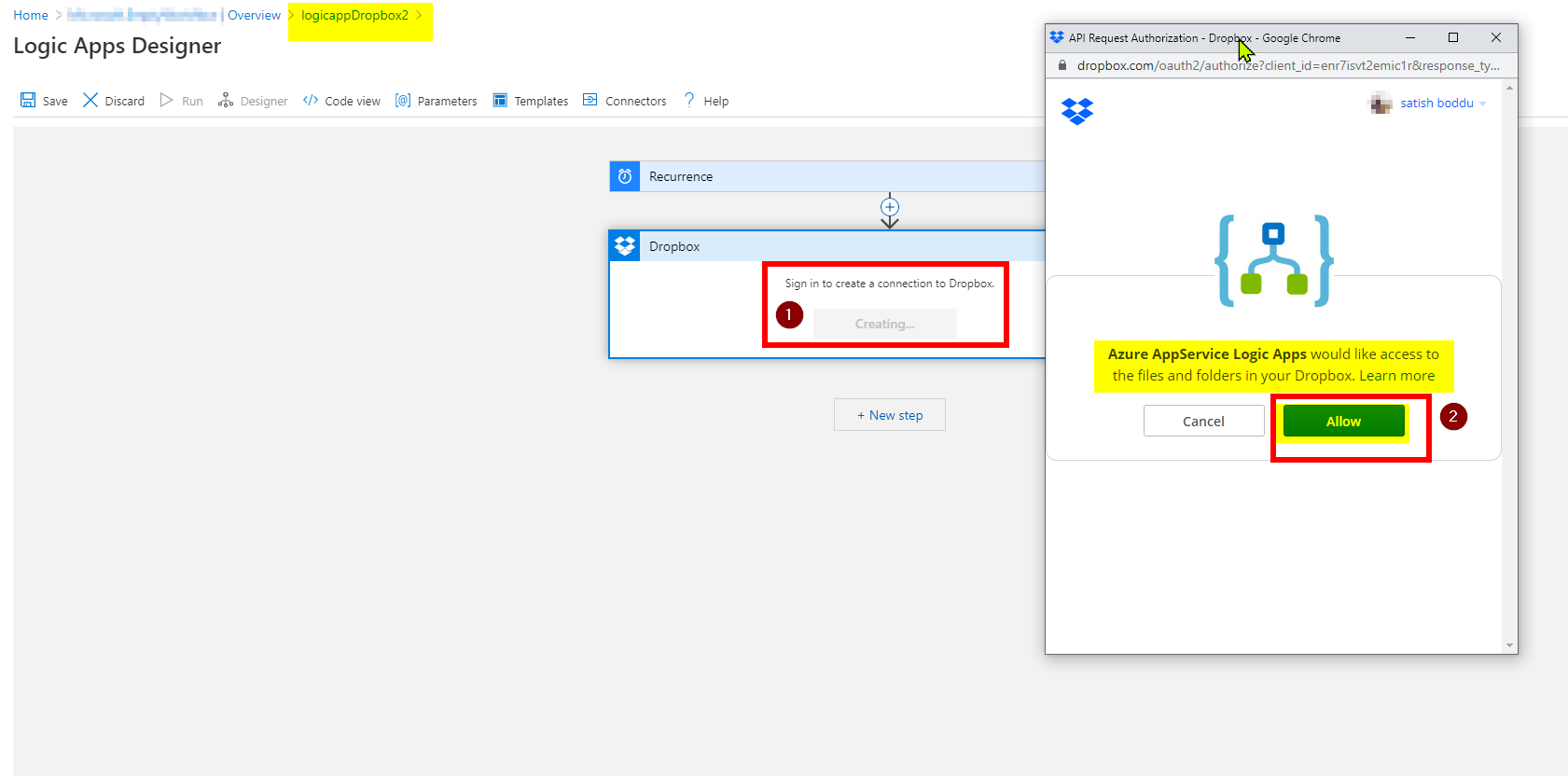
Please let us know if you need further help in this matter!
Hello, Satish!
In fact, I did the same as you using Chrome and I still have the same problem. And yes, I clicked Allow and at some point in the past it worked for the other Resource Group.
The only difference I can see is that I am browsing Incognito. I am always doing that however, and the first time around when I created the Dropbox connection it was not different.
Here is what it looks like for me:
https://res.cloudinary.com/dm5qhwg4t/video/upload/v1595950253/Bildschirmvideo_aufnehmen_2020-07-28_um_17.27.54.mov
Thank you!
Mo
Hello anonymous user, What type of action you are using with respect to the Dropbox connection? List Files, Create files?
Please also try removing the connection and adding it again to the logic app designer.
You can also try from any other machine which has a browser installed.
Sometimes Blocking Third Party Cookies may be the issue.
Sometimes hard reset on your browser, removal of cached cookies will also resolve such issues.
It would be a good thing if enabling some Third Party Cookies pages to work so it's best to have that unchecked!
If you still face any issue please let us know.
Hello Satish!
I intended to use "Get File" when I was prompted to create a Dropbox connection.
I will respond to your other inquiry right away.
Cheers
Mohammed
Hello Satish!
I have a pleasing update - the connection creation worked now!
In fact, it was truly the 3rd party cookie block that Chrome has built-in since some of the newer versions or so!
That explains as well why it worked flawlessly in the past.
So there you go, lesson learnt!
Thanks for your support! Keep up the good work!
Cheers
Mohammed
Hello anonymous user, Glad that your issue is unblocked now! Please accept the helpful responses as Answer so that it is useful to others as well. Happy to help!