Microsoft Security | Microsoft Entra | Microsoft Entra External ID
Managing external identities to enable secure access for partners, customers, and other non-employees

This browser is no longer supported.
Upgrade to Microsoft Edge to take advantage of the latest features, security updates, and technical support.
' cx='32' cy='32' r='32' /%3E%3Ctext x='50%25' y='55%25' dominant-baseline='middle' text-anchor='middle' fill='%23FFF' %3ELA%3C/text%3E%3C/svg%3E)
Hi,
I have an app in Ionic and azure b2c configured. Yesterday we notice that when we press on "Facebook" we can't login and there is a message in screen:
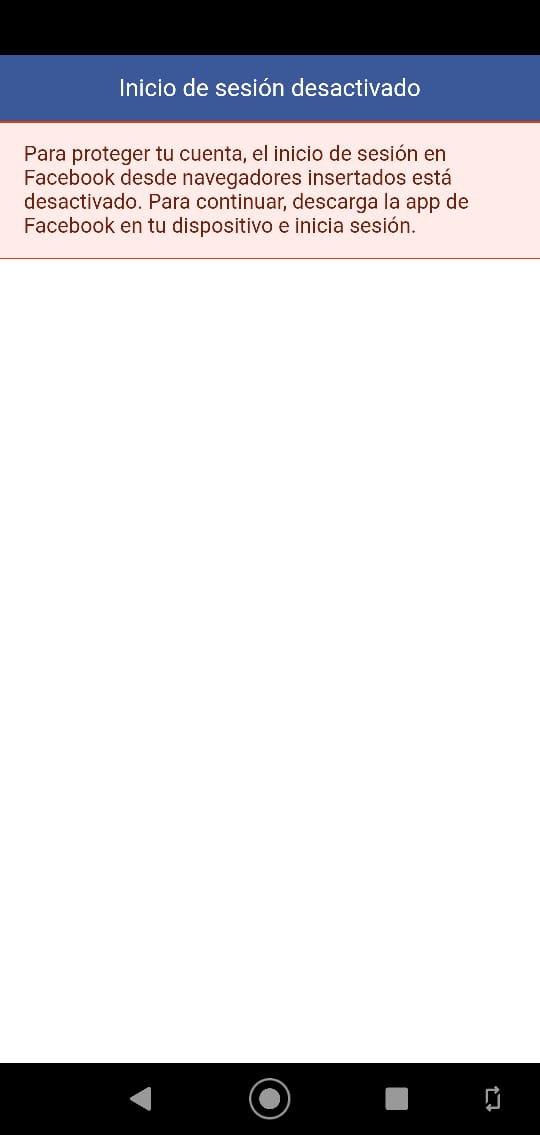
This is the flow:
This is de current flow (with facebook error):
What can we do? Can we change a configuration to resolve the problem? Can we change the integration flow to make it work?
Thanks
Managing external identities to enable secure access for partners, customers, and other non-employees
' cx='32' cy='32' r='32' /%3E%3Ctext x='50%25' y='55%25' dominant-baseline='middle' text-anchor='middle' fill='%23FFF' %3EMT%3C/text%3E%3C/svg%3E)
Is this on Android? Facebook deprecated login on Android embedded browsers, so that might be related to your problem. Here is a post from Facebook about this: https://developers.facebook.com/blog/post/2021/06/28/deprecating-support-fb-login-authentication-android-embedded-browsers/
Some things to try:
Use a different browser:
Try installing another browser such as Chrome, Brave, or Firefox. Then log in again with your Facebook credentials.
Add a new test user and see if you have the same problem.
I would recommend reaching out to Facebook support for this one as I don't think this is caused by Azure AD B2C. https://developers.facebook.com/community/
Thanks. I will try changing the webview to a browser tab.