Azure App Service
Azure App Service is a service used to create and deploy scalable, mission-critical web apps.
This browser is no longer supported.
Upgrade to Microsoft Edge to take advantage of the latest features, security updates, and technical support.
' cx='32' cy='32' r='32' /%3E%3Ctext x='50%25' y='55%25' dominant-baseline='middle' text-anchor='middle' fill='%23FFF' %3EM%3C/text%3E%3C/svg%3E)
I'm working on creating a WebApp using React and Websockets building it of from this example here: https://learn.microsoft.com/en-us/azure/iot-hub/iot-hub-live-data-visualization-in-web-apps
Locally everything is working fine. I have the React frontend code in a separate folder as well as the websocketserver code.
I'm trying to both into a single Azure Linux Web App (Basic tier not free) and starting it up with pm2 and this ecosystem.config.js:
   module.exports = {
     apps : [
         {
           name : "frontend",
           script : "serve",
           env: {
             PM2_SERVE_PATH: './frontend/build',
             PM2_SERVE_SPA: 'true',
           }
         },
         {
           name   : "websocketserver",
           script : "./websocketserver/server.js",
         }
     ]
   }
Both services are starting up correctly but the websocket connection is unable to connect.
The server in server.js looks like this:
   const server = http.createServer();
   const wss = new WebSocket.Server({ server });

   wss.broadcast = (data) => {
     if (wss.clients.size === 0) {
       console.log(`No clients connected. Broadcasting over port ${server.address().port}`);
       // console.log(`No clients connected. Broadcasting over port ${wss.options.port}`);

     } else {
       wss.clients.forEach((client) => {
         if (client.readyState === WebSocket.OPEN) {
           try {
             console.log(`Broadcasting data ${data}`);
             client.send(data);
           } catch (e) {
             console.error(e);
           }
         }
       })
     }
   };

   server.listen('8081', () => {
     console.log('Listening on %d.', server.address().port);
   });
If I use process.env.PORT || '3000' in server.listen(), then I get an EAINUSE error as it conflicts with the frontend 8080 port, so I handpicked 8081.
I have not found any useful article about this. Can anybody help and advice what to try?
Thanks!
Azure App Service is a service used to create and deploy scalable, mission-critical web apps.

Hello @mg12345 ,
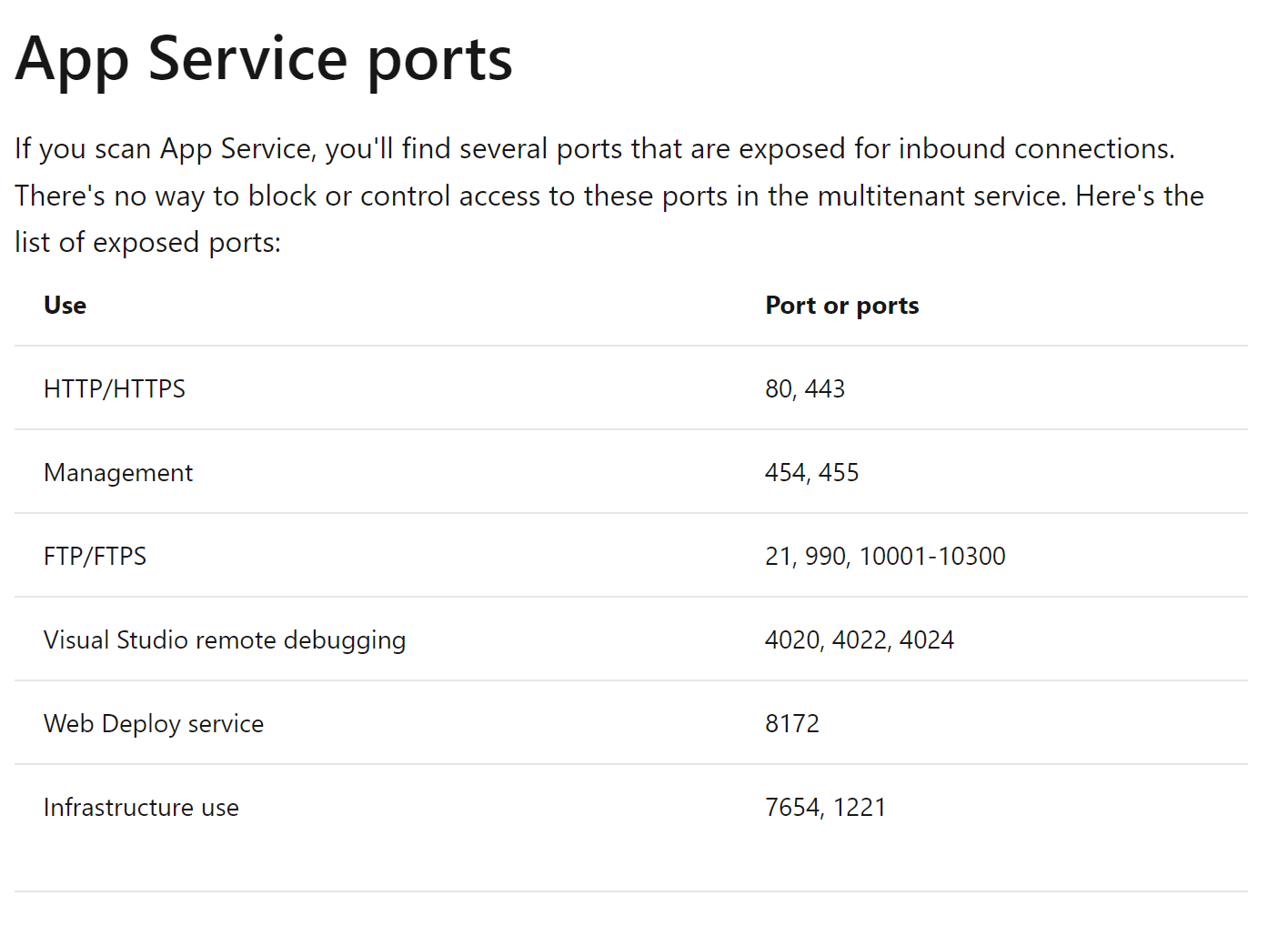
Thanks for the detailed question. All http/https traffic for non container apps uses ONLY ports 80 and 443. You can learn more here:
https://learn.microsoft.com/en-us/azure/app-service/networking-features#app-service-ports
Hope that helps. Please us know if you have further questions.
Best,
Grace