Developer technologies | ASP.NET | ASP.NET Core
A set of technologies in the .NET Framework for building web applications and XML web services.
This browser is no longer supported.
Upgrade to Microsoft Edge to take advantage of the latest features, security updates, and technical support.
' cx='32' cy='32' r='32' /%3E%3Ctext x='50%25' y='55%25' dominant-baseline='middle' text-anchor='middle' fill='%23FFF' %3ENY%3C/text%3E%3C/svg%3E)
I am new with asp.net and C#. I tried to create my MVC webapp but when try to add New New Scaffloded item it popup an error
"There was an error running the selected code generator: 'startIndex cannot be larger than length of string. (Parameter 'startIndex')' "
My Dependencies version:
Microsoft.EntityFrameworkCore.Design 6.0.4
Microsoft.EntityFrameworkCore.SqlServer 6.0.4
Microsoft.EntityFrameworkCore.Tools 6.0.4
Microsoft.VisualStudio.Web.CodeGeneration.Design 6.0.3
Swashbuckle.AspNetCore 6.3.0
My Model
using System.ComponentModel.DataAnnotations;
namespace ThaiCul.Models
{
public class User
{
    [Required]
    public int ID { get; set; }

    [Required]
    public string? Username { get; set; }

    [Required]
    public string? Password { get; set; }

    [Required]
    public string? WriterName { get; set; }

    [Required]
    public string? Is_Admin { get; set; }

    [Required]
    public string? Is_Ban { get; set; }
}
}
' cx='32' cy='32' r='32' /%3E%3Ctext x='50%25' y='55%25' dominant-baseline='middle' text-anchor='middle' fill='%23FFF' %3EA%3C/text%3E%3C/svg%3E)
Hi @NARAWICH YOUBUA ,
I tried to create my MVC webapp but when try to add New New Scaffloded item it popup an error
Do you mean this issue happens when you add New Scaffloaded item to the User model? If that's the case, after enable migration to generate the User table, have you ever changed the User table designer, such as change the data type and set the data length? And whether you will add the seed data into the database or not?
If the issue doesn't happen when add the new Scaffloaded Item action, it should happen in your code, you could check which line of code will show this error.
Best Regards,
Dillin
Thank you of an Advise.
"Do you mean this issue happens when you add New Scaffloaded item to the User model?", Yes that what I try to do.
" Have you ever changed the User table designer " , No I didn't change a bit.
" And whether you will add the seed data into the database or not? ", No I didn't.
But I leave the rest of the part of MVC as a default from VStudio generate for me. I try to create a project as a this
document said. " https://learn.microsoft.com/en-us/aspnet/core/tutorials/first-mvc-app/adding-model?view=aspnetcore-6.0&tabs=visual-studio ". So only I ran in to this error despite my teammate can run just fine that why I don't understand what happen.
Hi @NARAWICH YOUBUA ,
"There was an error running the selected code generator: 'startIndex cannot be larger than length of string. (Parameter 'startIndex')' "
For this error, I checked some similar threads, that error comes from something like Substring, when the value passed into the startIndex param is greater than the total length of the string. For example, if you had a string like "Just Testing" and you did .Substring(12, 1), you'd get that exception, as the string is only 12 characters long (remember that the index is from 0, not 1, so the last index is 11).
I have created a new MVC application and refer the tutorial and test your code, the New Scaffloded Item function works well. The result like this:

You can refer the following steps to create a new MVC application and test.
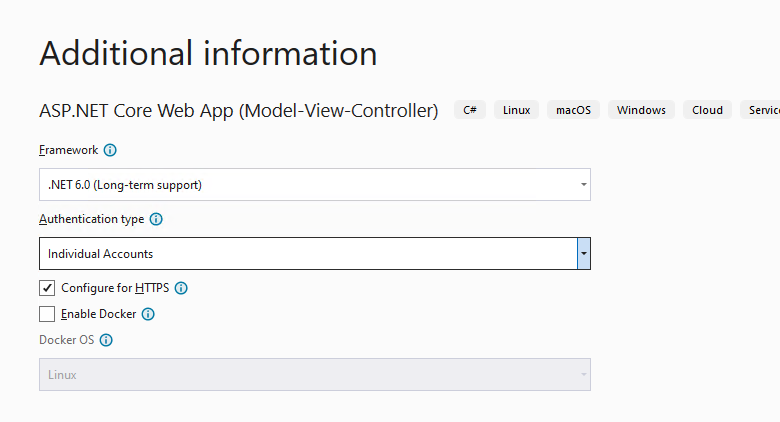
public class ApplicationDbContext : IdentityDbContext
{
    public DbSet<User> Users { get; set; }
    public ApplicationDbContext(DbContextOptions<ApplicationDbContext> options)
        : base(options)
    {
    }
}
Add-Migration InitialCreate
Update-Database
I use the above steps, and it works well on my side, you can check it.
If still not working, can you tell us your VS version, and can you create a simple sample to reproduce the problem and share it via github or Onedrive, then, we can help to check it.
If the answer is the right solution, please click "Accept Answer" and kindly upvote it. If you have extra questions about this answer, please click "Comment".
Note: Please follow the steps in our documentation to enable e-mail notifications if you want to receive the related email notification for this thread.
Best regards,
Dillion
Thank for your solution.
But sadly it still popup the same error.
My VStudio version is 2022
This is example project : https://github.com/MashMaleLLO/SimpleMVC6
Hi @NARAWICH YOUBUA ,
I checked your example project on my side, after generate the database, the Scaffloded works well, the result like this:
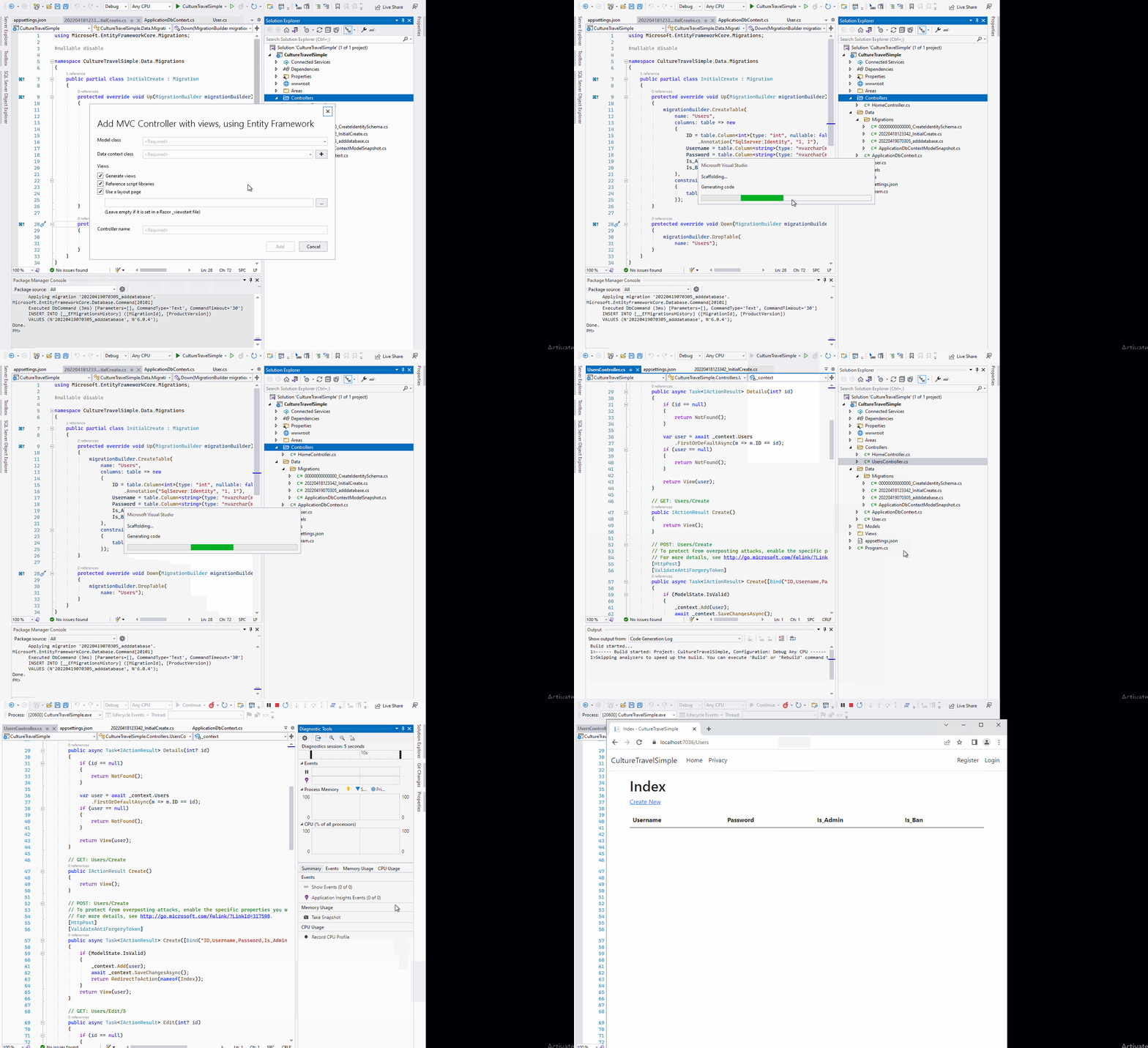
Then, I can insert data into the users table.
You can check it on another machine.
My VS 2022 version: Microsoft Visual Studio Community 2022 (3) (64-bit) - Version 17.1.4. whether you are using the same version or not? If not, try to update the VS 2022 to the latest version. Or repair/re-install the VS 2022.
Best regards,
Dillion
' cx='32' cy='32' r='32' /%3E%3Ctext x='50%25' y='55%25' dominant-baseline='middle' text-anchor='middle' fill='%23FFF' %3EPS%3C/text%3E%3C/svg%3E)
Hi i have a same problem with this post do you slove it?