إشعار
يتطلب الوصول إلى هذه الصفحة تخويلاً. يمكنك محاولة تسجيل الدخول أو تغيير الدلائل.
يتطلب الوصول إلى هذه الصفحة تخويلاً. يمكنك محاولة تغيير الدلائل.
في هذه المقالة، يمكنك استخدام Bicep لإنشاء تطبيق وظائف في خطة Flex Consumption في Azure، إلى جانب موارد Azure المطلوبة. يوفر تطبيق الوظائف سياق تنفيذ بلا خادم لعمليات تنفيذ التعليمات البرمجية للوظيفة. يستخدم التطبيق معرف Microsoft Entra مع الهويات المدارة للاتصال بموارد Azure الأخرى.
يتطلب إكمال هذا التشغيل السريع تكلفة صغيرة تبلغ بضعة سنتات أمريكية أو أقل في حساب Azure الخاص بك.
Bicep هي لغة المجال المخصصة (DSL) التي تستخدم بناء الجملة التعريفي لتوزيع موارد Azure. توفر بناء جملة مختصر، وسلامة موثوقة من النوع، ودعمًا لإعادة استخدام التعليمة البرمجية. تقدم Bicep أفضل تجربة تأليف لحلول البنية الأساسية باعتبارها تعليمة برمجية في Azure.
بعد إنشاء تطبيق الوظيفة، يمكنك نشر التعليمات البرمجية لمشروع Azure Functions إلى هذا التطبيق. تعد خطوة نشر التعليمات البرمجية النهائية خارج نطاق مقالة التشغيل السريع هذه.
المتطلبات الأساسية
حساب Azure
قبل أن تبدأ، يجب أن يكون لديك حساب Azure باشتراك نشط. أنشئ حساباً مجاناً.
مراجعة ملف Bicep
ملف Bicep المستخدم في هذا التشغيل السريع هو من قالب Azure Quickstart.
/* This Bicep file creates a function app running in a Flex Consumption plan
that connects to Azure Storage by using managed identities with Microsoft Entra ID. */

//********************************************
// Parameters
//********************************************

@description('Primary region for all Azure resources.')
@minLength(1)
param location string = resourceGroup().location

@description('Language runtime used by the function app.')
@allowed(['dotnet-isolated','python','java', 'node', 'powerShell'])
param functionAppRuntime string = 'dotnet-isolated' //Defaults to .NET isolated worker

@description('Target language version used by the function app.')
@allowed(['3.10','3.11', '7.4', '8.0', '9.0', '10', '11', '17', '20'])
param functionAppRuntimeVersion string = '8.0' //Defaults to .NET 8.

@description('The maximum scale-out instance count limit for the app.')
@minValue(40)
@maxValue(1000)
param maximumInstanceCount int = 100

@description('The memory size of instances used by the app.')
@allowed([2048,4096])
param instanceMemoryMB int = 2048

@description('A unique token used for resource name generation.')
@minLength(3)
param resourceToken string = toLower(uniqueString(subscription().id, location))

@description('A globally unique name for your deployed function app.')
param appName string = 'func-${resourceToken}'

//********************************************
// Variables
//********************************************

// Generates a unique container name for deployments.
var deploymentStorageContainerName = 'app-package-${take(appName, 32)}-${take(resourceToken, 7)}'

// Key access to the storage account is disabled by default
var storageAccountAllowSharedKeyAccess = false

// Define the IDs of the roles we need to assign to our managed identities.
var storageBlobDataOwnerRoleId  = 'b7e6dc6d-f1e8-4753-8033-0f276bb0955b'
var storageBlobDataContributorRoleId = 'ba92f5b4-2d11-453d-a403-e96b0029c9fe'
var storageQueueDataContributorId = '974c5e8b-45b9-4653-ba55-5f855dd0fb88'
var storageTableDataContributorId = '0a9a7e1f-b9d0-4cc4-a60d-0319b160aaa3'
var monitoringMetricsPublisherId = '3913510d-42f4-4e42-8a64-420c390055eb'

//********************************************
// Azure resources required by your function app.
//********************************************

resource logAnalytics 'Microsoft.OperationalInsights/workspaces@2023-09-01' = {
  name: 'log-${resourceToken}'
  location: location
  properties: any({
    retentionInDays: 30
    features: {
      searchVersion: 1
    }
    sku: {
      name: 'PerGB2018'
    }
  })
}

resource applicationInsights 'Microsoft.Insights/components@2020-02-02' = {
  name: 'appi-${resourceToken}'
  location: location
  kind: 'web'
  properties: {
    Application_Type: 'web'
    WorkspaceResourceId: logAnalytics.id
    DisableLocalAuth: true
  }
}

resource storage 'Microsoft.Storage/storageAccounts@2023-05-01' = {
  name: 'st${resourceToken}'
  location: location
  kind: 'StorageV2'
  sku: { name: 'Standard_LRS' }
  properties: {
    accessTier: 'Hot'
    allowBlobPublicAccess: false
    allowSharedKeyAccess: storageAccountAllowSharedKeyAccess
    dnsEndpointType: 'Standard'
    minimumTlsVersion: 'TLS1_2'
    networkAcls: {
      bypass: 'AzureServices'
      defaultAction: 'Allow'
    }
    publicNetworkAccess: 'Enabled'
  }
  resource blobServices 'blobServices' = {
    name: 'default'
    properties: {
      deleteRetentionPolicy: {}
    }
    resource deploymentContainer 'containers' = {
      name: deploymentStorageContainerName
      properties: {
        publicAccess: 'None'
      }
    }
  }
}

resource userAssignedIdentity 'Microsoft.ManagedIdentity/userAssignedIdentities@2023-01-31' = {
  name: 'uai-data-owner-${resourceToken}'
  location: location
}

resource roleAssignmentBlobDataOwner 'Microsoft.Authorization/roleAssignments@2022-04-01' = {
  name: guid(subscription().id, storage.id, userAssignedIdentity.id, 'Storage Blob Data Owner')
  scope: storage
  properties: {
    roleDefinitionId: subscriptionResourceId('Microsoft.Authorization/roleDefinitions', storageBlobDataOwnerRoleId)
    principalId: userAssignedIdentity.properties.principalId
    principalType: 'ServicePrincipal'
  }
}

resource roleAssignmentBlob 'Microsoft.Authorization/roleAssignments@2022-04-01' = {
  name: guid(subscription().id, storage.id, userAssignedIdentity.id, 'Storage Blob Data Contributor')
  scope: storage
  properties: {
    roleDefinitionId: subscriptionResourceId('Microsoft.Authorization/roleDefinitions', storageBlobDataContributorRoleId)
    principalId: userAssignedIdentity.properties.principalId
    principalType: 'ServicePrincipal'
  }
}

resource roleAssignmentQueueStorage 'Microsoft.Authorization/roleAssignments@2022-04-01' = {
  name: guid(subscription().id, storage.id, userAssignedIdentity.id, 'Storage Queue Data Contributor')
  scope: storage
  properties: {
    roleDefinitionId: subscriptionResourceId('Microsoft.Authorization/roleDefinitions', storageQueueDataContributorId)
    principalId: userAssignedIdentity.properties.principalId
    principalType: 'ServicePrincipal'
  }
}

resource roleAssignmentTableStorage 'Microsoft.Authorization/roleAssignments@2022-04-01' = {
  name: guid(subscription().id, storage.id, userAssignedIdentity.id, 'Storage Table Data Contributor')
  scope: storage
  properties: {
    roleDefinitionId: subscriptionResourceId('Microsoft.Authorization/roleDefinitions', storageTableDataContributorId)
    principalId: userAssignedIdentity.properties.principalId
    principalType: 'ServicePrincipal'
  }
}

resource roleAssignmentAppInsights 'Microsoft.Authorization/roleAssignments@2022-04-01' = {
  name: guid(subscription().id, applicationInsights.id, userAssignedIdentity.id, 'Monitoring Metrics Publisher')
  scope: applicationInsights
  properties: {
    roleDefinitionId: subscriptionResourceId('Microsoft.Authorization/roleDefinitions', monitoringMetricsPublisherId)
    principalId: userAssignedIdentity.properties.principalId
    principalType: 'ServicePrincipal'
  }
}

//********************************************
// Function app and Flex Consumption plan definitions
//********************************************

resource appServicePlan 'Microsoft.Web/serverfarms@2024-04-01' = {
  name: 'plan-${resourceToken}'
  location: location
  kind: 'functionapp'
  sku: {
    tier: 'FlexConsumption'
    name: 'FC1'
  }
  properties: {
    reserved: true
  }
}

resource functionApp 'Microsoft.Web/sites@2024-04-01' = {
  name: appName
  location: location
  kind: 'functionapp,linux'
  identity: {
    type: 'UserAssigned'
    userAssignedIdentities: {
      '${userAssignedIdentity.id}':{}
      }
    }
  properties: {
    serverFarmId: appServicePlan.id
    httpsOnly: true
    siteConfig: {
      minTlsVersion: '1.2'
    }
    functionAppConfig: {
      deployment: {
        storage: {
          type: 'blobContainer'
          value: '${storage.properties.primaryEndpoints.blob}${deploymentStorageContainerName}'
          authentication: {
            type: 'UserAssignedIdentity'
            userAssignedIdentityResourceId: userAssignedIdentity.id
          }
        }
      }
      scaleAndConcurrency: {
        maximumInstanceCount: maximumInstanceCount
        instanceMemoryMB: instanceMemoryMB
      }
      runtime: {
        name: functionAppRuntime
        version: functionAppRuntimeVersion
      }
    }
  }
  resource configAppSettings 'config' = {
    name: 'appsettings'
    properties: {
        AzureWebJobsStorage__accountName: storage.name
        AzureWebJobsStorage__credential : 'managedidentity'
        AzureWebJobsStorage__clientId: userAssignedIdentity.properties.clientId
        APPINSIGHTS_INSTRUMENTATIONKEY: applicationInsights.properties.InstrumentationKey
        APPLICATIONINSIGHTS_AUTHENTICATION_STRING: 'ClientId=${userAssignedIdentity.properties.clientId};Authorization=AAD'
      }
  }
}
ينشئ ملف التوزيع هذا موارد Azure هذه التي يحتاجها تطبيق الوظائف الذي يتصل بأمان بخدمات Azure:
- Microsoft.Web/sites: يقوم بإنشاء تطبيق الوظائف الخاص بك.
- Microsoft.Web/serverfarms: ينشئ خطة استضافة Flex Consumption بلا خادم لتطبيقك.
- Microsoft.Storage/storageAccounts: ينشئ حساب Azure Storage، وهو مطلوب بواسطة الوظائف.
- Microsoft.Insights/components: ينشئ مثيل Application Insights لمراقبة تطبيقك.
- Microsoft.OperationalInsights/workspaces: ينشئ مساحة عمل مطلوبة بواسطة Application Insights.
- Microsoft.ManagedIdentity/userAssignedIdentities: ينشئ هوية مدارة معينة من قبل المستخدم يستخدمها التطبيق للمصادقة مع خدمات Azure الأخرى باستخدام Microsoft Entra.
- Microsoft.Authorization/roleAssignments: ينشئ تعيينات الأدوار للهوية المدارة المعينة من قبل المستخدم، والتي توفر للتطبيق وصولا بأقل امتياز عند الاتصال بخدمات Azure الأخرى.
اعتبارات النشر:
- يتم استخدام حساب التخزين لتخزين بيانات التطبيق المهمة، بما في ذلك حزمة نشر التعليمات البرمجية للتطبيق. ينشئ هذا النشر حساب تخزين يتم الوصول إليه باستخدام مصادقة معرف Microsoft Entra والهويات المدارة. يتم منح الوصول إلى الهوية على أساس الأذونات الأقل.
- يتم تعيين ملف Bicep افتراضيا لإنشاء تطبيق C# يستخدم .NET 8 في عملية معزولة. بالنسبة للغات الأخرى، استخدم المعلمات
functionAppRuntimeوfunctionAppRuntimeVersionلتحديد اللغة والإصدار المحدد لتشغيل التطبيق عليهما. تأكد من تحديد لغة البرمجة الخاصة بك في أعلى المقالة.
نشر ملف Bicep
احفظ ملف Bicep بالاسم main.bicep على الكمبيوتر المحلي الخاص بك.
بادر بتوزيع ملف Bicep باستخدام Azure CLI أو Azure PowerShell.
az group create --name exampleRG --location <SUPPORTED_REGION>
az deployment group create --resource-group exampleRG --template-file main.bicep --parameters functionAppRuntime=dotnet-isolated functionAppRuntimeVersion=8.0
az group create --name exampleRG --location <SUPPORTED_REGION> az deployment group create --resource-group exampleRG --template-file main.bicep --parameters functionAppRuntime=java functionAppRuntimeVersion=17az group create --name exampleRG --location <SUPPORTED_REGION> az deployment group create --resource-group exampleRG --template-file main.bicep --parameters functionAppRuntime=node functionAppRuntimeVersion=20az group create --name exampleRG --location <SUPPORTED_REGION> az deployment group create --resource-group exampleRG --template-file main.bicep --parameters functionAppRuntime=python functionAppRuntimeVersion=3.11az group create --name exampleRG --location <SUPPORTED_REGION> az deployment group create --resource-group exampleRG --template-file main.bicep --parameters functionAppRuntime=powerShell functionAppRuntimeVersion=7.6في هذا المثال، استبدل
<SUPPORTED_REGION>بمنطقة تدعم خطة الاستهلاك المرن.عند الانتهاء من عملية النشر، يجب أن ترى رسالة تشير إلى نجاح عملية النشر.
التحقُّق من صحة عملية النشر
استخدم Azure CLI أو Azure PowerShell للتحقق من صحة التوزيع.
زيارة صفحة الترحيب لتطبيق الوظائف
استخدم الإخراج من خطوة التحقق السابقة لاسترداد الاسم الفريد الذي تم إنشاؤه لتطبيق الوظائف.
افتح مستعرضاً وأدخل عنوان URL التالي: <https://<appName.azurewebsites.net>. تأكد من استبدال <\appName> بالاسم الفريد الذي تم إنشاؤه لتطبيق الوظائف.
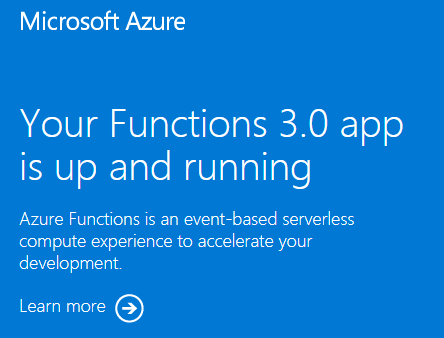
عند زيارة عنوان URL، يجب أن تظهر لك صفحة مثل هذه:
تنظيف الموارد
الآن بعد أن قمت بنشر تطبيق وظائف وموارد ذات صلة إلى Azure، يمكنك المتابعة إلى الخطوة التالية من نشر التعليمات البرمجية للمشروع إلى تطبيقك. وإلا، استخدم هذه الأوامر لحذف الموارد، عندما لا تحتاج إليها.
يمكنك أيضا إزالة الموارد باستخدام مدخل Microsoft Azure.
الخطوات التالية
يمكنك الآن نشر مشروع تعليمات برمجية إلى موارد تطبيق الوظائف التي قمت بإنشائها في Azure.
يمكنك إنشاء مشروع تعليمات برمجية والتحقق منه ونشره إلى تطبيق الوظائف الجديد من البيئات المحلية التالية:
- موجه الأوامر
- Visual Studio Code
- استوديو مرئي