Enable access to OData web services
With OData web services, you can access data from Business Central in other applications by using REST. These OData web services are used frequently in Power BI reports to retrieve data from Business Central. The OData web services are enabled out-of-the-box so that you can start right away.
To get a list of all available OData web services or to create a new web service, search for web services in the search box.
Select the search icon in the upper-right corner.
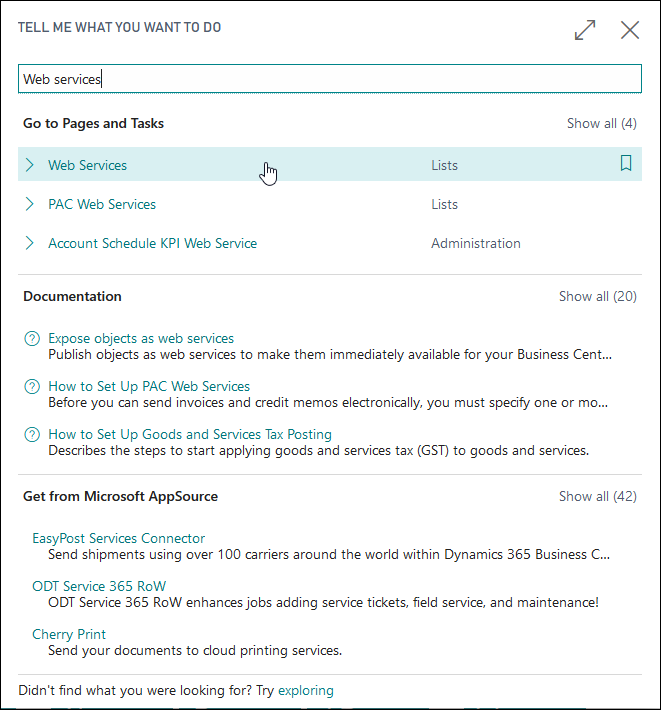
Enter web services in the Tell me what you want to do search box.
Select Web Services in the displayed list.
The page that displays the available web services is used to enable access to OData and SOAP web services. Web services in Business Central are based on existing objects like pages, queries, and codeunits.
An OData web service can only be used with the Page and Query object types, along with codeunits through OData unbound actions. Each published object will generate a link that you can use to access the web service. Links are provided for OData version 4, and for the SOAP web service. For more information, see the OData web services section.
To add a new OData web service, select the New button in the menu and then select the Object Type. For OData, you can choose either Page or Query. Select the Object ID and give the service a name. In the following example, the Customer Card object is used to expose the customer records as an OData web service, which is named Customers. Finally, select the Published check box. After you've selected the Reload button in the menu, Business Central will generate an OData v4 link.

The link that has been generated always follows the same structure.
https://api.businesscentral.dynamics.com/v2.0/<tenant\>/ODataV4/<service\>
For the sandbox environment, you can use the following structure.
https://api.businesscentral.dynamics.com/v2.0/<tenant\>/sandbox/ODataV4/<service\>