Note
Access to this page requires authorization. You can try signing in or changing directories.
Access to this page requires authorization. You can try changing directories.
Azure CycleCloud is an enterprise-friendly tool for orchestrating and managing High Performance Computing (HPC) environments on Azure. With CycleCloud, you can provision infrastructure for HPC systems, deploy familiar HPC schedulers, and automatically scale the infrastructure to run jobs efficiently at any scale. Through CycleCloud, you can create different types of file systems and mount them to the compute cluster nodes to support HPC workloads.
HPC admins and users who want to set up an HPC environment with a specific scheduler use Azure CycleCloud. It supports popular schedulers like Slurm, PBSPro, LSF, Grid Engine, and HT-Condor. CycleCloud is the sister product to Azure Batch, which provides a Scheduler as a Service on Azure.
For information about how CycleCloud compares with other Azure HPC solutions, see High Performance Computing (HPC) on Azure.
Choose an Azure service for batch and HPC workloads
Choose a service based on the scheduling experience and level of infrastructure control your workload requires:
| Service | Best fit | Operating model |
|---|---|---|
| Azure Batch | Parallel and high-throughput workloads that don't require you to operate scheduler software | Azure provides scheduling as a service. You build with Batch APIs and tools while Batch manages pools, nodes, jobs, and tasks. |
| Azure CycleCloud | HPC environments that require a specific scheduler, custom cluster topology, or close alignment with existing on-premises workflows | You deploy and manage the scheduler and cluster configuration. CycleCloud provisions and autoscales the Azure infrastructure. |
| Azure CycleCloud Workspace for Slurm | Teams that want a ready-to-deploy Slurm environment for HPC or AI workloads | A Marketplace solution deploys CycleCloud, Slurm, networking, storage, and access components in your Azure subscription. |
Use your current environment as the deciding factor:
| Starting point | Prefer | Why |
|---|---|---|
| You must preserve scheduler-specific job scripts, queues, policies, or integrations. | Azure CycleCloud | CycleCloud lets you operate a supported scheduler and customize the cluster around existing workflows. |
| You require Slurm, but a predefined environment meets your topology and integration requirements. | Azure CycleCloud Workspace for Slurm | The Marketplace solution reduces the infrastructure design and integration work required before users can submit jobs. |
| You're building an application that can submit independent tasks or MPI jobs through an API and doesn't depend on scheduler-specific behavior. | Azure Batch | Batch provides scheduling as a service, so your team doesn't operate scheduler software. |
Don't choose CycleCloud only because the workload uses Slurm. If a predefined Slurm environment meets your requirements, Workspace for Slurm reduces setup work. If the workload has no scheduler dependency, Batch can avoid the operational responsibility of running a scheduler and cluster configuration.
Before production implementation, record why CycleCloud fits, which alternatives you rejected, the scheduler compatibility test, cluster topology, peak capacity and quota, storage benchmark, failure-recovery approach, and time and cost per representative job. For guidance, see Plan and size HPC clusters.
Why use Azure CycleCloud?
Organizations with long-standing HPC environments often build deep expertise and custom tools around a specific scheduler. Moving or redesigning these setups on Azure can feel overwhelming. CycleCloud simplifies the basic Azure building blocks such as virtual machines (VMs), scale sets, network interfaces, and disks. This simplification lets an HPC administrator focus on what's familiar: an HPC cluster that includes nodes and a scheduler they can configure as they like.
CycleCloud adds autoscaling plugins to supported schedulers. With this feature, users don't need to build complex autoscaling routines. They just work with the scheduler settings they already know.
With a rich, declarative templating format, CycleCloud provides powerful tooling to construct complete HPC environments on Azure. Users can deploy environments that include NFS servers, parallel file systems, authentication hosts, license servers, and directory services - essentially all the components needed in an HPC system - through a single management plane.
CycleCloud integrates with Azure services such as Azure Monitor and Microsoft Cost Management tools.
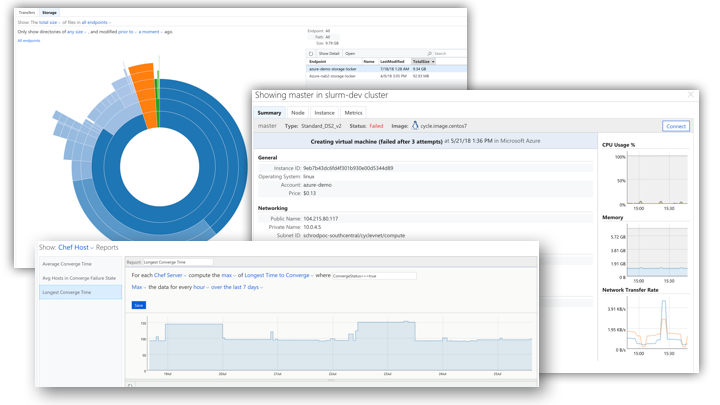
CycleCloud capabilities
| Capability | Image |
|---|---|
| Scheduler Agnostic Use standard HPC schedulers such as Slurm, PBS Pro, LSF, Grid Engine, and HTCondor, or extend CycleCloud autoscaling plugins to work with your own scheduler |
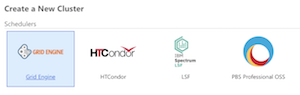 |
| Manage Compute Resources Manage virtual machines and scale sets to provide a flexible set of compute resources that meet your dynamic workload requirements |
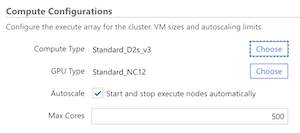 |
| Autoscale Resources Automatically adjust cluster size and components based on job load, availability, and time requirements |
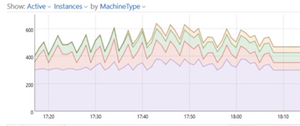 |
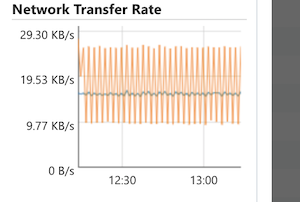
| Monitor and Analyze Collect and analyze performance data using visualization tools |
 |
| Template Clusters Use CycleCloud templates to share cluster topologies with the community |
 |
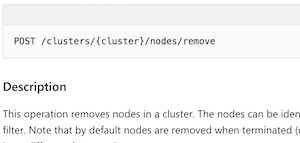
| Customize and Extend Functionality Use the comprehensive RESTful API to customize and extend functionality, deploy your own scheduler, and support into existing workload managers |
 |
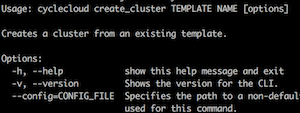
| Integrate into Existing Workflows Integrate into existing workflows and tools using the built-in CLI |
 |
| Capability | Image |
|---|---|
| Scheduler Agnostic Use standard HPC schedulers such as Slurm, PBS Pro, LSF, Grid Engine, and HTCondor, or extend CycleCloud autoscaling plugins to work with your own scheduler |
 |
| Manage Compute Resources Manage virtual machines and scale sets to provide a flexible set of compute resources that meet your dynamic workload requirements |
|
| Autoscale Resources Automatically adjust cluster size and components based on job load, availability, and time requirements |
|
| Monitor and Analyze Collect and analyze performance data using visualization tools |
|
| Template Clusters Use CycleCloud templates to share cluster topologies with the community |
|
| Customize and Extend Functionality Use the comprehensive RESTful API to customize and extend functionality, deploy your own scheduler, and support into existing workload managers |
|
| Integrate into Existing Workflows Integrate into existing workflows and tools using the built-in CLI |
|
How do I use Azure CycleCloud?
Azure CycleCloud is an installable web application that you can run on premise or in an Azure VM. Once installed, you can configure CycleCloud to use compute and data resources in your prepared Azure subscription. CycleCloud provides many official cluster templates for schedulers (PBSPro, LSF, Grid Engine, Slurm, HTCondor) and filesystems. The CycleCloud community also provides cluster templates. You can use these cluster templates unmodified or customize them for your specific needs.
When you create a cluster, it autoscales to handle the computational jobs that you send to the scheduler. CycleCloud administrative features govern access to the CycleCloud cluster for other users in your organization.
With tooling that includes templates and configuration scripts, you can quickly build complex HPC environments and replicate these setups for different teams across your organization.
What CycleCloud isn't
CycleCloud doesn't include job scheduling functionality. In other words, CycleCloud isn't a scheduler. Instead, it's a platform that enables you to deploy and manage HPC resources in Azure. CycleCloud has built-in support for several commonly used schedulers, including PBSPro, Slurm, IBM LSF, Grid Engine, and HTCondor. However, CycleCloud users can also implement their own scheduler on top of the provided autoscaling API.
CycleCloud doesn't lock you into a specific cluster topology. It includes templates that help you quickly launch HPC systems on Azure, and you can customize these templates to fit your needs. The Azure HPC community provides templates that are optimized for different schedulers and different types of workloads.
What a CycleCloud deployed environment looks like
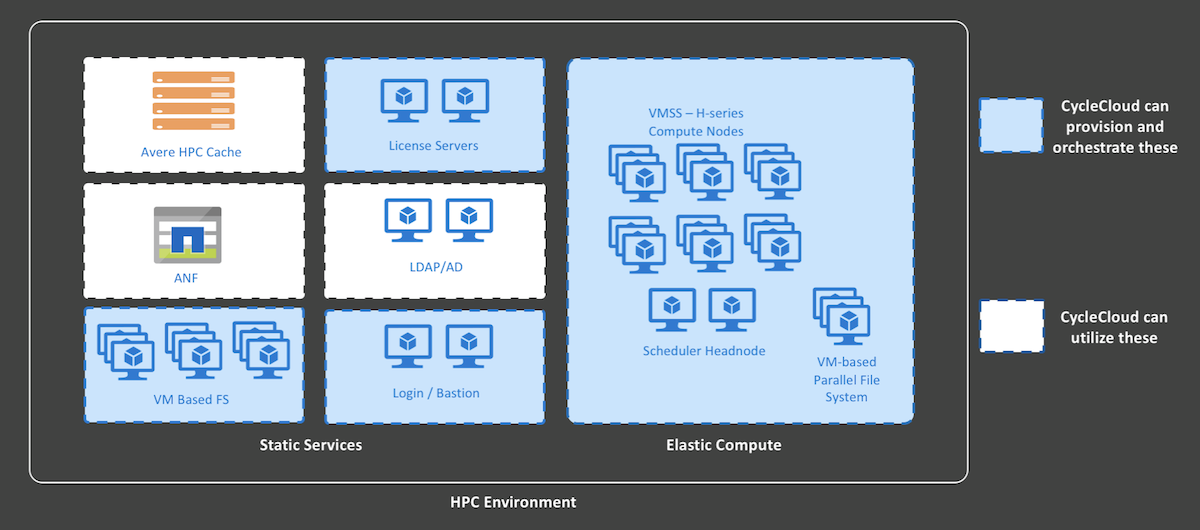
You can deploy an entire CycleCloud HPC system on Azure infrastructure. You install CycleCloud as an application server on a VM in Azure that requires outbound access to Azure Resource Provider APIs. CycleCloud starts and manages the VMs that make up your HPC system. These VMs usually include scheduler head nodes and compute nodes. You can also add other components like NFS servers, authentication nodes, or bastion hosts, depending on your needs. You can define the full setup in CycleCloud templates. You can also connect to Azure services like NetApp Files or Microsoft Entra ID Services.