Note
Access to this page requires authorization. You can try signing in or changing directories.
Access to this page requires authorization. You can try changing directories.
Before you create workspaces, decide whether they share one cloud tenant or each use their own. Each classic Azure Databricks workspace deploys its compute, storage, and networking resources into a cloud tenant that you own, so this decision sets the network, Identity and Access Management (IAM), and cloud billing boundaries between your environments. Changing the layout after workspaces are running can mean re-creating workspaces and their resources.
On this page, a cloud tenant is an Azure subscription. An Azure Databricks account is associated with one Microsoft Entra ID tenant, so every subscription that you use must belong to that tenant.
Serverless workspaces don't deploy compute or networking into your cloud tenant, because they use serverless compute and default storage. If you plan to use only serverless workspaces, this decision applies only to the cloud storage that you connect to them. See Create a serverless workspace.
Azure Databricks works the same way with either layout. The decision is how much isolation you need between environments. Most organizations start with a single tenant, and use separate tenants only when they need a hard network, IAM, or cloud billing boundary.
Single tenant
In a single-tenant layout, the development, staging, and production workspaces and their cloud resources all deploy into one cloud tenant. Workspace boundaries, Unity Catalog privileges, and workspace-catalog bindings isolate environments. You manage one set of cloud permissions.
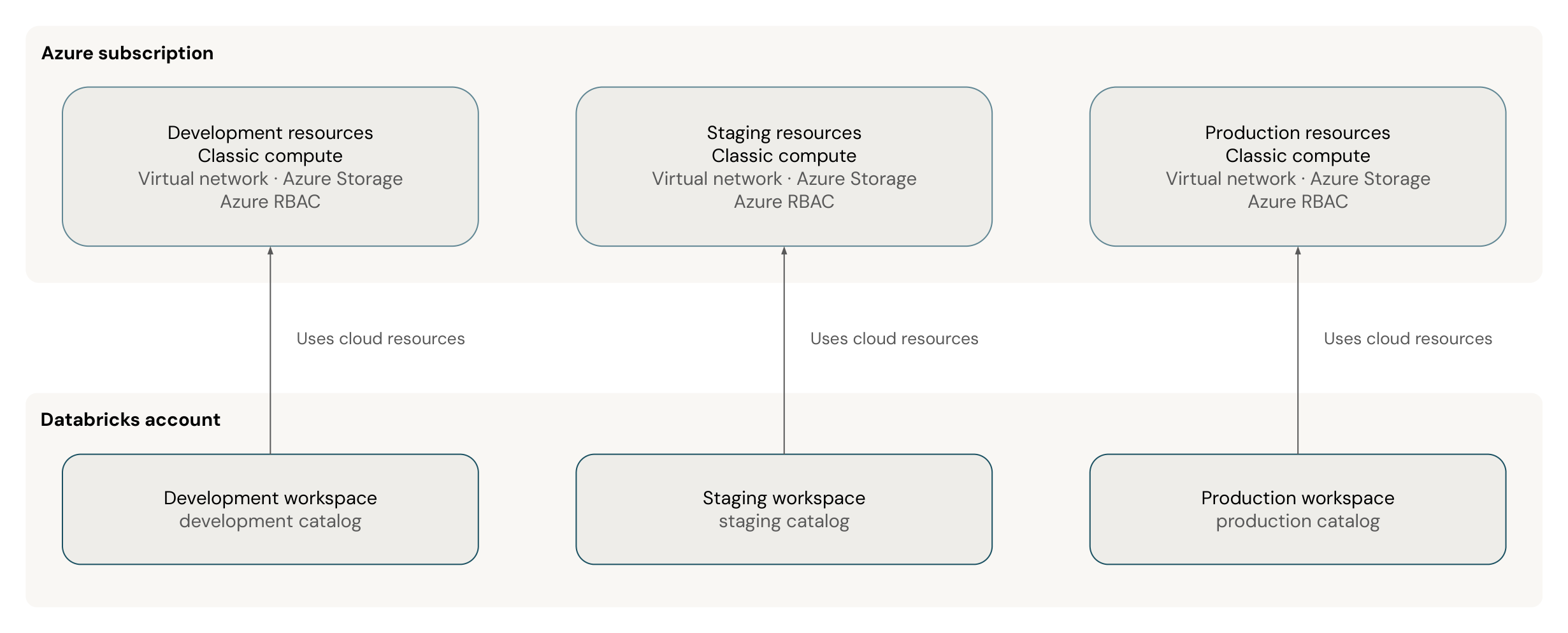
Use a single tenant in the following cases:
- Your organization already runs its data workloads in one cloud tenant.
- Compliance doesn't require isolation between environments at the cloud tenant level.
- You want the simplest layout to operate.
A single tenant still isolates your environments. Each workspace is separate, and Unity Catalog controls which users and workspaces can access each catalog. Record the conditions that would require you to move to separate tenants, such as a new compliance requirement, so that the change is a planned migration.
Multiple tenants
In a multi-tenant layout, each environment, or each business unit, has its own cloud tenant with its own IAM, storage, and network. All of the workspaces still belong to the same Azure Databricks account, so you manage users and governance in one place.
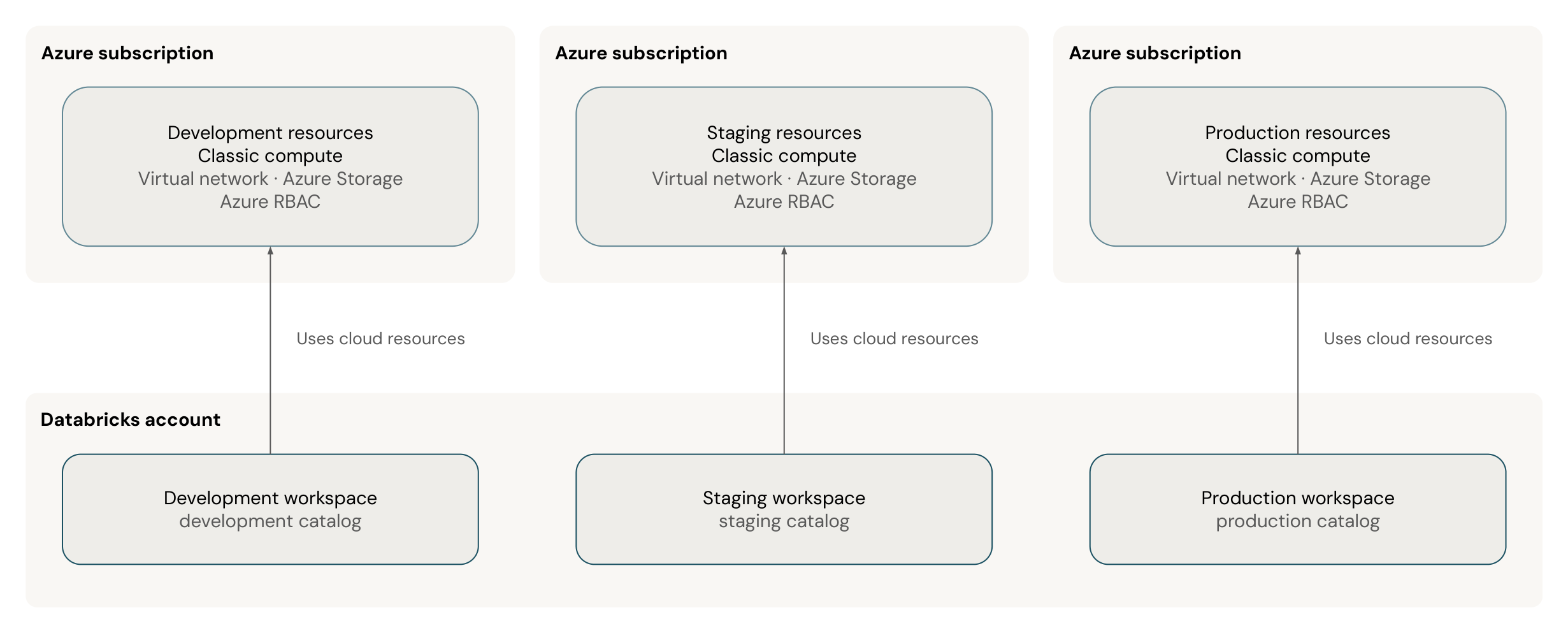
A typical multi-tenant layout uses one cloud tenant for each environment:
| Cloud tenant | Workspace | Purpose |
|---|---|---|
| Development | Development workspace | Development and testing |
| Staging | Staging workspace | Integration testing and user acceptance |
| Production | Production workspace | Production workloads |
Use multiple tenants in the following cases:
- Your organization already uses separate cloud tenants for each environment or division.
- Compliance or security policy requires IAM and network isolation at the cloud tenant level.
- You need to separate cloud resource costs by environment.
- A misconfiguration or a runaway workload in development must not be able to affect production resources.
Workspaces in separate cloud tenants can share one Unity Catalog metastore if they are in the same region. Azure Databricks requires one metastore for each region, and you can attach the metastore to any number of workspaces in that region. See Create a Unity Catalog metastore.
Split cloud tenants by environment, business unit, or compliance boundary, not by team. Unity Catalog privileges already isolate each team's data, so a separate tenant for each team adds operational overhead without stronger data access control. If a team needs its own network, IAM, or cloud billing boundary, give that team a separate tenant. Because each tenant needs the same resources, automate their creation with Terraform. See Create development, staging, and production workspaces.
Next steps
| Resource | Description |
|---|---|
| Set up your Azure Databricks infrastructure | Create your workspaces, configure single sign-on, and add users and groups |
| Unity Catalog best practices | Learn the recommended practices for metastores, catalogs, and privileges in Unity Catalog |