Note
Access to this page requires authorization. You can try signing in or changing directories.
Access to this page requires authorization. You can try changing directories.
Important
This feature is in Public Preview.
This article describes how Genie Code can help you diagnose issues, analyze performance, and get guidance for your model serving endpoints.
Requirements
To use Genie Code for model serving observability, your workspace needs the following:
- Partner-powered AI features enabled for both the account and workspace. See Partner-powered AI features.
- Your workspace must be in a supported region. Genie Code is a Designated Service that uses Geos to manage data residency. See Geo availability of Genie Code features.
Note
Genie Code currently only supports custom model serving endpoints.
What can Genie Code help with?
When you use Genie Code on a model serving endpoint page, it becomes an observability companion for model serving. It can analyze endpoint health, diagnose deployment failures, investigate latency issues, and provide best practice guidance — all from the Genie Code pane.
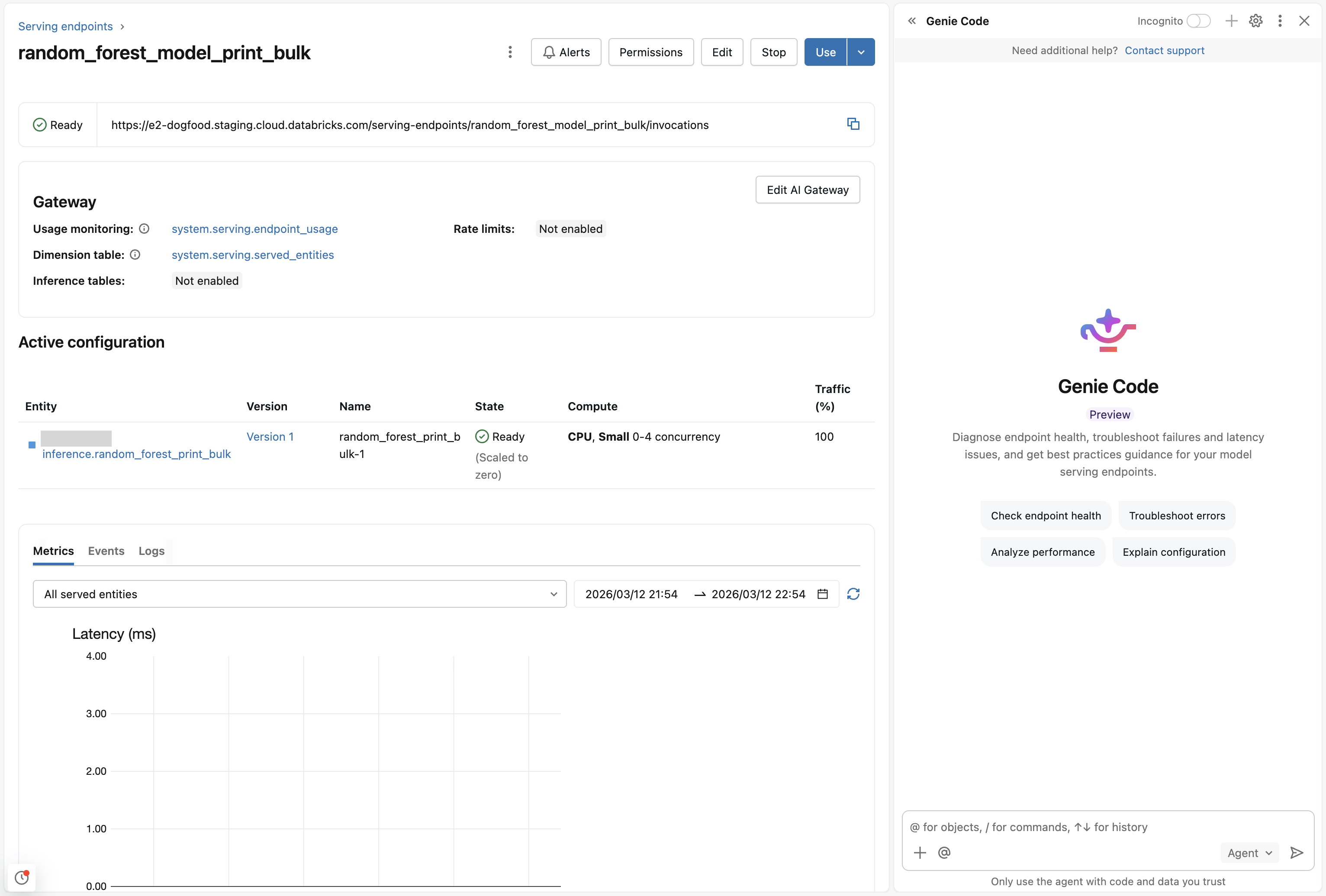
Genie Code is a read-only advisor in this mode. It can inspect your endpoints and provide recommendations, but it can't modify configurations or deployments. It has clear, step-by-step instructions and links to documentation so you can make changes yourself.
Get started
To get started:
- Go to a model serving endpoint page.
- Click
 to open the Genie Code pane.
 - Enter a prompt describing what you need help with. For example, "Check the health of this endpoint" or "Why is my latency so high?"
Capabilities
Health checks and diagnostics
Genie Code can analyze your endpoint's status and configuration to identify potential issues:
- Check endpoint health and deployment states.
- Review configuration against best practices.
- Assess scaling and resource utilization.
Troubleshooting and analysis
Genie Code can help resolve issues with your endpoints:
- Diagnose deployment failures using build logs, events, and endpoint state.
- Investigate high latency or timeout issues using metrics, events, and inference table data.
- Analyze error patterns from service logs and inference tables.
- Identify misconfigurations or resource constraints.
- Compare current and pending configurations with risk assessment.
Guidance and best practices
Genie Code has recommendations based on your endpoint's configuration:
- Recommend optimal scaling configurations for production and development workloads.
- Explain endpoint states and transitions.
- Guide you on monitoring and observability setup.
- Search Azure Databricks documentation and provide links to relevant articles.
Use cases
Try these prompts to get started:
- Health checks:
- "Check the health of this endpoint."
- "Is my endpoint configured correctly?"
- "Review my endpoint's scaling configuration."
- Deployment failures:
- "/diagnose" or "Why did my deployment fail?"
- "Help me fix deployment errors."
- "My endpoint is stuck in a pending state."
- Latency debugging:
- "Why is my latency so high?"
- "Analyze the latency spike from this morning."
- "Show me the performance metrics for the last 24 hours."
- Configuration review:
- "What changed in my pending configuration?"
- "Is my concurrency setting appropriate for production?"
- "Show me my inference table configuration."
- Request history:
- "Show me recent requests to this endpoint."
- "What errors are my users hitting?"
- "Analyze error patterns from the last week."