Hinweis
Für den Zugriff auf diese Seite ist eine Autorisierung erforderlich. Sie können versuchen, sich anzumelden oder das Verzeichnis zu wechseln.
Für den Zugriff auf diese Seite ist eine Autorisierung erforderlich. Sie können versuchen, das Verzeichnis zu wechseln.
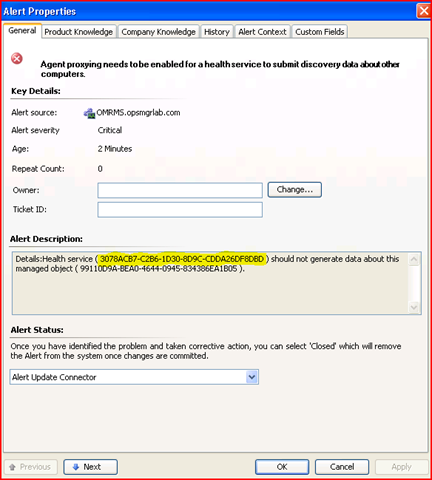
Surely, by now we are all familiar with this alert.
Agent proxying needs to be enabled for a health service to submit discovery data about other computers.
How do I resolve this Health Service Id to an Agent, so I can go ahead and enable Agent Proxying? If you don't have access to SQL or you haven't setup some kind of a custom report, there's a quick way to resolve this GUID to an Agent and enable proxying for that agent using Powershell.
To resolve the agent
Open Operations Manager Command Shell. Copy the first GUID from the Alert Description field (yellow highlight in image), and paste it into the following command.
get-agent | where {$_.hostedHealthService.id -eq "<guid>"} | select-object name
To enable Agent Proxying
$a=get-agent | where {$_.hostedHealthService.id -eq "<guid>"};$a.set_proxyingEnabled($true);$a.applyChanges()