Hinweis
Für den Zugriff auf diese Seite ist eine Autorisierung erforderlich. Sie können versuchen, sich anzumelden oder das Verzeichnis zu wechseln.
Für den Zugriff auf diese Seite ist eine Autorisierung erforderlich. Sie können versuchen, das Verzeichnis zu wechseln.
許多的 Apps 都需要取得目前裝置的所在位置,才能進行如路線規劃、查詢附近美食等各式應用。而這類與裝置有關的 API ,Windows Runtime (WinRT) 都已經系統化的整理,讓 Windows Store App 開發者用很精簡的程式即能達到目的;以下就以如何取得所在位置的經緯度作介紹:
於 Visual Studio 2012 (Express 版本免費下載) 之中新增一個 C# “空白Windows 市集”專案,然後在 MainPage.xaml 中加入一個 Button 及 WebView 元件如下:

新增以下這一行在 MainPage.xaml.cs 的前面:
using Windows.Devices.Geolocation;
雙點 Button,然後實作此按鍵的方法如下:
 private async void Button_Click_1(object sender, RoutedEventArgs e)
{
    Geolocator geo = new Geolocator();
    Geoposition pos = await geo.GetGeopositionAsync();

    // 緯度+經度
    string strSADDR =
         pos.Coordinate.Latitude.ToString() + ","
          + pos.Coordinate.Longitude.ToString();
    // 以 Google Map 為例
    webView.Source =
         new Uri(Uri.EscapeUriString(https://maps.google.com/?num=1&q=
          + strSADDR));

}
請注意以上程式,我們只用了一個 GetGeopositionAsync() 方法就順利取得裝置的所在位置了! 同時,由於這個方法是一個 Async call,所以你需要在呼叫這個方法的函式之前加上 async 的宣告,否則會發生編譯錯誤。
接下來,我們即可透過pos.Coordinate.Latitude.ToString(); 以及 pos.Coordinate.Longitude.ToString(); 分別取得緯度及經度資料,作為我們 App 的後續運用。
比如 Bing Map, Google Map, Yahoo Map 等都提供了 API 甚至 URL String 的方式讓開發者使用,以上便是以 Google Map 使用 URL String 為例。
如果你直接執行此程式並按下此 Button,應該會看到以下這個執行時期錯誤:

其中的描述為:
WinRT 資訊: The required device capability has not been declared in the manifest.
其他資訊: 存取被拒。 (發生例外狀況於 HRESULT: 0x80070005 (E_ACCESSDENIED))
也就是沒有宣告這個 App 會使用到 GPS 的功能。你只要點開專案中的 .appxmanifest 檔,勾選位置(Location)即可:

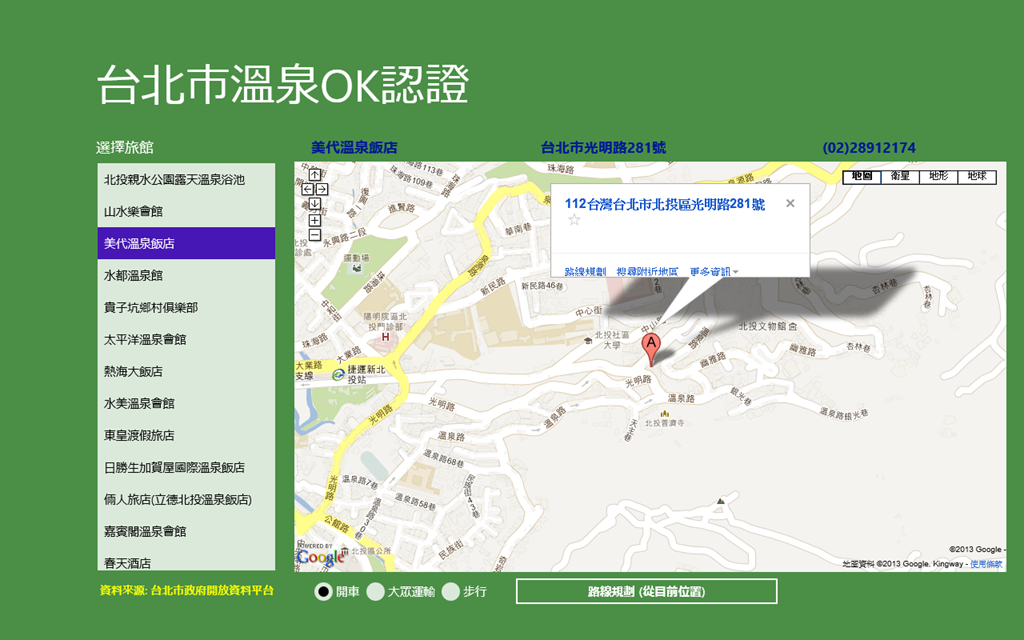
順利執行的畫面會如以下:


完整程式碼可在此下載: https://sdrv.ms/WMMR9I