Note
Access to this page requires authorization. You can try signing in or changing directories.
Access to this page requires authorization. You can try changing directories.
Note
The Vulnerability Management section in the Microsoft Defender portal is now located under Exposure management. With this change, you can now consume and manage security exposure data and vulnerability data in a unified location, to enhance your existing Vulnerability Management features. Learn more.
These changes are relevant for Preview customers (Microsoft Defender XDR + Microsoft Defender for Identity preview option).
Your exposure score is visible in the Defender Vulnerability Management overview page in the Microsoft Defender portal.
Exposure score model updates (transition overview)
Exposure score model rollout is in progress. During this temporary rollout period, two models are active across tenants. Depending on rollout stage, your tenant might show either experience.
Key differences between models
| Area | Previous model | Updated model |
|---|---|---|
| CVE scoring | Primarily CVSS-driven. | Combined CVSS and EPSS signals with normalized CVE fields. |
| Asset scoring | Device score emphasized top vulnerabilities. | Device score reflects combined impact of all relevant vulnerabilities. |
| Asset context | Limited context weighting. | Includes context such as internet-facing status and asset criticality. |
| Organization score | Less representative aggregation behavior at scale. | Calculated as the average of individual asset scores. |
| Recommendation impact | Impact estimates were less precise. | Impact is calculated per Asset-CVE combination for closer prediction of score reduction. |
Note
During the transition:
- Exposure scores may change due to the updated model.
- Recommendation priorities may shift.
These changes reflect the scoring model update and don't necessarily indicate changes in your environment.
What is exposure score?
Note
This section describes the Microsoft Defender Vulnerability Management experience for customers using the Microsoft Defender XDR + Microsoft Defender for Identity preview. This experience is part of the integration of Microsoft Defender Vulnerability Management into Microsoft Security Exposure Management. Learn more.
- Quickly understand high-level security posture trends.
- Detect areas that require investigation or action.
- Communicate the impact of security efforts with stakeholders.
The card provides a high-level trend view over time. Spikes can indicate higher cybersecurity threat exposure that you can investigate.
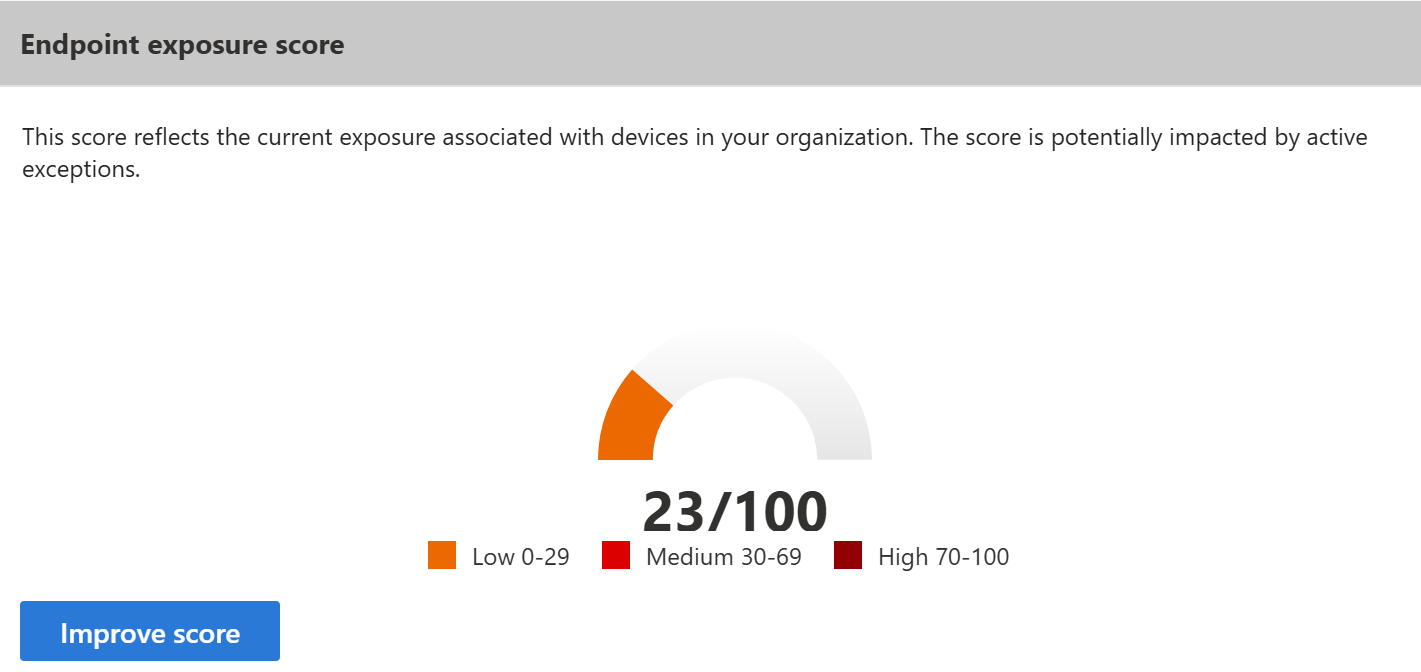
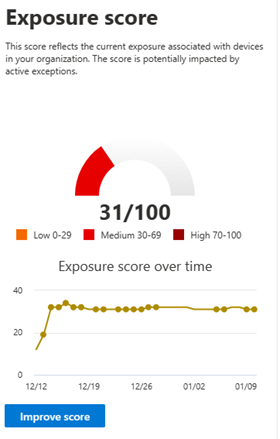
Exposure score is grouped into the following levels:
- 0-29: low exposure score
- 30-69: medium exposure score
- 70-100: high exposure score
How exposure score is calculated
Exposure score measures organizational vulnerability posture using vulnerability severity, exploitability signals, and asset context.
CVE scoring
Each CVE uses a multi-factor risk score.
- EPSS integration: EPSS contributes exploitability prediction so CVEs with higher likelihood of real-world exploitation carry more weight (updated model only; see Key differences between models).
- Normalized CVE fields: CVE-related fields are normalized for consistency across vulnerability sources (updated model only; see Key differences between models).
Asset scoring
Asset exposure score reflects the combined impact of vulnerabilities affecting each device.
- Combined CVE impact: Scoring accounts for all relevant vulnerabilities on a device (updated model only; see Key differences between models).
- Asset context factors: Scoring includes context such as internet-facing exposure and asset criticality (updated model only; see Key differences between models).
Organization score
Organization exposure score is calculated as the average of individual asset scores to provide a representative organizational view (updated model only; see Key differences between models).
Recommendation impact
Recommendation impact estimates potential score reduction from remediation.
- Impact data is calculated per Asset-CVE combination (updated model only; see Key differences between models).
- The model is designed to be more accurate, but score movement isn't guaranteed to be monotonic because newly discovered vulnerabilities can offset remediation effects in the same daily calculation.
Note
Exposure score recalculates daily. After remediation actions, allow up to 24 hours for score changes to be reflected.
How to use exposure score to reduce your vulnerability exposure
When software weaknesses are identified, they're transformed into recommendations and prioritized by potential risk reduction.
To view recommendations prioritized for exposure score reduction:
- If you're a Microsoft Defender XDR + Microsoft Defender for Identity preview customer, in the Microsoft Defender portal, go to Exposure management > Vulnerability management > Overview, and then select Improve score on the Endpoint exposure score card.
- If you're an existing customer, in the Microsoft Defender portal, go to Vulnerability management > Dashboard, and then select Improve score on the Exposure score card.
The recommendations list is prioritized by potential impact on reducing exposure score. Focus on highest-impact items first. For more information, see security recommendations impact.
Exposure score and Microsoft Secure Score for Devices are calculated independently. Changes in exposure score model behavior don't change how Microsoft Secure Score for Devices is calculated.