Σημείωμα
Η πρόσβαση σε αυτήν τη σελίδα απαιτεί εξουσιοδότηση. Μπορείτε να δοκιμάσετε να εισέλθετε ή να αλλάξετε καταλόγους.
Η πρόσβαση σε αυτήν τη σελίδα απαιτεί εξουσιοδότηση. Μπορείτε να δοκιμάσετε να αλλάξετε καταλόγους.
Use Codex CLI, Claude Code, GitHub Copilot, and ChatGPT desktop with supported open-source models through Unity Gateway. Choosing an open-source model can reduce your coding agent costs.
For Codex CLI, Claude Code, and GitHub Copilot, install the Unity Gateway CLI (ug). Then select a model with /model.
Ask your admin to add a compatible open-source model if none is listed in your agent.
Use Codex CLI
Launch Codex CLI:
ug codexEnter
/modeland select an available open-source model, such as GLM 5.3 (system.ai.glm-5-3).Confirm the reasoning level when prompted.
Your next prompt in the main session uses the selected model.
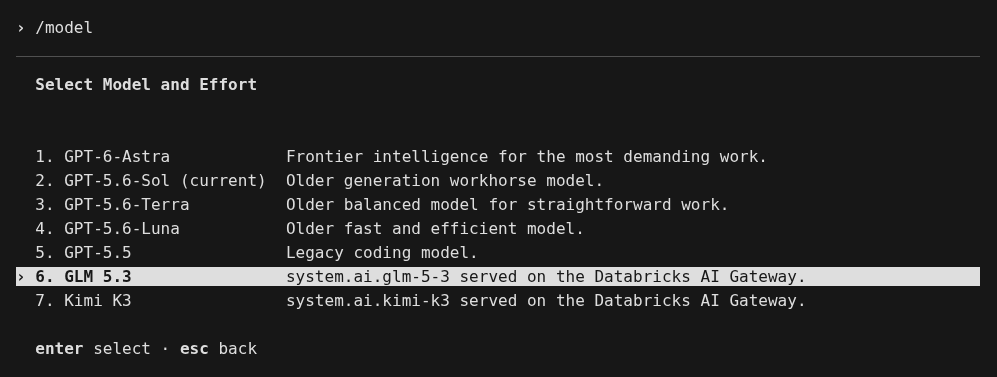
For connection details, see Connect Codex.
Use Claude Code
Launch Claude Code:
ug claudeEnter
/modeland select an available open-source model, such as GLM 5.3 (system.ai.glm-5-3).
Your next prompt in the main session uses the selected model. To switch models during the session, enter /model again.
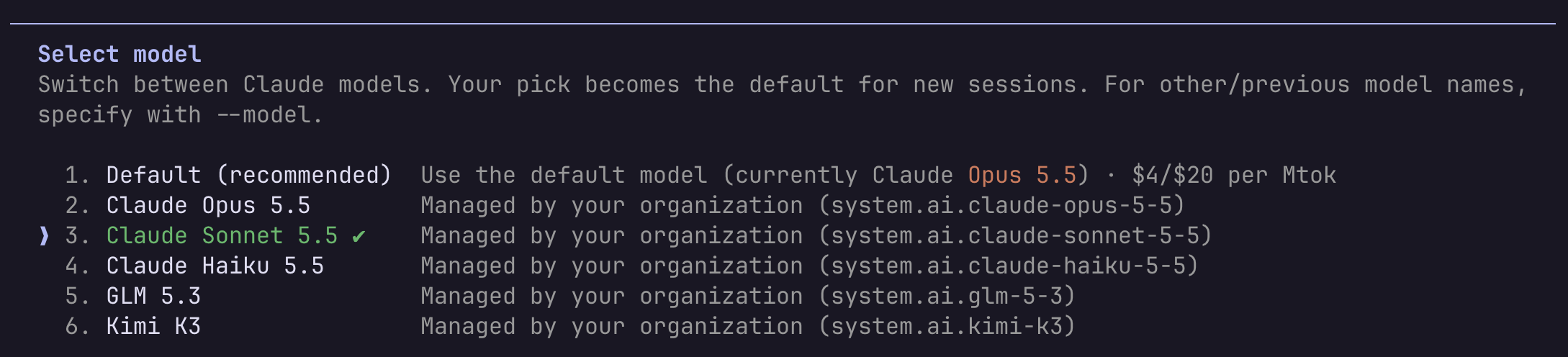
For connection details, see Connect Claude Code.
Use GitHub Copilot
Launch GitHub Copilot CLI:
ug copilotEnter
/modeland select an available open-source model, such as GLM 5.3 (system.ai.glm-5-3).
ug makes GLM, Kimi, and DeepSeek open-source models available in Copilot. In GitHub Copilot in Visual Studio Code, select the model from the Databricks group in the Copilot Chat model picker.
For connection details, see Connect GitHub Copilot.
Use ChatGPT desktop
Follow the ChatGPT desktop setup guide, then start a Codex conversation and choose an available open-source model from the app's model picker.
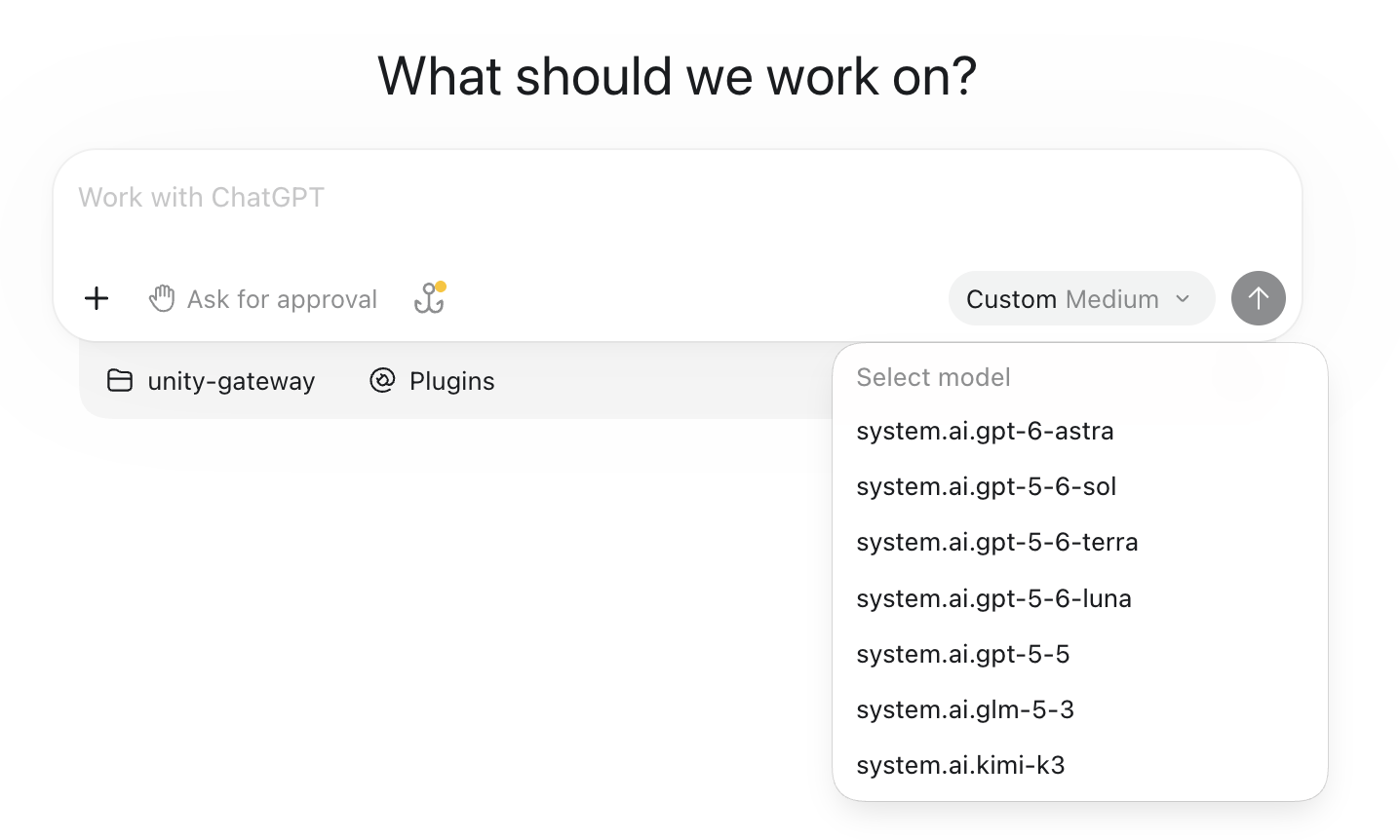
Available models and features vary by workspace, permissions, and agent. See Detailed list of models supported by Databricks Foundation Model APIs and Select models or use Smart Routing.