Σημείωση
Η πρόσβαση σε αυτή τη σελίδα απαιτεί εξουσιοδότηση. Μπορείτε να δοκιμάσετε να συνδεθείτε ή να αλλάξετε καταλόγους.
Η πρόσβαση σε αυτή τη σελίδα απαιτεί εξουσιοδότηση. Μπορείτε να δοκιμάσετε να αλλάξετε καταλόγους.
Note
The Retail Interest Group by Dynamics 365 Commerce has moved from Yammer to Viva Engage. If you don't have access to the new Viva Engage community, fill out this form (https://aka.ms/JoinD365commerceVivaEngageCommunity) to be added and stay engaged in the latest discussions.
This article explains metatags modules and describes how to add them to templates in Microsoft Dynamics 365 Commerce.
The metatags module supports the entry of custom HTML meta tags that can help improve search engine optimization (SEO) rankings for site pages.
Add the metatags module to a template's HTML Head slot. You can configure it in the template and on the site pages that come from the template.
You can add one or more general meta tags to a template. However, add page-specific meta tags to the relevant site pages. Page-level meta tags overwrite template-level meta tags.
The following illustration shows an example where a metatags module is added to the HTML Head slot of a template.
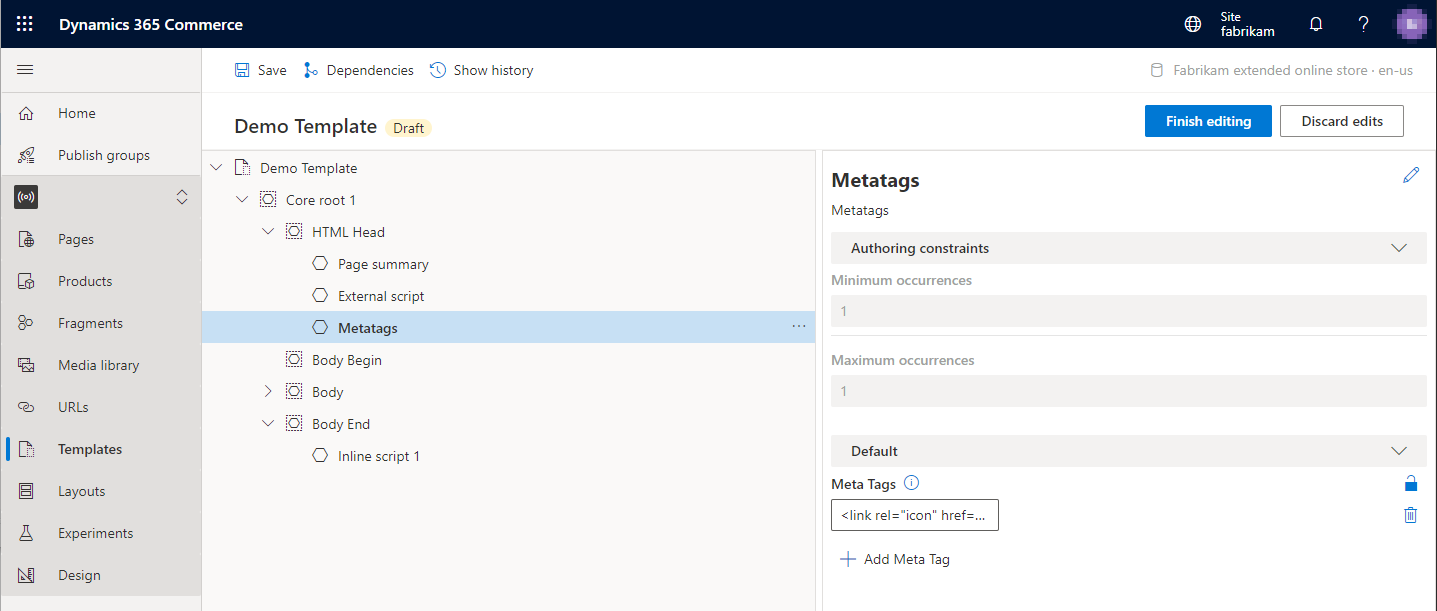
Metatags module properties
| Property name | Values | Description |
|---|---|---|
| Meta Tags | Text | Add one or more meta tags to the module. |
Add a metatags module to a template
To add a metatags module to a template, follow these steps:
In Commerce site builder for your site, select Templates.
Select a template, and then select Edit.
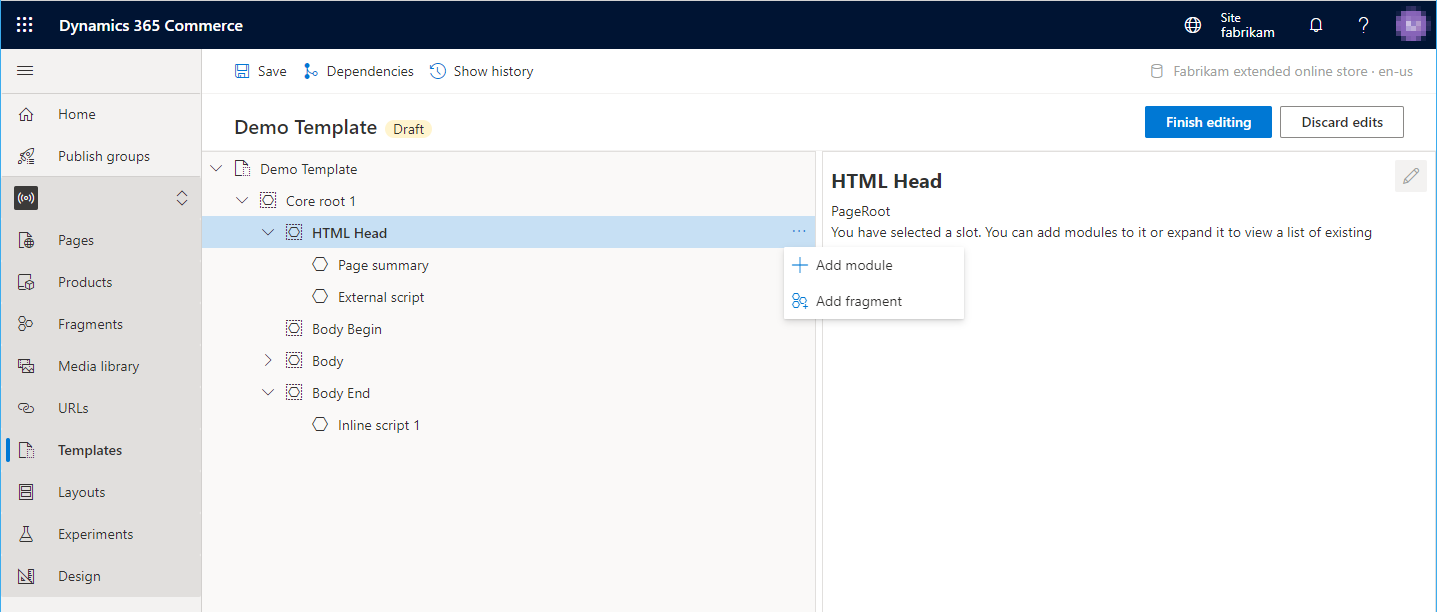
In the HTML Head slot, select the ellipsis (...), and then select Add module.
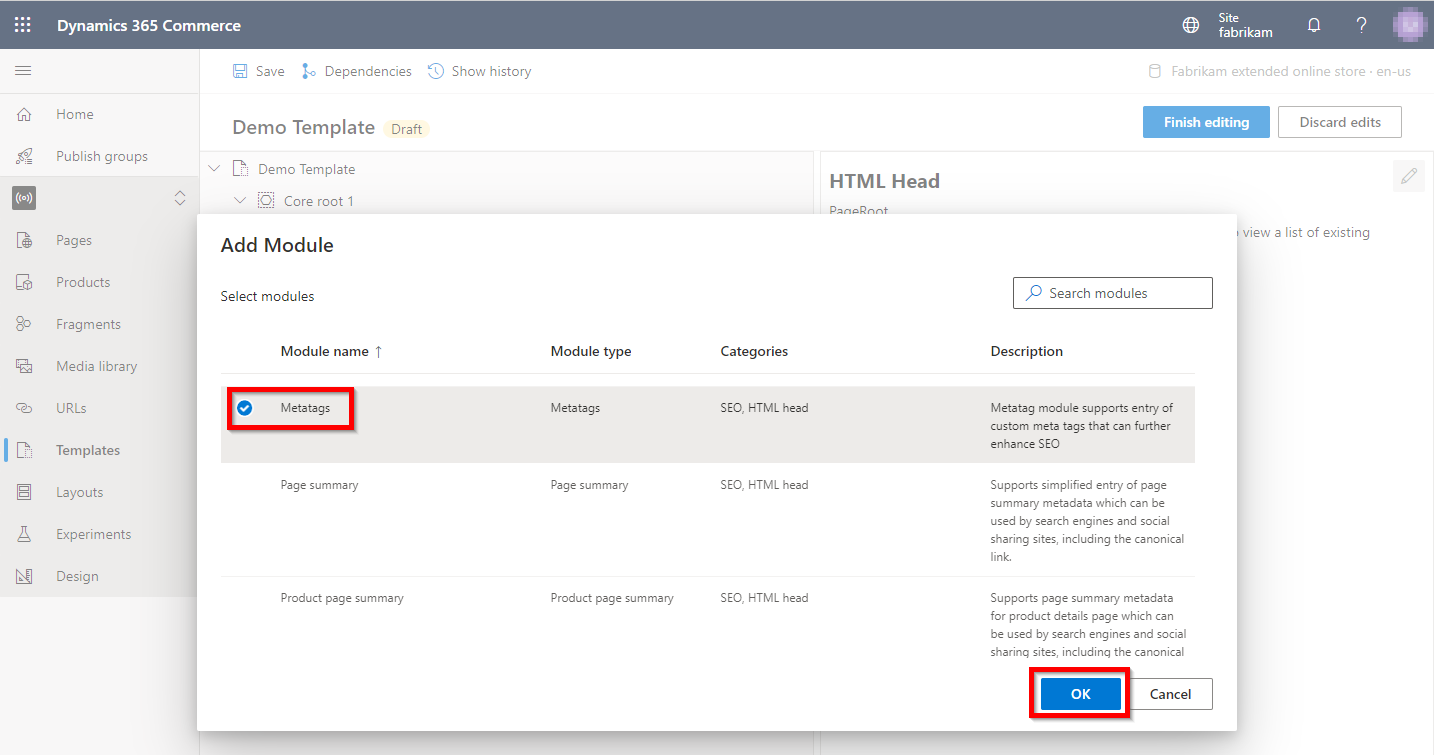
In the Select modules dialog box, select the Metatags module, and then select OK.
To add meta tags, select the Metatags slot. Then, in the module properties pane, select Add Meta Tag to add each meta tag. You can reorder the meta tags by using the up arrow and down arrow buttons.
When you finish editing the template, select Save, select Finish editing, and then select Publish to publish it.
After you add the meta tags module to a template, you can add page-specific meta tags to the site pages that use the template.