Σημείωμα
Η πρόσβαση σε αυτήν τη σελίδα απαιτεί εξουσιοδότηση. Μπορείτε να δοκιμάσετε να εισέλθετε ή να αλλάξετε καταλόγους.
Η πρόσβαση σε αυτήν τη σελίδα απαιτεί εξουσιοδότηση. Μπορείτε να δοκιμάσετε να αλλάξετε καταλόγους.
This article describes how to promote the variation that produced the best results in your experiment, and how to complete the experiment. The following diagram shows all of the steps involved in setting up and running an experiment on an e-commerce website in Dynamics 365 Commerce. Additional steps are covered in separate articles.
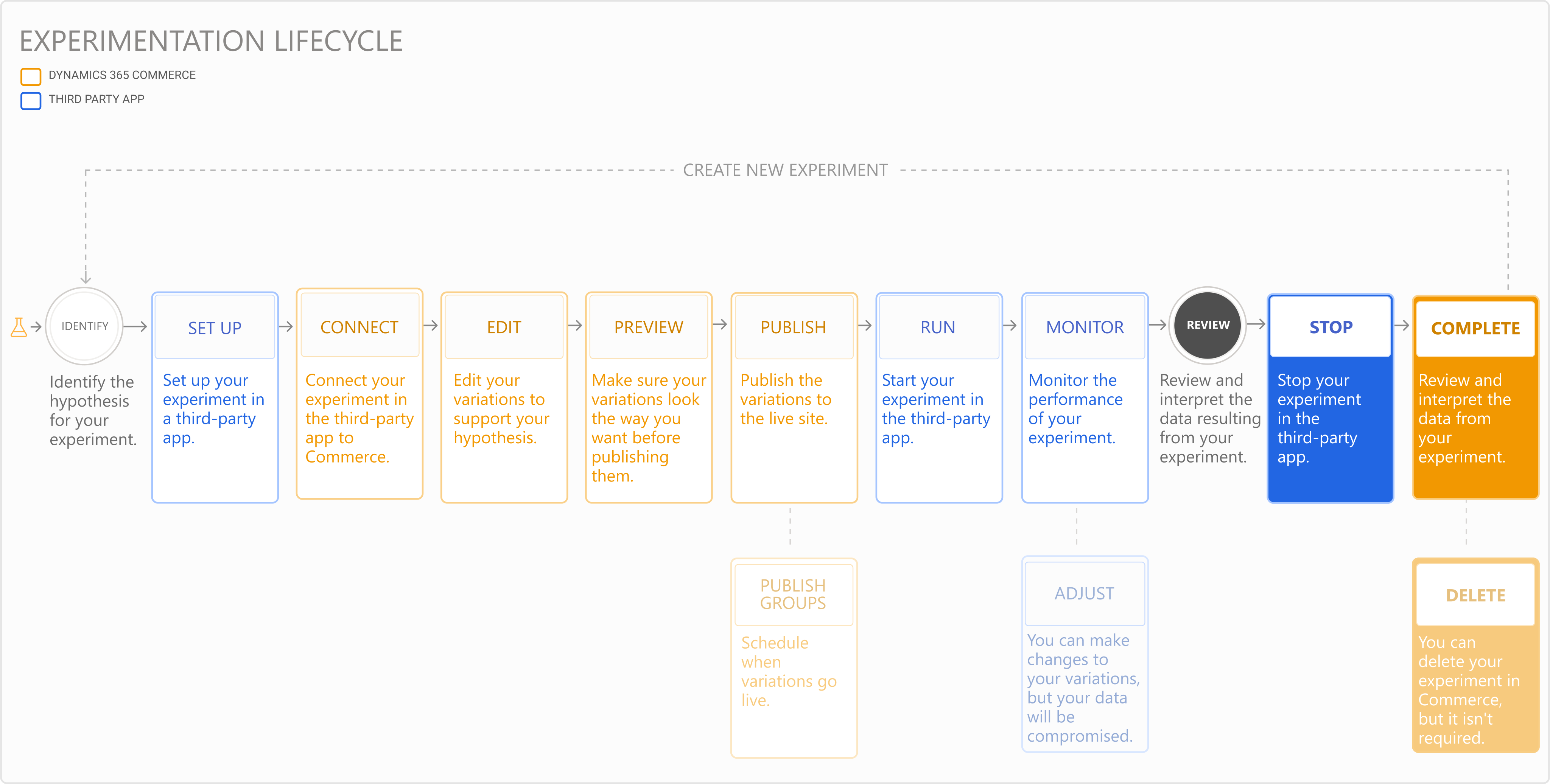
After you run your experiment and collect sufficient data to determine which variation you want to use on your live site, promote the variation and end the experiment.
Promote a variation
Use the data and analytics related to the experiment in the partner service to decide which variation produced the best results. Replace the current content on the live site with the winning variation so that it's available to all users of your website.
To promote the winning variation, follow these steps:
- In Commerce site builder, select Experiments in the left navigation pane, and then select the experiment.
- On the command bar, select Complete experiment.
- In the Complete the experiment dialog box, select Review the experiment data. The partner service opens where you can validate the metrics and determine which variation performed the best.
- In the Complete the experiment dialog box, select the winning variation, and then select Next.
- Open the partner service and stop the experiment.
- In site builder, select Complete to overwrite the original live page and publish the winning variation so that it's available to all users of your website.
Note
If you choose to keep the current live page and don't want to publish a variation, select Republish the original page.
Delete your experiment
You don't need to delete a completed experiment in Commerce, but you can delete it to save space or clean up your workspace.
To delete a completed experiment in Commerce site builder, follow these steps:
- Select Experiments in the left navigation pane, and then select the experiment.
Note
If the experiment is still active, stop the experiment in the partner service before proceeding.
- On the command bar, select Unpublish to remove the variation content from the live site.
- Select Delete to delete the experiment.