Note
Access to this page requires authorization. You can try signing in or changing directories.
Access to this page requires authorization. You can try changing directories.
Continuous integration and continuous delivery (CI/CD) in Microsoft Fabric provide development teams with a standardized way to build, review, and release content quickly and reliably. Instead of using manual updates, teams frequently integrate changes through source control and deliver them through automated pipelines. This approach ensures new features and bug fixes reach production quickly and safely.
The Fabric CI/CD platform is built on the Fabric REST APIs and brings source control, delivery, configuration, and developer tooling together into a single, integrated experience. The rest of this article walks through the platform layer by layer.
The Fabric CI/CD platform at a glance
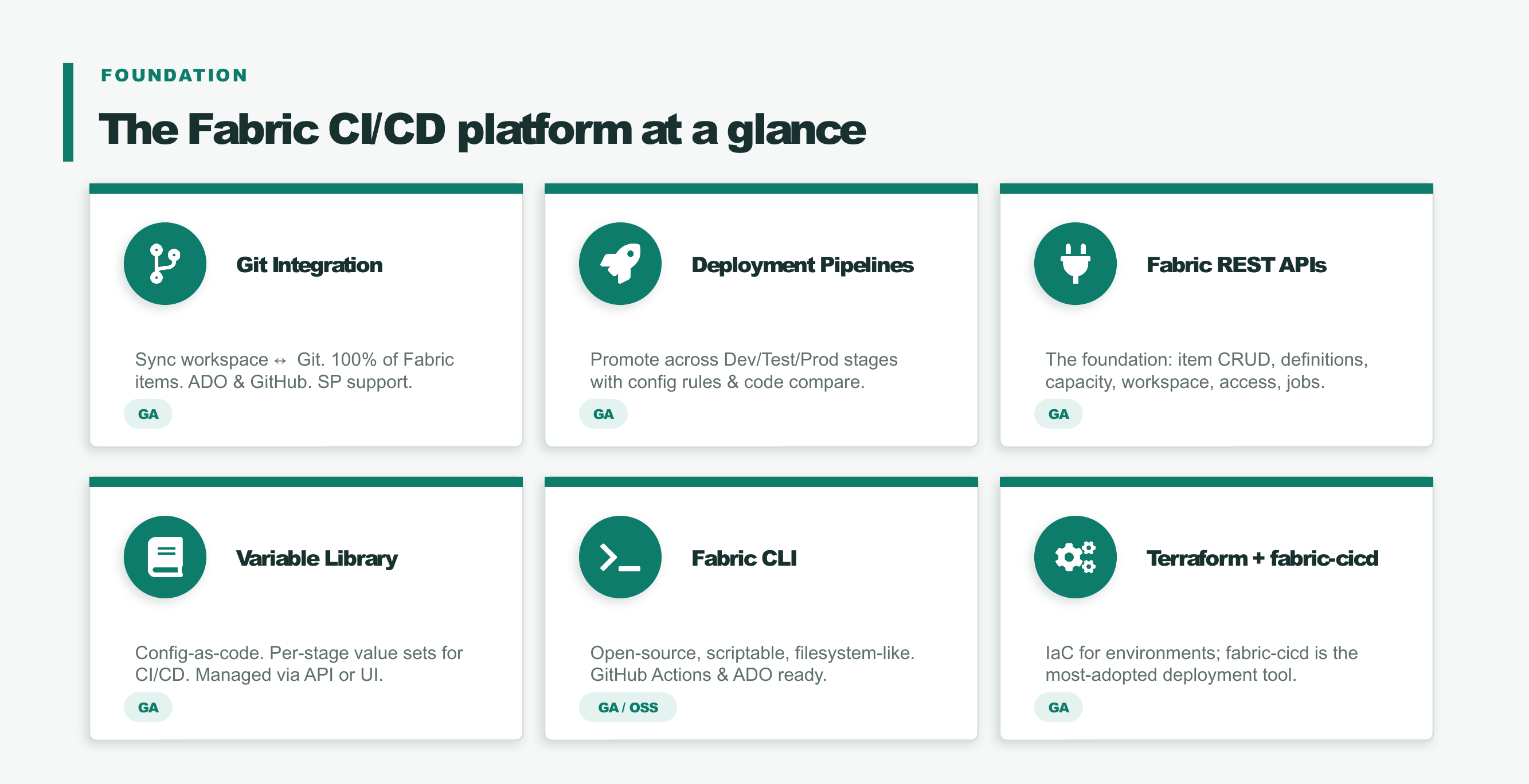
The Fabric CI/CD platform spans several core capabilities, all built on the Fabric REST API foundation:
- Git integration - Sync a workspace with a Git repository in Azure DevOps or GitHub, with service principal support.
- Deployment pipelines - Promote content across Dev, Test, and Prod stages with configuration rules and content comparison.
- Fabric REST APIs - The foundation layer for item CRUD, item definitions, capacity, workspace, access, and job operations.
- Variable library - Configuration as code, with per-stage value sets for CI/CD, managed through the API or the UI.
- Fabric CLI - An open-source, scriptable, filesystem-like command-line tool that's ready for GitHub Actions and Azure DevOps.
- Terraform and fabric-cicd - Infrastructure as code for environments, where fabric-cicd is the most widely adopted deployment tool.
Reference architecture
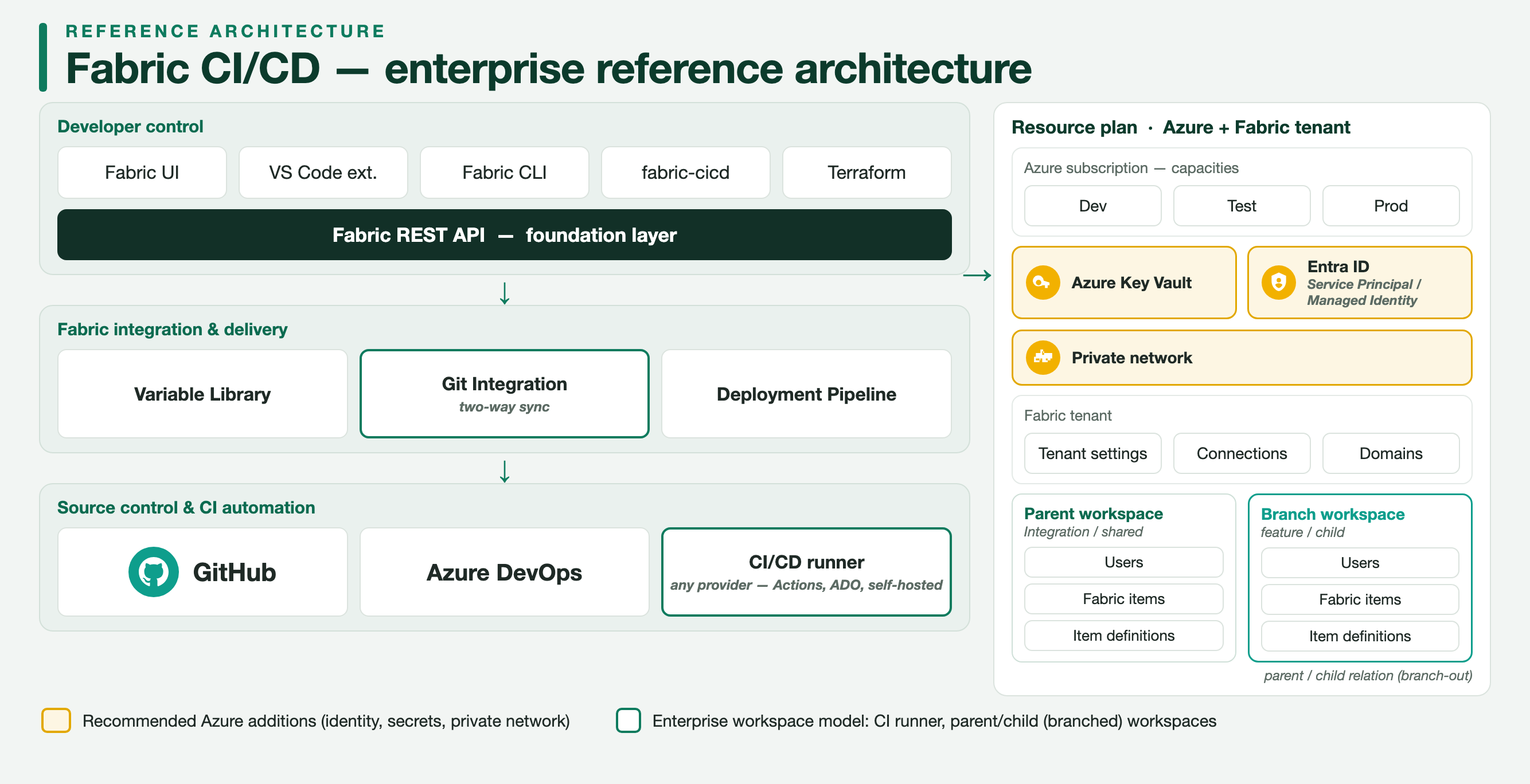
The following enterprise reference architecture shows how these layers fit together. Developer tools build on the Fabric REST API foundation layer. Content flows through the Fabric integration and delivery layer with the variable library, Git integration, and deployment pipelines. Source control and CI automation run in GitHub or Azure DevOps with a CI/CD runner. The supporting Azure and Fabric tenant resources include Dev, Test, and Prod capacities, Azure Key Vault, a private network, tenant settings, connections, domains, and the parent and branch workspaces created through branch-out.
Fabric REST APIs: the foundation
All Fabric CI/CD capabilities build on the Fabric REST APIs, which provide programmatic access to core operations: item create, read, update, and delete, item definitions, capacity, workspace and access management, and job scheduling. Every higher-level experience, from Git integration to deployment pipelines, uses these APIs, so anything you do in the portal you can also automate.
Fabric integration and delivery
This layer moves content reliably from development to production through three complementary capabilities.
Note
Some of the items for CI/CD are in preview. See the list of supported items for the Git integration and deployment pipeline features.
Git integration
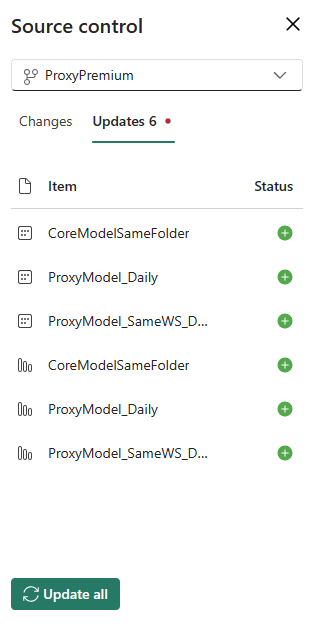
By using Fabric's Git integration, multiple developers can frequently and reliably make incremental workspace updates. By applying Git advantages and best practices, developers collaborate and ensure that content changes get to the workspace quickly and reliably. When content is ready, the delivery process can then deliver it to deployment pipelines for testing and distribution.
Deployment pipelines
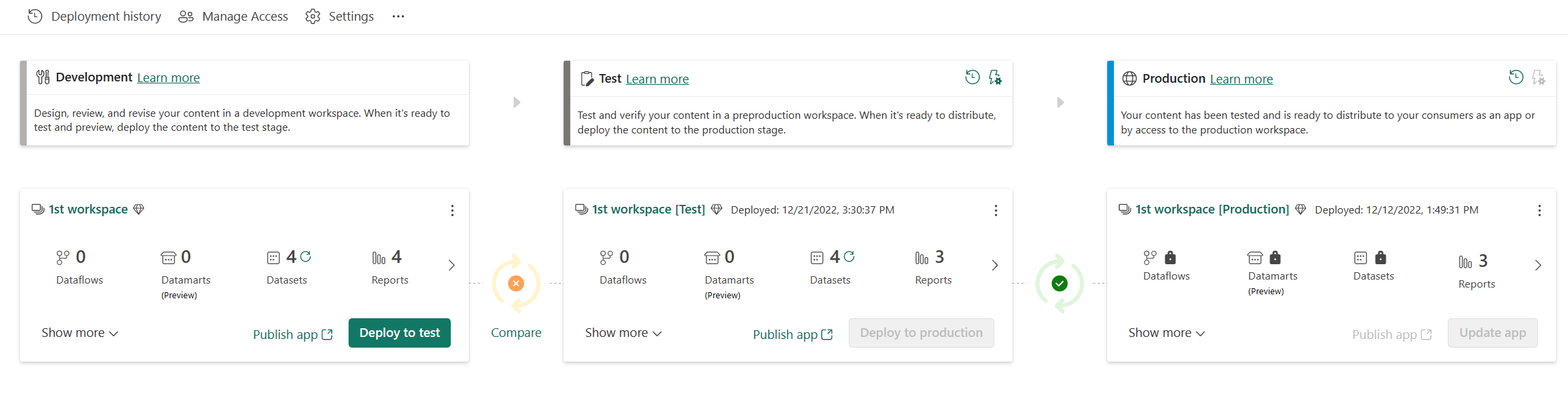
Fabric's deployment pipelines automate the delivery of modified content to environments like testing and production. Teams produce updates in short cycles with high speed, frequency, and reliability. You can release content at any time with a simple, repeatable deployment process.
For the most efficient CI/CD experience in Fabric, connect your developer workspace to Git, and deploy from the connected workspace by using deployment pipelines.
Variable library
By using Variable libraries, you can:
- Define and manage user-defined variables in a unified way for all workspace items.
- Use the variables in different places in the product: in item definitions such as queries, as references to other items such as a lakehouse ID, and more.
- Reuse variables across Fabric workloads and items. For example, several items in the workspace can refer to the same variable.
- Adjust values based on the release pipeline stage for CI/CD.
Source control and CI automation
Fabric Git integration connects a workspace to a Git repository in either GitHub or Azure DevOps. Your continuous integration automation, such as validating a pull request or updating an integration workspace from Git, runs in any CI/CD runner: GitHub Actions, Azure Pipelines, or a self-hosted runner. Service principal support lets these automated flows authenticate without a signed-in user, with the Azure DevOps provider.
Developer tooling and infrastructure as code
Developers drive the platform through scriptable tools that build on the Fabric REST APIs.
Fabric CLI
The Fabric CLI (fab) is an open-source, scriptable command-line tool with a filesystem-like interface over Fabric. It works well in GitHub Actions and Azure DevOps for automating Git sync, deployment, and item management.
Terraform and fabric-cicd
For infrastructure as code, use the Terraform provider for Fabric to provision Fabric environments such as workspaces and capacities. Use fabric-cicd, a Python library, to deploy item definitions from a source-controlled repository. fabric-cicd is the most widely adopted deployment tool for Fabric CI/CD.