Note
Access to this page requires authorization. You can try signing in or changing directories.
Access to this page requires authorization. You can try changing directories.
Important
This feature is in Public Preview.
Azure Databricks managed MCP servers are ready-to-use servers that connect your AI agents to data in Unity Catalog, Azure Databricks AI Search indexes, Genie Spaces, and custom functions. They also connect agents to common software-as-a-service (SaaS) applications like Slack and GitHub.
- No setup — Azure Databricks hosts the servers and manages authentication.
- Governed — Unity Catalog enforces permissions, so agents and users access only the tools and data you grant them.
- Centralized — view, monitor, and manage every server from Unity AI Gateway.
To call these servers from agent code, see Use MCP servers in agents.
Available managed servers
Databricks has the following MCP servers that work out of the box. When connecting to managed MCP servers using on-behalf-of user authentication, include the corresponding OAuth scope for each server your application needs to access. For setup instructions, see Authentication methods.
| MCP server | URL pattern | OAuth scope |
|---|---|---|
| Genie One Ask natural-language data questions about your enterprise data. Genie One searches across Genie Spaces and your Unity Catalog data, then returns a grounded answer with a deep link back to the conversation in the Databricks UI. Read-only. Genie runs asynchronously. Call the genie_ask tool to start a conversation, then call genie_poll_response until the response is complete. To continue an existing conversation, pass the previous conversation_id to genie_ask. |
https://<workspace-hostname>/api/2.0/mcp/genie |
genie |
| Genie Space Query a single Genie Space with natural language. Read-only. |
https://<workspace-hostname>/api/2.0/mcp/genie/{genie_space_id} |
genie |
| AI Search Query AI Search indexes to find relevant documents. Requires Azure Databricks managed embeddings. |
https://<workspace-hostname>/api/2.0/mcp/ai-search/{catalog}/{schema}/{index_name} |
ai-search |
| Databricks SQL Run AI-generated SQL to create data pipelines from AI coding tools. Read and write. |
https://<workspace-hostname>/api/2.0/mcp/sql |
sql |
| Unity Catalog functions Run Unity Catalog functions as predefined SQL tools. |
https://<workspace-hostname>/api/2.0/mcp/functions/{catalog}/{schema}/{function_name} |
unity-catalog |
Note
- Genie and Databricks SQL run asynchronously: call the tool to start, then poll until the response completes. For Genie, call
genie_ask, thengenie_poll_response, passing a previousconversation_idto continue a conversation. - The Genie Space server invokes Genie as a tool, so conversation history isn't passed to the Genie API. To preserve history, use Genie in a multi-agent system.
- AI Search was formerly Vector Search. The previous
/api/2.0/mcp/vector-search/URL prefix andvector-searchscope still work.
To view your MCP servers and their endpoint URLs, go to your workspace > AI Gateway > MCPs:
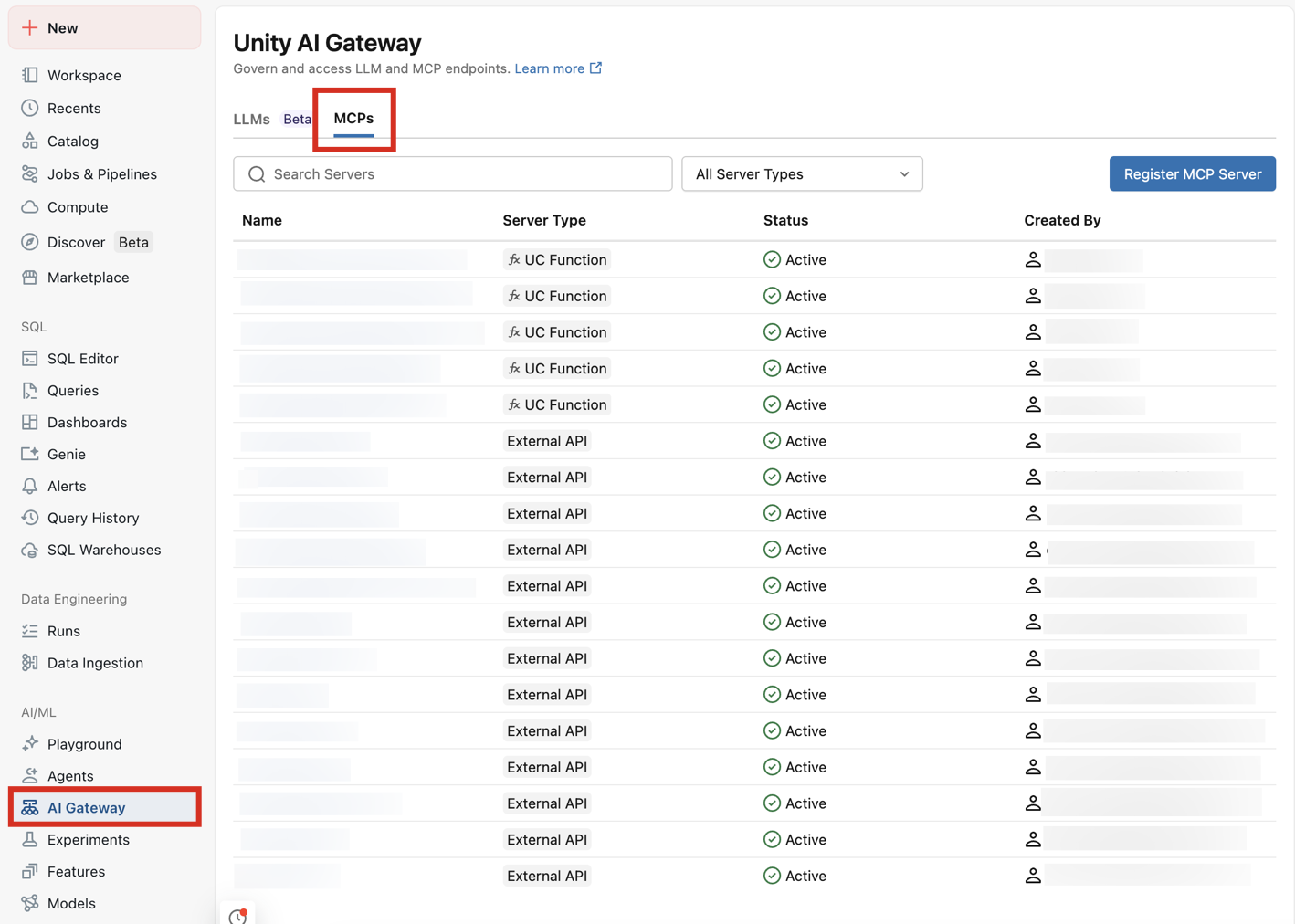
Azure Databricks also has ready-to-use MCP Services in the system.ai schema for common SaaS apps (Slack, GitHub, Google Drive, and more). See Databricks-provided MCP Services.
Tip
Connect one agent to multiple managed MCP servers:
- AI Search (
/api/2.0/mcp/ai-search/prod/customer_support) — search support tickets and documentation. - Genie Space (
/api/2.0/mcp/genie/{billing_space_id}) — query billing data and customer information. - Unity Catalog functions (
/api/2.0/mcp/functions/prod/billing) — run custom functions for account lookups.
This gives the agent unstructured data (tickets), structured data (billing), and custom business logic in one place.
Additional resources
- Use MCP servers in agents to call managed MCP servers from agent code.
- Meta parameters for Azure Databricks managed MCP servers to configure tool behavior with
_metaparameters. - Connect MCPs to AI assistants and coding agents to connect clients like Cursor and Claude Desktop.