Note
Access to this page requires authorization. You can try signing in or changing directories.
Access to this page requires authorization. You can try changing directories.
By using enclave connections, you can enable network traffic to flow between Azure Enclave communities, enclaves, and transit hubs. In this how-to guide, you create an enclave connection in the Azure portal.
Prerequisites
- An Azure subscription. If needed, create a free Azure account.
- A community and an enclave.
- For an enclave source, an existing enclave endpoint or community endpoint in the same community.
- For a transit hub source, an existing transit hub and an enclave endpoint in the same community.
Sign in to Azure
Sign in to the Azure portal.
Create an enclave connection
Enter
Azure Enclavein the search.Under
Services, selectAzure Enclave.In the
Azure Enclavepage, selectEnclavesin the left menu.On the
Enclavespage, select your Enclave's name to open the enclave resource.Select
Enclave Connectionson the left navigation and then selectCreate.Enter the following information:
Enclave connection name: Enter a name for the enclave connection.Community: Select the existing community from the list.
Choose the source type for the connection and follow the corresponding steps:
- If the source is an enclave, follow the steps in Configure an enclave source connection.
- If the source is a transit hub, follow the steps in Configure a transit hub source connection.
Configure an enclave source connection
If the connection source is Transit Hub, skip this section.
For connections where the source is Enclave, enter the required information:
Under
Source Type, selectEnclave.Select the existing
Source Enclavefrom the list.Enter the
Source IP addresses/CIDR range(s)for the enclave subnets that initiate traffic.Under
Destination Endpoint Type, selectEnclave EndpointorCommunity Endpoint.Select the
Destination Endpointfrom the list.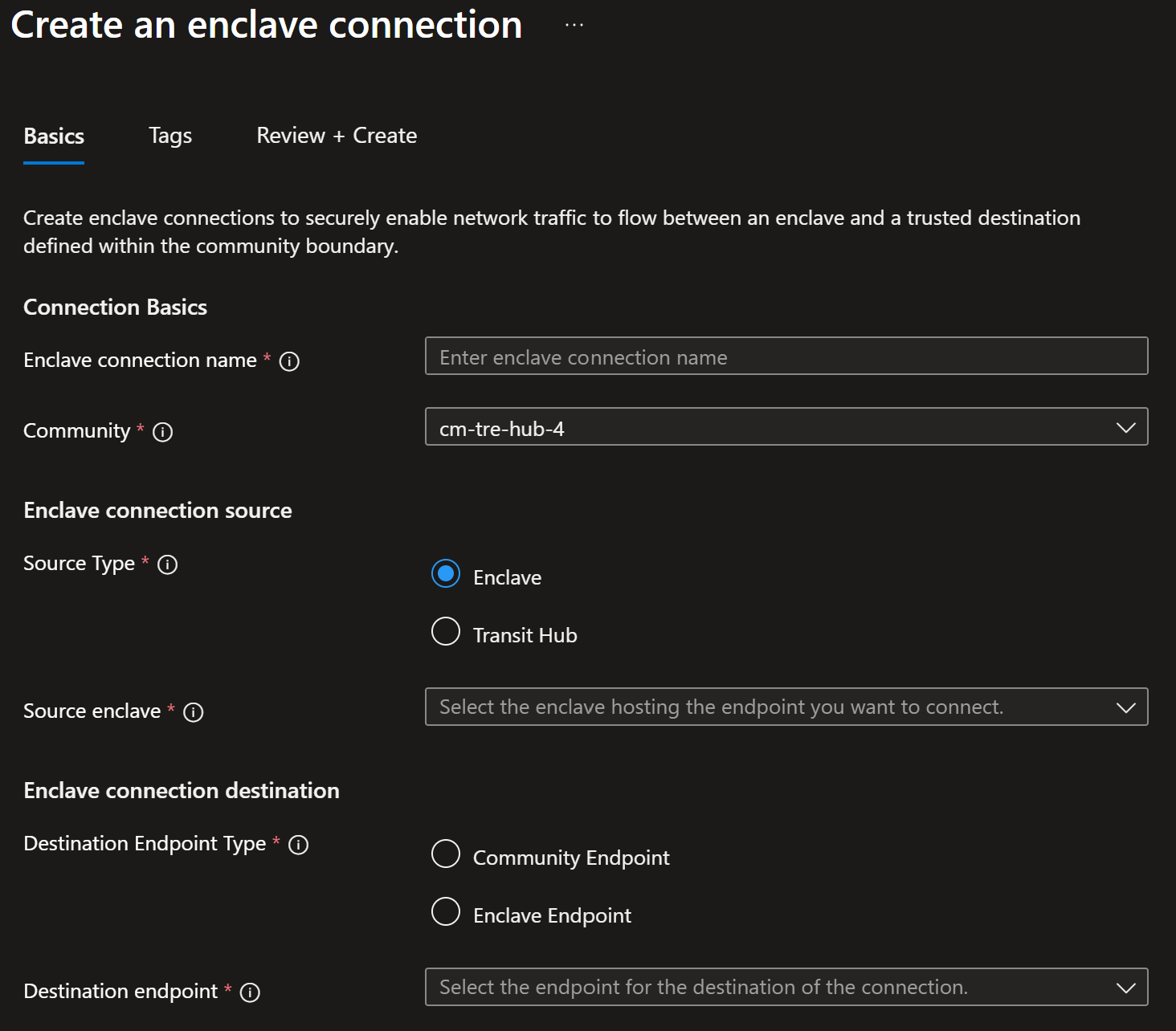
Configure a transit hub source connection
If the connection source is Enclave, skip this section.
For connections where the source is Transit Hub, enter the required information:
Under
Source Type, selectTransit Hub.Select the
Source Transit Hubfrom the list.Enter the
Source IP addresses/CIDR range(s)for this connection.Select an existing
Enclave Endpointfrom the list. If the transit hub is secured by Azure Firewall, you can select anEnclave EndpointorCommunity Endpoint.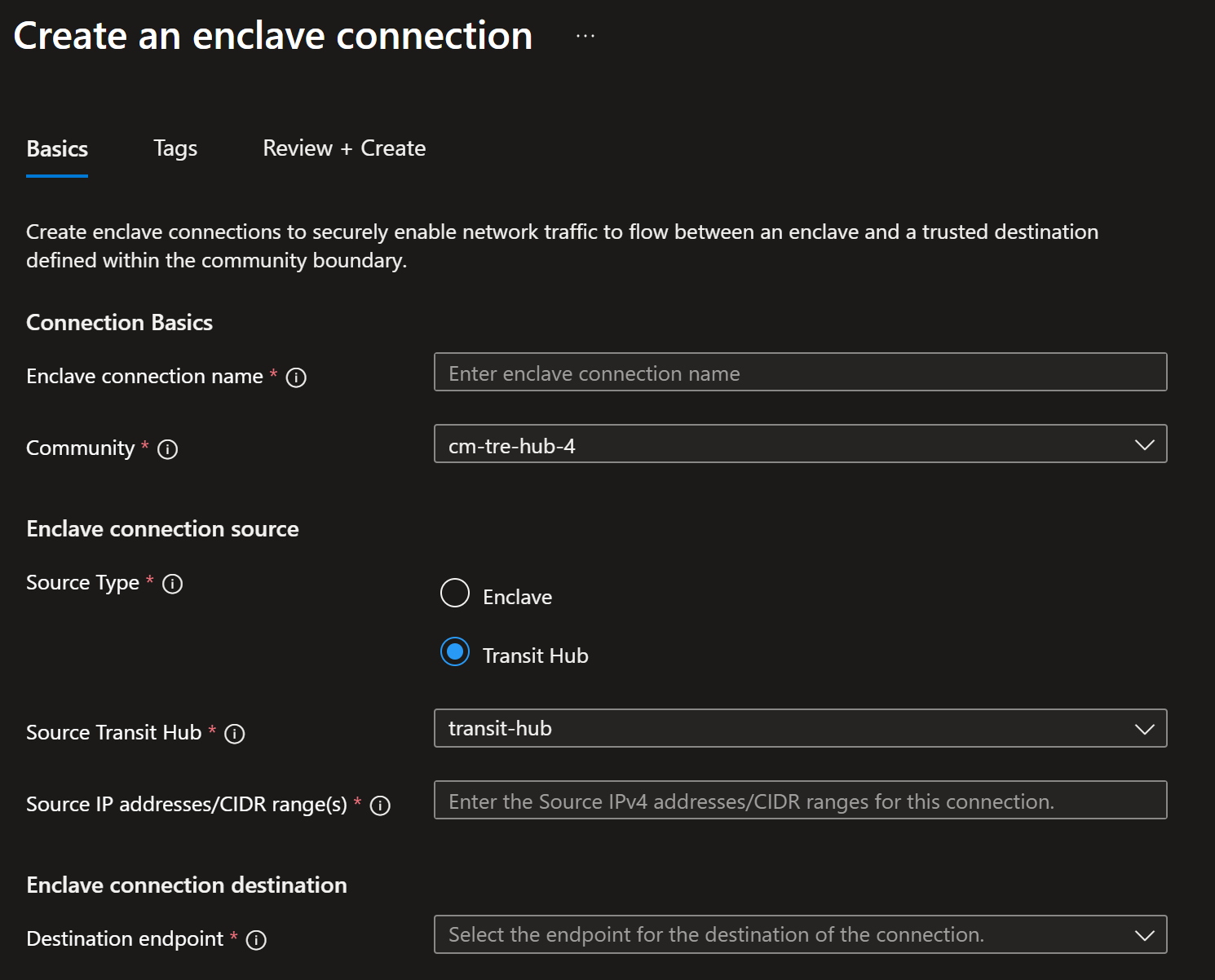
Select
Review + create, and then selectCreate.