Note
Access to this page requires authorization. You can try signing in or changing directories.
Access to this page requires authorization. You can try changing directories.
You can use Trustd Mobile as a Mobile Threat Defense (MTD) solution that integrates with Microsoft Intune. Risk is assessed based on telemetry collected from devices running the Trustd Mobile app.
You can configure Conditional Access policies based on the Trustd Mobile risk assessment, enabled through Intune device compliance policies. These policies can allow or block noncompliant devices from accessing corporate resources based on detected threats.
Prerequisites
Before setting up the Trustd Mobile connector, ensure you have the following subscriptions:
- Microsoft Entra ID P1
- Microsoft Intune Plan 1 subscription
- Trustd Mobile subscription. See Trustd Mobile in the Microsoft Security marketplace.
Supported platforms
The Trustd Mobile connector supports the following device platforms:
- Android 9.0 and later
- iOS/iPadOS 15.0 and later
Devices must run the Trustd Mobile app:
Integrate Trustd Mobile with Intune to help protect your company resources
Trustd Mobile integrates with Microsoft Intune to ensure corporate resources are accessed only by secure and compliant mobile devices. The Trustd Mobile app collects real-time telemetry to detect threats including operating system exploits, malicious applications, and network-level risks.
Trustd Mobile reports a risk score to Intune using the Intune Mobile Threat Defense connector. This score updates device compliance status. When a threat is detected, the device is marked noncompliant, and your Conditional Access policies block access to sensitive resources. The Trustd Mobile app guides users to remediate threats to restore compliance and access.
For step-by-step guidance on setting up and integrating Trustd Mobile with Intune, see Integrate Trustd Mobile with Microsoft Intune.
Common scenarios
Here are some common scenarios:
Control access based on threats from malicious applications
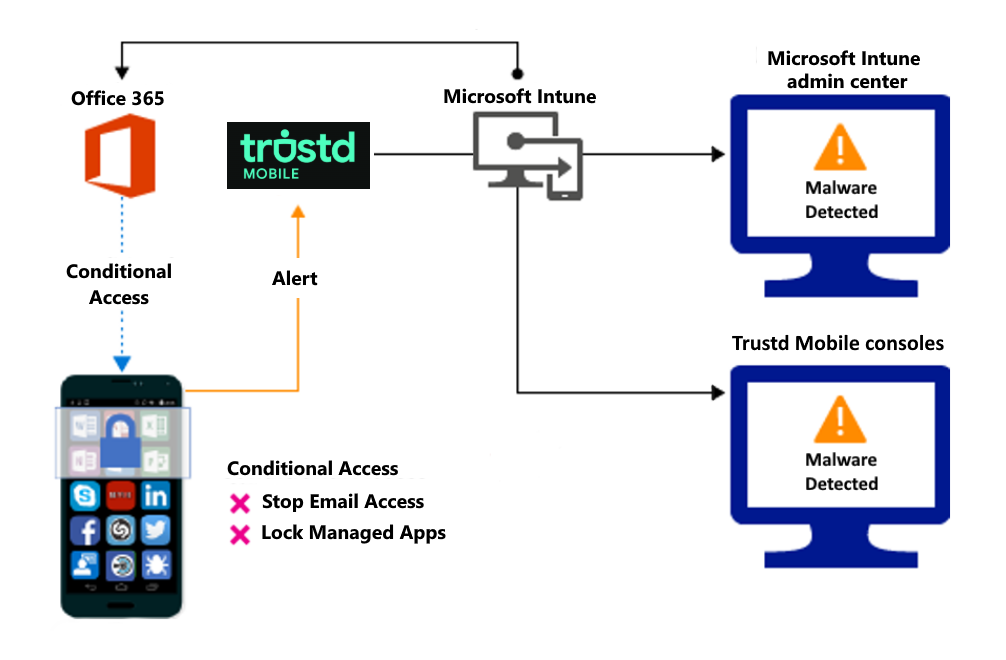
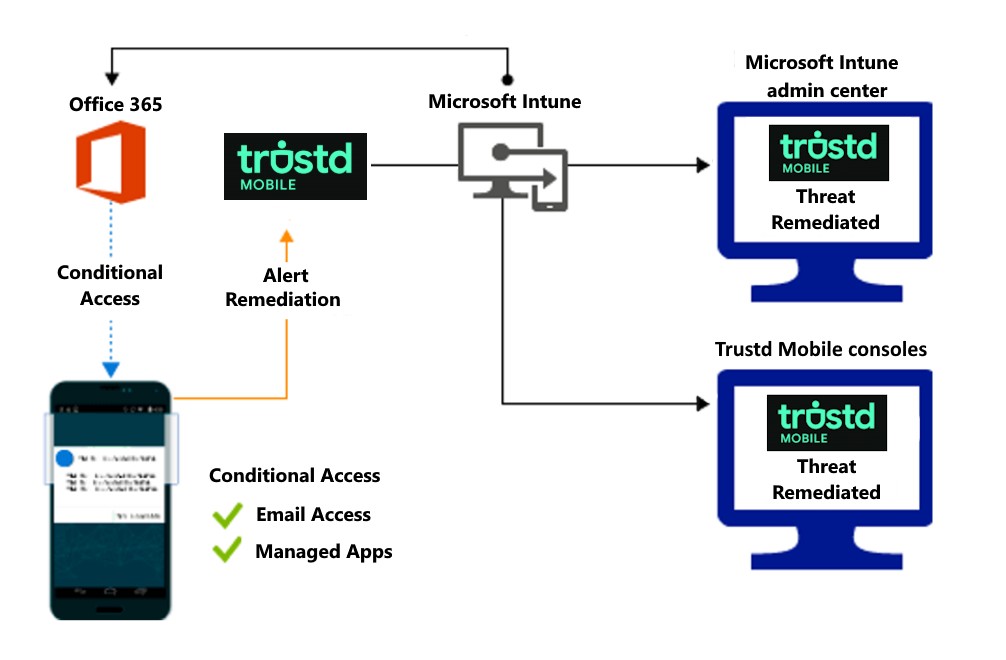
When an application behaves in a malicious way, such as stealing credentials or accessing sensitive APIs, you can block device access until the threat is resolved.
Block when malicious apps are detected:
Access is granted on remediation:
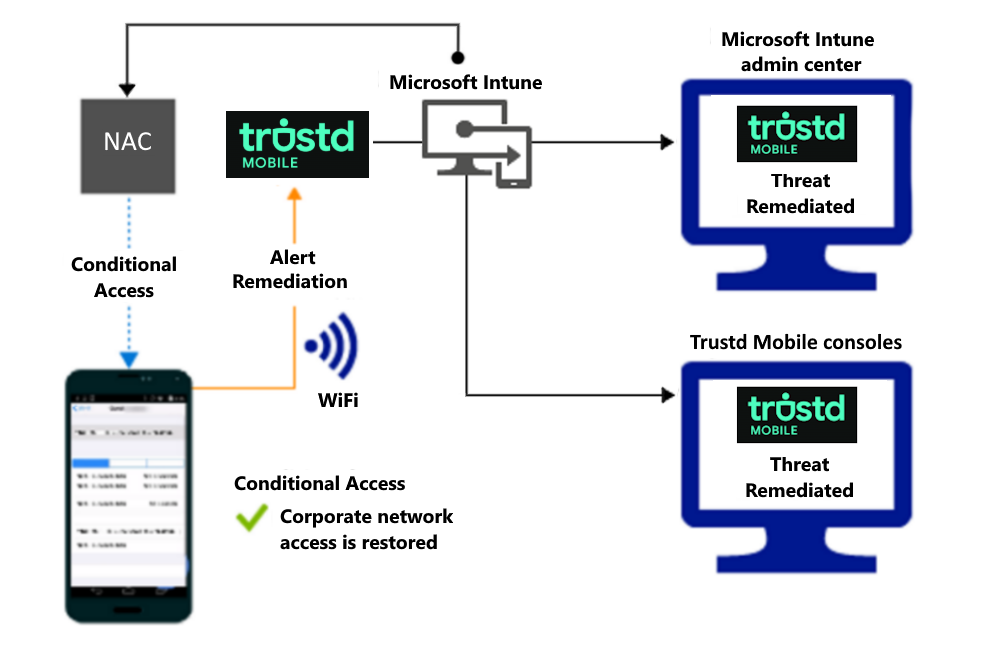
Control access based on threat to network
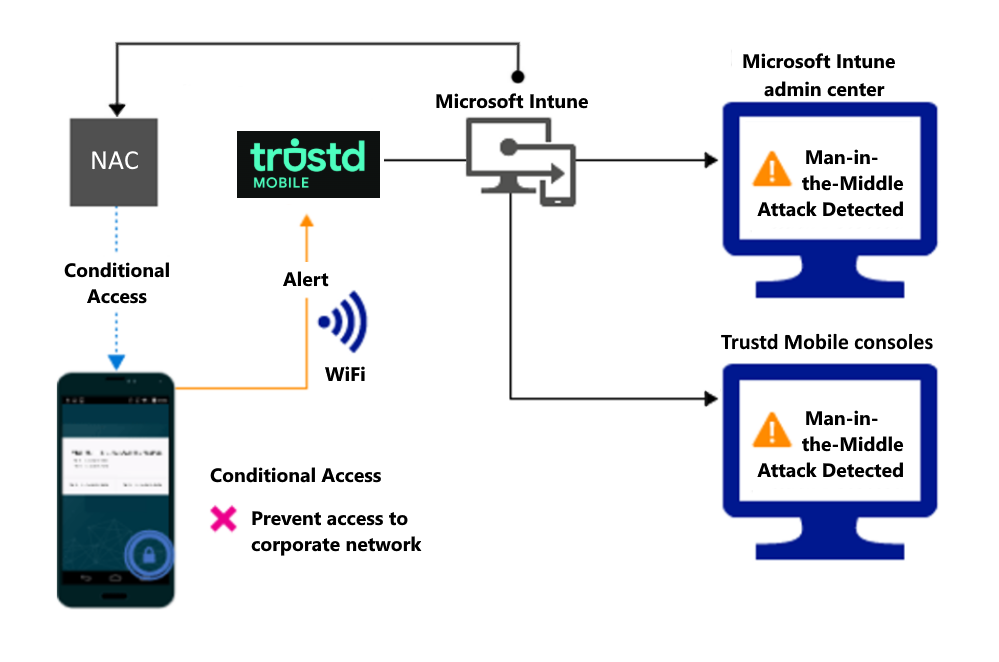
Detect threats to your network like Man-in-the-middle attacks, and protect access to Wi-Fi networks based on the device risk.
Block network access through Wi-Fi:
Access is granted on remediation:
Control access to SharePoint Online based on threat to network
Detect threats to your network like Man-in-the-middle attacks, and prevent synchronization of corporate files based on the device risk.
Block SharePoint Online when network threats are detected:
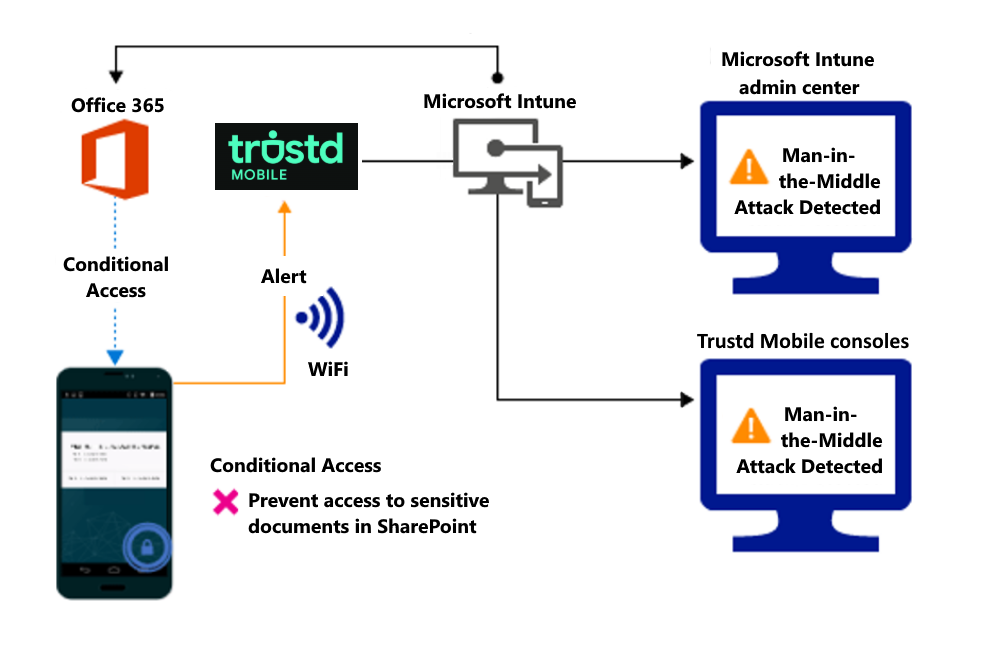
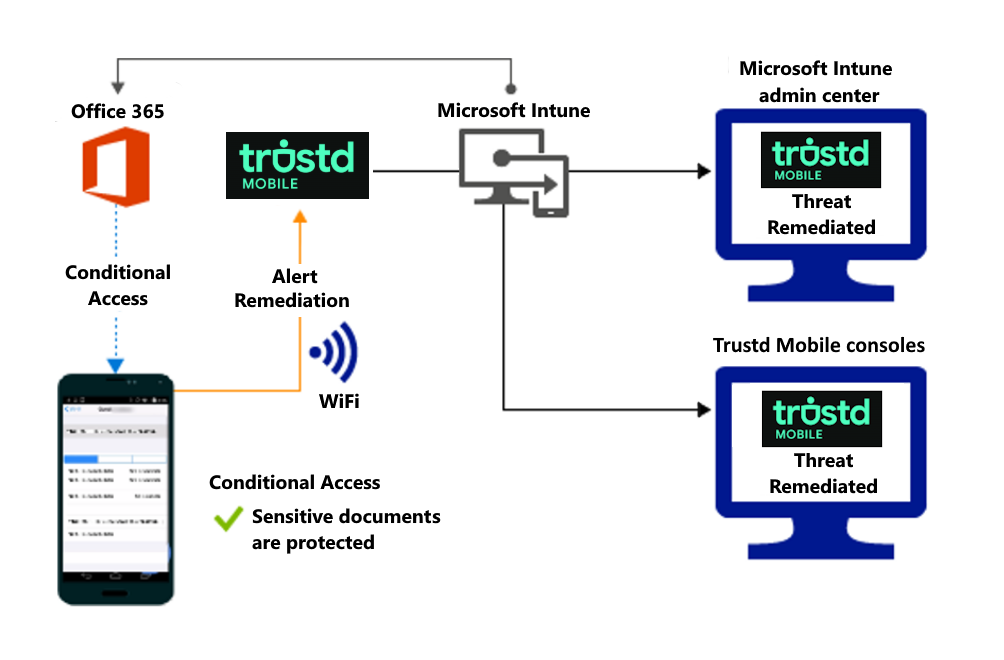
Access granted on remediation: