Azure IoT Central
An Azure hosted internet of things (IoT) application platform.
This browser is no longer supported.
Upgrade to Microsoft Edge to take advantage of the latest features, security updates, and technical support.
' cx='32' cy='32' r='32' /%3E%3Ctext x='50%25' y='55%25' dominant-baseline='middle' text-anchor='middle' fill='%23FFF' %3EAA%3C/text%3E%3C/svg%3E)
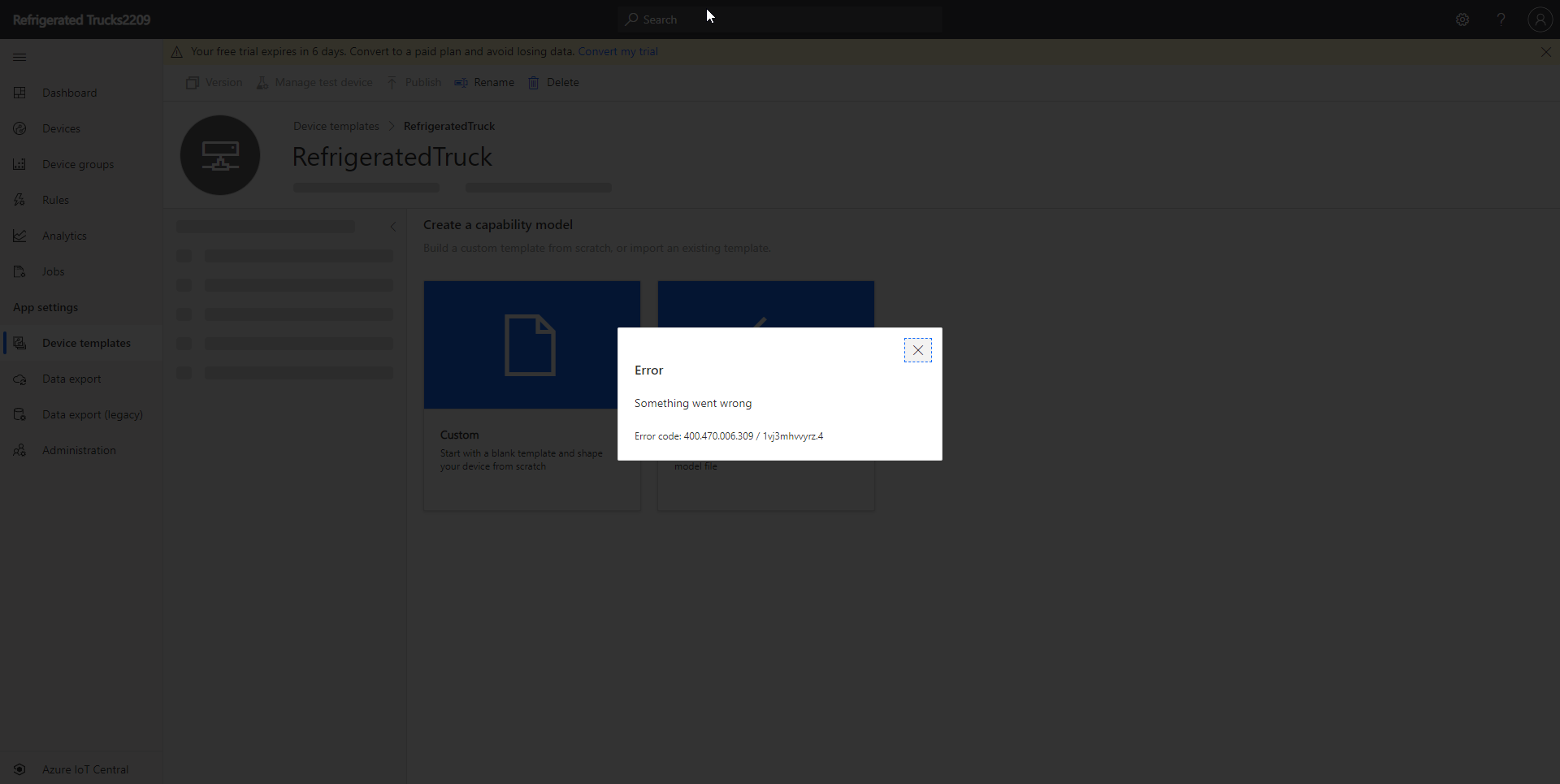
I am trying to implement "RefrigeratorTruck" example on Azure IoT Central.
I have created the Device Template and added the interfaces using json file which I downloaded from GitHub, as mentioned in document.
It is not added but error (Error code: 400.470.006.309).
I tried with all the PC (personal/office), I have, getting same error.
An Azure hosted internet of things (IoT) application platform.

Hi, could you provide a link to the example that you're following?
Hi, This is the path of module I am learning.
https://learn.microsoft.com/en-us/learn/modules/set-up-rules-take-actions-telemetry-data-azure-iot-central/
Subtopic : Prepare the IoT Central app
path : https://learn.microsoft.com/en-us/learn/modules/set-up-rules-take-actions-telemetry-data-azure-iot-central/2-create-iot-central-apps-device-template?pivots=vs-csharp
Heading : 1. Download the source code, and capability model
2. Import the capability model into the IoT Central app
While importing the capability model I am getting error.

Hello @Abhishek Anand ,
Can you confirm this issue is also solved as I suspect is related with the other thread you initiated in Microsoft Q&A?
Thank you!
Hello @Abhishek Anand ,
Please can you share with us the resolution for your issue as an answer or let us know if you are still blocked?
Thank you so much.
This issue relates with: https://learn.microsoft.com/en-us/answers/questions/134283/error-create-your-first-azure-iot-central-app.html
We are considering the solution the same as you confirmed on the related thread:
"
Since I am using Newtonsoft, it is creating different json string which is not matching with Device Template Name.
It created the proper json when used System.Text.Json and views and Raw Data for device are loaded properly.
"
Thank you!
Remember: