Note
Access to this page requires authorization. You can try signing in or changing directories.
Access to this page requires authorization. You can try changing directories.
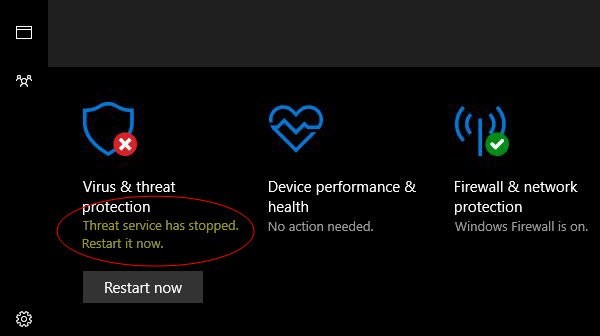
In the following screenshot, Virus & threat protection displays a red cross, where it says Threat service has stopped. Restart it now.
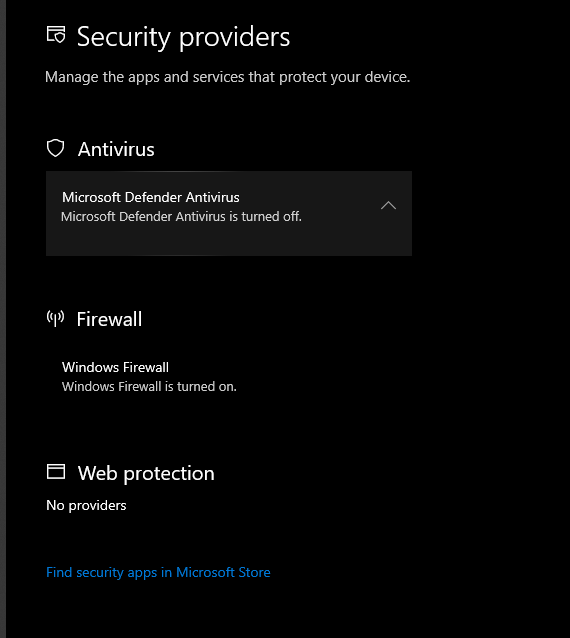
Within Security Providers, you can see the following result.
Microsoft Defender Antivirus is turned off.
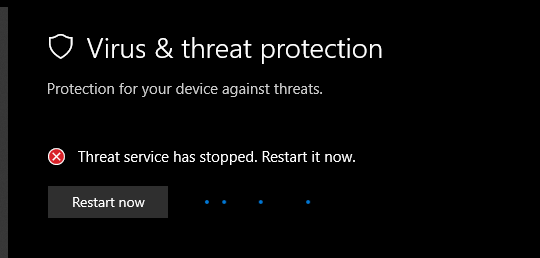
The following screenshot displays the message: Threat service has stopped. Restart it now.
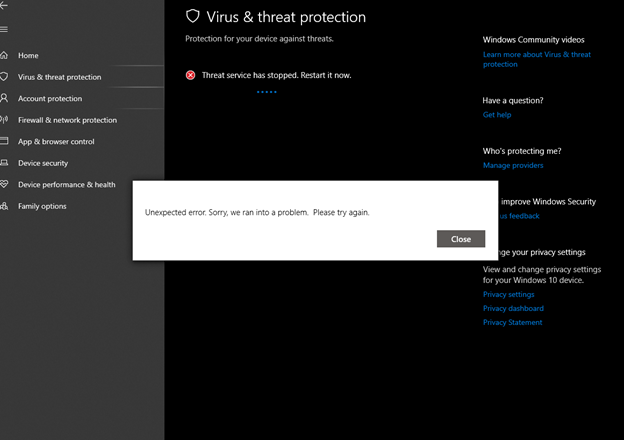
The following screenshot displays the message: Unexpected error. Sorry, we ran into a problem. Please try again.
Select Close.
Events
The Windows Defender – Operational event log might display the following events:
Event 5007
The configuration of Microsoft Defender Antivirus changed. If you expected this event, review the settings, as it might be the result of malware.
| Old value | New value |
|---|---|
HKLM\SOFTWARE\Microsoft\Windows Defender\Diagnostics\RolledbackPlatformHealthData = <OVERALL>:<BAD>, <AGE>:<36>, <DIRTY_SHUTDOWNS>:<22> |
Default\Diagnostics\RolledbackPlatformHealthData = 0 |
Default\ServiceStartStates = 0x0 |
HKLM\SOFTWARE\Microsoft\Windows Defender\ServiceStartStates = 0x1 |
HKLM\SOFTWARE\Microsoft\Windows Defender\ServiceStartStates = 0x1 |
Default\ServiceStartStates = 0x0 |
Default\ProductAppDataPath = C:\ProgramData\Microsoft\Windows Defender |
HKLM\SOFTWARE\Microsoft\Windows Defender\ProductAppDataPath = C:\ProgramData\Microsft\Windows Defender |
Default\IsServiceRunning = 0x0 |
HKLM\SOFTWARE\Microsoft\Windows Defender\IsServiceRunning = 0x1 |
Default\ProductAppDataPath = C:\ProgramData\Microsoft\Windows Defender |
HKLM\SOFTWARE\Microsoft\Windows Defender\ProductAppDataPath = C:\ProgramData\Microsoft\Windows Defender |
Default\IsServiceRunning = 0x0 |
HKLM\SOFTWARE\Microsoft\Windows Defender\IsServiceRunning = 0x1 |
Event 5001
Microsoft Defender Antivirus Real-time Protection scanning for malware and other potentially unwanted software was disabled.
Resolution
To resolve the issue, do the following steps:
Check the services and filter drivers for Microsoft Defender Antivirus.
Run the following command in an elevated PowerShell window (a PowerShell window you opened by selecting Run as administrator):
Get-Service WinDefend, WdBoot, WdFilter, WdNisSvc, WdNisDrv, SecurityHealthService, wscsvc | Format-Table -Auto DisplayName, Name, StartType, StatusDisplay Name Name StartType Status Comments Windows Security Service SecurityHealthService Manual Running Microsoft Defender Antivirus Boot Driver WdBoot Boot Stopped It's normal to be stopped after boot. Microsoft Defender Antivirus Mini-Filter Driver WdFilter Boot Running If stopped, check steps 3, 6, 7. Microsoft Defender Antivirus Network Inspection System Driver WdNisDrv Manual Running If stopped, check steps 3, 6, 7. Microsoft Defender Antivirus Network Inspection Service WdNisSvc Manual Running If stopped, check steps 3, 6, 7. Microsoft Defender Antivirus Service WinDefend Automatic Running If stopped, check steps 3, 6, 7. wscsvc Security Center Automatic Running Download and run the Microsoft Safety Scanner to rule out any malware.
If you're using Microsoft Defender Antivirus as your primary antivirus, make sure to uninstall non-Microsoft antivirus software.
Remove the Security Intelligence and engine and reset the platform:
In an elevated Command Prompt (a Command Prompt window you opened by selecting Run as administrator), run the following command:
Tip
This command changes the directory to the latest version of <antimalware platform version> in
%ProgramData%\Microsoft\Windows Defender\Platform\<antimalware platform version>. If that path doesn't exist, it goes to%ProgramFiles%\Microsoft Defender.(set "_done=" & if exist "%ProgramData%\Microsoft\Windows Defender\Platform\" (for /f "delims=" %d in ('dir "%ProgramData%\Microsoft\Windows Defender\Platform" /ad /b /o:-n 2^>nul') do if not defined _done (cd /d "%ProgramData%\Microsoft\Windows Defender\Platform\%d" & set _done=1)) else (cd /d "%ProgramFiles%\Windows Defender")) >nul 2>&1Remove the Security Intelligence and engine:
MpCmdRun.exe -RemoveDefinitions -AllReset the Platform:
MpCmdRun.exe -ResetPlatform
For more information, see Manage the sources for Microsoft Defender Antivirus protection updates.
Backup Microsoft Defender Antivirus policies.
In an elevated PowerShell session (a PowerShell window you opened by selecting Run as administrator), run the following command:
New-Item -Path "C:\DefenderTemp" -ItemType Directory; Invoke-Command {reg export 'HKLM\SOFTWARE\Policies\Microsoft\Windows Defender' C:\DefenderTemp\_DefenderAVBackup.reg}Delete any policies that are set for Microsoft Defender Antivirus.
Run the following command in an elevated PowerShell session:
Remove-Item -Path 'HKLM:\SOFTWARE\Policies\Microsoft\Windows Defender' -ForceFor more information, see: Troubleshoot Microsoft Defender Antivirus settings.
Re-enable Microsoft Defender Antivirus.
Run the following commands in an elevated Command Prompt:
(set "_done=" & if exist "%ProgramData%\Microsoft\Windows Defender\Platform\" (for /f "delims=" %d in ('dir "%ProgramData%\Microsoft\Windows Defender\Platform" /ad /b /o:-n 2^>nul') do if not defined _done (cd /d "%ProgramData%\Microsoft\Windows Defender\Platform\%d" & set _done=1)) else (cd /d "%ProgramFiles%\Windows Defender")) >nul 2>&1

MpCmdRun.exe" -WdEnable
Update Security Intelligence.
Run the following commands in an elevated Command Prompt:
(set "_done=" & if exist "%ProgramData%\Microsoft\Windows Defender\Platform\" (for /f "delims=" %d in ('dir "%ProgramData%\Microsoft\Windows Defender\Platform" /ad /b /o:-n 2^>nul') do if not defined _done (cd /d "%ProgramData%\Microsoft\Windows Defender\Platform\%d" & set _done=1)) else (cd /d "%ProgramFiles%\Windows Defender")) >nul 2>&1

MpCmdRun.exe -SignatureUpdate -MMPC
Verify Tamper Protection is enabled.
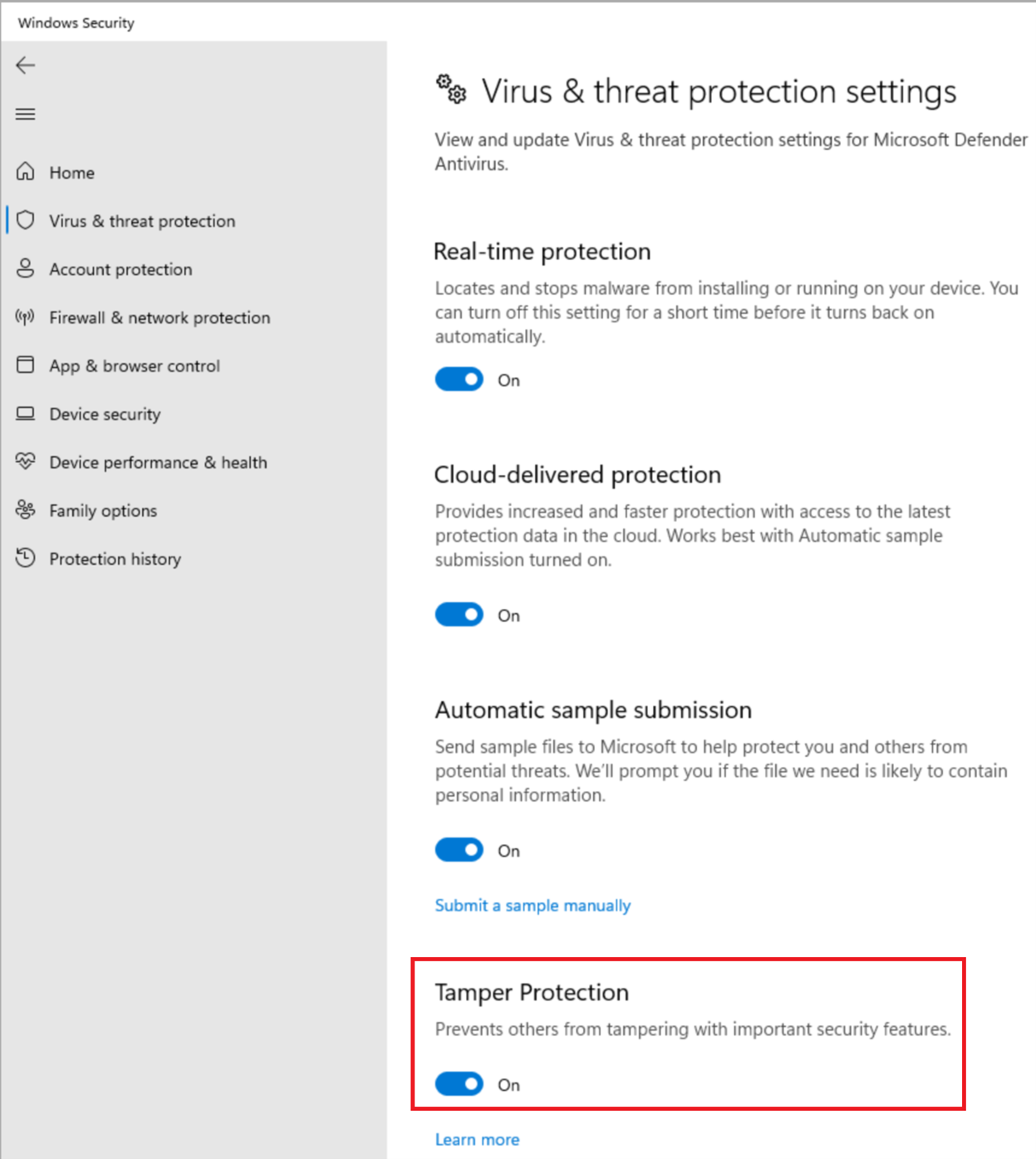
Run Microsoft Update.