Note
Access to this page requires authorization. You can try signing in or changing directories.
Access to this page requires authorization. You can try changing directories.
Important
This feature is in preview.
Microsoft Fabric lets you serve real-time predictions from ML models by using secure, scalable, and easy-to-use online endpoints. Most Fabric models include these endpoints as built-in properties, and they require no setup to start fully managed real-time deployments.
You can activate, configure, and query model endpoints by using a public-facing REST API. You can also get started directly from the Fabric interface by using a low-code experience to activate model endpoints and preview predictions instantly.
Prerequisites
- Your tenant has machine learning model endpoints enabled by default. If your administrator wants to disable this feature, they can turn off the tenant switch for ML model endpoints in the Fabric admin portal.
Limitations
- Endpoints are currently available for a limited set of ML model flavors, including Keras, LightGBM, Sklearn, and XGBoost.
- Endpoints currently aren't available for models with tensor-based schemas or no schemas.
Note
Machine learning endpoints support AutoML-trained models.
Get started with model endpoints
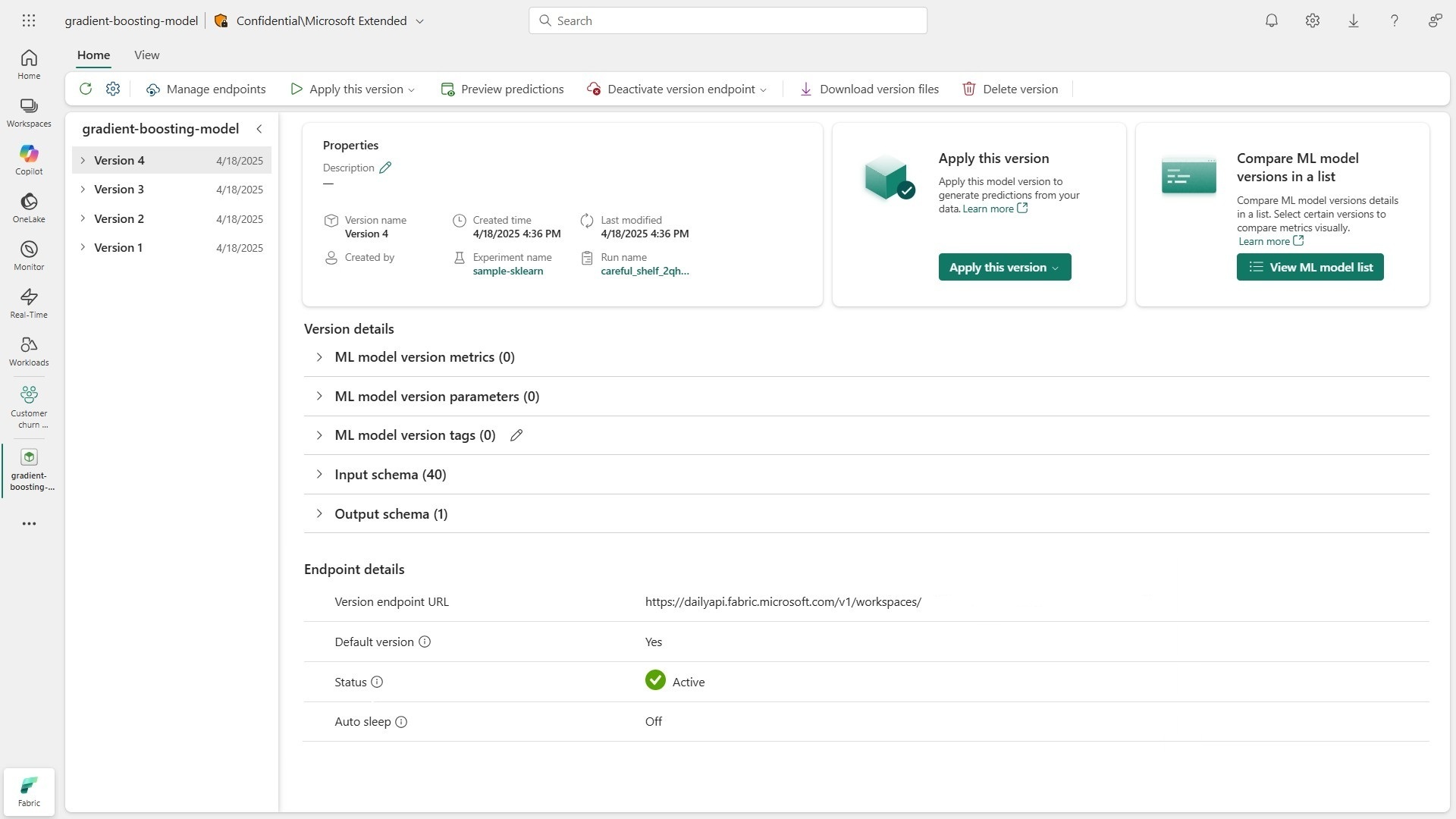
ML models in Fabric come prebuilt with online endpoints that you can use to serve real-time predictions. Each registered model version has a dedicated endpoint URL, which you can find under the Endpoint details heading in the Fabric interface. This URL ends with a subpath that designates the specific version (for example, /versions/1/score).
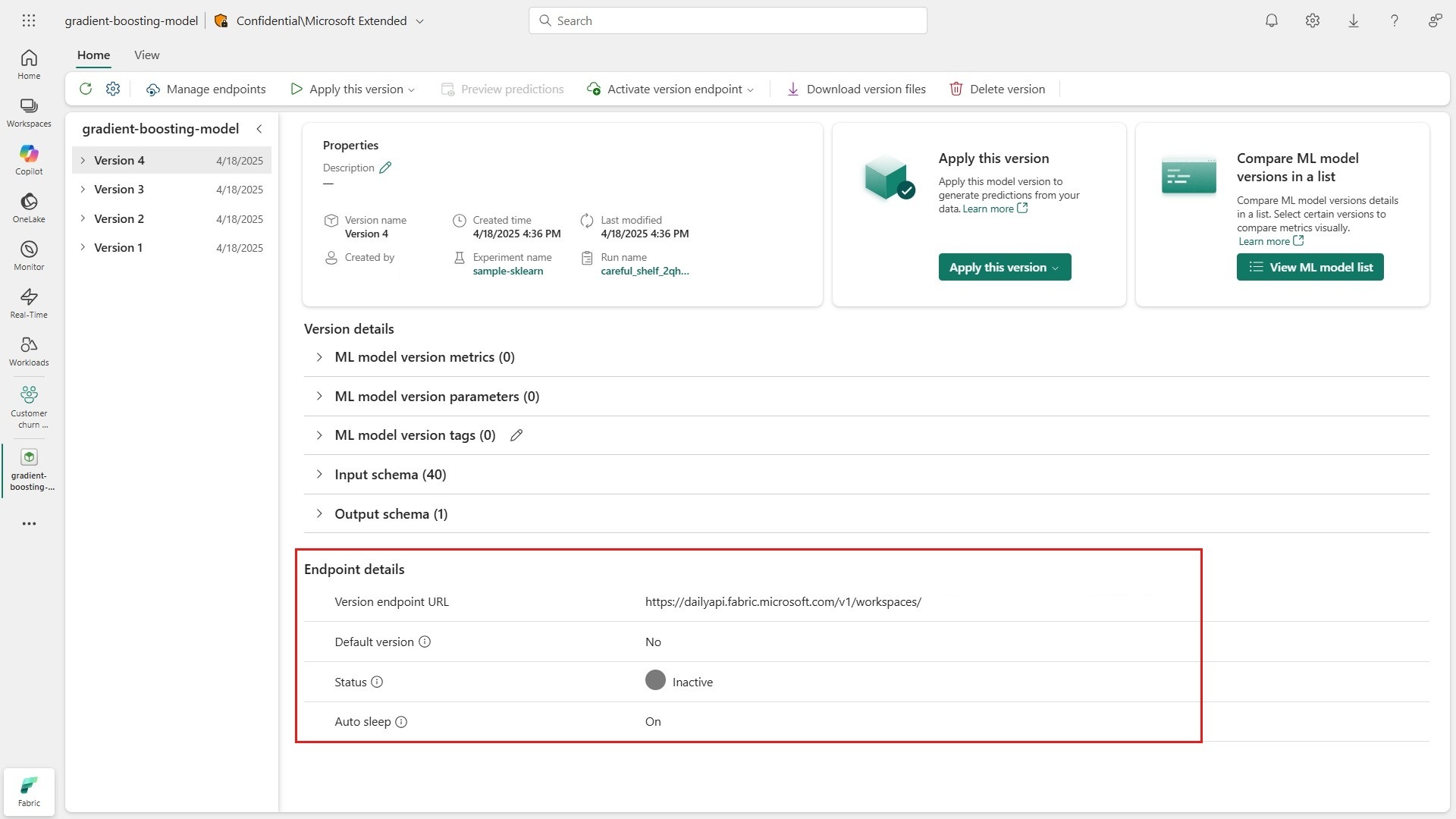
Model endpoints have the following properties:
| Property | Description | Default |
|---|---|---|
| Default version | This property (Yes or No) indicates whether the version is set as the model's default for serving real predictions. You can customize the default version in the model's settings. |
No |
| Status | This property indicates whether the endpoint is ready to serve predictions. The status can be Inactive, Activating, Active, Deactivating, or Failed. Only active endpoints can serve predictions. |
Inactive |
| Auto sleep | This property (On or Off) indicates whether the endpoint, once active, should scale down capacity usage to zero in the absence of traffic. If auto sleep is on, the endpoint enters an idle state after five minutes without incoming requests. The first call to wake up an idle endpoint involves a short delay. |
On |
Activate model endpoints
You can activate model endpoints directly from the Fabric interface. Go to the version that you want to use for real-time predictions and select Activate version endpoint from the ribbon.

A toast message shows that Fabric is getting your endpoint ready to serve predictions, and the status of the endpoint changes to Activating. Behind the scenes, Fabric starts the underlying container infrastructure to host your model. Within a few minutes, your endpoint is ready to serve predictions.
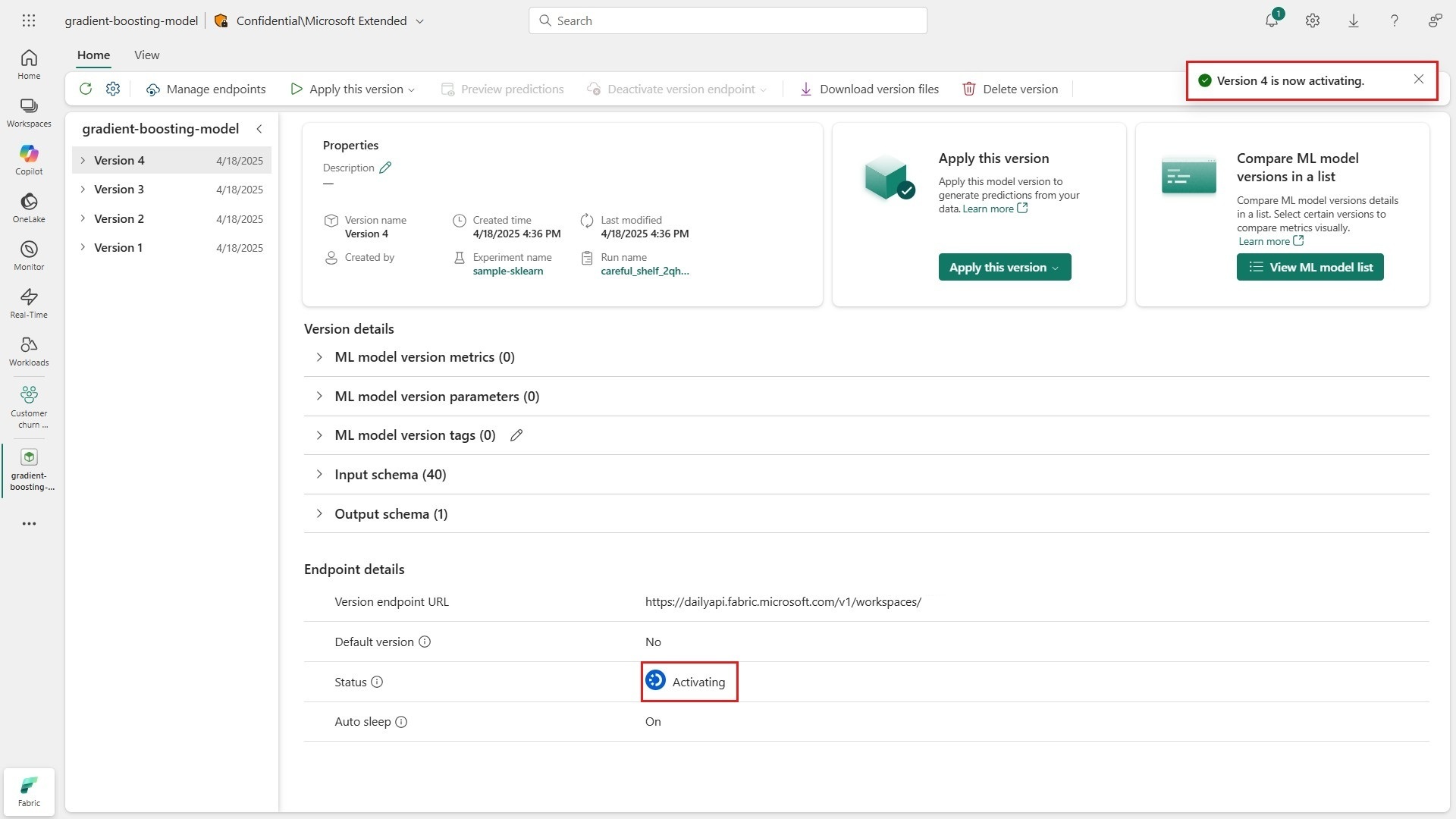
Every endpoint has a status that indicates whether it's ready to serve real-time predictions:
| Status | Description |
|---|---|
Inactive |
The endpoint isn't activated to serve real-time predictions, and it isn't consuming Fabric capacity. |
Activating |
The endpoint is being configured to serve real-time predictions. Behind the scenes, Fabric sets up the underlying container infrastructure to host the model. Within a few minutes, the endpoint is active. |
Active |
The endpoint is ready to serve real-time predictions. Behind the scenes, Fabric manages the underlying infrastructure, scaling up resource usage based on incoming traffic. Higher traffic results in higher Fabric capacity usage. |
Deactivating |
The endpoint is being deactivated, so it no longer serves real-time predictions or consumes Fabric capacity. Behind the scenes, Fabric dismantles the underlying container infrastructure. |
Note
ML models can support active endpoints for up to five versions at once. To serve predictions from a sixth version, you must first deactivate an active endpoint.
Manage model endpoints
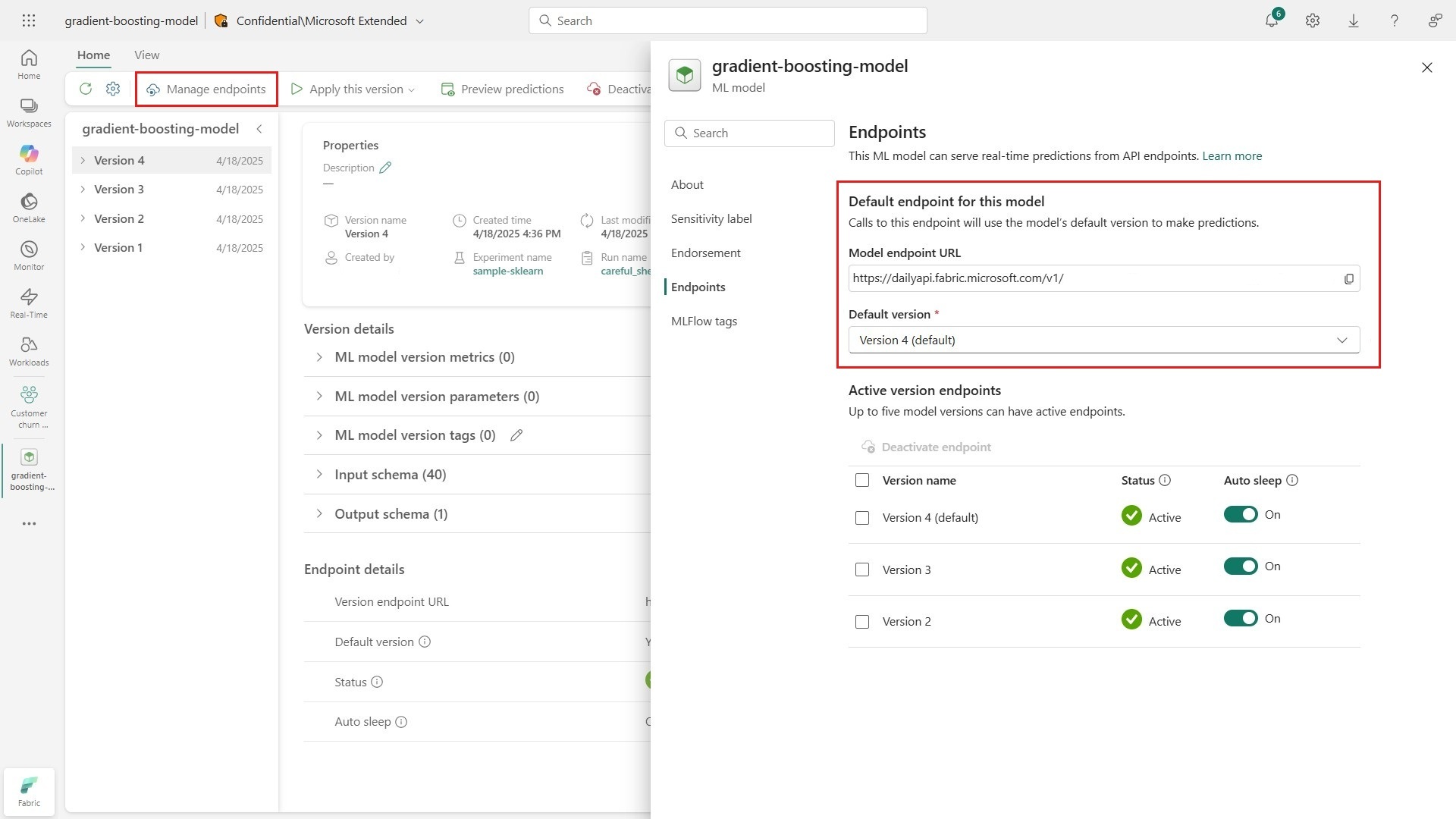
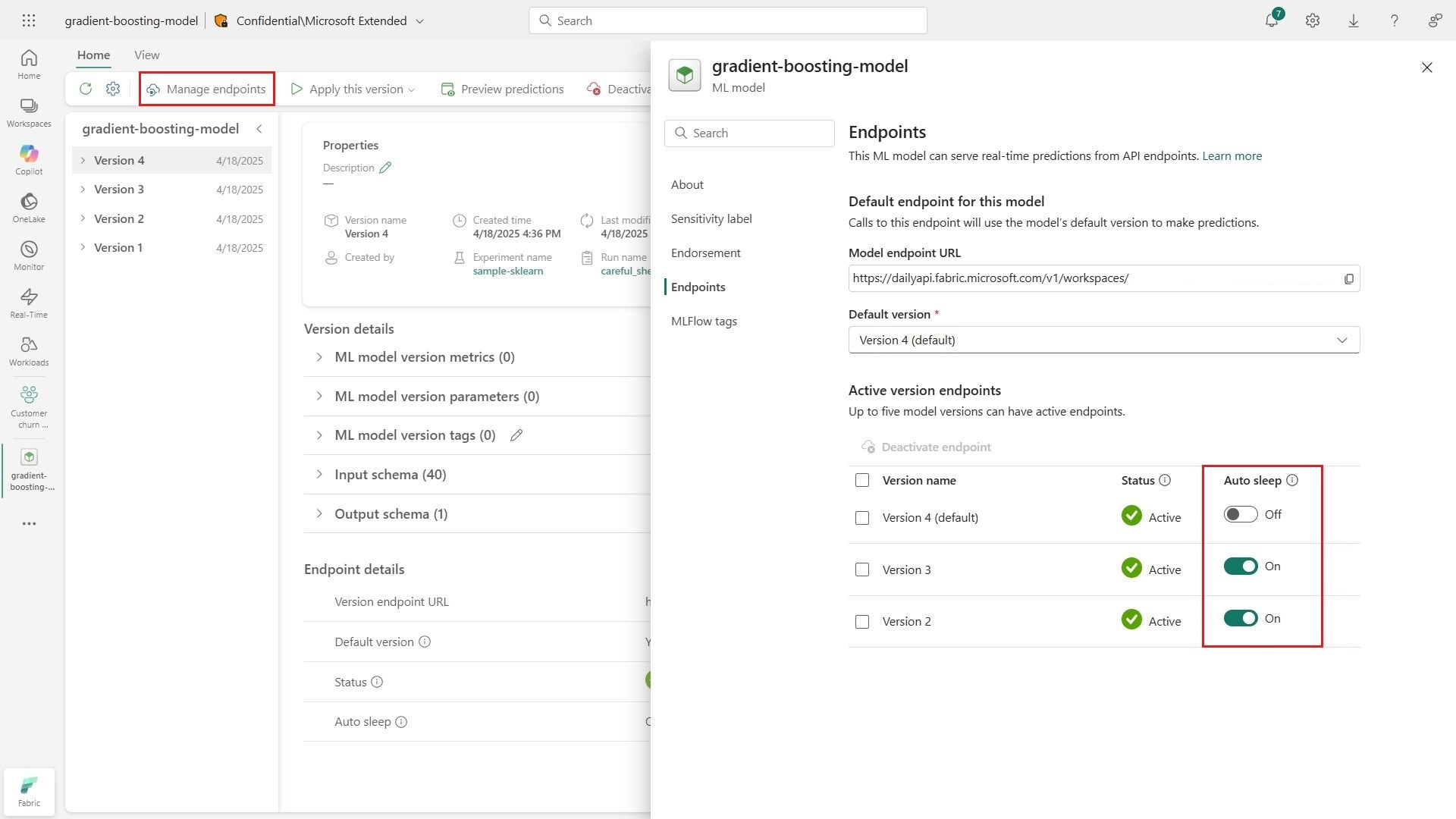
To get an overview of your model's active endpoints, select Manage endpoints from the ribbon in the interface. Every model has a customizable default endpoint, which serves predictions from a version that you choose. You can update the default version by using the dropdown selector in the settings pane.
Important
Set the default property to an active version if you plan to use it. If you don't set the default property, or if you set it to an inactive version, calls to the default endpoint fail.
The model's endpoint settings list all versions with active endpoints. You can modify the auto sleep property of each endpoint by toggling the switcher to On or Off.
Tip
Active endpoints with auto sleep turned on enter an idle state after five minutes without traffic. The first call to wake them up involves a short delay. You might want to turn off this property for endpoints in production.
Query model endpoints for real-time predictions
You can test model endpoints instantly by using the low-code experience in Fabric. Go to a version with an active endpoint and select Preview predictions from the ribbon in the interface. You can send sample requests to the endpoint and get sample predictions in real time by using form fields that match the model's input signature.
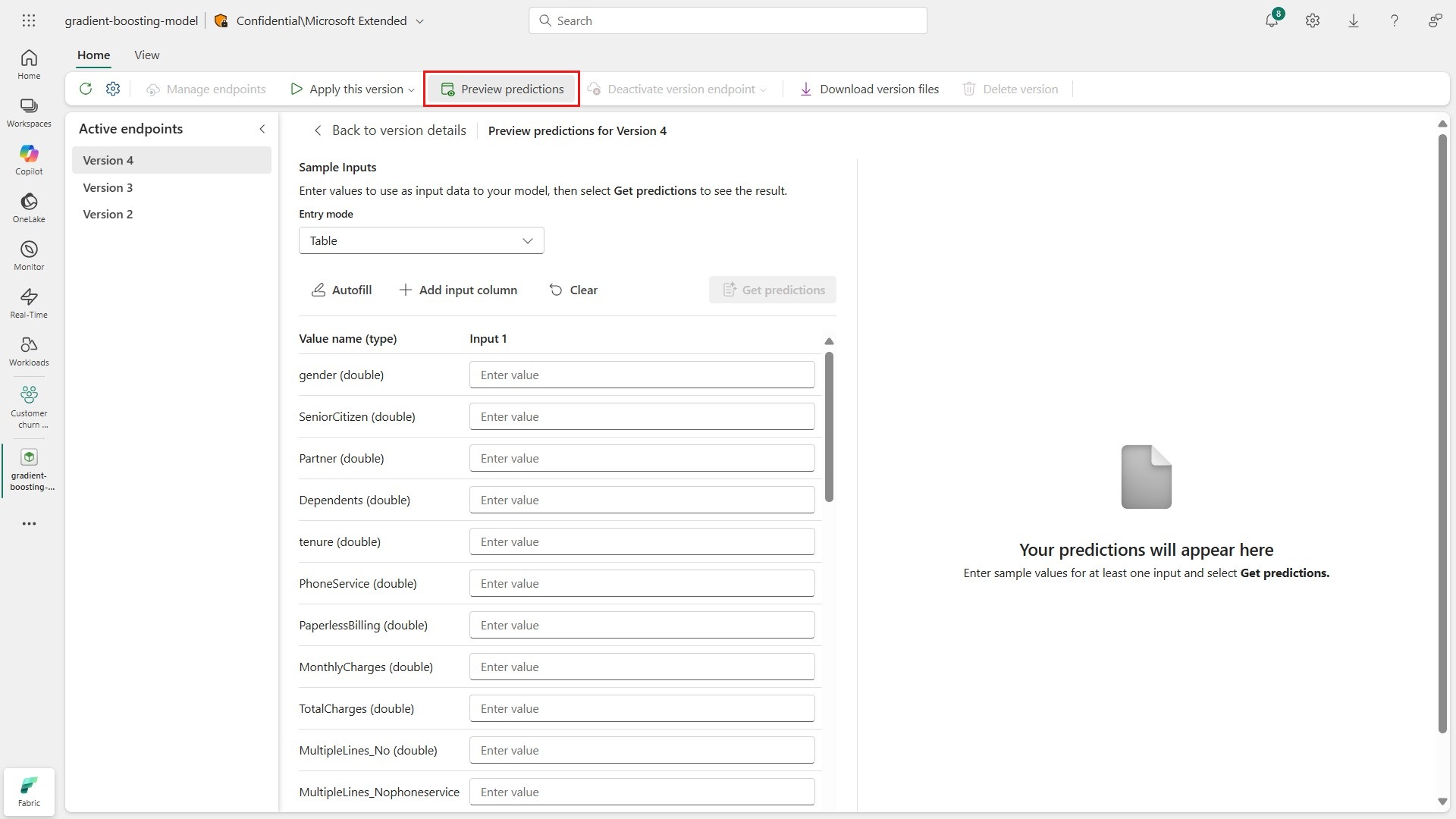
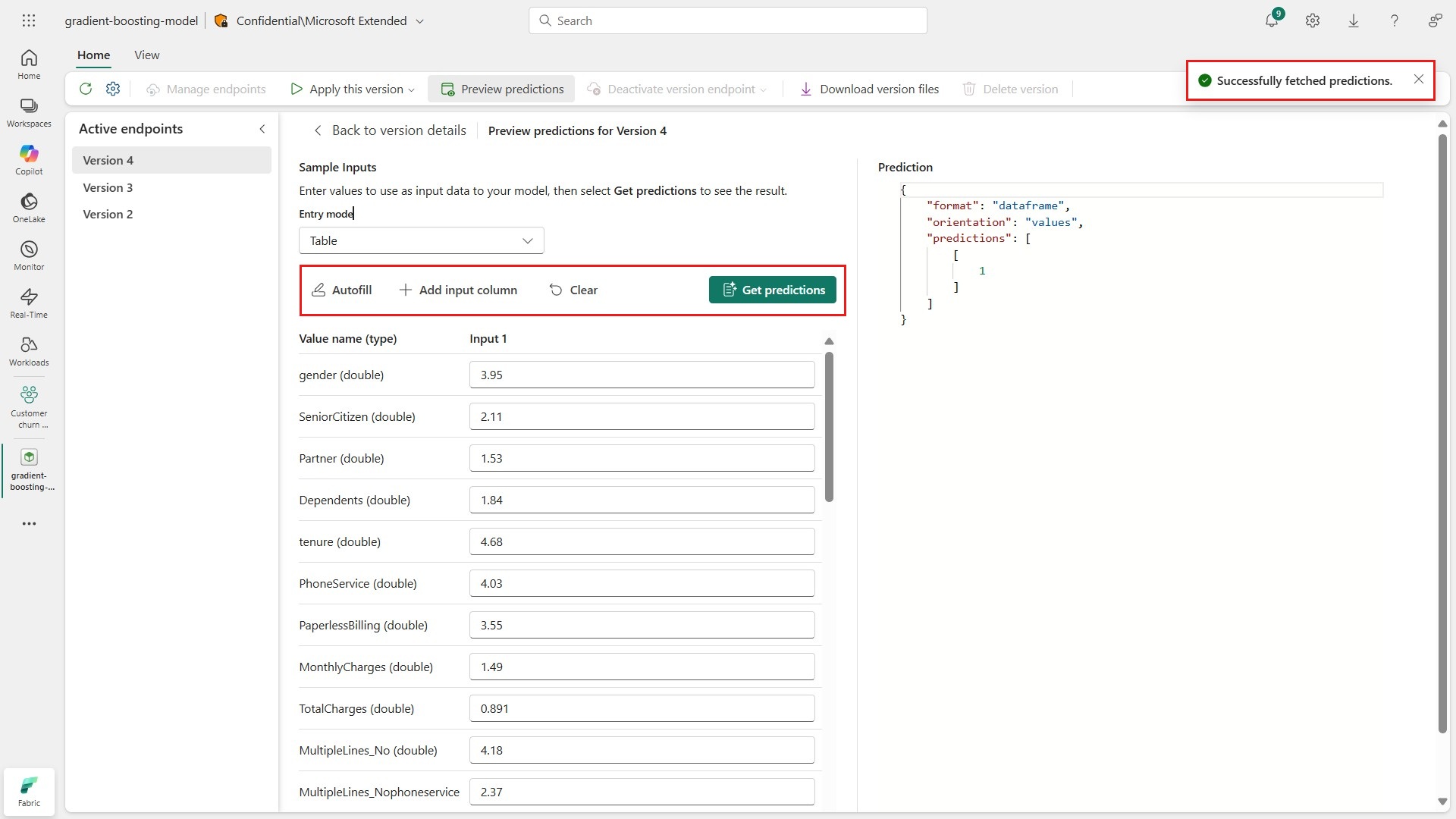
Select Autofill to populate the form fields with random sample values. You can add more sets of form values to test the endpoint with multiple inputs. Select Get predictions to send the endpoint your sample request.
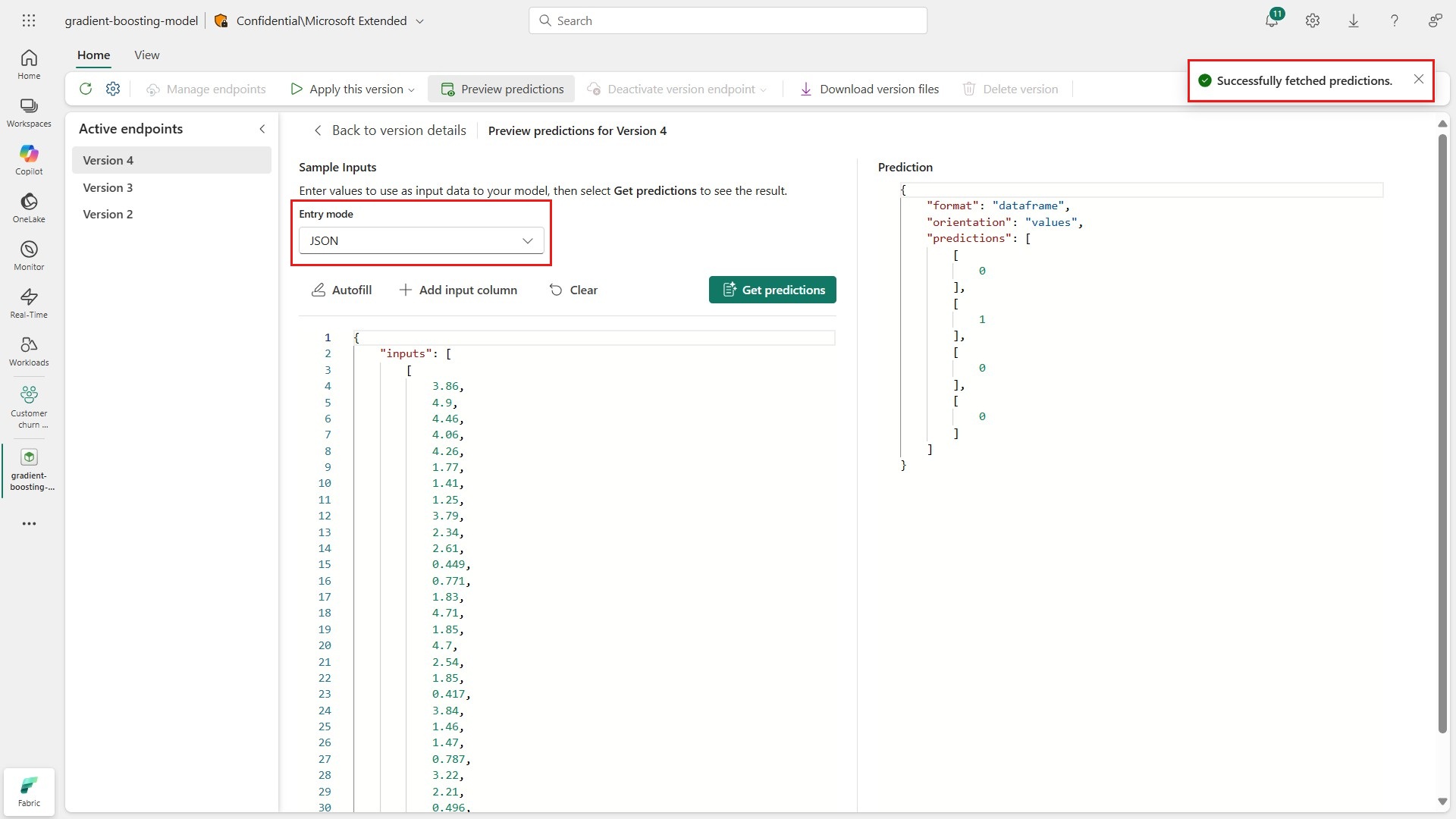
If you prefer to format sample requests as JSON payloads, use the dropdown selector to change the view.
Deactivate model endpoints
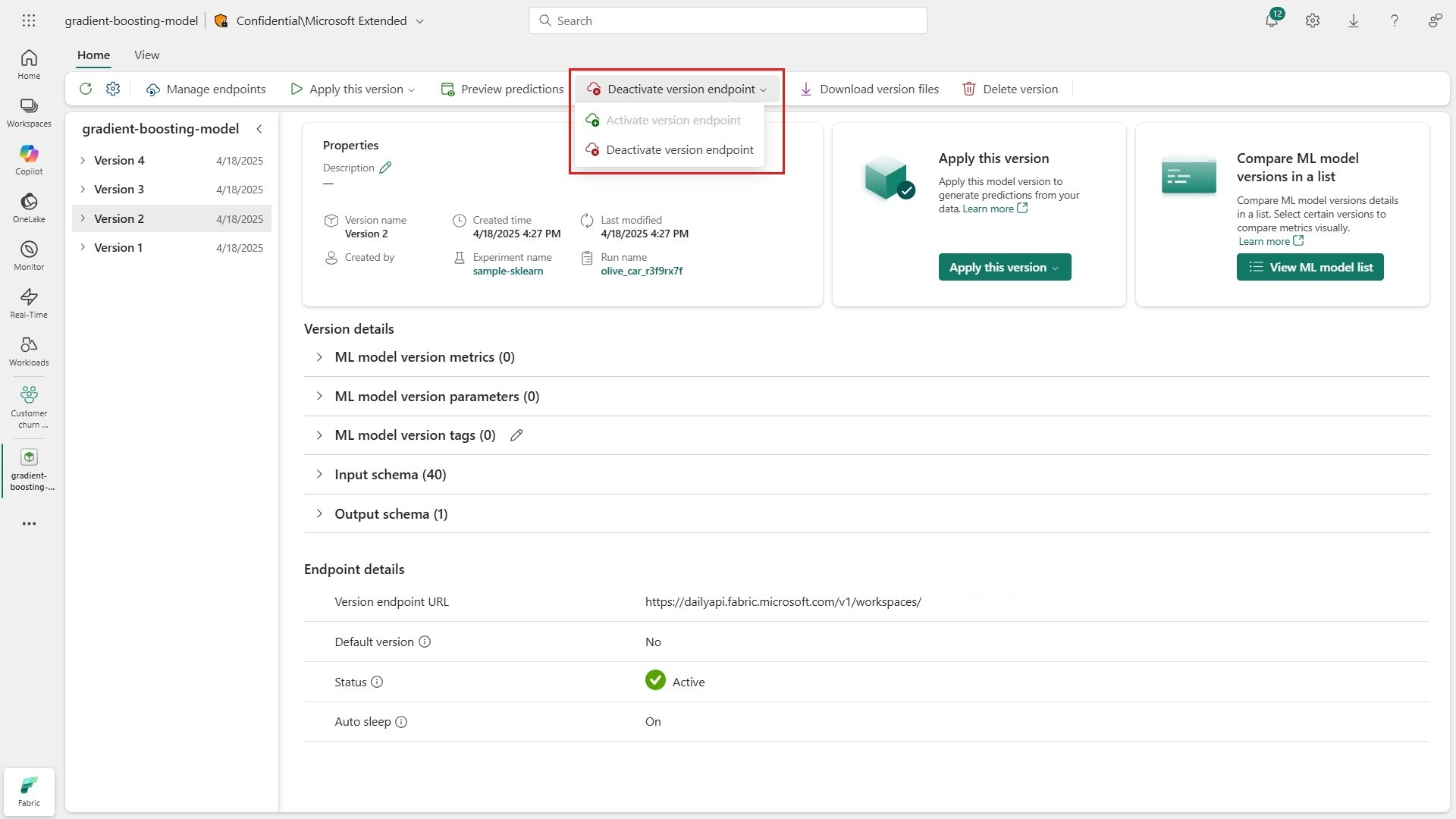
You can deactivate model endpoints directly from the Fabric interface. Go to a version that you no longer need to serve real-time predictions and select Deactivate version endpoint from the ribbon in the interface.
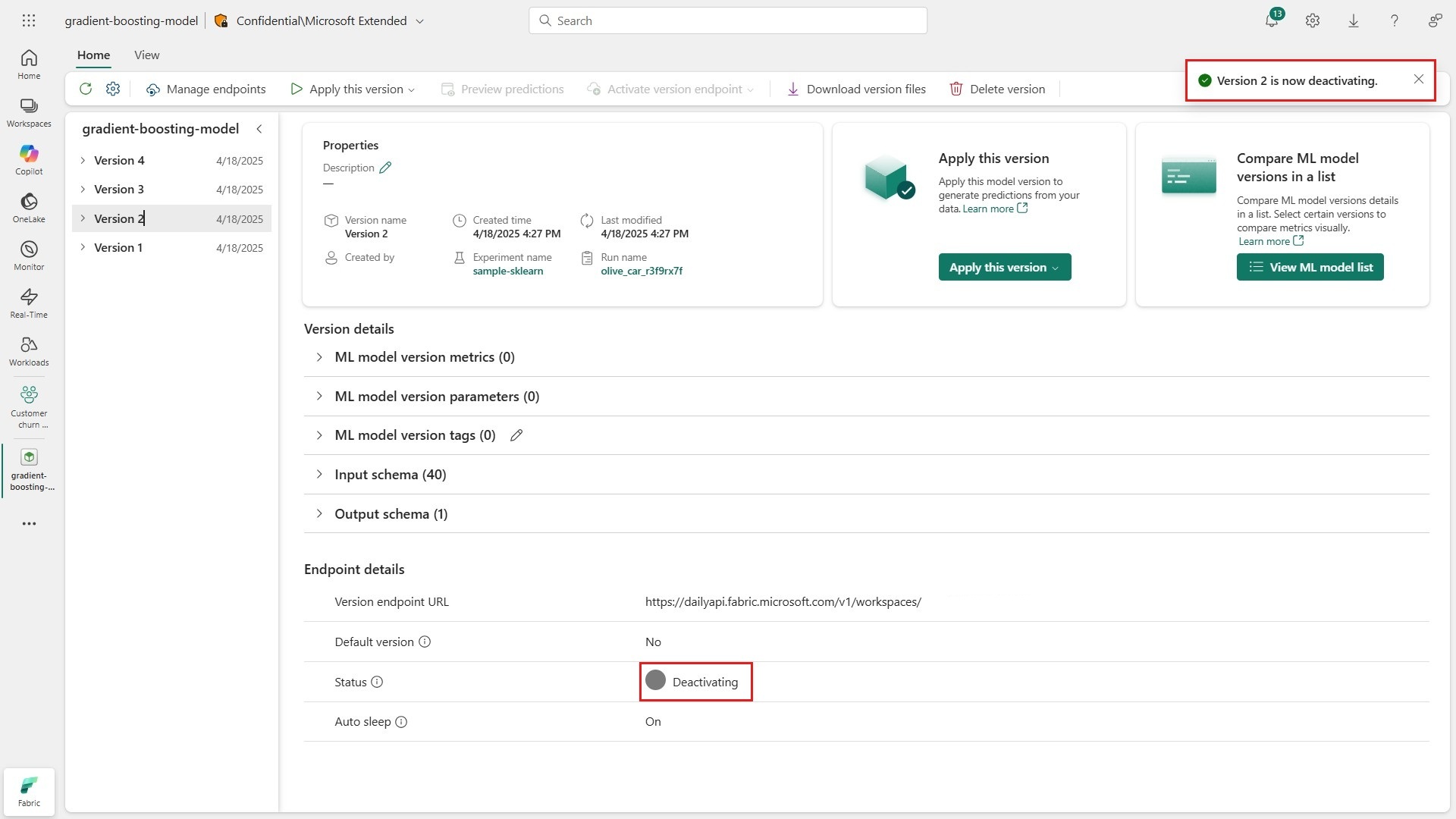
A toast message shows that Fabric is dismantling your active deployment, and the status of the endpoint changes to Deactivating. The endpoint can't serve real-time predictions unless you reactivate it.
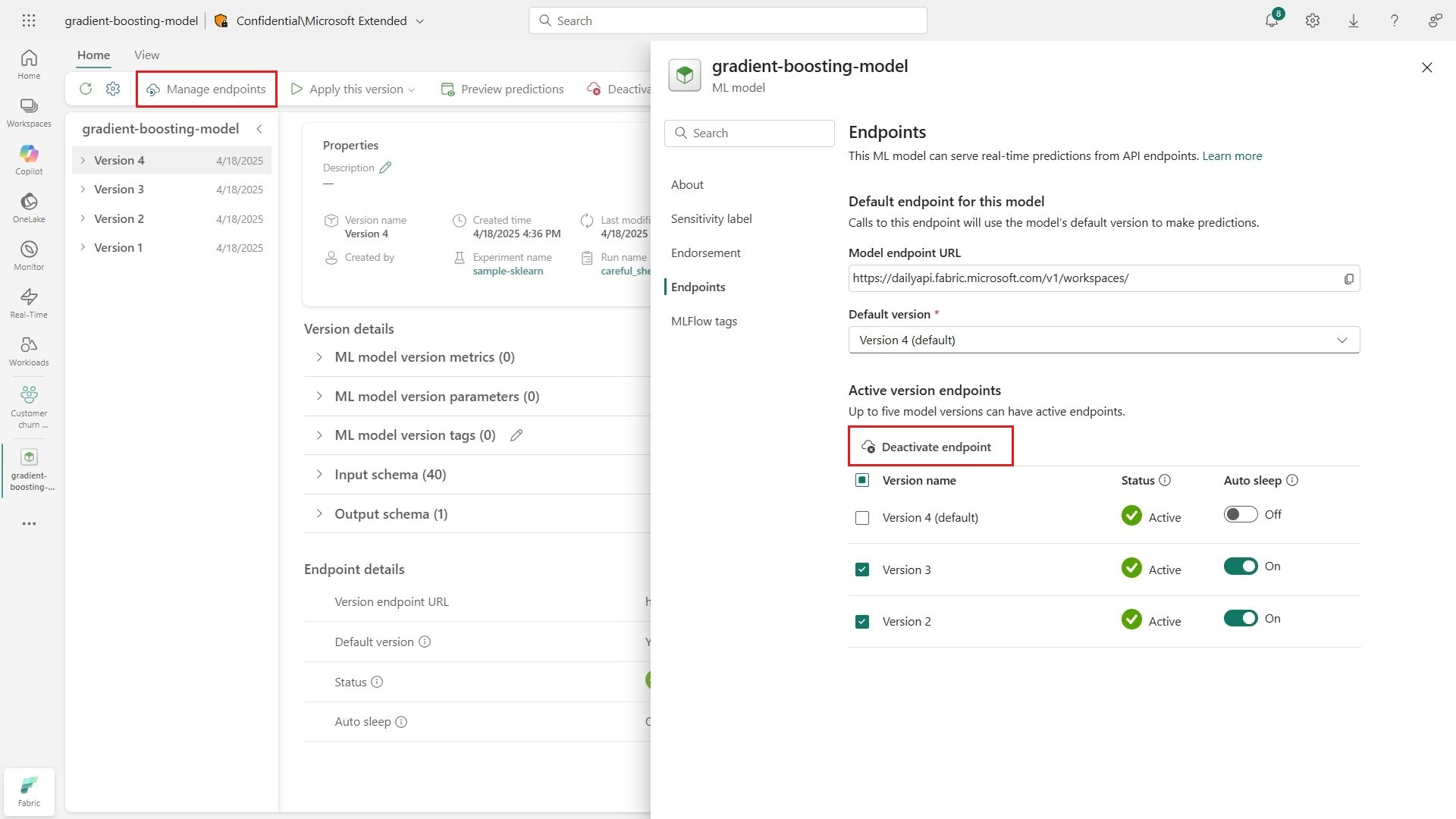
You can deactivate endpoints for multiple versions at once from the model's settings pane. Select Manage endpoints from the ribbon in the interface and choose one or more active endpoints to deactivate.
Consumption rate
Hosting active model endpoints consumes Fabric Capacity Units (CUs). Endpoints run on compute nodes and can automatically scale up to three nodes based on incoming traffic. Billing is calculated per node while an endpoint is active. The following table shows the CU consumption for an active ML model endpoint.
| Operation | Operation Unit of Measure | Consumption rate |
|---|---|---|
| Model endpoint | 1 model endpoint (version) per second per node | 5 CU seconds |
The following table shows example scenarios and their corresponding consumption rates and hourly costs.
| Scenario | Description | Consumption rate | Hourly Cost |
|---|---|---|---|
| Models with Inactive Endpoints | These models have no active version endpoints and no associated resource utilization. They involve no additional cost. | 0 CU seconds | 0 CU Hour |
| Models with Active but Idle Endpoints | These models have one or more active version endpoints, but, without regular traffic, all endpoints scale to zero, reducing costs automatically. | 5 CU seconds | 0.42 CU Hours |
| Models with 1 Active Endpoint and Constant Low Traffic | These models have only 1 active version endpoint serving predictions, but without enough traffic to trigger a full scale-out. One node can serve all the traffic. Other version endpoints might be inactive or idle. | 5 CU seconds | 5 CU Hours |
| Models with 1 Active Endpoint and Constant High Traffic | These models have only 1 active version endpoint serving predictions, with enough traffic to trigger a full scale-out. Other version endpoints might be inactive or idle. | 15 CU seconds | 15 CU Hours |
| Models with 5 Active Endpoints and Constant High Traffic | These models have 5 active version endpoints (the current limit) serving predictions, each with enough traffic to trigger a full scale-out. | 75 CU seconds | 75 CU Hours |
The Fabric Capacity Metrics app displays the total capacity usage for model endpoint operations under the name "Model Endpoint". Additionally, users can view a summary of their billing charges for Model Endpoint usage under the invoicing item "ML Model Endpoint Capacity Usage CU".
Model endpoint operation is classified as background operations.
Consumption rates are subject to change at any time. Microsoft uses reasonable efforts to provide notice via email or through in-product notification. Changes are effective on the date stated in the Microsoft Release Notes or the Microsoft Fabric Blog. If any change to the model endpoint in Fabric Consumption Rate materially increases the Capacity Units (CU) required to use, customers can use the cancellation options available for the chosen payment method.
Related content
- Manage and query endpoints programmatically by using the ML model endpoint REST API.
- Call model endpoints from Dataflow Gen2 for real-time data enrichment.
- Generate batch predictions by using the
PREDICTfunction in Fabric notebooks. - Learn more about model training and experimentation in Fabric.
- Did we miss a feature you need? Suggest it on the Fabric Ideas forum.