Azure SQL Database
An Azure relational database service.
This browser is no longer supported.
Upgrade to Microsoft Edge to take advantage of the latest features, security updates, and technical support.
' cx='32' cy='32' r='32' /%3E%3Ctext x='50%25' y='55%25' dominant-baseline='middle' text-anchor='middle' fill='%23FFF' %3EME%3C/text%3E%3C/svg%3E)
Hello everybody!
I am having trouble using the Table Option named Auto Create Table on a Copy Data activity.
The source I use is a REST API which can be requested correctly, and actually data can be previewed normally.
However, even though I count with every permission available (including blob storage contributor), the following message is received after Debug given the settings of Sink section of Copy Data:
{
"errorCode": "2200",
"message": "ErrorCode=SqlOperationFailed,'Type=Microsoft.DataTransfer.Common.Shared.HybridDeliveryException,Message=A database operation failed with the following error: 'CREATE TABLE dbo is not supported.',Source=,''Type=System.Data.SqlClient.SqlException,Message=CREATE TABLE dbo is not supported.,Source=.Net SqlClient Data Provider,SqlErrorNumber=15868,Class=16,ErrorCode=-2146232060,State=5,Errors=[{Class=16,Number=15868,State=5,Message=CREATE TABLE dbo is not supported.,},],'",
"failureType": "UserError",
"target": "From API to Data Lake",
"details": []
}
Below I attach screenshots of the Copy Data settings. I use Azure SQL Database as our Sink dataset, and the same for Linked Service. Even though we create a table beforehand, the process does not work. Given that I wish to use the Serverless SQL pool, are there any suggestions or alternatives for this pipeline to work properly?
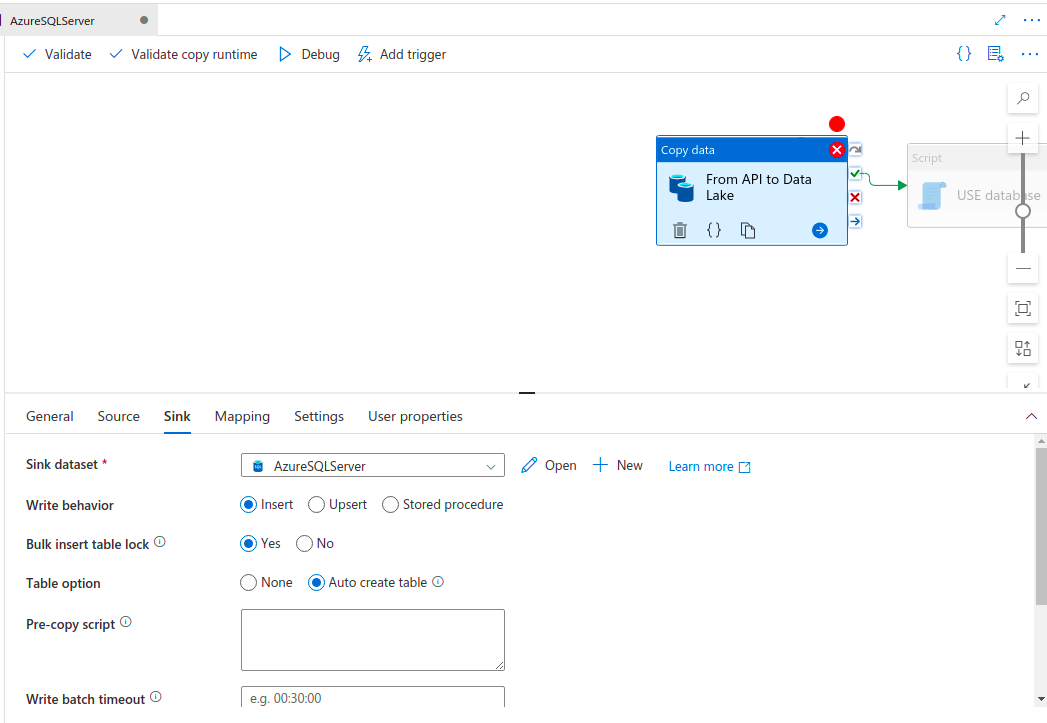
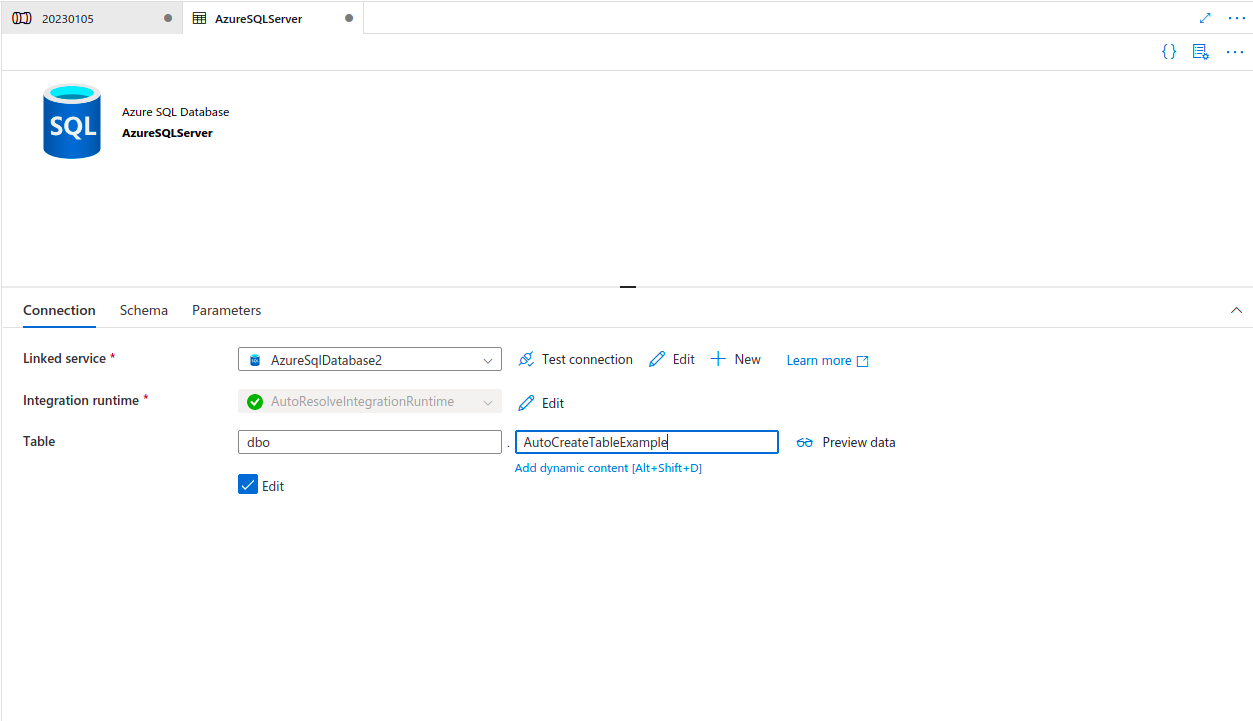
Thanks in advance for your time!
An Azure relational database service.
An Azure analytics service that brings together data integration, enterprise data warehousing, and big data analytics. Previously known as Azure SQL Data Warehouse.
An Azure service for ingesting, preparing, and transforming data at scale.

Hi @Mateo Estrada Bazan ,
Thank you for posting query in Microsoft Q&A Platform.
If you are using Azure SQL database here, then may be
dboschema is missing in your database and resulting in this error. Kindly validate same. If you are using server less SQL pool, then its not possible to create tables there. You can have external tables in server less SQL pools.
External tables actually don't store data themself, them actually query underlying file from storage. So you can consider storing your API data as file on ADLS storage and have external table on top of it.
Kindly check below to understand about serverless sql pool and external tables. [Server less SQL Pool Overview in Azure Synapse Analytics][1] [External Tables with Synapse SQL in Azure Synapse Analytics][2]
Hope this helps. Please let me know if any further queries.
Please consider hitting Accept Answer button. Accepted answers help community as well.
Hi @Mateo Estrada Bazan ,
Just checking if above help? If yes, please consider marking it as Accepted Answer. Accepted answers help community as well. Please let me know if any further queries. Thank you.
' cx='32' cy='32' r='32' /%3E%3Ctext x='50%25' y='55%25' dominant-baseline='middle' text-anchor='middle' fill='%23FFF' %3EHV%3C/text%3E%3C/svg%3E)
hi,
I could be a permission issue. 3 things you might need to check
Thanks
Hijesh