Community Center | Not monitored
Tag not monitored by Microsoft.

This browser is no longer supported.
Upgrade to Microsoft Edge to take advantage of the latest features, security updates, and technical support.
' cx='32' cy='32' r='32' /%3E%3Ctext x='50%25' y='55%25' dominant-baseline='middle' text-anchor='middle' fill='%23FFF' %3EJH%3C/text%3E%3C/svg%3E)
Dear Sir,
How to display Traditional Chinese in VS code's intellisense window??
Need your best help.
Thanks a lot~
Johny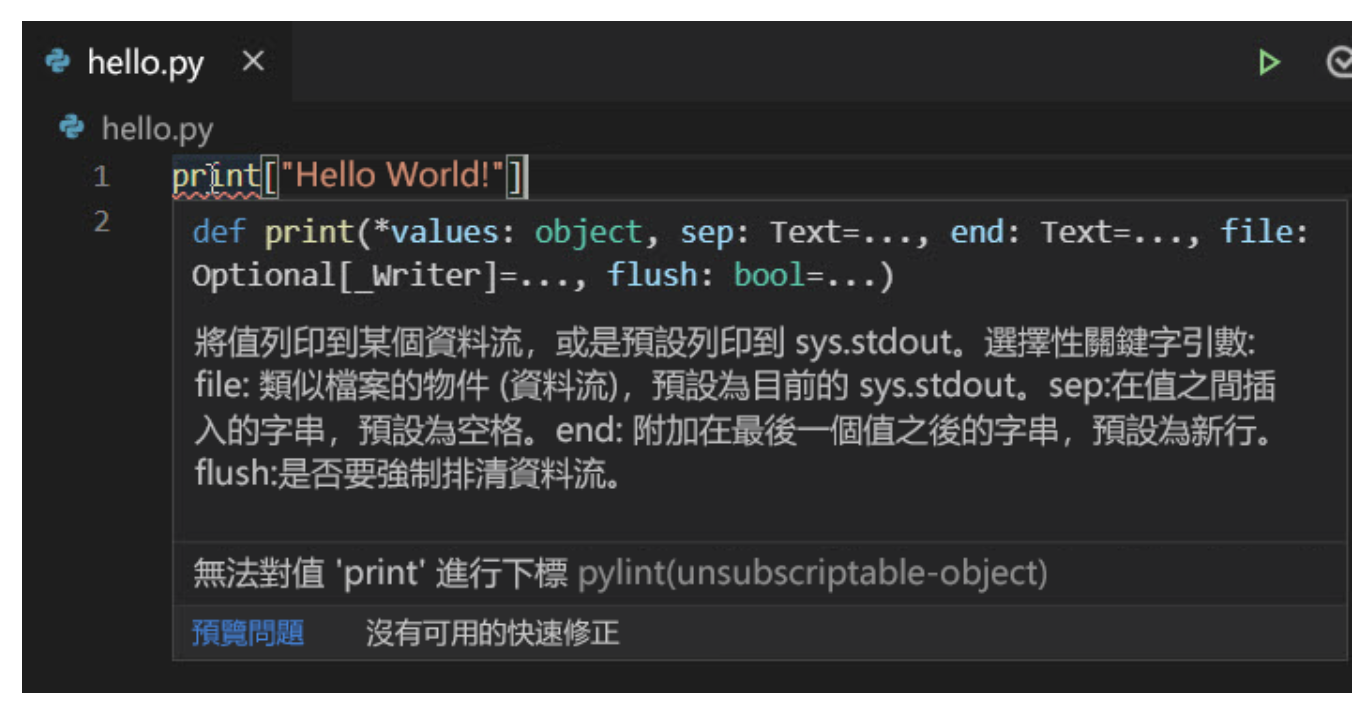
Tag not monitored by Microsoft.
Dear Anna,
Thanks a lot~
I'd go to GitHub-vscode forum to study.
Hope I can got answer from the forum.
Johny
Dear Anna,
Thanks for your answer.
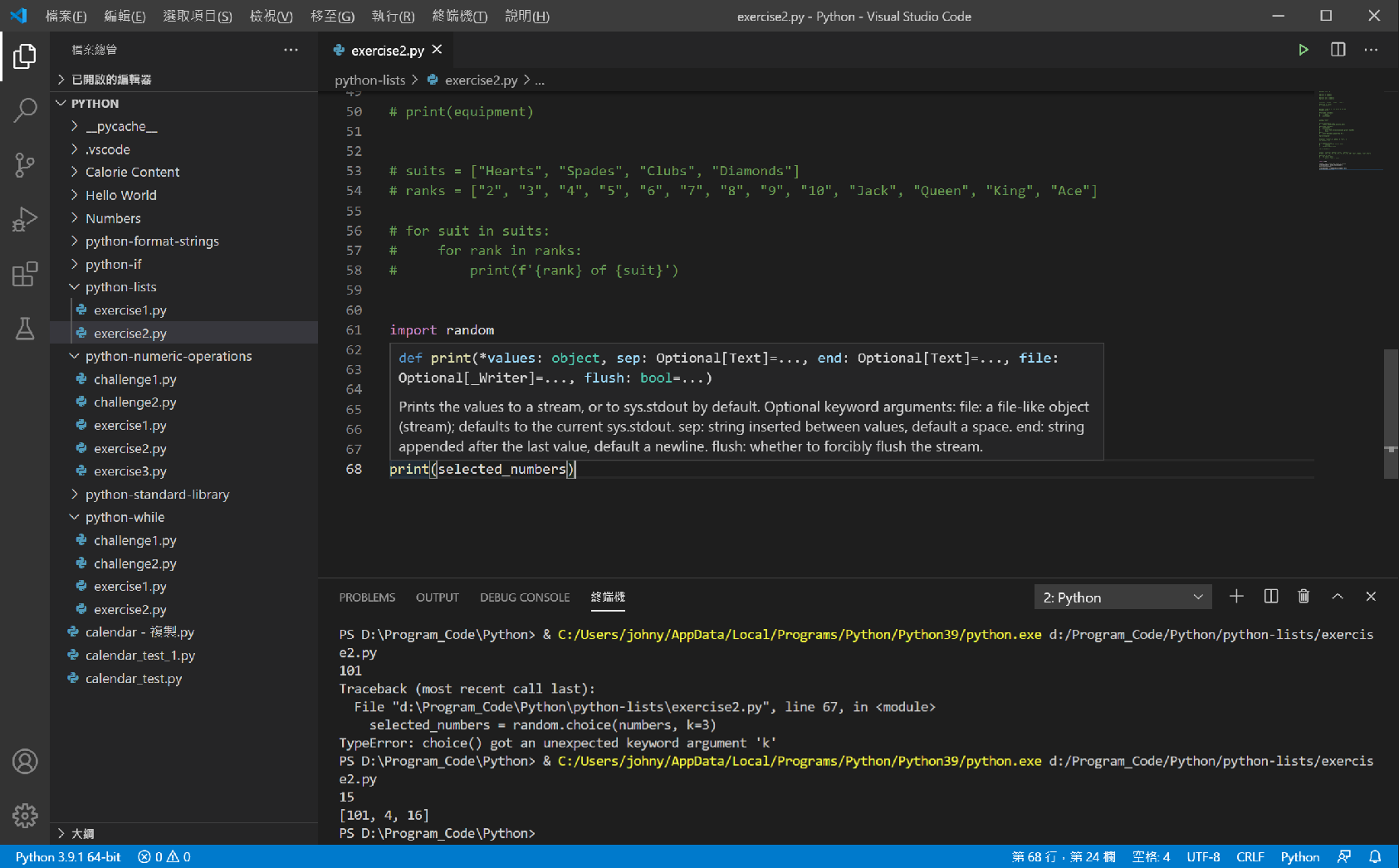
I'd installed "Traditional Chinese Language Pack for Visual Studio Code" and change display language.
The UI has changed, but intellisense not.
Attach file for your reference, It's my status now.
I'm learning python with VS Code reference from Microsoft web.
' cx='32' cy='32' r='32' /%3E%3Ctext x='50%25' y='55%25' dominant-baseline='middle' text-anchor='middle' fill='%23FFF' %3EAX%3C/text%3E%3C/svg%3E)
Hi @Johny Hsu ,
You could try to change the display language of Visual Studio Code to Traditional Chinese and check if the intellisense window is synchronized.
By the way, the tag “vs-general” is related to Visual Studio, which is different from VS Code. If it persists, we suggest you post it to the GitHub-vscode forum where you would get support for this product.
Sincerely,
Anna