Share via

Create a GPO printer for a specific security group

Goran Poposki 21 Reputation points
2021-04-30T08:55:54.537+00:00

I need help in assigning a specific printer to a certain security group

I've done all that is asked here, but still, the printer shows up for ALL users in the domain.
http://woshub.com/deploy-printers-to-users-gpo/

I've created the GPO, and implemented item-level targeting, but no luck so far :(

If I select a specific security group in Scope, the printer doesn't show up at all.

Windows for business | Windows Client for IT Pros | Directory services | Active Directory
Windows for business | Windows Client for IT Pros | User experience | Other
0 comments No comments

Answer accepted by question author

Anonymous
2021-05-03T01:55:10.723+00:00

Hi,

When you add the group into the scope on the GPO, did you give them the read and apply group policy permission under the delegation?
At the same time users in the group are also in the USERS OU, right?
93221-5031.jpg
Also, computers which the user account logon should be also added and have the read permission.

We should also confirm if there are any other GPOs which deployed the same setting.
You can run command: gpresult /h userreport.html to check all the settings for the users.

Was this answer helpful?


3 additional answers

Sort by: Most helpful
  1. Goran Poposki 21 Reputation points
    2021-05-04T11:14:47.157+00:00

    NO LUCK

    I have Item targeting for SecGroup1, for the specific printer in the GPO.
    If I put Authenticated Users and SecGroup1 in Scope, I get the printer for all authenticated users, regardless.
    If I delete Authenticated users and leave just SecGroup1 - i get nothing - no printer for the SecGroup1

    Any other suggestions?!?

    Was this answer helpful?

    1 person found this answer helpful.

  2. Goran Poposki 21 Reputation points
    2021-05-07T07:01:27.52+00:00

    Thank you - the problem seems to be solved.

    Was this answer helpful?

    0 comments No comments

  3. Thameur-BOURBITA 36,526 Reputation points Moderator
    2021-04-30T22:54:14.957+00:00

    Hi,

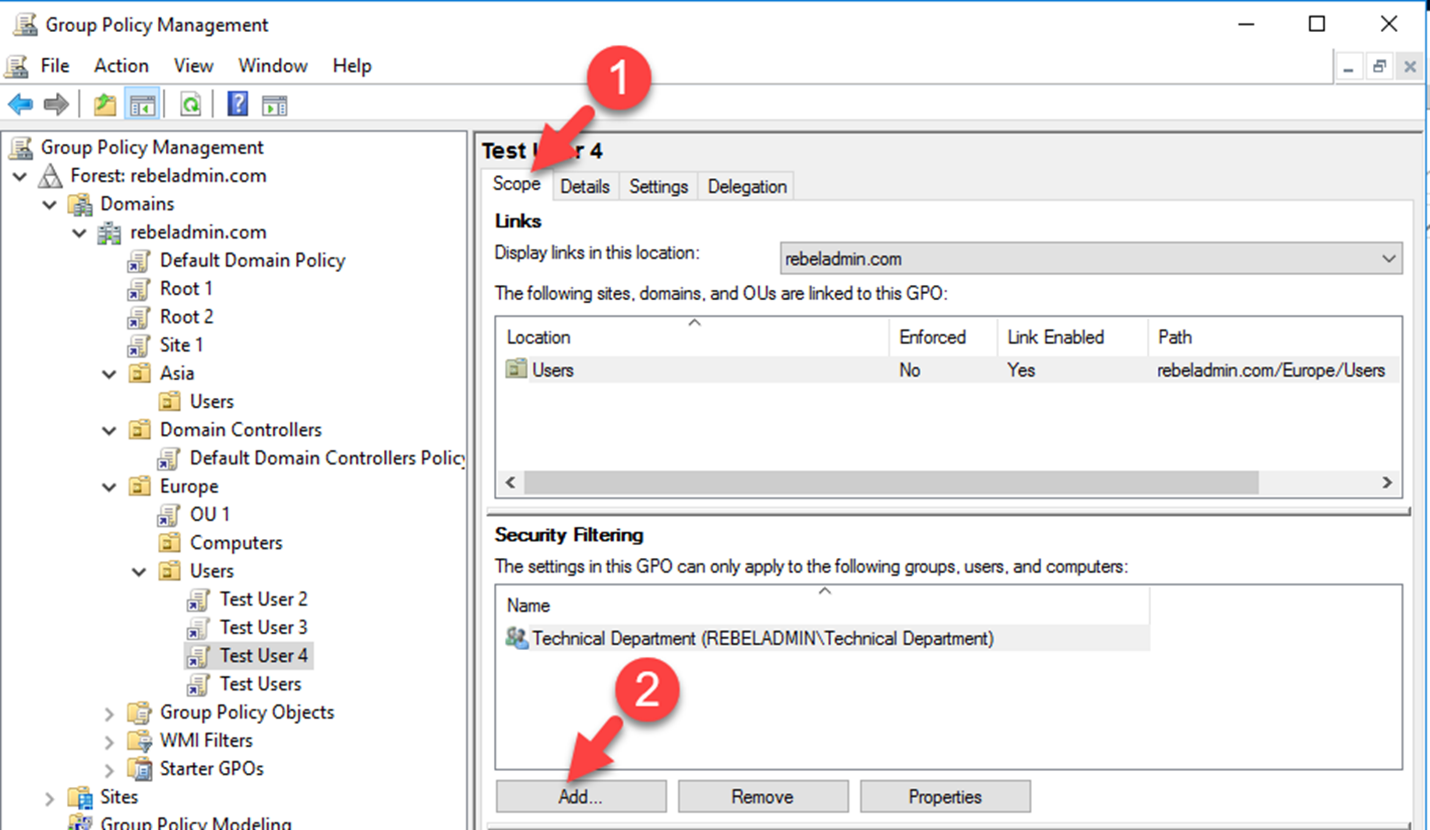
    You can add this group in GPO Security filtering on settings:

    93051-image.png

    Please don't forget to mark helpful reply as answer

    Was this answer helpful?


Your answer

Answers can be marked as 'Accepted' by the question author and 'Recommended' by moderators, which helps users know the answer solved the author's problem.