Developer technologies | Universal Windows Platform (UWP)
A Microsoft platform for building and publishing apps for Windows devices.
This browser is no longer supported.
Upgrade to Microsoft Edge to take advantage of the latest features, security updates, and technical support.
' cx='32' cy='32' r='32' /%3E%3Ctext x='50%25' y='55%25' dominant-baseline='middle' text-anchor='middle' fill='%23FFF' %3EIG%3C/text%3E%3C/svg%3E)
Unable to pass Parameter Value in CustomValidation Attribute
 public string Test { get; set; } = "ValidateSpecialCharacters";

         [CustomValidation(typeof(ValidationTextBox), Test)]
        public string GeneralDescription
        {
            get => _generalDescription;
            set
            {
                SetValue(ref _generalDescription, value);
                TestBorderBrush = ValidationDictionaryCollection["GeneralDescription"] != string.Empty
                    ? new SolidColorBrush(Color.FromArgb(0xff, 0xff, 0x00, 0x00))
                    : new SolidColorBrush(Color.FromArgb(102, 0, 0, 0));
            }
        }

        public static ValidationResult ValidateSpecialCharacters(string zip)
        {
            var regexItem = new Regex("^[a-zA-Z0-9 ]*$");

            return regexItem.IsMatch(zip)
                ? ValidationResult.Success
                : new ValidationResult("Cannot have Special characters");
        }
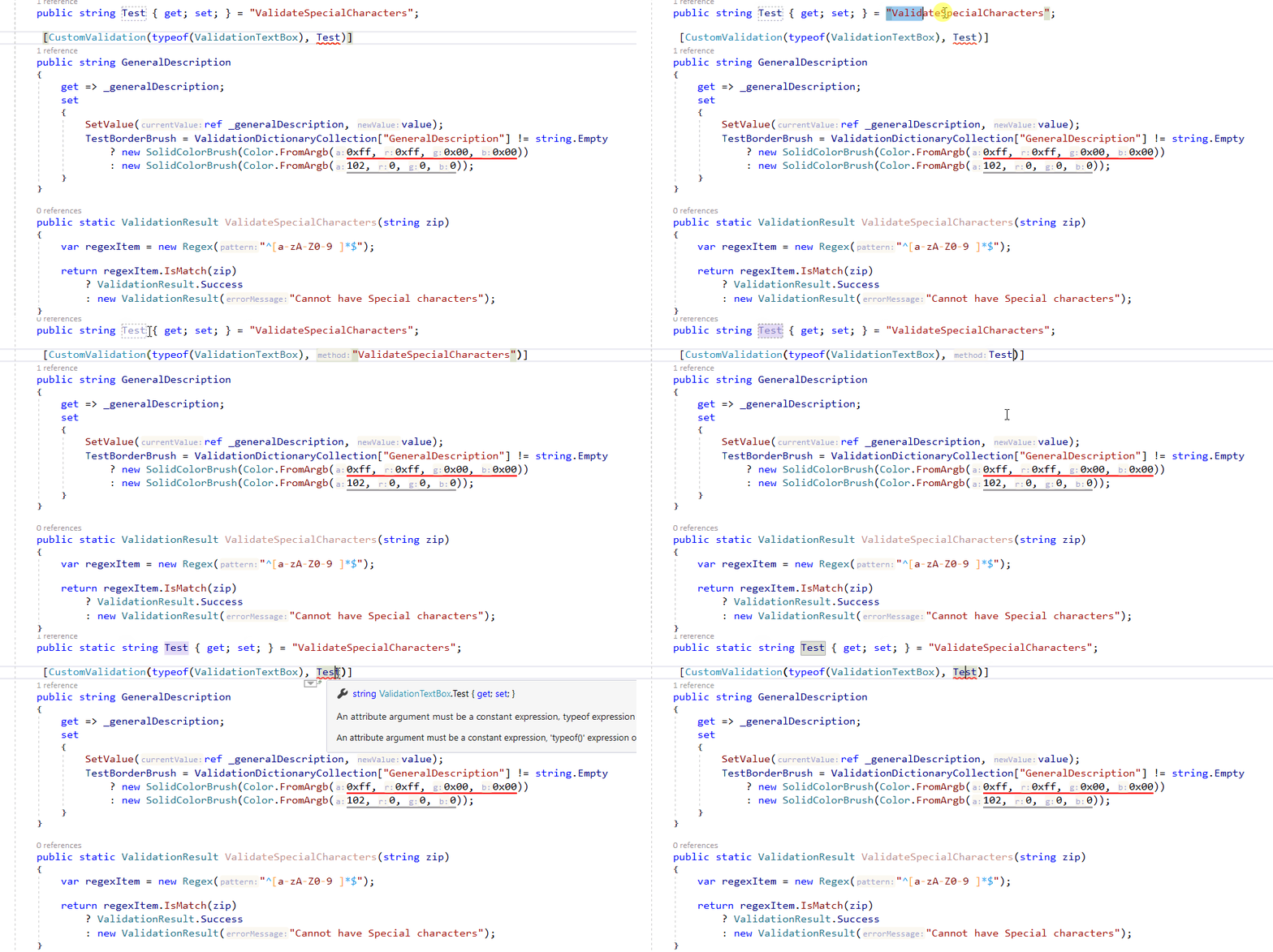
I dont want Property to be Constant
A Microsoft platform for building and publishing apps for Windows devices.
Answer accepted by question author
' cx='32' cy='32' r='32' /%3E%3Ctext x='50%25' y='55%25' dominant-baseline='middle' text-anchor='middle' fill='%23FFF' %3EG%3C/text%3E%3C/svg%3E)
Attribute arguments must be determined at compile time.
Guessing from the code presented, it seems to me that you can achieve your goal by taking an instance from ValidationContext and switching it.
using System.ComponentModel;
using System.ComponentModel.DataAnnotations;
using System.Collections.Generic;
using System.Linq;

public class ValidationTextBox : VMBase
{
    public string Test { get; set; } = "ValidateSpecialCharacters";

    [CustomValidation(typeof(ValidationTextBox), nameof(CustomMethod))]
    public string GeneralDescription
    {
        get => _generalDescription;
        set
        {
            SetValue(ref _generalDescription, value);
        }
    }
    private string _generalDescription;

    public static System.ComponentModel.DataAnnotations.ValidationResult CustomMethod(string value, ValidationContext context)
    {
        var instance = (ValidationTextBox)context.ObjectInstance;
        switch (instance.Test)
        {
        case nameof(ValidationTextBox.ValidateSpecialCharacters):
            return ValidationTextBox.ValidateSpecialCharacters(value, context);
        default:
            return new System.ComponentModel.DataAnnotations.ValidationResult("Invalid Parameter");
        }
    }
    public static ValidationResult ValidateSpecialCharacters(string value, ValidationContext context)
    {
        var regexItem = new System.Text.RegularExpressions.Regex("^[a-zA-Z0-9 ]*$");

        return regexItem.IsMatch(value)
            ? ValidationResult.Success
            : new ValidationResult("Cannot have Special characters");

    }
}