Developer technologies | .NET | Xamarin
A Microsoft framework for building cross-platform mobile apps using .NET and C# with native performance and user interfaces.
This browser is no longer supported.
Upgrade to Microsoft Edge to take advantage of the latest features, security updates, and technical support.
' cx='32' cy='32' r='32' /%3E%3Ctext x='50%25' y='55%25' dominant-baseline='middle' text-anchor='middle' fill='%23FFF' %3EA%3C/text%3E%3C/svg%3E)
Hi,
I am trying the below code but it keeps throwing error when I use it on my app. Although I am not getting any error when using the URL in Postman and everything is fine there
Here is the code:
var client = new HttpClient();

client.BaseAddress = new Uri("https://www.jassimrahma.net/temp/signin.php");

var content = new FormUrlEncodedContent(new[]
{
    new KeyValuePair<string, string>("email", TextBoxSigninEmailAddress.Text.Trim()),
    new KeyValuePair<string, string>("password", TextBoxSigninPassword.Text.Trim())
});

var response = await client.PostAsync("https://www.jassimrahma.net/temp/signin.php", content);

var result = await response.Content.ReadAsStringAsync();

List<SigninData> data = JsonSerializer.Deserialize<List<SigninData>>(result);

if (data.Count <= 0)
{
    await App.Current.MainPage.DisplayAlert("Error", "Unable to find your account!", "Try Again");

    TextBoxSigninPassword.Text = "";

    BusyIndicatorSignin.IsBusy = false;

    ButtonForgotPassword.IsVisible = true;
    ButtonSigninNow.IsVisible = true;

    return;
}
else
{
    await SecureStorage.SetAsync("UserID", data[0].user_id);

    popupLayout.IsOpen = false;
}
Here is the error I am getting:
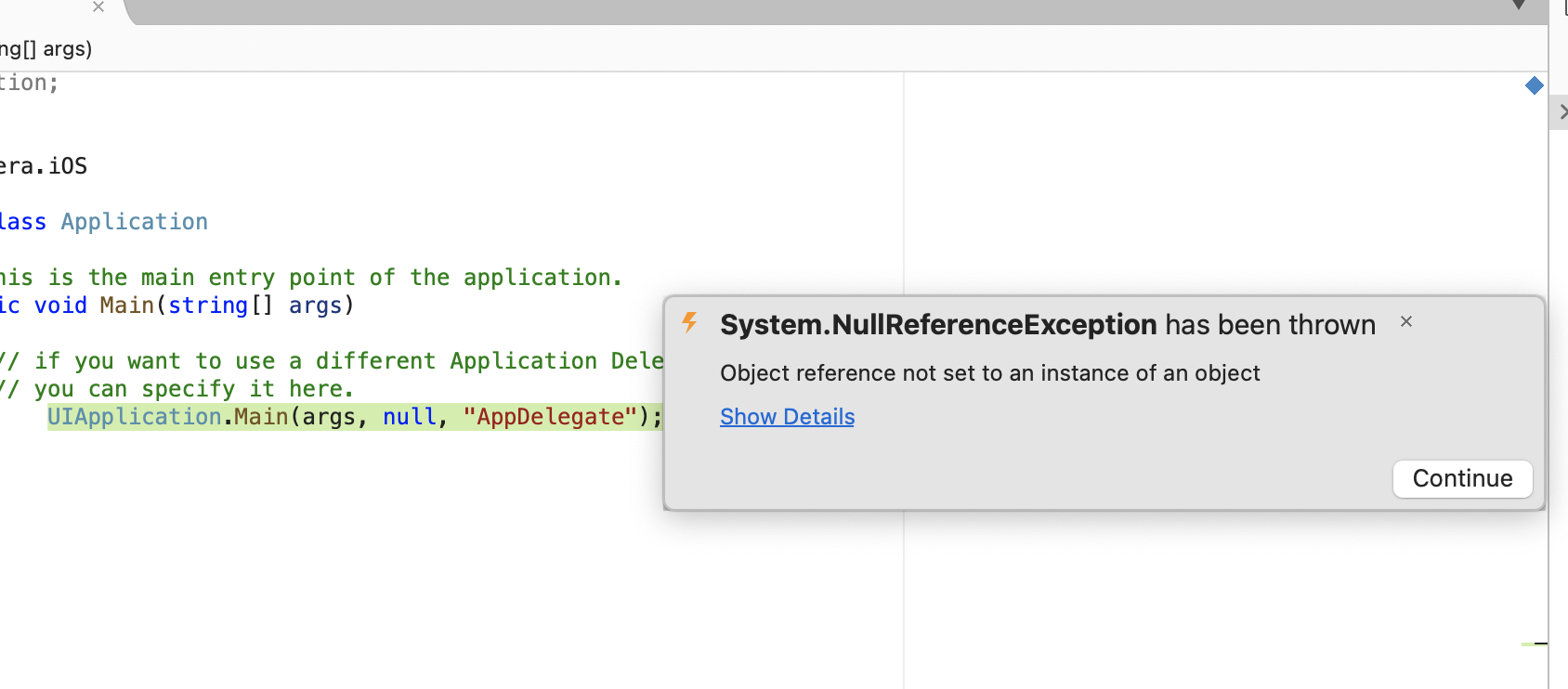
System.NullReferenceException: Object reference not set to an instance of an object
at Zeera.Signin.ButtonSigninNow_Clicked (System.Object sender, System.EventArgs e) [0x00416] in /Users/jassim/Projects/Zeera/Zeera/Signin.xaml.cs:205
at System.Runtime.CompilerServices.AsyncMethodBuilderCore+<>c.<ThrowAsync>b__7_0 (System.Object state) [0x00000] in /Library/Frameworks/Xamarin.iOS.framework/Versions/Current/src/Xamarin.iOS/mcs/class/referencesource/mscorlib/system/runtime/compilerservices/AsyncMethodBuilder.cs:1021
at Foundation.NSAsyncSynchronizationContextDispatcher.Apply () [0x00000] in /Users/builder/azdo/_work/1/s/xamarin-macios/src/Foundation/NSAction.cs:178
at at (wrapper managed-to-native) UIKit.UIApplication.UIApplicationMain(int,string[],intptr,intptr)
at UIKit.UIApplication.Main (System.String[] args, System.IntPtr principal, System.IntPtr delegate) [0x00005] in /Users/builder/azdo/_work/1/s/xamarin-macios/src/UIKit/UIApplication.cs:86
at UIKit.UIApplication.Main (System.String[] args, System.String principalClassName, System.String delegateClassName) [0x0000e] in /Users/builder/azdo/_work/1/s/xamarin-macios/src/UIKit/UIApplication.cs:65
at Zeera.iOS.Application.Main (System.String[] args) [0x00001] in /Users/jassim/Projects/Zeera/Zeera.iOS/Main.cs:17
you can try with the following:
Email: jrahma@réalisations .com
Password : Bahrain1234
Kindly help..
Thanks,
Jassim
A Microsoft framework for building cross-platform mobile apps using .NET and C# with native performance and user interfaces.
Microsoft Technologies based on the .NET software framework. Miscellaneous topics that do not fit into specific categories.
An object-oriented and type-safe programming language that has its roots in the C family of languages and includes support for component-oriented programming.
' cx='32' cy='32' r='32' /%3E%3Ctext x='50%25' y='55%25' dominant-baseline='middle' text-anchor='middle' fill='%23FFF' %3ERA%3C/text%3E%3C/svg%3E)
As the stack trace you provided says, the error occurs on line 205 of your code. Since you have only provided part of your code, no one will be able to look at it to determine what is null that should not be. A NullReferenceException is a very straightforward error and you will be able to find the issue by inserting a breakpoint and stepping through your code.
The app crashes here:
List<SigninData> data = JsonSerializer.Deserialize<List<SigninData>>(result);
and the class is:
class SigninData
{
    public string user_id { get; set; }
    public string user_uuid { get; set; }
    public string first_name { get; set; }
    public string last_name { get; set; }
    public string email_address { get; set; }
}
Did you inspect that line during execution to determine which part of it has a null value?

Maybe result is empty or "[ ]". Did you check it?
The problem is I don't have any null.
[
    {
        "user_id": "1",
        "0": "1",
        "user_uuid": "39f1f51d-c6d8-11eb-b3ce-008cfa12d1e1",
        "1": "39f1f51d-c6d8-11eb-b3ce-008cfa12d1e1",
        "first_name": "Ahmed",
        "2": "Ahmed",
        "last_name": "Al Nowais",
        "3": "Al Nowais",
        "email_address": "******@yahoo.com",
        "4": "******@gmail.com"
    }
]
If there were no unexpected null value, your code would not be throwing a NullReferenceException. Perhaps you would benefit from reviewing the following:
https://stackoverflow.com/questions/4660142/what-is-a-nullreferenceexception-and-how-do-i-fix-it
And returning to ask a more detailed/specific question once you have a better understanding of the exception your code is throwing, and have looked more closely at the line that is throwing it.
Try another email:
. . .
new KeyValuePair<string, string>("email", "******@gmail.com"),
new KeyValuePair<string, string>("password", "Bahrain1234")
. . .
I did that already. The problem is everything is fine with the URL POST on Postman and I am getting the correct result so I am 100% sure about the result but not sure why the code is throwing the error
It seems that you changed the code or data. Now “jrahma@réalisations .com” seems to work, but “jrahma@Stuff .com” does not work anymore. Did you manage to get a valid result string before continuing the program?
You can also try simplifying signin.php to return a valid result regardless the email and password for testing purposes, in order to test the C# part. Maybe this .php file has some issues.
I am testing both Gmail and Yahoo.
I tried now returning all by removing all conditions from MySQL and I am getting 3 rows in Postman so it's returning all rows with no condition
However, when trying on my app I am getting the same error
Problem solved. I deleted bin and obj folders, closed VS for Mac and rebuilt the app again.
Thank you