Developer technologies | Universal Windows Platform (UWP)
A Microsoft platform for building and publishing apps for Windows devices.
This browser is no longer supported.
Upgrade to Microsoft Edge to take advantage of the latest features, security updates, and technical support.
' cx='32' cy='32' r='32' /%3E%3Ctext x='50%25' y='55%25' dominant-baseline='middle' text-anchor='middle' fill='%23FFF' %3ESK%3C/text%3E%3C/svg%3E)
I have tried to change PaneToggleButton icon using the default style PaneToggleButtonStyle and changed the Icon to '>'
<TextBlock
x:Name="Icon"
Text=""
FontSize="{TemplateBinding FontSize}"
AutomationProperties.AccessibilityView="Raw"/>
But when I tried to achieve the following design, I am not able to move the Icon position to right as shown below
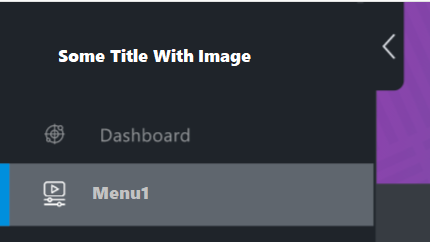
So how can I create a custom template for PaneToggleButton ?
A Microsoft platform for building and publishing apps for Windows devices.
' cx='32' cy='32' r='32' /%3E%3Ctext x='50%25' y='55%25' dominant-baseline='middle' text-anchor='middle' fill='%23FFF' %3EA%3C/text%3E%3C/svg%3E)
@Sateesh Kumar N Any updates about your issue? Does Nico's reply help you to solve the issue? If it helps, please consider accepting Nico's reply as answer.

Hello, Welcome to Micorosoft Q&A,
Customizing PaneToggleButton Icon and Position in NavigationView UWP
if you has checked NavigationView style. you will find TogglePaneButton was placed on the RootGrid and on the top level, but not on the pane, so you can't place it on the right of panel.
For above design, the better way is make navigation base on SplitView. And make arrow button to control the splitview open or not.
If the response is helpful, please click "Accept Answer" and upvote it.
Note: Please follow the steps in our documentation to enable e-mail notifications if you want to receive the related email notification for this thread.
Thank you for your reply @Nico Zhu (Shanghai Wicresoft Co,.Ltd.) , I have tried using SplitView, in the SplitView.Pane I have added two columns to a grid and Placed the HamburgerButton to second column. Now the design is showing As shown below.
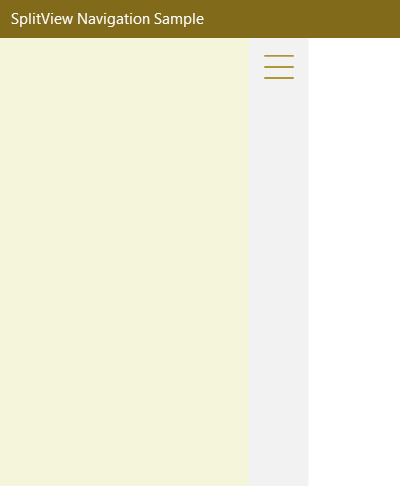
Added the following code to make the Pane to compact mode in HamburgerButton click event.
splitView.DisplayMode = SplitViewDisplayMode.CompactInline;
Now the screen is showing as shown, here the HamburgerButton icon is not visible. could you please help me to make the button visible in the second column itself
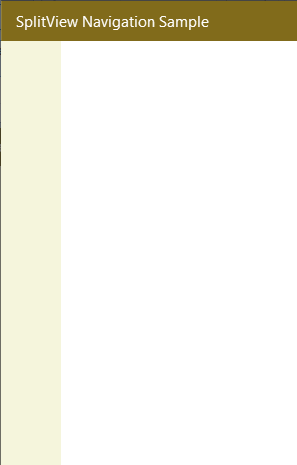
you could set ToggleBtn ColumnProperty dynamic in the code behind like the following.
private void ToggleBtn_Click(object sender, RoutedEventArgs e)
{
    MySplitView.IsPaneOpen = !MySplitView.IsPaneOpen;
    if (MySplitView.IsPaneOpen)
    {
        ToggleBtn.SetValue(Grid.ColumnProperty, 1);
    }
    else
    {
        ToggleBtn.SetValue(Grid.ColumnProperty, 0);
    }

}